- Local time
- 11:25 PM
- Messages
- 145
Hello. I need your help. I am having an issue with the program PDF Viewer Plus (Pro) by Nuance. This program is of a component of a larger program called Nuance PaperPort 12 Professional. PaperPort is a scanner software program that works with many manufacturers’ scanners out there. You can scan to create many kinds of documents, like jpeg and PDF documents. I have personal opinions of Nuance – both +/- ones. The reason why I am here is for a negative one. Nuance technical support charges a pretty penny after its 90-day free support period. So that is why I am here. Nuance’s business model is terrible! People complain about their business practices, plus their software programming all the time and I do not blame them. They took over ScanSoft, a very good former company with a good product, years ago and only recently has Nuance done some work to improve their acquired useful and feature loaded products. Still Nuance products are full of bugs and issues. Their activation policies are terrible and very rigid, but I like their products for their features so I spend money for them.
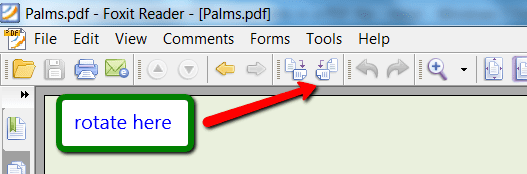
Anyways, my issue – After I scanned the documents, they automatically saved on PaperPort’s desktop as a PDF document. Now, the pages of the document on PaperPort’s desktop are all upside down (scanned that way, not intentional) in a small PDF icon. I say, no problem. I will open up (click on) the PDF document to open PDF Viewer Plus and use the “Rotate View” option. I do and all the pages in the PDF document are re-arranged right-side up. Now, I save the modified PDF document so the changes take effect. I close PDF Viewer Plus thinking the pages are right-side up. Then I see on the PaperPort’s desktop that they are STILL upside down in their small PDF icon. Hmmm… There is a folder location in “My Documents” for PaperPort items saved. I open that PDF file and it uses the free Adobe Reader PDF program. There too it is upside down. Hmm…
How do I get the PDF document to save right-side up permanently? Any thoughts why saving a rotated images in a PDF document are not saving?
Thank you!
Anyways, my issue – After I scanned the documents, they automatically saved on PaperPort’s desktop as a PDF document. Now, the pages of the document on PaperPort’s desktop are all upside down (scanned that way, not intentional) in a small PDF icon. I say, no problem. I will open up (click on) the PDF document to open PDF Viewer Plus and use the “Rotate View” option. I do and all the pages in the PDF document are re-arranged right-side up. Now, I save the modified PDF document so the changes take effect. I close PDF Viewer Plus thinking the pages are right-side up. Then I see on the PaperPort’s desktop that they are STILL upside down in their small PDF icon. Hmmm… There is a folder location in “My Documents” for PaperPort items saved. I open that PDF file and it uses the free Adobe Reader PDF program. There too it is upside down. Hmm…
How do I get the PDF document to save right-side up permanently? Any thoughts why saving a rotated images in a PDF document are not saving?
Thank you!
My Computer
At a glance
Windows 7 Pro x64 SP1 & Windows 8 & 8.1 Pro x64
- Computer type
- PC/Desktop
- OS
- Windows 7 Pro x64 SP1 & Windows 8 & 8.1 Pro x64