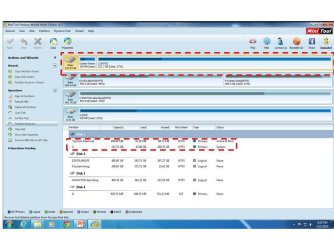
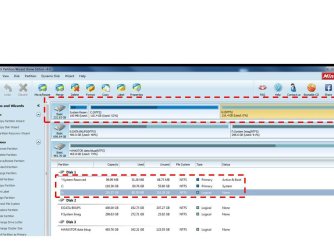
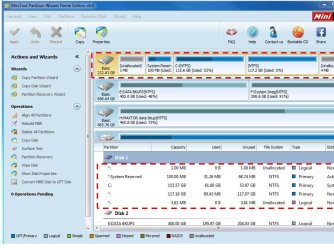
Unallocated spaces at the beginning & end of the BOOT disk

That is an old shot, let`s get one when windows is installed, I assume you still have to do that, correct ?
Correct, that will take a bit. Right now I used a combo of both AOMEI & PW to repartition the drive to see if the spaces vanish.

They did, but without WINDOWS I have nothing to paste the screenshot to tranfer to this laptop to upload.

Will now install WIN7 & cross my fingers!!!!!!!!!!!
 

My Computer My Computer

At a glance

WIN 7 32 bit
Computer type
PC/Desktop
Computer Manufacturer/Model Number
DELL
OS
WIN 7 32 bit

My Computer My Computer

At a glance

Windows 10 Pro x64Intel Core i7 6700KGSkill TridentZ RGB 16GB 3600 16-16-16-36EVGA GTX 980 Ti SC x2
Computer type
PC/Desktop
Computer Manufacturer/Model Number
Skylake Special #666
OS
Windows 10 Pro x64
CPU
Intel Core i7 6700K
Motherboard
Asus Sabertooth Z170 Mark 1
Memory
GSkill TridentZ RGB 16GB 3600 16-16-16-36
Graphics Card(s)
EVGA GTX 980 Ti SC x2
Sound Card
Realtek High Definition
Monitor(s) Displays
AOC G2460PG
Screen Resolution
1920 x 1080 144Hz
Hard Drives
Samsung 860 Pro 256GB, Seagate Barracuda 4TB x2
PSU
EVGA 1000 P2, EVGA White Custom Braided Cables
Case
Corsair Vengeance C70 Gunmetal Black
Cooling
Corsair H100i v2, Corsair ML120 x2, Thermal Grizzly Kryonaut
Keyboard
Logitech G910 Orion Spectrum
Mouse
Logitech G700s
Internet Speed
Verizon Fios Quantum Gateway 75/75
Antivirus
Windows Defender, Malwarebytes Free 3.8.3
Browser
Chrome
Other Info
Corsair SP120 x4, LG Blu-ray Drive, Durabrand HT-395 100 Watt Dolby Digital Amp, Corsair H2100 Wireless 7.1 Headset
OK, this is the current partitioning of the drive with the old system restored. Now I need to repartition the drive to allow for the FRESH install on the 2nd partition. I will repeat the procedure with the combination of AOMEI + PW that I did when I had no installed system.
 

Attachments

  • screenshot.jpg
    screenshot.jpg
    75.3 KB · Views: 4

My Computer My Computer

At a glance

WIN 7 32 bit
Computer type
PC/Desktop
Computer Manufacturer/Model Number
DELL
OS
WIN 7 32 bit
OK, that has appeared to have worked!!!!!!!!!!!!!!!!!!!!!!!!

I have yet to do the FRESH install, but I will create a RESTORE point before doing so & will report back after that install.
 

Attachments

  • screenshot2.jpg
    screenshot2.jpg
    66.7 KB · Views: 3

My Computer My Computer

At a glance

WIN 7 32 bit
Computer type
PC/Desktop
Computer Manufacturer/Model Number
DELL
OS
WIN 7 32 bit
I am not out of the woods just yet. Nonetheless, what have I learned?

1st & foremost, almost everyone one of you guys that post to this forum I guess on a daily basis had virtually NO CONSENSUS as to the cause & what is normal behavior for the partitioning of a drive. I think only ADDRAM & DAVIDE empathized with my position that this was very odd & probably should not be accepted. All others chalked it up to alignment, OS, boot mgr, & even ROCKER had complete disdain or completely dismissed the concern altogether.

Is this normal to have such diverging opinions on something that has been on the market & used so universally as these products have been? If I had been a child with a blindfold on trying to strike a PINATA given your directions I would not have gotten it.

So in the end do you guys think this was a QUIRK with my system alone or is it systemic to all partition managers? If it is systemic should this be addressed by the software developers?
 

My Computer My Computer

At a glance

WIN 7 32 bit
Computer type
PC/Desktop
Computer Manufacturer/Model Number
DELL
OS
WIN 7 32 bit
We have a quarter of a million members and I doubt if even a small portion of them agree on everything.

What we do is work together with suggestion until the problem (if their is a problem) is fixed. You are right sometimes we don't agree with each other but we do it in a polite fashion.
When you get done fixing your problem and spend some time reading other threads and post I believe you will find we do work well together.

I'm still not sure how you are getting the result you are getting at the beginning and ending of your drives. But I will continue to monitor the thread to learn what is actually happening and how it is fixed.

I personally have never had the problem you are trying to fix. Or have I ever seen a post that has had such a problem. By the end of this thread I will know how to fix such a problem if it arises again. That is also another reason we all work together; is to learn.

In you first post you were chasing 1mb at the ends of your drive shown by a 3rd party program. If it was my computer I would of just installed Windows 7 and looked in Disk Management. If it looked okay and Windows 7 liked the install I would of been done. To me Windows 7 is what must be happy not a 3rd party program.
But that is just me, or maybe a few more members would of been happy also.

I'm thinking that Windows 7 when being installed is not agreeing on the exact same starting place on the disk by a few MB as some 3 party programs. Why that would be I have no idea.
 

My Computer My Computer

At a glance

Windows 10 Pro. 64/ version 1709 Windows 7 Pr...Intel i7-6800K @ 4.3Corsair Platinum 16 gig @2400EVGA GTX 1070 OC
Computer type
PC/Desktop
Computer Manufacturer/Model Number
Home made Desktop
OS
Windows 10 Pro. 64/ version 1709 Windows 7 Pro/64
CPU
Intel i7-6800K @ 4.3
Motherboard
ASUS X-99 Deluxe II
Memory
Corsair Platinum 16 gig @2400
Graphics Card(s)
EVGA GTX 1070 OC
Monitor(s) Displays
Asus 27" LED LCD/VE278Q
Screen Resolution
1920-1080 or 1280-720 HDMI
Hard Drives
INTEL SSD 730-240 Gb Sata 3.0/
PSU
EVGA Platium 1200W
Case
Phanteks Luxe Tempered Glass 8 fans/ one radiator
Cooling
XSPC/ Water Cooled CPU
Keyboard
Das 4 Professional
Mouse
Logitech M705/MX Anywhere 2-S
Internet Speed
100 mbits
Antivirus
Microsoft Security Essentials/ Malwarebytes Premium 3.0/ SAS
Browser
I.E. 11 default/Firefox/ ISP Time Warner Cable/Spectrum
Other Info
LG BluRay Burner/
Sound system-KLipsch-THX/
Icy Dock ssd Hot Swap bays.
Jack is correct, but if you are personally not happy with something, well then you want it fixed right and that is that, That is exactly how I am, I want windows and all my connected drives perfect and I will not stop until they are.

After you have windows installed correctly on the proper drive, post the shot from EaseUS and from DM. AFTER you are done your new install.

I hope you are unplugging all other drives during the install as you were told to.

And I would have hoped you created and marked active a windows install partition, so you don`t end up with a System Reserved partition, it`s a waste of space.

A perfect windows install partition will look like this, heck with that SR partition. (no page file shown as I don`t use one) that would be the only difference.
 
Last edited:

My Computer My Computer

At a glance

Windows 10 Pro x64Intel Core i7 6700KGSkill TridentZ RGB 16GB 3600 16-16-16-36EVGA GTX 980 Ti SC x2
Computer type
PC/Desktop
Computer Manufacturer/Model Number
Skylake Special #666
OS
Windows 10 Pro x64
CPU
Intel Core i7 6700K
Motherboard
Asus Sabertooth Z170 Mark 1
Memory
GSkill TridentZ RGB 16GB 3600 16-16-16-36
Graphics Card(s)
EVGA GTX 980 Ti SC x2
Sound Card
Realtek High Definition
Monitor(s) Displays
AOC G2460PG
Screen Resolution
1920 x 1080 144Hz
Hard Drives
Samsung 860 Pro 256GB, Seagate Barracuda 4TB x2
PSU
EVGA 1000 P2, EVGA White Custom Braided Cables
Case
Corsair Vengeance C70 Gunmetal Black
Cooling
Corsair H100i v2, Corsair ML120 x2, Thermal Grizzly Kryonaut
Keyboard
Logitech G910 Orion Spectrum
Mouse
Logitech G700s
Internet Speed
Verizon Fios Quantum Gateway 75/75
Antivirus
Windows Defender, Malwarebytes Free 3.8.3
Browser
Chrome
Other Info
Corsair SP120 x4, LG Blu-ray Drive, Durabrand HT-395 100 Watt Dolby Digital Amp, Corsair H2100 Wireless 7.1 Headset
I'm still not sure how you are getting the result you are getting at the beginning and ending of your drives. But I will continue to monitor the thread to learn what is actually happening and how it is fixed.
As I showed in my screenshots on post #24 of this thread, somehow I too had a small 11MB unallocated area at the right end of my DISK3 (as shown by PW).

I don't' how it got there, other than somehow over the years and drive upgrades as has been mentioned. Sometimes a source partition from one drive may have been copied directly to a second drive, sometimes partitions on one drive were resized, sometimes partitions were copied out from source location to an intermediate USB 3.0 backup drive and then copied back when the drive hardware upgrade/replacement was complete. And depending on whether the 3rd-party product offered an option to resize the receiving partition to make it different than the size of the sending partition, this may or may not have also occurred. I only use Partition Wizard and Macrium Reflect, so those are the only two products which could possibly have explained my 11MB of unallocated space. I NEVER USE DISKMGMT.MSC, so it couldn't possibly have been something that Windows did.

Probably all of these possible explanations are reasonable. Certainly I've never seen unallocated space of any kind just spontaneously appear once the partitioning has taken place, however it took place. I can't possibly imagine having multiple partitions on a drive with zero unallocated space at left or right (as viewed from a particular 3rd-party product), and then a day or two later suddenly open space now exists! Seems impossible, unless there was something else that took place which could somehow resize the existing partitions... and for sure you'd know about it, since you were the one who did it. Otherwise, partitions don't just resize themselves, and it seems highly unlikely that PW can present a view of the partitions on a drive one day that is different from that same view two days later, if nothing had taken place in between to cause the partition boundaries to be adjusted.

Anyway, as was shown in my post #24, I simply used PW to "extend" the adjacent partition to the left of the 11MB unallocated space, pushing the slider all the way to the right so that all of the available unallocated space would be absorbed by the partition to its left, and zero unallocated space would remain. That happened, and it's "still holding". Still no unallocated space has returned.

I would recommend that PW be the tool used to do just that if necessary, no matter how the unallocated space came to exist. Just "extend" the partition to the left (or right) of this unallocated space to consume all of the adjacent unallocated space, and that should be the end of it. I trust PW.

 

My Computer My Computer

At a glance

Windows 7 Pro x64 (1), Win7 Pro X64 (2)i5-3350p 3.1Ghz/6MB-cache (1); E8400 3.0Ghz/6...8GB PC3-12800 DDR3 (1); 4GB PC3-10600 DDR3 (2)ATI HD7750 (1), (see TV cards); ATI R7 250 (2)
Computer type
PC/Desktop
Computer Manufacturer/Model Number
Home-built, two systems (1) and (2)
OS
Windows 7 Pro x64 (1), Win7 Pro X64 (2)
CPU
i5-3350p 3.1Ghz/6MB-cache (1); E8400 3.0Ghz/6MB-cache (2)
Motherboard
ASUS P8Z77-V Pro (1); ASUS P5Q3 (2)
Memory
8GB PC3-12800 DDR3 (1); 4GB PC3-10600 DDR3 (2)
Graphics Card(s)
ATI HD7750 (1), (see TV cards); ATI R7 250 (2)
Sound Card
Realtek ALC892 HD Audio (1); Realtek ALC1200 HD Audio (2)
Monitor(s) Displays
Eizo HD2441W LCD, Eizo S2433W (1); Eizo 24" S2433W (2)
Screen Resolution
1920x1200, 1920x1200 (1); 1920x1200 (2)
Hard Drives
(1) 1TB SATA-II (7200RPM), 2x2TB SATA-III (7200RPM), 250GB SATA-III (10000RPM) for OS; 2x2TB external USB 3.0

(2) 320GB SATA-II (7200RPM), 750GB SATA-II (7200RPM), 150GB SATA-II (10000RPM) for OS; 2TB external USB 3.0
PSU
Nesteq ECS-6001 600W (1); Nesteq ECS-5001 500W (2)
Case
Acousti-Case 360 (1) and (2)
Cooling
Noctua NH-U12P SE2 for CPU, 2x120mm case fans (1) and (2)
Keyboard
IBM PS/2 (1) and (2)
Mouse
Logitech MX Revolution wireless (1); Microsoft wired (2)
Internet Speed
100mbps down / 10mbps up
Antivirus
Microsoft Security Essentials; Malwarebyte Anti-Malware Pro
Browser
Firefox
Other Info
Ceton InfiniTV 4-tuner cablecard-enabled TV card as well as Hauppauge HVR-2250 OTA/ATSC 2-tuner TV card in (1), running under Win7 WMC
And I would have hoped you created and marked active a windows install partition, so you don`t end up with a System Reserved partition, it`s a waste of space.

A perfect windows install partition will look like this, heck with that SR partition. (no page file shown as I don`t use one) that would be the only difference.

I think I am screwed on the SYSTEM RESERVE partition because the old image contains one & I doubt I can remove it now since restoring that image will wipe any FRESH installation from the drive.

Correct?

I like others became complacent & thought the "SHADOW" partition was a necessity. At least I know the system will work & the "SHADOW" does not grow in size with time.
 

My Computer My Computer

At a glance

WIN 7 32 bit
Computer type
PC/Desktop
Computer Manufacturer/Model Number
DELL
OS
WIN 7 32 bit
You can move the boot code to the partition so you would no longer use or need the System Reserved partition. Here is a tutorial by whs for this: [URL]http://www.sevenforums.com/tutorials/209885-bootmgr-move-c-easybcd.html[/URL] Personally i don't think it's worth the effort, and i don't know of any problems having and using a System Reserved partition causes. I'm considering going the other way, creating a System Reserved partition and moving the boot code to that from my Win 8.1 partition. If I do it, it will be when (if) i upgrade the Win7-32 OS to Win 10.
 

My Computer My Computer

At a glance

Multi-Boot W7_Pro_x64 W8.1_Pro_x64 W10_Pro_x6...AMD Athlon II x4 6206GB GSkill DDR2 800AMD 4670 GPU + AMD 4200 IGP
Computer type
PC/Desktop
Computer Manufacturer/Model Number
home built
OS
Multi-Boot W7_Pro_x64 W8.1_Pro_x64 W10_Pro_x64 +Linux_VMs +Chromium_VM
CPU
AMD Athlon II x4 620
Motherboard
Gigabyte GA-MA785G-UD3H
Memory
6GB GSkill DDR2 800
Graphics Card(s)
AMD 4670 GPU + AMD 4200 IGP
Sound Card
on board Realtek ALC889A
Monitor(s) Displays
RCA 40" LCD TV, Insignia 32" LCD TV, HP 15" LCD monitor
Screen Resolution
1680 x 1050
Hard Drives
OCZ Vertex 3 120GB,
Samsung F3 1TB (3),
Several others - WD, Seagate, Hitachi, ...
PSU
Corsair 500 W
Case
Rosewill mid tower
Cooling
CM 90mm rifle
Keyboard
Gyration wireless, Logitech wireless, Dell USB wired
Mouse
Gyration wireless, Logitech wireless, V7 USB wired
Internet Speed
Spectrum - 100Mbps D / 10Mbps U
Antivirus
Avast, MBAM3, EMET, WinPatrol
Browser
Pale Moon, Firefox, IE
Other Info
2 multi-boot PC's
Mainly HTPC/Office/Gen purpose (no gaming).
Trendnet USB KVM.
LG DVD burner/Blue Ray Player.
Tray system for removable SATA backup drives.

Not currently OCd, under-volted.
I use Hybrid sleep, rarely re-boot or shutdown.

Hauppauge HD-PVR, Avermedia PCIe TV Tuner, Hauppauge PCI TV Tuner.
LOL.

Pages of posts.

I am amazed you hadn't noticed.

It is perfectly normal and that is how it is supposed to be since Vista. Modern partition managers do the same by default, though some allow you to select a different alignment.

Poor alignment will reduce performance, particularly for SSDs (page size of 4,096 or 8,192 bytes), hard disks with 4,096 byte sectors and RAID volumes.
 

My Computers My Computers

  • At a glance

    7 X64i5 84002x8gb 3200mhz
    Computer type
    PC/Desktop
    OS
    7 X64
    CPU
    i5 8400
    Motherboard
    gigabyte b365m ds3h
    Memory
    2x8gb 3200mhz
    Hard Drives
    various
    PSU
    pure power 11 400w cm
    Case
    Coolermaster
    Cooling
    cryorig m9i
  • At a glance

    7x64g54008gb ddr4 2400
    Computer type
    PC/Desktop
    OS
    7x64
    CPU
    g5400
    Motherboard
    ga b365m ds3h
    Memory
    8gb ddr4 2400
    PSU
    xfx pro 450w
@ SIW2 Noticed what ?

What is normal ?

@ 119baystate

"Now I need to repartition the drive to allow for the FRESH install on the 2nd partition"

When I read this, I thought you were doing a clean install, hence my suggestion to setup the partition so as to have no SR partition.

I had no idea you were using an image again.

Why are you not doing a clean install, thought all this time you were ?

Post the shots tomorrow when you`re all done, nite nite :sleepy:
 

My Computer My Computer

At a glance

Windows 10 Pro x64Intel Core i7 6700KGSkill TridentZ RGB 16GB 3600 16-16-16-36EVGA GTX 980 Ti SC x2
Computer type
PC/Desktop
Computer Manufacturer/Model Number
Skylake Special #666
OS
Windows 10 Pro x64
CPU
Intel Core i7 6700K
Motherboard
Asus Sabertooth Z170 Mark 1
Memory
GSkill TridentZ RGB 16GB 3600 16-16-16-36
Graphics Card(s)
EVGA GTX 980 Ti SC x2
Sound Card
Realtek High Definition
Monitor(s) Displays
AOC G2460PG
Screen Resolution
1920 x 1080 144Hz
Hard Drives
Samsung 860 Pro 256GB, Seagate Barracuda 4TB x2
PSU
EVGA 1000 P2, EVGA White Custom Braided Cables
Case
Corsair Vengeance C70 Gunmetal Black
Cooling
Corsair H100i v2, Corsair ML120 x2, Thermal Grizzly Kryonaut
Keyboard
Logitech G910 Orion Spectrum
Mouse
Logitech G700s
Internet Speed
Verizon Fios Quantum Gateway 75/75
Antivirus
Windows Defender, Malwarebytes Free 3.8.3
Browser
Chrome
Other Info
Corsair SP120 x4, LG Blu-ray Drive, Durabrand HT-395 100 Watt Dolby Digital Amp, Corsair H2100 Wireless 7.1 Headset
@ SIW2 Noticed what ?

What is normal ?

The unallocated spaces are normal. They are the result of best alignment practice.

That is what the thread is about.
 

My Computers My Computers

  • At a glance

    7 X64i5 84002x8gb 3200mhz
    Computer type
    PC/Desktop
    OS
    7 X64
    CPU
    i5 8400
    Motherboard
    gigabyte b365m ds3h
    Memory
    2x8gb 3200mhz
    Hard Drives
    various
    PSU
    pure power 11 400w cm
    Case
    Coolermaster
    Cooling
    cryorig m9i
  • At a glance

    7x64g54008gb ddr4 2400
    Computer type
    PC/Desktop
    OS
    7x64
    CPU
    g5400
    Motherboard
    ga b365m ds3h
    Memory
    8gb ddr4 2400
    PSU
    xfx pro 450w
The unallocated spaces are normal. They are the result of best alignment practice.
You lost me. The unallocated space in question is TO THE RIGHT of the last partition on the drive.

The "alignment" of the partition to the left refers to its starting location (i.e. the left boundary of that partition), not the boundary on its right.

Sure, each partition should be "aligned", and thus it's possible to see "alignment filler" as unallocated IN BETWEEN PARTITIONS. But not an "orphan" unallocated at the extreme right end of the drive, for no reason.

In passing, I again bring up my K partition on what was DISK3 in my screenshot of post #24. There was an 11.34MB unallocated space just to its right (i.e. at the far right of the drive). K was already an "aligned" partition". I then "extended" K to absorb this 11.34MB unallocated space. And I now just checked alignment of K again, and PW sure enough says "your partition does not need alignment, it is already aligned".

So no matter whether it included the 11.34MB or not, its left-boundary is aligned. Doesn't matter what's on the right boundary, of this partition.

In other words, it's still not exactly understood why OP's unallocated area was "birthed", and by who/what/when.
 

My Computer My Computer

At a glance

Windows 7 Pro x64 (1), Win7 Pro X64 (2)i5-3350p 3.1Ghz/6MB-cache (1); E8400 3.0Ghz/6...8GB PC3-12800 DDR3 (1); 4GB PC3-10600 DDR3 (2)ATI HD7750 (1), (see TV cards); ATI R7 250 (2)
Computer type
PC/Desktop
Computer Manufacturer/Model Number
Home-built, two systems (1) and (2)
OS
Windows 7 Pro x64 (1), Win7 Pro X64 (2)
CPU
i5-3350p 3.1Ghz/6MB-cache (1); E8400 3.0Ghz/6MB-cache (2)
Motherboard
ASUS P8Z77-V Pro (1); ASUS P5Q3 (2)
Memory
8GB PC3-12800 DDR3 (1); 4GB PC3-10600 DDR3 (2)
Graphics Card(s)
ATI HD7750 (1), (see TV cards); ATI R7 250 (2)
Sound Card
Realtek ALC892 HD Audio (1); Realtek ALC1200 HD Audio (2)
Monitor(s) Displays
Eizo HD2441W LCD, Eizo S2433W (1); Eizo 24" S2433W (2)
Screen Resolution
1920x1200, 1920x1200 (1); 1920x1200 (2)
Hard Drives
(1) 1TB SATA-II (7200RPM), 2x2TB SATA-III (7200RPM), 250GB SATA-III (10000RPM) for OS; 2x2TB external USB 3.0

(2) 320GB SATA-II (7200RPM), 750GB SATA-II (7200RPM), 150GB SATA-II (10000RPM) for OS; 2TB external USB 3.0
PSU
Nesteq ECS-6001 600W (1); Nesteq ECS-5001 500W (2)
Case
Acousti-Case 360 (1) and (2)
Cooling
Noctua NH-U12P SE2 for CPU, 2x120mm case fans (1) and (2)
Keyboard
IBM PS/2 (1) and (2)
Mouse
Logitech MX Revolution wireless (1); Microsoft wired (2)
Internet Speed
100mbps down / 10mbps up
Antivirus
Microsoft Security Essentials; Malwarebyte Anti-Malware Pro
Browser
Firefox
Other Info
Ceton InfiniTV 4-tuner cablecard-enabled TV card as well as Hauppauge HVR-2250 OTA/ATSC 2-tuner TV card in (1), running under Win7 WMC
More thoughts.

Because we still don't know the system specs therefore we don't know what drives are being used is it possible that different drives and their starting and finishing place could be different because of the way they have been manufactured.

Would not different manufacturing of drives change the way the alignment works.
I doubt that all hard drives are made perfectly the same.

I haven't did a install on a hard drive in years (only ssd's) so I have no way of comparing.

I do know that I have 3 Windows installed on separate ssd, all done with the Windows DVD only (no P.W.) used and I have never seen those unallocated spaces at the beginning or end of a install or parathion.

I can look using Disk Management and P.W. and they have never been there.
I use P.W. after the install is complete to tinker with disk management if I so desire. I use P.W. that is installed on my systems not from a DVD. I don't know if that matters.


Just some food for thought.
 

My Computer My Computer

At a glance

Windows 10 Pro. 64/ version 1709 Windows 7 Pr...Intel i7-6800K @ 4.3Corsair Platinum 16 gig @2400EVGA GTX 1070 OC
Computer type
PC/Desktop
Computer Manufacturer/Model Number
Home made Desktop
OS
Windows 10 Pro. 64/ version 1709 Windows 7 Pro/64
CPU
Intel i7-6800K @ 4.3
Motherboard
ASUS X-99 Deluxe II
Memory
Corsair Platinum 16 gig @2400
Graphics Card(s)
EVGA GTX 1070 OC
Monitor(s) Displays
Asus 27" LED LCD/VE278Q
Screen Resolution
1920-1080 or 1280-720 HDMI
Hard Drives
INTEL SSD 730-240 Gb Sata 3.0/
PSU
EVGA Platium 1200W
Case
Phanteks Luxe Tempered Glass 8 fans/ one radiator
Cooling
XSPC/ Water Cooled CPU
Keyboard
Das 4 Professional
Mouse
Logitech M705/MX Anywhere 2-S
Internet Speed
100 mbits
Antivirus
Microsoft Security Essentials/ Malwarebytes Premium 3.0/ SAS
Browser
I.E. 11 default/Firefox/ ISP Time Warner Cable/Spectrum
Other Info
LG BluRay Burner/
Sound system-KLipsch-THX/
Icy Dock ssd Hot Swap bays.
@ SIW2 Noticed what ?

What is normal ?

The unallocated spaces are normal. They are the result of best alignment practice.

That is what the thread is about.

There are no unallocated spaces on any of my hard drives drives or ssd`s, and they are all aligned, the only reason he had that was because it was setup as a GPT drive.

Examine my pic in post #36

Still waiting on his new screenshots from the new install, using DM and EASEUS.
 

My Computer My Computer

At a glance

Windows 10 Pro x64Intel Core i7 6700KGSkill TridentZ RGB 16GB 3600 16-16-16-36EVGA GTX 980 Ti SC x2
Computer type
PC/Desktop
Computer Manufacturer/Model Number
Skylake Special #666
OS
Windows 10 Pro x64
CPU
Intel Core i7 6700K
Motherboard
Asus Sabertooth Z170 Mark 1
Memory
GSkill TridentZ RGB 16GB 3600 16-16-16-36
Graphics Card(s)
EVGA GTX 980 Ti SC x2
Sound Card
Realtek High Definition
Monitor(s) Displays
AOC G2460PG
Screen Resolution
1920 x 1080 144Hz
Hard Drives
Samsung 860 Pro 256GB, Seagate Barracuda 4TB x2
PSU
EVGA 1000 P2, EVGA White Custom Braided Cables
Case
Corsair Vengeance C70 Gunmetal Black
Cooling
Corsair H100i v2, Corsair ML120 x2, Thermal Grizzly Kryonaut
Keyboard
Logitech G910 Orion Spectrum
Mouse
Logitech G700s
Internet Speed
Verizon Fios Quantum Gateway 75/75
Antivirus
Windows Defender, Malwarebytes Free 3.8.3
Browser
Chrome
Other Info
Corsair SP120 x4, LG Blu-ray Drive, Durabrand HT-395 100 Watt Dolby Digital Amp, Corsair H2100 Wireless 7.1 Headset
Still waiting on his new screenshots from the new install, using DM and EASEUS.

Hi everyone,
I am back. I ran into trouble when I went to do the FRESH install. For some odd reason the rescue CD wanted to do a REPAIR install & I let it. Then it did not fininsh & mentioned that AUTOCHK was missing. I got impatient & did a system inage recovery. At that point, I was running behind on other domestic chores & had to address them. By the time they were done the NCAA tournament action started. I indulged somewhat while watching & between staying up all night & the BREW I eventually crashed.

Now I am back in the saddle. Currently, I have the old image restored without any unallocated spaces. I will again attempt to create the 2nd partition as I had done before & get back with you.

Sorry for the hiatus
 

My Computer My Computer

At a glance

WIN 7 32 bit
Computer type
PC/Desktop
Computer Manufacturer/Model Number
DELL
OS
WIN 7 32 bit
@ 119baystate

"Now I need to repartition the drive to allow for the FRESH install on the 2nd partition"

When I read this, I thought you were doing a clean install, hence my suggestion to setup the partition so as to have no SR partition.

I had no idea you were using an image again.

Why are you not doing a clean install, thought all this time you were ?

Yeh, I wanted to do a CLEAN install, but there was some encryptian key for my email on the old system that I cannot seem to transfer to any other computer. Hence, I would lose access to my email archives. That is another story.

Anyway, once I can transfer the old archve to a file that can be read on the FRESH install I will delete the old image. In the meantime, I did not think repartitioning the drive would be such a HASSLE. I have done this before on other computers & I have never seen the UNALLOCATED spaces. This is a 1st.
 

My Computer My Computer

At a glance

WIN 7 32 bit
Computer type
PC/Desktop
Computer Manufacturer/Model Number
DELL
OS
WIN 7 32 bit
OK, this is what I now have & I will try to correct using AOMEI.
 

Attachments

  • screenshot3.jpg
    screenshot3.jpg
    94.7 KB · Views: 1

My Computer My Computer

At a glance

WIN 7 32 bit
Computer type
PC/Desktop
Computer Manufacturer/Model Number
DELL
OS
WIN 7 32 bit
Now, your shot above is this a brand new shot correct ?

Let`s also get one from Disk Management .

The 232 GB drive is a copy from another drive correct ? That`s why it`s still showing up like that.

You should be using a web based email program so you don`t have to worry about things like encryption keys.

I would never download email to my computer. It`s always at verizon.net :)

If you have your older system still on a hard drive, why not do the clean install on the 232 GB, you can always access the other system. (setting up the 232 GB drive before you install)

Partitioning should never be a hassle, not with a PW Boot CD :D

Bootable Partition Manger | MiniTool Partition Wizard Bootable Edition
 

My Computer My Computer

At a glance

Windows 10 Pro x64Intel Core i7 6700KGSkill TridentZ RGB 16GB 3600 16-16-16-36EVGA GTX 980 Ti SC x2
Computer type
PC/Desktop
Computer Manufacturer/Model Number
Skylake Special #666
OS
Windows 10 Pro x64
CPU
Intel Core i7 6700K
Motherboard
Asus Sabertooth Z170 Mark 1
Memory
GSkill TridentZ RGB 16GB 3600 16-16-16-36
Graphics Card(s)
EVGA GTX 980 Ti SC x2
Sound Card
Realtek High Definition
Monitor(s) Displays
AOC G2460PG
Screen Resolution
1920 x 1080 144Hz
Hard Drives
Samsung 860 Pro 256GB, Seagate Barracuda 4TB x2
PSU
EVGA 1000 P2, EVGA White Custom Braided Cables
Case
Corsair Vengeance C70 Gunmetal Black
Cooling
Corsair H100i v2, Corsair ML120 x2, Thermal Grizzly Kryonaut
Keyboard
Logitech G910 Orion Spectrum
Mouse
Logitech G700s
Internet Speed
Verizon Fios Quantum Gateway 75/75
Antivirus
Windows Defender, Malwarebytes Free 3.8.3
Browser
Chrome
Other Info
Corsair SP120 x4, LG Blu-ray Drive, Durabrand HT-395 100 Watt Dolby Digital Amp, Corsair H2100 Wireless 7.1 Headset
Back
Top