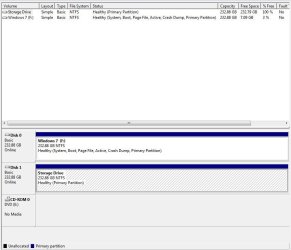
I have gotten it to work, but not the way I expected. I marked the Win7 partition as active, and the Vista partition as inactive, but when I went to recovery, it STILL wrote the files back to Vista (apparently recognizing the boot files on the drive). After about 5 attempts, I got it to work by doing the following:
- Boot Win7
- Mark Win7 Partition as active
- Mark Vista Partition as Inactive
- Shut Down
- Open hard drive access door
- Swap hard drives (putting Win7 in SATA 0, Vista in SATA 1)
- Close door
- Boot to Recovery disc
- Open command prompt
- Verify that Win7 is drive C:
- Run Startup Recovery
- View Detailed Report to Verify That it completed successfully
- Run again if not successful
- Boot to Win7
- Delete Vista Partition
- Repartition Drive