
Dear all,
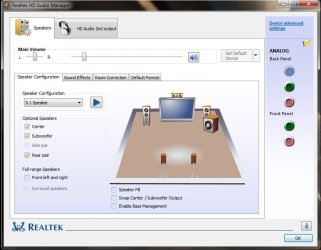
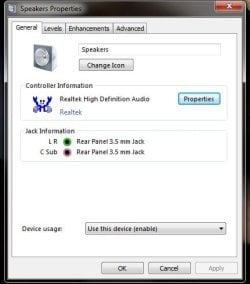
I never had an issue which lasted for more than 3 days any time before. Guys this is an issue related to Realtek . In the following screenshot you can see the line-in jack(blue) in the back panel is disabled but cable is already inserted. Similarly the line in jack is also missing from the speaker properties. I downloaded the latest drivers , tried with some old driver,everything possible with drivers. But all were unsuccessful. I wish to connect the rear speakers of my 5.1 to this blue jack. Earlier before reinstalling Windows 7 it was working fine. Anybody help me solving this issue. I read something related to jack retasking and all. But i dont know how to do it. In Realtek HD Manager there is no such option for it.
I never had an issue which lasted for more than 3 days any time before. Guys this is an issue related to Realtek . In the following screenshot you can see the line-in jack(blue) in the back panel is disabled but cable is already inserted. Similarly the line in jack is also missing from the speaker properties. I downloaded the latest drivers , tried with some old driver,everything possible with drivers. But all were unsuccessful. I wish to connect the rear speakers of my 5.1 to this blue jack. Earlier before reinstalling Windows 7 it was working fine. Anybody help me solving this issue. I read something related to jack retasking and all. But i dont know how to do it. In Realtek HD Manager there is no such option for it.
Attachments
My Computer
- OS
- Windows 7 Ultimate x86
- Motherboard
- Intel DG 31 PR


