Solved USB Peripherals not recognized (suspected driver issue)

Mimzy

New member
Local time
1:59 PM
Messages
3
Hi there! I'm really hoping that someone can help because I'm about to pull my hair out and smash my computer with a hammer.

Let's start with some background to this story; I'm not particularly tech-savvy, but I'm not really an idiot either. The computer is:
  • Sony Vaio
  • Windows 7, 64 bit, Service Pack 1
  • Nvidia Graphics Card

It's a fairly old computer but it's been operating fine; I've been using a Logitech M705 (wireless) mouse without issue for the better part of six months. While mid-battle in a game, the mouse stops working.

"Great," think I, "the batteries are dead."

So I replace the batteries. Mouse still doesn't work. Exit out of the game, and this is when stuff starts getting crazy.

I unplug the Logitech unifying receiver and plug it in, when this shows up:
32f423864e50463dbd112d3cf2e2e70e.png

So it doesn't recognize the receiver.

This is odd, because it was just working not two minutes ago. Of course, I click for more information, and get:
4fe17a1d08464799ba792091a8615535.png


I do a bit of Googling and find that most times this is due to the receiver being worn out. Not to worry, I've got plenty of spares, so I plug one of them in. Same issue.

Even Logitech cant find a receiver.
8b9c89275a0e41488c1d58e42b21884f.png

And that's after uninstalling / reinstalling the program and checking for updates.

I check the device manager and have a "Unknown USB Device" with an exclamation mark and have the following:
a641f70b0d9a4fe396cac8ff8029e094.png


It's at this point that I try the paired receiver out on my husband's desktop; the mouse works, so the issue is not the receiver. I try his mouse (working fine on his computer) on my laptop, but once again Windows can't seem to figure out what's plugged into it. I plug in an external hard drive into the USB port and it recognizes it no problem, so it's not the hardware of the port. However, I try plugging in a USB microphone and get the same error.
Side note: The computer has three USB ports, two on the right and one on the left. I've tried every port. The two on the right both throw the same error as described above, the one on the left doesn't even register that something is plugged in.

A bit more Googling, and I check to make sure I've got usb.inf and usb.pnf in my C:\Windows\inf folder.
I follow the directions here, but it doesn't fix the issue.
I cave and go buy a wired mouse. The wired mouse has the same issue.
I run Windows updater (still doesn't fix it).
I try to find the driver I need online so I can manually download and redirect it in the device manager (no dice).

I've gotten to the point where I just don't know what else to try. I'd like to avoid wiping the computer for a multitude of reasons (it originally came with Windows Vista, and I'm unsure if I'd be able to re-upgrade; I've got an older version of Photoshop but don't know where the disk to re-install it is; there are about 7 years worth of pictures on here, etc), but it's getting to the point where I'm not sure what else to even try.

Any help at all would be greatly appreciated!
 
Last edited:

My Computer

Computer type
Laptop
Computer Manufacturer/Model Number
Sony Vaio
OS
Windows 7 Home Premium 64bit Service Pack 1
Graphics Card(s)
nvidia
Antivirus
AVG
Browser
Chrome
Somethings to try.

Shut down the computer.
Remove the dongle.
Boot the computer completely.
Plug the dongle in and see if Windows sees it.

I have the same mouse and I use Windows 7 drivers. I don't use Logitech drivers.

You could try a clean install of Logitech drivers also and see if that works.

Jack
 

My Computer

Computer type
PC/Desktop
Computer Manufacturer/Model Number
Home made Desktop
OS
Windows 10 Pro. 64/ version 1709 Windows 7 Pro/64
CPU
Intel i7-6800K @ 4.3
Motherboard
ASUS X-99 Deluxe II
Memory
Corsair Platinum 16 gig @2400
Graphics Card(s)
EVGA GTX 1070 OC
Monitor(s) Displays
Asus 27" LED LCD/VE278Q
Screen Resolution
1920-1080 or 1280-720 HDMI
Hard Drives
INTEL SSD 730-240 Gb Sata 3.0/
PSU
EVGA Platium 1200W
Case
Phanteks Luxe Tempered Glass 8 fans/ one radiator
Cooling
XSPC/ Water Cooled CPU
Keyboard
Das 4 Professional
Mouse
Logitech M705/MX Anywhere 2-S
Internet Speed
100 mbits
Antivirus
Microsoft Security Essentials/ Malwarebytes Premium 3.0/ SAS
Browser
I.E. 11 default/Firefox/ ISP Time Warner Cable/Spectrum
Other Info
LG BluRay Burner/
Sound system-KLipsch-THX/
Icy Dock ssd Hot Swap bays.
Hi Mr. Bear!

Thanks for the recommendations. Unfortunately, receiver removal / shut down / reboot resulted in the same error; Windows sees that something is plugged in, but it can't seem to figure out what it is.

I've looked on the Microsoft Update Catalog and re-downloaded the Logitech - Input - Logitech Cordless USB Mouse & Enhanced Keys driver; then went to the device manager, found the unknown device, attempted to update the driver by directing it to the folder the new file was downloaded to, and it told me that the best driver for this device (despite not knowing what it was) was already updated.

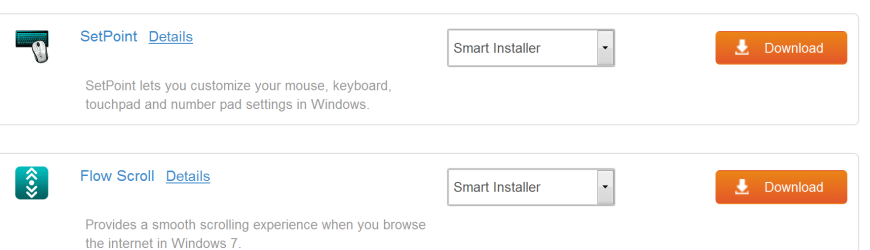
I've been scouring through Logitech's site but can't seem to find the driver I'd need from them (and, given the result of the steps above, I'm not even sure if that would work).
 

My Computer

Computer type
Laptop
Computer Manufacturer/Model Number
Sony Vaio
OS
Windows 7 Home Premium 64bit Service Pack 1
Graphics Card(s)
nvidia
Antivirus
AVG
Browser
Chrome
Mimzy. Have you downloaded & installed the correct software for your Logitech M705 mouse. Below is the Logitech website for your mouse, so download the software required, install it & then open the application & set it up as you prefer.

Marathon Mouse M705 - Logitech Support
 

My Computer

Computer type
PC/Desktop
Computer Manufacturer/Model Number
Self built using existing case
OS
Windows 7 Home Premium 64 bit sp1
CPU
Intel i5 3570 3.4Ghz Ivy Bridge SKT 1155 quad core
Motherboard
Gigabyte Z77-HD3 SKT 1155 2xSata 3, 4x USB 3.0
Memory
G-Skill Rip Jaws 16Gb (8x2) DDR3 -1600 PC3 12800 CL 10 red
Graphics Card(s)
Gigabyte NVIDIA GT610 1Gb DDR3 810/1200 PCI-E 2.0 Silent
Sound Card
NVIDIA High Definition & Realtech High Definition Audio
Monitor(s) Displays
2 x Philips 226V4L 16:9 aspect ratio
Screen Resolution
1920 x 1080 HD
Hard Drives
Samsung 840 Pro 256gb SSD, SATA 3.
Hitachi Touro Portable 1tb, USB 3.0 HDD used for image b/ups.
PSU
Corsair VS450
Case
Codeng
Cooling
PSU fan & CPU fan
Keyboard
Logitech
Mouse
Logitech Wireless trackball M570
Internet Speed
Wireless 3G. 3mg down & 550kb up.
Antivirus
Bitdefender Internet Security 2020
Browser
Opera (Current Version) & Firefox
Other Info
MS Office 2013 Pro. Davis weather station software. MGE Nova 600 avr UPS.

My Computer

Computer type
PC/Desktop
Computer Manufacturer/Model Number
Home made Desktop
OS
Windows 10 Pro. 64/ version 1709 Windows 7 Pro/64
CPU
Intel i7-6800K @ 4.3
Motherboard
ASUS X-99 Deluxe II
Memory
Corsair Platinum 16 gig @2400
Graphics Card(s)
EVGA GTX 1070 OC
Monitor(s) Displays
Asus 27" LED LCD/VE278Q
Screen Resolution
1920-1080 or 1280-720 HDMI
Hard Drives
INTEL SSD 730-240 Gb Sata 3.0/
PSU
EVGA Platium 1200W
Case
Phanteks Luxe Tempered Glass 8 fans/ one radiator
Cooling
XSPC/ Water Cooled CPU
Keyboard
Das 4 Professional
Mouse
Logitech M705/MX Anywhere 2-S
Internet Speed
100 mbits
Antivirus
Microsoft Security Essentials/ Malwarebytes Premium 3.0/ SAS
Browser
I.E. 11 default/Firefox/ ISP Time Warner Cable/Spectrum
Other Info
LG BluRay Burner/
Sound system-KLipsch-THX/
Icy Dock ssd Hot Swap bays.
Hi guys!

Thank you both for the direction; unfortunately downloading these programs hasn't helped, as they (like the Logitech unifying software) don't even recognize that the mouse is plugged in.

I've tried another new wired mouse and am encountering the same issue; it seems that Windows Update just can't figure out what the heck I've attached and therefore nothing works.
e60aa06be63944f499b8ef7157c642c3.png

13d0d84c2fa9424085f9572b4776c69e.png
 

My Computer

Computer type
Laptop
Computer Manufacturer/Model Number
Sony Vaio
OS
Windows 7 Home Premium 64bit Service Pack 1
Graphics Card(s)
nvidia
Antivirus
AVG
Browser
Chrome
Mimzy. I have just re-read your first post & realised you are using a Sony Laptop, so it's possible the Touchpad has been activated & the mouse is disabled. This Sony website explains how to isolate the Touchpad so you can use a mouse.

Solved: Disable touchpad with mouse connected - the Community

See if this helps & get back & let us know how you get on.
 

My Computer

Computer type
PC/Desktop
Computer Manufacturer/Model Number
Self built using existing case
OS
Windows 7 Home Premium 64 bit sp1
CPU
Intel i5 3570 3.4Ghz Ivy Bridge SKT 1155 quad core
Motherboard
Gigabyte Z77-HD3 SKT 1155 2xSata 3, 4x USB 3.0
Memory
G-Skill Rip Jaws 16Gb (8x2) DDR3 -1600 PC3 12800 CL 10 red
Graphics Card(s)
Gigabyte NVIDIA GT610 1Gb DDR3 810/1200 PCI-E 2.0 Silent
Sound Card
NVIDIA High Definition & Realtech High Definition Audio
Monitor(s) Displays
2 x Philips 226V4L 16:9 aspect ratio
Screen Resolution
1920 x 1080 HD
Hard Drives
Samsung 840 Pro 256gb SSD, SATA 3.
Hitachi Touro Portable 1tb, USB 3.0 HDD used for image b/ups.
PSU
Corsair VS450
Case
Codeng
Cooling
PSU fan & CPU fan
Keyboard
Logitech
Mouse
Logitech Wireless trackball M570
Internet Speed
Wireless 3G. 3mg down & 550kb up.
Antivirus
Bitdefender Internet Security 2020
Browser
Opera (Current Version) & Firefox
Other Info
MS Office 2013 Pro. Davis weather station software. MGE Nova 600 avr UPS.
Do you still have an unknown device on device manager?

What is the hardware ID?

392656d1476219902-lg-bluetooth-soundbar-recognised-devices-but-will-not-connect-device.jpg
 
Last edited:

My Computers

System One System Two

  • Computer type
    PC/Desktop
    Computer Manufacturer/Model Number
    custom build
    OS
    Windows 7 HP 64
    CPU
    i5 6600K - 800MHz to 4200MHz
    Motherboard
    GA-Z170-HD3P
    Memory
    4+4G GSkill DDR4 3000
    Graphics Card(s)
    IG - Intel 530
    Monitor(s) Displays
    Samsung 226BW
    Screen Resolution
    1680x1050
    Hard Drives
    (1) -1 SM951 – 128GB M.2 AHCI PCIe SSD drive for Windows 7 and Lubuntu
    (2) -1 WD SATA 3 - 1T for Data
    (3) -1 WD SATA 3 - 1T for backup
    PSU
    Thermaltake 450W TR2 gold
    Keyboard
    Old and good Chicony mechanical keyboard
    Mouse
    Logitech mX performance - 9 buttons (had to disable some)
    Internet Speed
    500Mb/s
    Browser
    Firefox 64
    Other Info
    TinyWall firewall
  • Computer type
    Laptop
    System Manufacturer/Model Number
    Asus Q550LF
    OS
    Windows 7 Pro
    CPU
    i7-4500U 800MHz to 3.0GHz
    Motherboard
    Asus Q550LF
    Memory
    (4+4)G DDR3 1600
    Graphics Card(s)
    IG intel 4400 + NVIDIA GeForce GT 745M
    Sound Card
    Realtek
    Monitor(s) Displays
    LG Display LP156WF4-SPH1
    Screen Resolution
    1920 x 1080
    Hard Drives
    BX500 120G SSD for Windows and programs +
    1T HDD for data
    Internet Speed
    500 Mb/s
    Browser
    Firefox
    Other Info
    TinyWall firewall
USB Not Recognized message
When you connect a device to the USB bus, Windows knows something's out there by the electrical change on the bus. Windows starts/completes an electrical handshake with the device so the device can then send Windows its ID info burned into its firmware. Windows uses this ID data to "recognize" the device and find its driver.

When Windows senses the bus change (knows somethings out there) but handshake fails or the device data can't be received for any reason - you get an "unrecognized" device.
(@megahertz The hwid for unrecognized devices are generic. Either with a value of UNKNOWN or zeros filled in vs "Other" devices that may appear in Device Manager - for "Other" devices Windows received device data but can't find a driver for it)

1. Check if your BIOS is up to data
2. Reinstall chipset drivers / make sure they're up to date
3. If a laptop, try when power plugged in (power can have affect)
4. Try different ports
5. For each Root hub in device manager right click->Properties->Power Management tab, uncheck Allow computer to turn off this device to save power
 

My Computer

Computer type
PC/Desktop
Computer Manufacturer/Model Number
Dell Optiplex 360 and Optiplex 755
OS
Desk 1: Win 7 Pro x32; Desk 2: Windows 10 x64
Hard Drives
500GB Crucial SSD in both Desktops
Other Info
Buffalo 6TB NAS, Raid 1
When trying all the suggestion that have been given please make sure the laptop is plugged into a wall outlet.
Low battery power can cause these types of problems.

Jack
 

My Computer

Computer type
PC/Desktop
Computer Manufacturer/Model Number
Home made Desktop
OS
Windows 10 Pro. 64/ version 1709 Windows 7 Pro/64
CPU
Intel i7-6800K @ 4.3
Motherboard
ASUS X-99 Deluxe II
Memory
Corsair Platinum 16 gig @2400
Graphics Card(s)
EVGA GTX 1070 OC
Monitor(s) Displays
Asus 27" LED LCD/VE278Q
Screen Resolution
1920-1080 or 1280-720 HDMI
Hard Drives
INTEL SSD 730-240 Gb Sata 3.0/
PSU
EVGA Platium 1200W
Case
Phanteks Luxe Tempered Glass 8 fans/ one radiator
Cooling
XSPC/ Water Cooled CPU
Keyboard
Das 4 Professional
Mouse
Logitech M705/MX Anywhere 2-S
Internet Speed
100 mbits
Antivirus
Microsoft Security Essentials/ Malwarebytes Premium 3.0/ SAS
Browser
I.E. 11 default/Firefox/ ISP Time Warner Cable/Spectrum
Other Info
LG BluRay Burner/
Sound system-KLipsch-THX/
Icy Dock ssd Hot Swap bays.
Back
Top