USB Wireless got disconnected

John Green

New member
Local time
7:04 PM
Messages
3
I managed to install USB wireless adapter (Airties WUS-300) successfully into Windows 7 RC and it works great, but there is a problem.

Whenever I safely remove my ThumbDrive or mobile HDD from any of the USB ports, the USB wireless adapter would lost wireless connection. I have the exact hardware setup but I don't face this issue using Windows XP.

I've tried numerous workarounds and still no luck.

This problem is very annoying and driving me crazy. What could be the issue?

Can any gurus advice?

Cheers
 

My Computer

Computer Manufacturer/Model Number
MICRO-STAR INC.
OS
Windows 7
CPU
Intel P4 CPU 2.80GHz, 2800 Mhz, 1 Core, 2 Logic Processors
Motherboard
MS-6728
Memory
2.00GB
Graphics Card(s)
ATI RADEON 9600 Series (128MB)
Sound Card
Creative SB Live! Series (WDM)
Monitor(s) Displays
Samsung SyncMaster 173v
Screen Resolution
1280x1024
Hard Drives
Maxtor 6Y080L0 ATA Device - Primary Master (IDE) - 80GB (C:)
Maxtor 6Y080L0 ATA Device - Primary Slave (IDE) - 80GB (D:)
PSU
No info
Case
No info
Cooling
Just CPU fan
Keyboard
PS2
Mouse
PS2
Internet Speed
ADSL - 3Mbps
Other Info
Airties WUS-300 USB Wireless adapter

I suspect a voltage dip.

You could try a USB port on a different header if you have one. Front and back USB ports are on different headers.
 
I've tried all combination of plugging front and back USB ports. The results is negative if OS is Windows 7.

I never faced this issue while using Windows XP. Could it be a bug in Windows 7? or is there anyway to determine the problem is?

Cheers
 

My Computer

Computer Manufacturer/Model Number
MICRO-STAR INC.
OS
Windows 7
CPU
Intel P4 CPU 2.80GHz, 2800 Mhz, 1 Core, 2 Logic Processors
Motherboard
MS-6728
Memory
2.00GB
Graphics Card(s)
ATI RADEON 9600 Series (128MB)
Sound Card
Creative SB Live! Series (WDM)
Monitor(s) Displays
Samsung SyncMaster 173v
Screen Resolution
1280x1024
Hard Drives
Maxtor 6Y080L0 ATA Device - Primary Master (IDE) - 80GB (C:)
Maxtor 6Y080L0 ATA Device - Primary Slave (IDE) - 80GB (D:)
PSU
No info
Case
No info
Cooling
Just CPU fan
Keyboard
PS2
Mouse
PS2
Internet Speed
ADSL - 3Mbps
Other Info
Airties WUS-300 USB Wireless adapter

My Computer

Computer Manufacturer/Model Number
Self Build 64bit
OS
Vista Ult64, Win7600
CPU
Intel Core 2 Quad Q6600 @ 2400 MHz 64bit OS
Motherboard
Asus P5E3 Deluxe WiFi @p 64 bit OS
Memory
4096 MB DDR3-SDRAM
Graphics Card(s)
ATI Radeon HD 3870 Series x2 Crossfired
Sound Card
Realtek on board
Monitor(s) Displays
Samsung SyncMaster - 23 inches
Screen Resolution
1680x1050 pixels at 60 Hz in True Colors
Hard Drives
Hitachi (250 GB)/Samsung 750 GB. /Barracuda 160 GB.
My Book 1 TB external..
PSU
Cooler Master 1000w
Case
Cooler Master Cosmos 1000.
Cooling
Fans and fresh air,
Keyboard
Wireless
Mouse
Wireless
Internet Speed
Never fast enough
Other Info
I use a Magnum.
Check that you have the latest BIOS and chipset driver.

Boost your NorthBridge voltage one notch or two.

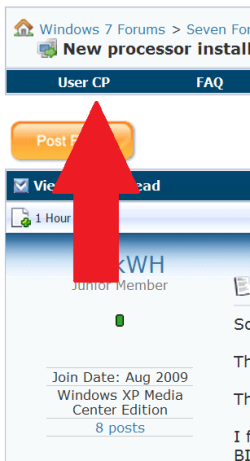
No additional help from this desk until you post your system specs.

.
 

Attachments

  • 0 UserCP1.PNG
    0 UserCP1.PNG
    10.8 KB · Views: 13
  • 0 UserCP2.PNG
    0 UserCP2.PNG
    7.3 KB · Views: 9
OK. Specs updated.

The bios and the chipset driver are the latest.

Just checked, there is no options in my motherboard to increase the voltage of the northbridge, only CPU:).

Any other options I can try?

Cheers
 

My Computer

Computer Manufacturer/Model Number
MICRO-STAR INC.
OS
Windows 7
CPU
Intel P4 CPU 2.80GHz, 2800 Mhz, 1 Core, 2 Logic Processors
Motherboard
MS-6728
Memory
2.00GB
Graphics Card(s)
ATI RADEON 9600 Series (128MB)
Sound Card
Creative SB Live! Series (WDM)
Monitor(s) Displays
Samsung SyncMaster 173v
Screen Resolution
1280x1024
Hard Drives
Maxtor 6Y080L0 ATA Device - Primary Master (IDE) - 80GB (C:)
Maxtor 6Y080L0 ATA Device - Primary Slave (IDE) - 80GB (D:)
PSU
No info
Case
No info
Cooling
Just CPU fan
Keyboard
PS2
Mouse
PS2
Internet Speed
ADSL - 3Mbps
Other Info
Airties WUS-300 USB Wireless adapter
Back
Top