- Local time
- 7:55 AM
- Messages
- 525
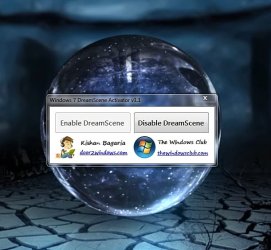
I was looking for a Way to have a Video as my Desktop Background... And i thought i would share what i have found..
Windows 7 DreamScene | How to Install & Enable DreamScene in Windows 7 this website contains a very easy method of enabling your desktop to play videos as backgrounds...
Dont know if this has been posted before but i thought it was extremely easy and maks my Desktop look more Awesome Now
Windows 7 DreamScene | How to Install & Enable DreamScene in Windows 7 this website contains a very easy method of enabling your desktop to play videos as backgrounds...
Dont know if this has been posted before but i thought it was extremely easy and maks my Desktop look more Awesome Now
My Computer
- Computer type
- PC/Desktop
- Computer Manufacturer/Model Number
- Custom Build
- OS
- Windows 8.1
- CPU
- Intel i5 3750k OC'd 4.0Ghz
- Motherboard
- P8Z77-V LX3
- Memory
- 16GB Vengence Corsair
- Graphics Card(s)
- GTX 770 OC 2GB Windforce
- Sound Card
- C-Media 7.1 Surround Card
- Monitor(s) Displays
- Asus 3D 23" & BenQ 24" & LG 19"
- Screen Resolution
- 1920*1080, 1920*1080, 1440*900
- Hard Drives
- Crucial 512GB SSD
WD 1.5 TB
WD 500Gb
- PSU
- 850MW Silverstone
- Case
- inWin DragonRider
- Cooling
- 4 * 140mm LED Akasa, One 140mm Fan Akasa
- Keyboard
- Corsair k95
- Mouse
- R.A.T 7 Contagion
- Internet Speed
- 152 Mb Fiber Optic
- Antivirus
- ESET Nod32
- Browser
- Waterfox x64 / Chrome x64
- Other Info
- Freenas / Plex Media server
Q6600
6Gb DDR3
6TB ZFS Raid
500W PSu
2 x Intel NIC's