Jamal NUMAN,
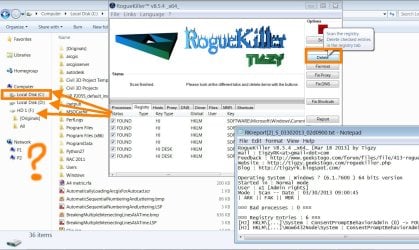
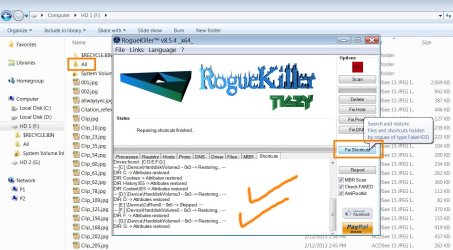
RogueKiller is a program created by Tigzy, in France.
The author describes it as a program that scans processes running, and kills those that are malicious and block the execution of malware removal programs.
The program also cleans the Windows Registry, and has evolved to handle the following:
Read / Fix DNS Hijacks (DNS Fix button)
Read / Fix Proxy Hijacks (Proxy Fix button)
Read / Fix Hosts Hijacks (Hosts Fix button)
Restore
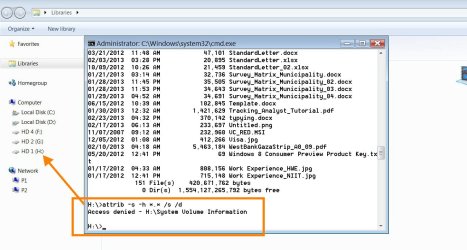
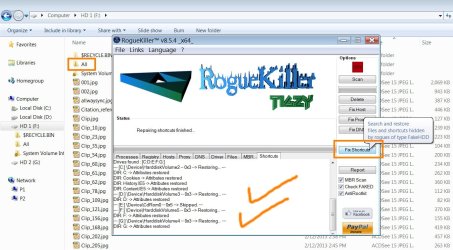
shortcuts / files hidden by rogues of type "Fake HDD"
Read / Fix malicious Master Boot Record (MBR) -- Even hidden by rootkit
Find and restore system files patched / faked by a rootkit
It is also able to remove many infections, including ZeroAccess, TDSS, all rogues, and Ransomwares.
On your particular predicament, let's see if this helps...
Please go to
Start >
Run (or, press
Windows key and the
R key)
In the open area of the
Run prompt, type the following and press OK:
control folders
In Folder Options, click:
View
Check:
Show hidden files and folders
Uncheck:
Hide protected operating system files
Press: OK
Now, please download
RKill:
RKill Download
Save to the Desktop.
If rkill.exe does not run, then download and try to run
iExplore.exe (a renamed RKill.exe), or
RKill.com
You only need to get one of these to run.
If your antivirus warns you about this tool, ignore the warning, or temporarily disable your antivirus.
Info:
How To Temporarily Disable Your Anti-virus, Firewall And Anti-malware Programs - BleepingComputer.com
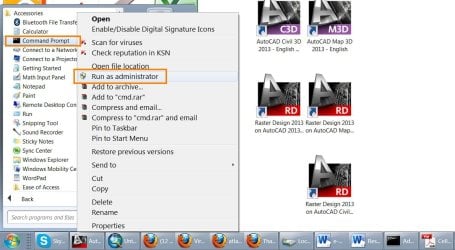
Right-click on the downloaded RKill file and select: Run as Administrator
When the tool runs, a black DOS box briefly flashes and then disappears. This is normal and indicates the tool ran successfully.
>>Do not reboot the computer after running Rkill, as the malware programs will start again!
If the computer reboots, run Rkill again before continuing to the next step.
<<
When the scan is done,
Notepad opens with the
RKill report.
Please post the
RKill report in your reply.
The RKill report provides information on:
Malware services stopped
Processes terminated
Malware related Registry settings
...and other items.
Next,
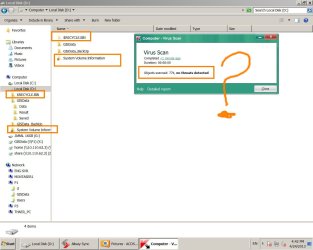
use avast! Free Antivirus to perform a complete scan of your
external hard drive:
Download:
AVAST 2013 | Download Free Antivirus Software for Virus Protection
Scroll down to:
avast! Free Antivirus – World's most popular antivirus
Save to the Desktop
Temporarily disable your current antivirus.
Info:
How To Temporarily Disable Your Anti-virus, Firewall And Anti-malware Programs - BleepingComputer.com
Double-click on the file to launch the installation of avast! Free, and follow the prompts.
If asked to run a Scan, hold off, and do the following:
Make sure the external drive’s power cable is plugged into a wall outlet before proceeding.
At the
avast! program console, main menu, click:
Scan Computer (left side)
The window that opens,
Scan Now, features controls that allow you to scan the external hard drive.
Locate the section:
Removable media scan
Click:
More Details to expand this section.
In the
Removable media scan section, click:
Start
Any viruses or other types of infected files that are identified are immediately quarantined by avast!
Wait for the scan to complete. It may take a while depending on the size of the drive.
To get a report of what the program found, on the left side, click:
Scan Logs
Please provide the
avast! scan log in your reply.
Once we get the
RKill and the
avast! information, we will proceed.