Solved Vista MS Paint for Win7?

UnknownTBeast

New member
Local time
12:21 AM
Messages
5
I've tried scouring the internets for how to get the Vista Paint program to work with (or even find a download for it) Win7 64-Bit. Any help would be grand, I hate Win7 Paint! Yes, I know paint isn't the best program out there, but it's what I like and it's got the things I need.
 

My Computer My Computer

At a glance

Windows 7 64-BitAMD Phenom II X4 955 B.E.2x3 GB 1600 MHzNVIDIA GTS250
Computer Manufacturer/Model Number
Self-Built
OS
Windows 7 64-Bit
CPU
AMD Phenom II X4 955 B.E.
Motherboard
Asus M4A79T-Deluxe
Memory
2x3 GB 1600 MHz
Graphics Card(s)
NVIDIA GTS250
Hard Drives
Several internal WD
Theyre both the same. If its the ribbon you dont like, try paint.net.
 

My Computer My Computer

At a glance

Windows 7 Professional 64-bitIntel E8400 3GHzKingston PC3-10700H 4GbXFX Radeon HD 5850 BlackEd.
Computer Manufacturer/Model Number
self built
OS
Windows 7 Professional 64-bit
CPU
Intel E8400 3GHz
Motherboard
Intel DX48BT2
Memory
Kingston PC3-10700H 4Gb
Graphics Card(s)
XFX Radeon HD 5850 BlackEd.
Sound Card
Asus Xonar DG
Monitor(s) Displays
2x Samsung SM-T220HD 22"
Screen Resolution
1680x1050 on two monitors
Hard Drives
OCZ Vertex 2 120gb 3.5" (OS)
Seagate Momentus XT 500gb
Samsung F3 1Tb (games)
2x Samsung F1 1Tb
PSU
Thermaltake ToughPower 850w
Case
Thermaltake Armor
Cooling
Scythe Mugen II
Keyboard
Microsoft Comfort Curve USB
Mouse
Razer Diamondback 3G
Internet Speed
8128/443
Paint.net is what I recommend as well. I've been using it for quite a while and it's small and does exactly that I need. And it's free.
 

My Computer My Computer

At a glance

Windows 7 Ultimate x64Intel Q9550 2.83Ghz OC'd to 3.40Ghz8GB G.Skill PI DDR2-800, 4-4-4-12 timingsEVGA 1280MB Nvidia GeForce GTX570
Computer Manufacturer/Model Number
Self-Built in July 2009
OS
Windows 7 Ultimate x64
CPU
Intel Q9550 2.83Ghz OC'd to 3.40Ghz
Motherboard
Gigabyte GA-EP45-UD3R rev. 1.1, F12 BIOS
Memory
8GB G.Skill PI DDR2-800, 4-4-4-12 timings
Graphics Card(s)
EVGA 1280MB Nvidia GeForce GTX570
Sound Card
Realtek ALC899A 8 channel onboard audio
Monitor(s) Displays
23" Acer x233H
Screen Resolution
1920x1080
Hard Drives
Intel X25-M 80GB Gen 2 SSD
Western Digital 1TB Caviar Black, 32MB cache. WD1001FALS
PSU
Corsair 620HX modular
Case
Antec P182
Cooling
stock
Keyboard
ABS M1 Mechanical
Mouse
Logitech G9 Laser Mouse
Internet Speed
15/2 cable modem
Other Info
Windows and Linux enthusiast. Logitech G35 Headset.
:sarc:Actually they are functionally nothing alike. The ribbon has absolutely nothing to do with it. The interface is similer, but that's about it. For example, Paint in Win7 Automatically destroys the clarity of your drawing with anti-aliasing. Try this: Zoom in, type something, and then click out of the text box. Your clean crisp text has now been smeared to a useless blob. Turning AntiAliasing off when saving does not fix this, since the drawing is obliterated as soon as you click outside the text field. This is the same for anything you do. It basically ruins anything that you would use Win Paint for. There are other programs for changing colors and such in photos, and doing kindergarten water colors, so there was really no reason to do this. The story is that an individual working on this just used some pre made API's, and nobody bothered to do their job and check that it was done correctly. I'm not naming names, because I really think the software project manager should have checked this out instead of blaming it on the coder, but that's big business.
Basically Win 7 Paint is one huge FAIL after another, and people were too interested rushing it out to get your sales to care about the product.
 

My Computer My Computer

At a glance

Win XP 32, Win Vista 64 , Win7 64
OS
Win XP 32, Win Vista 64 , Win7 64
And uh... Paint dot net? Not exactly the same as say Vista Paint. Great for playing with pics, but not for doing any serious pixel art. You need Vista or XP Paint for that.
 

My Computer My Computer

At a glance

Win XP 32, Win Vista 64 , Win7 64
OS
Win XP 32, Win Vista 64 , Win7 64
what are you talking about? paint.net is an amazing and powerful photo editor for ANY pixel art, which I use all the time and others too, to make great looking wallpapers or other effects, (just goto the customization section and see!) its up there with gimp which is another great photo editor! and both are free!!! theres no comparison to vista paint nor XP paint!! so you dont know what your talking about as I can tell you haven't even used paint.net with your last remarks! LOL to the OP I would recommend downloading paint.net and getting used to that as it has ALOT of features and a little complicated at the beginning but you will get used to it fast, also there is TONS of videos on youtube for tips and tricks! good luck on your photo editing app search!
 

My Computer My Computer

At a glance

Se7en X64 ultimate/Se7en X64 ultimateIntel quad [email protected]/intel i7 quad [email protected]kingston 4GB/32GB DDR3 Dual-Channel 1333MHzATI Radeon HD5770 1GB/NVidia GeForce GTX560 2GB
Computer type
PC/Desktop
Computer Manufacturer/Model Number
Asus clone / Gateway DX4850-57
OS
Se7en X64 ultimate/Se7en X64 ultimate
CPU
Intel quad [email protected]/intel i7 quad [email protected]
Motherboard
Asus P5KPL-CM/Intel H67
Memory
kingston 4GB/32GB DDR3 Dual-Channel 1333MHz
Graphics Card(s)
ATI Radeon HD5770 1GB/NVidia GeForce GTX560 2GB
Sound Card
5.1 onboard/5.1 onboard
Monitor(s) Displays
sharp Aqous 46" 120MHz/LG 32" LCD/Asus VW266H 26"
Screen Resolution
1824X1026/1920X1080
Hard Drives
2x150GB=300GB raptor drives 10,000rpm+1TB seagate portable hard drive for movies/music/pictures/game iso's /programs
Gateway: Kingston 240GB Solid State Drive and 1.5 TB for storage
PSU
700 watts / 700 watts coolermaster extreme/on board
Case
Asus mid tower / Gateway mid tower
Cooling
stock / stock
Keyboard
logitech / razor Lycosa gaming
Mouse
logitech gaming mouse G500 5700DPI/Razer Lycosa & DeathAdder
Internet Speed
60MB/s
Wow, I did not expect a post 16 months after my first post. Luckly I susbcribed to the thread and it emailed me about it.

Anyways, I have become more commfy with Win7 paint, and on occassions I do use Paint.net when I need to. What I did like about the Vista Paint was the ease of use.
 

My Computer My Computer

At a glance

Windows 7 64-BitAMD Phenom II X4 955 B.E.2x3 GB 1600 MHzNVIDIA GTS250
Computer Manufacturer/Model Number
Self-Built
OS
Windows 7 64-Bit
CPU
AMD Phenom II X4 955 B.E.
Motherboard
Asus M4A79T-Deluxe
Memory
2x3 GB 1600 MHz
Graphics Card(s)
NVIDIA GTS250
Hard Drives
Several internal WD
It sounds like we're all kinda saying the same thing. Paint in Vista, XP etc was a great deal better for close in work than the new item, and needs to be a patch for Win 7. Having used several versions of Paint.net over the past few years, I have to agree that Paint.net is great for manipulating existing photos, blending, color alterations, and lots of really cool visual effects, but it kinda lacks when it comes to close in pixel by pixel work such as for Non Cadd technical artwork, especially really large igh resolution drawings (30 K X 20 K Pixels, in 24 bit color) Using Paint.net for those is kinda like pulling out a tablesaw, when you need to crawl around inside the picture with a straight edge and an X-acto Knife. The thing to remember is that no one tool rules them all, and any artist is going to have their preferences based on what they are doing. We can't get mad at someone for not choosing our tool of choice. I pearsonally use Paint.net, Vista's version of Paint, Adobe's Old Photoshop 7.01, and Helios paint, and wouldn't want to loose any of them.
 

My Computer My Computer

At a glance

Windows Seven 64 Bit
OS
Windows Seven 64 Bit
where can I find a 64bit version of Vista MS Paint?

I can't stand windows 7, I would have a vista if the key would not have broke off on the notebook I got from Aaron's and everything else they had sucked. I ended up with a new computer for half the price of their old one, but it's windows7. The paint that came with it is missing some things that the paint that came with Vista had. The ribbon is find and I caught on quickly, but it don't have something Vista had, The opption to put the square around it and it automatically selects the prminent part of the area so you don't have to free hand select. I fix all my pictures my self and that is a very important part of it. out of the several programs I've downloaded the closet thing I could find is Paint.net. I guess the lasso is better than free handing the whole thing, but with as much as I use it, for all my kids photos, I need the vista one that can select it it's self. Please help! I found one download but it was for a 32-bit and I need 64. another link just took me to micro softs how to use it. I know how to use it, I just need to get it on my new laptop.:o
 

My Computer My Computer

At a glance

windows7 home premium 64-bit
OS
windows7 home premium 64-bit
Also, I know this thread is old, but my problem is new and I searched everywhere.
 

My Computer My Computer

At a glance

windows7 home premium 64-bit
OS
windows7 home premium 64-bit
Also, I know this thread is old, but my problem is new and I searched everywhere.

Try Paint.NET

It has that selection feature you mentioned. Also has a bunch of free plugins written by users. Does layers very easily. I use it mainly for layers from fractal flames.

The selection for irregular shapes works a bit differently. You free draw select, then choose Magic Wand with Selection Mode Subtract. Click a spot outside the free drawn selection. It does the rest automatically.
 

My Computer My Computer

At a glance

Windows 7 32 bitAMD 5200+ dual core2 GBNVidia GeForce 6150SE 128 MB
Computer Manufacturer/Model Number
HP Media Center
OS
Windows 7 32 bit
CPU
AMD 5200+ dual core
Memory
2 GB
Graphics Card(s)
NVidia GeForce 6150SE 128 MB
Monitor(s) Displays
CRT
Screen Resolution
1280x1024
Hard Drives
500 GB Sata internal :

SIIG USB 3.0 docking stations w/WD Caviar Black 6 Gb/s drives
Keyboard
PS/2
Mouse
PS/2 Wheel Mouse
Other Info
SIIG USB 3.0 PCIexpress card.
I use Gimp to edit photos on all my systems, it is available for Windows also.
 

My Computer My Computer

At a glance

Windows 7 Home Premium 64 OEM
Computer Manufacturer/Model Number
Acer Ferrari One/HP Proliant Microserver/Random Monstrosities
OS
Windows 7 Home Premium 64 OEM
hey I think I found it for ya, I tried it on my win7 and it worked here is the exe place it anywhere and it should work
 

Attachments

My Computer My Computer

At a glance

Se7en X64 ultimate/Se7en X64 ultimateIntel quad [email protected]/intel i7 quad [email protected]kingston 4GB/32GB DDR3 Dual-Channel 1333MHzATI Radeon HD5770 1GB/NVidia GeForce GTX560 2GB
Computer type
PC/Desktop
Computer Manufacturer/Model Number
Asus clone / Gateway DX4850-57
OS
Se7en X64 ultimate/Se7en X64 ultimate
CPU
Intel quad [email protected]/intel i7 quad [email protected]
Motherboard
Asus P5KPL-CM/Intel H67
Memory
kingston 4GB/32GB DDR3 Dual-Channel 1333MHz
Graphics Card(s)
ATI Radeon HD5770 1GB/NVidia GeForce GTX560 2GB
Sound Card
5.1 onboard/5.1 onboard
Monitor(s) Displays
sharp Aqous 46" 120MHz/LG 32" LCD/Asus VW266H 26"
Screen Resolution
1824X1026/1920X1080
Hard Drives
2x150GB=300GB raptor drives 10,000rpm+1TB seagate portable hard drive for movies/music/pictures/game iso's /programs
Gateway: Kingston 240GB Solid State Drive and 1.5 TB for storage
PSU
700 watts / 700 watts coolermaster extreme/on board
Case
Asus mid tower / Gateway mid tower
Cooling
stock / stock
Keyboard
logitech / razor Lycosa gaming
Mouse
logitech gaming mouse G500 5700DPI/Razer Lycosa & DeathAdder
Internet Speed
60MB/s
I already ready have paint.net

the closet it has is lasso, which is better than free hand select, but still isn't the same as the square that selects the image in the square.:cry:
the other guys thing paint. rar I have nothing that can open rar files, but thanks.:zip:
And I already tried microsoft they think Windows 7 version is better and has no available down load for things that are preinstalled like that.:mad:
Thank you everybody for trying!:)
 

My Computer My Computer

At a glance

windows7 home premium 64-bit
OS
windows7 home premium 64-bit
the closet it has is lasso, which is better than free hand select, but still isn't the same as the square that selects the image in the square

It's a 2 step process. You have to use Magic Wand after you select the irregular shape:
Paint.NET Documentation

Scroll down to
Selection By Exclusion
 

My Computer My Computer

At a glance

Windows 7 32 bitAMD 5200+ dual core2 GBNVidia GeForce 6150SE 128 MB
Computer Manufacturer/Model Number
HP Media Center
OS
Windows 7 32 bit
CPU
AMD 5200+ dual core
Memory
2 GB
Graphics Card(s)
NVidia GeForce 6150SE 128 MB
Monitor(s) Displays
CRT
Screen Resolution
1280x1024
Hard Drives
500 GB Sata internal :

SIIG USB 3.0 docking stations w/WD Caviar Black 6 Gb/s drives
Keyboard
PS/2
Mouse
PS/2 Wheel Mouse
Other Info
SIIG USB 3.0 PCIexpress card.
example

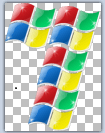
That's the technique I used to get a layer from a 7 I made by stacking the Windows flag

7.png

As far as free tools of this type that run on Windows, for power I think you'd have to go some to beat Gimp. I tried it awhile back. IIRC you can use most PS plugins with it. The "drawback" is the user interface is a bit different than Windows users are accustomed to. If you are going to use the app constantly then it's well worth the learning curve. I only dabble in graphics so I bailed and went with tools a bit easier to learn. :)
 

My Computer My Computer

At a glance

Windows 7 32 bitAMD 5200+ dual core2 GBNVidia GeForce 6150SE 128 MB
Computer Manufacturer/Model Number
HP Media Center
OS
Windows 7 32 bit
CPU
AMD 5200+ dual core
Memory
2 GB
Graphics Card(s)
NVidia GeForce 6150SE 128 MB
Monitor(s) Displays
CRT
Screen Resolution
1280x1024
Hard Drives
500 GB Sata internal :

SIIG USB 3.0 docking stations w/WD Caviar Black 6 Gb/s drives
Keyboard
PS/2
Mouse
PS/2 Wheel Mouse
Other Info
SIIG USB 3.0 PCIexpress card.
That works, not the same, but close, thanks! :D I guess I just need to fool around with it a bit more, I'm just too used to Vista and this OS is driving me nuts (I despise it) Eventually I'll get a custom made laptop! :o
 

My Computer My Computer

At a glance

windows7 home premium 64-bit
OS
windows7 home premium 64-bit
I have Vista on one machine and W7 on the other. At first I kind of scoffed at stuff like pinning to taskbar and that type of stuff. But as time goes on I like W7. The memory management and prefetch stuff works a lot better than Vista. To me there's a big difference between XP and Vista and not much difference from Vista to Windows Seven. In fact if you ask the OS "what version are you?" Vista says "Windows 6.0" and Windows Seven says "Windows 6.1" :)
 

My Computer My Computer

At a glance

Windows 7 32 bitAMD 5200+ dual core2 GBNVidia GeForce 6150SE 128 MB
Computer Manufacturer/Model Number
HP Media Center
OS
Windows 7 32 bit
CPU
AMD 5200+ dual core
Memory
2 GB
Graphics Card(s)
NVidia GeForce 6150SE 128 MB
Monitor(s) Displays
CRT
Screen Resolution
1280x1024
Hard Drives
500 GB Sata internal :

SIIG USB 3.0 docking stations w/WD Caviar Black 6 Gb/s drives
Keyboard
PS/2
Mouse
PS/2 Wheel Mouse
Other Info
SIIG USB 3.0 PCIexpress card.
the closet it has is lasso, which is better than free hand select, but still isn't the same as the square that selects the image in the square.:cry:
the other guys thing paint. rar I have nothing that can open rar files, but thanks.:zip:
And I already tried microsoft they think Windows 7 version is better and has no available down load for things that are preinstalled like that.:mad:
Thank you everybody for trying!:)

dude all you have to do is install WINRAR its free and alot better than zip...just google it
and secondly se7en is 10,000x better than vista! EVERYBODY says so except the few people who just cant learn or get used to the little changes! its friggin not hard or that big of a change! sheesh :rolleyes:
 

My Computer My Computer

At a glance

Se7en X64 ultimate/Se7en X64 ultimateIntel quad [email protected]/intel i7 quad [email protected]kingston 4GB/32GB DDR3 Dual-Channel 1333MHzATI Radeon HD5770 1GB/NVidia GeForce GTX560 2GB
Computer type
PC/Desktop
Computer Manufacturer/Model Number
Asus clone / Gateway DX4850-57
OS
Se7en X64 ultimate/Se7en X64 ultimate
CPU
Intel quad [email protected]/intel i7 quad [email protected]
Motherboard
Asus P5KPL-CM/Intel H67
Memory
kingston 4GB/32GB DDR3 Dual-Channel 1333MHz
Graphics Card(s)
ATI Radeon HD5770 1GB/NVidia GeForce GTX560 2GB
Sound Card
5.1 onboard/5.1 onboard
Monitor(s) Displays
sharp Aqous 46" 120MHz/LG 32" LCD/Asus VW266H 26"
Screen Resolution
1824X1026/1920X1080
Hard Drives
2x150GB=300GB raptor drives 10,000rpm+1TB seagate portable hard drive for movies/music/pictures/game iso's /programs
Gateway: Kingston 240GB Solid State Drive and 1.5 TB for storage
PSU
700 watts / 700 watts coolermaster extreme/on board
Case
Asus mid tower / Gateway mid tower
Cooling
stock / stock
Keyboard
logitech / razor Lycosa gaming
Mouse
logitech gaming mouse G500 5700DPI/Razer Lycosa & DeathAdder
Internet Speed
60MB/s
Also 7-zip can unrar just as easily as it unzips. Install 7-zip and let it use Explorer Shell Extensions. Drag the rar file with the right mouse button and drop in an empty folder. Then select Extract To Here from the 7-zip menu that pops up.
 

My Computer My Computer

At a glance

Windows 7 32 bitAMD 5200+ dual core2 GBNVidia GeForce 6150SE 128 MB
Computer Manufacturer/Model Number
HP Media Center
OS
Windows 7 32 bit
CPU
AMD 5200+ dual core
Memory
2 GB
Graphics Card(s)
NVidia GeForce 6150SE 128 MB
Monitor(s) Displays
CRT
Screen Resolution
1280x1024
Hard Drives
500 GB Sata internal :

SIIG USB 3.0 docking stations w/WD Caviar Black 6 Gb/s drives
Keyboard
PS/2
Mouse
PS/2 Wheel Mouse
Other Info
SIIG USB 3.0 PCIexpress card.
Back
Top