Visual basic 6 & W7 ??

roehrle

New member
Member
Local time
11:53 AM
Messages
52
Location
Edgewater Park NJ
Slowly starting to restore all my programs that ran on WinXP.
Seems most of the *.exe programs are running but a few that didn't run I tried to reconstruct them and it appears I need some more dll's. I can't remember if there were 2 CD's that came with VB6 PE. Before I start tearing my computer room apart to find a 2nd disk I thought I would ask here about a 2nd disk.
 

My Computer

Computer Manufacturer/Model Number
HP
OS
Win 7
CPU
AMD
Slowly starting to restore all my programs that ran on WinXP.
Seems most of the *.exe programs are running but a few that didn't run I tried to reconstruct them and it appears I need some more dll's. I can't remember if there were 2 CD's that came with VB6 PE. Before I start tearing my computer room apart to find a 2nd disk I thought I would ask here about a 2nd disk.

If you are trying to install the VB6 IDE on a 64-bit version of Windows 7, you are probably out of luck (short of creating a 32-bit virtual machine and installing VB to that image). Here's a link that might help - Support Statement for Visual Basic 6.0 on Windows Vista and Windows Server 2008

PS - the download info from MSDN indicates that the VB6 Enterprise Edition is definitely on 2 disks.
 

My Computer

Computer Manufacturer/Model Number
Self built
OS
Windows 7 Ultimate x64
CPU
Intel Core i5-750
Motherboard
ASUS P7P55D EVO
Memory
8GB Crucial PC3-10600
Graphics Card(s)
XFX Radeon HD 5770
Sound Card
Onboard VIA VT1828
Monitor(s) Displays
24" Dell Widescreen + 2 x 20" Dell (Std)
Screen Resolution
5120 x 1200
Hard Drives
2 x 300GB Raptors, 2 x 500GB Barracudas
PSU
Corsair HX850
Case
Thermaltake Element S
Cooling
Stock Intel HSF (for now)
Keyboard
Microsoft Ergonomic 4000
Mouse
Logitech G5
Internet Speed
29.28 Mbps/1.91 Mbps
Other Info
We actually have 7 PC's in the household, the listed specs are from my main machine, the other 6:
HTPC - Win7 Ultimate x86;
Laptop 1 - Win7 Ultimate x86;
Laptop 2 - Win 7 Home Premium x64;
Kids PC1 - Win 7 Ultimate x64;
Kids PC2 - Vista Ultimate x86;
Home Server - WHS (6.5 TB shared disk).

With the exception of the laptops, everything is self-built.
Slowly starting to restore all my programs that ran on WinXP.
Seems most of the *.exe programs are running but a few that didn't run I tried to reconstruct them and it appears I need some more dll's. I can't remember if there were 2 CD's that came with VB6 PE. Before I start tearing my computer room apart to find a 2nd disk I thought I would ask here about a 2nd disk.

If you are trying to install the VB6 IDE on a 64-bit version of Windows 7, you are probably out of luck (short of creating a 32-bit virtual machine and installing VB to that image). Here's a link that might help - Support Statement for Visual Basic 6.0 on Windows Vista and Windows Server 2008

PS - the download info from MSDN indicates that the VB6

I'm running the 32 bit now. VB6 is running but i think the DLL are in the second disk
Enterprise Edition is definitely on 2 disks.

Thanks, I guess I am going to start looking again through a couple hundred CD's
 

My Computer

Computer Manufacturer/Model Number
HP
OS
Win 7
CPU
AMD
The Professional version of VB6 that I have is on 1 CD, with a further 2 CD's for MSDN. Plus a service pack CD and another few CD's with extras that came with the Windows 2000 pack.

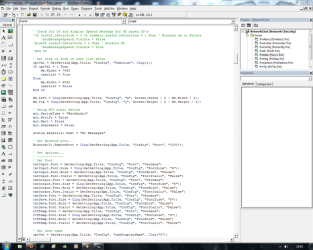
I have got Visual Basic 6 Pro installed on my Windows 7 x64 system and it runs fine. You have to open it as an Administrator though.
 

Attachments

  • Capture.PNG
    Capture.PNG
    43.3 KB · Views: 551

My Computer

Computer Manufacturer/Model Number
Home Build
OS
Windows 7 Home Premium 64-Bit
CPU
Intel Core i7 2600K 3.4GHz Sandy Bridge
Motherboard
ASUS P8Z68-V Pro
Memory
8Gb Corsair Vengeance 1600MHz DDR3 CL8
Graphics Card(s)
Gigabyte GTX460 1Gb OC
Sound Card
Realtek HD, Logitech G35 7.1 USB Headset
Monitor(s) Displays
BenQ 24" Full HD 16:9 DVI
Screen Resolution
1920x1080
Hard Drives
Western Digital 640Gb 64Mb Cache SATA III
Maxtor 250Gb SATA
PSU
XFX 650W XXX Edition Modular
Case
CoolerMaster Elite 335
Cooling
Xilence Red Wing
Keyboard
Microsoft Sidewinder X4
Mouse
Logitech G500 Gaming Mouse
Internet Speed
20Mb Cable
Also, you will notice that dragging objects on the IDE Form Creator will be laggy, to remove that lagginess, you will need to navigate to the vb6.exe (Usually in "C:\program files\Microsoft Visual Studio\VB98\vb6.exe") and right click it. Go to the Compatibility tab and tick "Disable Desktop Composition"
 

My Computer

Computer Manufacturer/Model Number
Samsung R620
OS
Windows7 Pro RTM (32-bit)
CPU
2.53GHz Core 2 Duo
Motherboard
Samsung
Memory
4GB
Graphics Card(s)
1GB ATI Radeon Mobile
Monitor(s) Displays
1
Screen Resolution
1366x768
Hard Drives
500GB Samsung Drive
PSU
PerSonal Euthanization
Case
In case of fire break screen.
Cooling
My Breath
Keyboard
Black
Mouse
Logitech Performance Laser Mouse
Internet Speed
5Mb/s
Also, you will notice that dragging objects on the IDE Form Creator will be laggy, to remove that lagginess, you will need to navigate to the vb6.exe (Usually in "C:\program files\Microsoft Visual Studio\VB98\vb6.exe") and right click it. Go to the Compatibility tab and tick "Disable Desktop Composition"

Yes, it is very laggy. I'll give that compatibility option a go. I don't use VB much these days, just to support older apps if a customer requires it.
 

My Computer

Computer Manufacturer/Model Number
Home Build
OS
Windows 7 Home Premium 64-Bit
CPU
Intel Core i7 2600K 3.4GHz Sandy Bridge
Motherboard
ASUS P8Z68-V Pro
Memory
8Gb Corsair Vengeance 1600MHz DDR3 CL8
Graphics Card(s)
Gigabyte GTX460 1Gb OC
Sound Card
Realtek HD, Logitech G35 7.1 USB Headset
Monitor(s) Displays
BenQ 24" Full HD 16:9 DVI
Screen Resolution
1920x1080
Hard Drives
Western Digital 640Gb 64Mb Cache SATA III
Maxtor 250Gb SATA
PSU
XFX 650W XXX Edition Modular
Case
CoolerMaster Elite 335
Cooling
Xilence Red Wing
Keyboard
Microsoft Sidewinder X4
Mouse
Logitech G500 Gaming Mouse
Internet Speed
20Mb Cable
One of the problems I have now is trying to get omegavol.ocx to register. I believe I need to register it and I believe I am using the wrong regsvr32.exe. I think there are two. One for X86 and one for 64 . I guess I'm using the 64 when I should be using the 32 bit. Any ideas why I was able to load the IDE disk but it won't load the MSDN disk ? BTW I did find the other 2 disk that came with PE.
 

My Computer

Computer Manufacturer/Model Number
HP
OS
Win 7
CPU
AMD
Back
Top