W7 Imaging

devlin7

New member
Local time
1:06 PM
Messages
40
Hi,

I work in a high school where the computers are all dual boot Linux and Windows 7. Now the Windows deployment kit is not very good at deploying Linux but the Linux deploy tools are pretty good at deploying Windows. What I am looking for is a way to sysprep with a very simple answer file that gets rid of the mini-setup ie Country, computername, admin user, admin password and keyboard layout. Is there a way of automatically answering these details without installing WAIK? Last year, I simply answered the minisetup questions on each machine, it took about 60 seconds per machine but this time I would like to completely automate it. I DON'T care what the computer is called because the Linux deployment software will automatically rename the machine and join the domain.
 

My Computer

OS
7 Professional
Ok so I have moved a lot since my original post. I ended up installed the Windows System Image manage and generated an unattend.xml.

So now if I load Windows 7 on a machine by installing from DVD. When I get to the mini-setup screen I press SHIFT+CTRL+F3 to go into audit mode. I add my drivers etc and then when ready I run a sysprep pointing at my unattended.xml file, I generalize and oobe it. When the machine restarts it still prompts me for a computer name even though I have an entry in spelialize - shellsetup_neutral. I have set the computer name to * which apparently sets a random name.
If I press enter on the computername the rest of the installation is completely automated. I would just like it to stop prompting for the computername.

I have tried googling this but all I have found is people with the opposite problem where they aren't prompted to change the computername.

Anyone, any ideas?
 

My Computer

OS
7 Professional
Try prefixing the computer name with some initials, so in the answerfile it would be something like
<ComputerName>IT-*</ComputerName>
 

My Computer

OS
Windows 7 Enterprise
CPU
Intel Pentium Dual E2200 @2.2GHz
Motherboard
Gigabyte II-G31
Memory
4GB
Graphics Card(s)
Palit GForce 9500GT 1GB
Sound Card
onBoard
Hard Drives
WesternDigital: 250GB + 1TB + 1TB + 2TB
PSU
450W
Case
CoolerMaster CM690
Cooling
Corsair H50
Mouse
Logitech MX518
Thanks Xarden. I have tried that. The computer name is preset as "PC" but appears to be what ever is in the COMPUTERNAME field in the mini-setup before I hit CTRL-SHIFT+F3 to switch to audit mode. [See above] It isn't a big issue, it just means I need to press enter once on each of the 400 machines but I would like to sort it out to save me running around :-)
 

My Computer

OS
7 Professional
You're not a true IT geek untill you have been running around 400+ pc's pressing enter once.
We have about 7000 PC's and Mac's at this University. I've been here only 8 months so far, and guess what my initiation will be in Feb before semester starts!
But I wish I could help you further, most of our sysprep process has now scripted by our Novell guy as we've got a Zen10 system in the mix too. Hopefully everything should be fully automated and remotely deployable by this time next year.
I'l still got all the tools for the Microsoft deployment method, but I've only got a laptop as a spare resource to use with it, if its not being used for other testing.
 

My Computer

OS
Windows 7 Enterprise
CPU
Intel Pentium Dual E2200 @2.2GHz
Motherboard
Gigabyte II-G31
Memory
4GB
Graphics Card(s)
Palit GForce 9500GT 1GB
Sound Card
onBoard
Hard Drives
WesternDigital: 250GB + 1TB + 1TB + 2TB
PSU
450W
Case
CoolerMaster CM690
Cooling
Corsair H50
Mouse
Logitech MX518
Thanks once again. Next year will be our second year of Windows 7, to be fair it has been OK. There are few gotchas. Our main one was printer drivers. Folder redirection is seriously screwed under windows 7 and not compatible with XP, I am turning user folder redirection off completely next year. Win7 Search/indexing can be pretty CPU intensive at random periods and my advice is to use GP to limit what it indexes. Also there is no easy way to remove user profiles on windows7 there is no equivalent to delprof. There is a wonderful group policy option for delting profiles older than x days but it doesn't work. There is a hotfix but I am not convinced at this stage, let us see SP1
 

My Computer

OS
7 Professional
Printer drivers is a mission, especially if your running x64. I dont look after any of that.
Folder redirection and user profiles, I do.
It did get tricky with the Library folders, and I've done some funky dirty scripts to try accomodate for these, but its just not fully working in time for this round of deployment.
I've got a tool, Windows Enaber, you may be interested in. It allows the greyed out box to be clickable to be able to copy profile.
http://www.xarden.net/software
You'll need the .dll too.
 

My Computer

OS
Windows 7 Enterprise
CPU
Intel Pentium Dual E2200 @2.2GHz
Motherboard
Gigabyte II-G31
Memory
4GB
Graphics Card(s)
Palit GForce 9500GT 1GB
Sound Card
onBoard
Hard Drives
WesternDigital: 250GB + 1TB + 1TB + 2TB
PSU
450W
Case
CoolerMaster CM690
Cooling
Corsair H50
Mouse
Logitech MX518
OK I have tried the following all to no avail

<ComputerName>IT-*</ComputerName>
<ComputerName>*</ComputerName>
<ComputerName>%compname%</ComputerName>

It still prompts on first boot. Has anyone got any suggestions?
 

My Computer

OS
7 Professional
I had a look through my previous unattend files, and it does have the asterisk in the ComputerName field. So Im not sure whats going on there then...

I was going to ask another person here, as he's doing my job but for another 'specialist' department that doesnt use our tools. However he's away today, so will ask him on Monday.

Also, would you mind if I ask if you could post your unattend file?
If you do, be sure to remove all sensitive data like activation keys, usernames and passwords etc.
 

My Computer

OS
Windows 7 Enterprise
CPU
Intel Pentium Dual E2200 @2.2GHz
Motherboard
Gigabyte II-G31
Memory
4GB
Graphics Card(s)
Palit GForce 9500GT 1GB
Sound Card
onBoard
Hard Drives
WesternDigital: 250GB + 1TB + 1TB + 2TB
PSU
450W
Case
CoolerMaster CM690
Cooling
Corsair H50
Mouse
Logitech MX518
xml file looks as follows

Code:
<?xml version="1.0" encoding="utf-8"?>
<unattend xmlns="urn:schemas-microsoft-com:unattend">
<settings pass="generalize">
<component name="Microsoft-Windows-Security-SPP" processorArchitecture="x86" publicKeyToken="xxxxxxxxxxxxxxxx" language="neutral" versionScope="nonSxS" xmlns:wcm="http://schemas.microsoft.com/WMIConfig/2002/State" xmlns:xsi="http://www.w3.org/2001/XMLSchema-instance">
<SkipRearm>1</SkipRearm>
</component>
</settings>
<settings pass="specialize">
<component name="Microsoft-Windows-Security-SPP-UX" processorArchitecture="x86" publicKeyToken="xxxxxxxxxxxxxxxx" language="neutral" versionScope="nonSxS" xmlns:wcm="http://schemas.microsoft.com/WMIConfig/2002/State" xmlns:xsi="http://www.w3.org/2001/XMLSchema-instance">
<SkipAutoActivation>true</SkipAutoActivation>
</component>
<component name="Microsoft-Windows-Deployment" processorArchitecture="x86" publicKeyToken="xxxxxxxxxxxxxxxx" language="neutral" versionScope="nonSxS" xmlns:wcm="http://schemas.microsoft.com/WMIConfig/2002/State" xmlns:xsi="http://www.w3.org/2001/XMLSchema-instance">
<RunSynchronous>
<RunSynchronousCommand wcm:action="add">
<Order>1</Order>
<Path>net user administrator /active:yes</Path>
</RunSynchronousCommand>
</RunSynchronous>
</component>
<component name="Microsoft-Windows-Shell-Setup" processorArchitecture="x86" publicKeyToken="xxxxxxxxxxxxxxxx" language="neutral" versionScope="nonSxS" xmlns:wcm="http://schemas.microsoft.com/WMIConfig/2002/State" xmlns:xsi="http://www.w3.org/2001/XMLSchema-instance">
<CopyProfile>true</CopyProfile>
<ShowWindowsLive>false</ShowWindowsLive>
<TimeZone>New Zealand Standard Time</TimeZone>
<ComputerName>*</ComputerName>
</component>
</settings>
<settings pass="oobeSystem">
<component name="Microsoft-Windows-International-Core" processorArchitecture="x86" publicKeyToken="xxxxxxxxxxxxxxxx" language="neutral" versionScope="nonSxS" xmlns:wcm="http://schemas.microsoft.com/WMIConfig/2002/State" xmlns:xsi="http://www.w3.org/2001/XMLSchema-instance">
<InputLocale>en-us</InputLocale>
<SystemLocale>en-us</SystemLocale>
<UILanguage>en-us</UILanguage>
<UILanguageFallback>en-us</UILanguageFallback>
<UserLocale>en-us</UserLocale>
</component>
<component name="Microsoft-Windows-Shell-Setup" processorArchitecture="x86" publicKeyToken="xxxxxxxxxxxxxxxx" language="neutral" versionScope="nonSxS" xmlns:wcm="http://schemas.microsoft.com/WMIConfig/2002/State" xmlns:xsi="http://www.w3.org/2001/XMLSchema-instance">
<AutoLogon>
<Password>
<Value>xxxxxxxxxxxxxxxxxxxxxxxxxxxxxxxxxxxxxxxxxxxxxxxxxxxxxxxxxxxxxxxxxxxxxxxxxxxxxx==</Value>
<PlainText>false</PlainText>
</Password>
<Enabled>false</Enabled>
<Domain></Domain>
<LogonCount>5</LogonCount>
<Username>WGHS</Username>
</AutoLogon>
<FirstLogonCommands>
<SynchronousCommand wcm:action="add">
<CommandLine>cscript //b c:\windows\system32\slmgr.vbs /ipk xxxxx-xxxxx-xxxxx-xxxxx-xxxxx</CommandLine>
<Order>1</Order>
<RequiresUserInput>false</RequiresUserInput>
</SynchronousCommand>
<SynchronousCommand wcm:action="add">
<Order>2</Order>
<CommandLine>cscript //b c:\windows\system32\slmgr.vbs /ato</CommandLine>
<RequiresUserInput>false</RequiresUserInput>
</SynchronousCommand>
</FirstLogonCommands>
<OOBE>
<HideEULAPage>true</HideEULAPage>
<NetworkLocation>Work</NetworkLocation>
<ProtectYourPC>1</ProtectYourPC>
</OOBE>
<UserAccounts>
<AdministratorPassword>
<Value>xxxxxxxxxxxxxxxxxxxxxxxxxxxxxxxxxxxxxxxxxxxxxxxxxxxxxxxxxxxxxxxxxxxxxxxxxxxxxxxxxxxxxxxxxxxxxxxxxxxxxxxxxxxxxxxx</Value>
<PlainText>false</PlainText>
</AdministratorPassword>
<LocalAccounts>
<LocalAccount wcm:action="add">
<Password>
<Value>xxxxxxxxxxxxxxxxxxxxxxxxxxxxxxxxxxxxxxxxxxxxxxxxxxxxxxxxxxxxxxxxxxxxxxxxxxxxxx==</Value>
<PlainText>false</PlainText>
</Password>
<Description>Local Administrator</Description>
<DisplayName>Administrator</DisplayName>
<Group>Administrators</Group>
<Name>Administrator</Name>
</LocalAccount>
<LocalAccount wcm:action="add">
<Password>
<Value>xxxxxxxxxxxxxxxxxxxxxxxxxxxxxxxxxxxxxxxxxxxxxxxxxxxxxxxxxxxxxxxxxxxxxxxxxxxxxx==</Value>
<PlainText>false</PlainText>
</Password>
<Description>WGHS</Description>
<DisplayName>WGHS</DisplayName>
<Group>Administrators</Group>
<Name>WGHS</Name>
</LocalAccount>
</LocalAccounts>
</UserAccounts>
<RegisteredOrganization>xxxxxxxxx xxxxx&apos; High School</RegisteredOrganization>
<RegisteredOwner>xxxxxxx</RegisteredOwner>
<TimeZone>New Zealand Standard Time</TimeZone>
</component>
</settings>
<cpi:offlineImage cpi:source="catalog:d:/sources/install_windows 7 professional.clg" xmlns:cpi="urn:schemas-microsoft-com:cpi" />
</unattend>
 

My Computer

OS
7 Professional
Cheers,
Been comparing the specialize pass with one that I've got, and it looks similar.
Narrowing it down specifically to the Shell Setup, this is what I've got.

Code:
<component name="Microsoft-Windows-Shell-Setup" processorArchitecture="amd64" publicKeyToken="###" language="neutral" versionScope="nonSxS" xmlns:wcm="[URL]http://schemas.microsoft.com/WMIConfig/2002/State[/URL]" xmlns:xsi="[URL]http://www.w3.org/2001/XMLSchema-instance[/URL]">
      <ComputerName>*</ComputerName>
      <CopyProfile>false</CopyProfile>
      <ShowWindowsLive>false</ShowWindowsLive>
      <TimeZone>New Zealand Standard Time</TimeZone>
</component>

Aside from the value of <copyprofile> (btw, does this work for you??), the only difference is the ordering of the items...
Yours: CopyProfile -> ShowWindowsLive -> TimeZone -> ComputerName
Mine: ComputerName -> CopyProfile -> ShowWindowsLive -> TimeZone


Im not entirely sure if thats going to make a bunch of difference, but try it out anyway.

Failing that, I'l have a chat with someone else around here and see what they suggest.
 

My Computer

OS
Windows 7 Enterprise
CPU
Intel Pentium Dual E2200 @2.2GHz
Motherboard
Gigabyte II-G31
Memory
4GB
Graphics Card(s)
Palit GForce 9500GT 1GB
Sound Card
onBoard
Hard Drives
WesternDigital: 250GB + 1TB + 1TB + 2TB
PSU
450W
Case
CoolerMaster CM690
Cooling
Corsair H50
Mouse
Logitech MX518
Thanks Xarden. I'll give it a whirl.
 

My Computer

OS
7 Professional
The order made no difference. Neither did setting the copy profile to false but it sure was worth a crack!
 

My Computer

OS
7 Professional
Bummer.
Had a quick chat with one of the other guys. He doesnt know either.
The only other thing I can think of suggesting, is to rebuild the unattend file with nothing in it except for something to identify that it was processed.

Such as, do a scratch build of win7. Make a image of it.
Make a new unattend with one setting. Sysprep it. If it works, great! Bring that image back down, and add another setting (or two, if you're pressed for time) to the unattend.
Its a process of elimination, so I'd probably start with the computer name setting. Just to see if that actually gets processed, without another setting being the cause of everything breaking.
 

My Computer

OS
Windows 7 Enterprise
CPU
Intel Pentium Dual E2200 @2.2GHz
Motherboard
Gigabyte II-G31
Memory
4GB
Graphics Card(s)
Palit GForce 9500GT 1GB
Sound Card
onBoard
Hard Drives
WesternDigital: 250GB + 1TB + 1TB + 2TB
PSU
450W
Case
CoolerMaster CM690
Cooling
Corsair H50
Mouse
Logitech MX518
Yes that makes sense, I have plenty of time to tinker. Thanks for all your help!
 

My Computer

OS
7 Professional
No problem, thats what we're here for.
 

My Computer

OS
Windows 7 Enterprise
CPU
Intel Pentium Dual E2200 @2.2GHz
Motherboard
Gigabyte II-G31
Memory
4GB
Graphics Card(s)
Palit GForce 9500GT 1GB
Sound Card
onBoard
Hard Drives
WesternDigital: 250GB + 1TB + 1TB + 2TB
PSU
450W
Case
CoolerMaster CM690
Cooling
Corsair H50
Mouse
Logitech MX518
Hi Again,

I stripped everything from the file except the specialize phase windows shellsetup_neutral. The only answers specified were the timezone and the computername. It still prompted for the computer name. As I said before it isn't a big problem. I don't even have to specify the right computername, I can just press "enter" as I am using FOG for the imaging and it will rename the machines to the right name based on their MAC. I just need to walk around and press enter once.
 

My Computer

OS
7 Professional
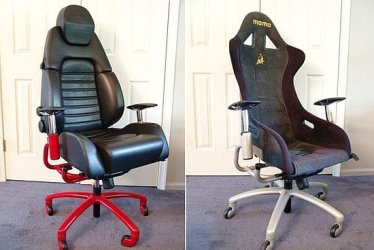
I guess its time to invest in a decent chair with wheels. Maybe an oar too.
I get enough walking to the coffee machine and back...
Maybe something like this:
race-chairs_kdiyu_48.jpg

I've recommissioned a T61 'for testing'.
We too have a system that renames our machines according to the DNS & DHCP servers, but anything to do with imaging and Win installs is my job, so I need to know this too.
If I make any progress, I'll be sure to let you know.
 

My Computer

OS
Windows 7 Enterprise
CPU
Intel Pentium Dual E2200 @2.2GHz
Motherboard
Gigabyte II-G31
Memory
4GB
Graphics Card(s)
Palit GForce 9500GT 1GB
Sound Card
onBoard
Hard Drives
WesternDigital: 250GB + 1TB + 1TB + 2TB
PSU
450W
Case
CoolerMaster CM690
Cooling
Corsair H50
Mouse
Logitech MX518
Thinking back, when we started our Win7 builds, all our computer names had the prefix IT-### (### being random letters).
So I had a look at another answer file from around that date, and the only "IT" string was in the RegisteredOwner node.

So, I've just done a scratch build from CD, and made up this answer file:
Code:
<?xml version="1.0" encoding="utf-8"?>
<unattend xmlns="urn:schemas-microsoft-com:unattend">
    <settings pass="specialize">
        <component name="Microsoft-Windows-Shell-Setup" processorArchitecture="x86" publicKeyToken="###" language="neutral" versionScope="nonSxS" xmlns:wcm="[URL]http://schemas.microsoft.com/WMIConfig/2002/State[/URL]" xmlns:xsi="[URL]http://www.w3.org/2001/XMLSchema-instance[/URL]">
            <RegisteredOrganization>Test_Org</RegisteredOrganization>
            <RegisteredOwner>Test_Own</RegisteredOwner>
            <ComputerName>*</ComputerName>
            <TimeZone>New Zealand Standard Time</TimeZone>
        </component>
    </settings>
    <cpi:offlineImage cpi:source="catalog:d:/wim/x86/install_windows 7 enterprise.clg" xmlns:cpi="urn:schemas-microsoft-com:cpi" />
</unattend>

Ran sysprep three times using this command:
sysprep /oobe /generalize /unattend:"C:\windows\system32\sysprep\unattend.xml"

Prep 1.) Organisation: Test Org; Owner: Test owner;
Result: Computer name: Test-####; no prompt at setup

Prep 2.) Organisation: Organisation Test; Owner: Owner Test;
Result: Computer name: Owner-####; no prompt at setup

Prep 3.) Organisation & Owner omitted from xml
Result: Owner-####; no prompt at setup

I think Prep 3 kept the organisation and owner details somewhere from the prior runs. Right now Im rebuilding from CD to redo Prep 3 again, with the Owner and Organisation nodes removed.
This, I expect, will prompt for a computer name.
I'l confirm this again by adding those nodes back into the XML, and running sysprep.
 

My Computer

OS
Windows 7 Enterprise
CPU
Intel Pentium Dual E2200 @2.2GHz
Motherboard
Gigabyte II-G31
Memory
4GB
Graphics Card(s)
Palit GForce 9500GT 1GB
Sound Card
onBoard
Hard Drives
WesternDigital: 250GB + 1TB + 1TB + 2TB
PSU
450W
Case
CoolerMaster CM690
Cooling
Corsair H50
Mouse
Logitech MX518
Prep 4.) Organisation & Owner omitted from xml
Result: MICROS-####; no prompt at setup

Prep 5.) Organisation: Organisation Test; Owner: Owner Test;
Result: Computer name: Owner-####; no prompt at setup

This suggests the <computername>*</computername> is prefixed with the registered owner value.
Because none was specified, it defaulted to MICROSOFT.
But still, every sysprep never prompted for a computer name...
The only time it did was the initial installation from CD.

I'd suggest adding the <RegisteredOrganization> and <RegisteredOwner> nodes into the Shell Setup in the specialize pass.
Make it just above the <ComputerName> Node though...
See how that works out.
 

My Computer

OS
Windows 7 Enterprise
CPU
Intel Pentium Dual E2200 @2.2GHz
Motherboard
Gigabyte II-G31
Memory
4GB
Graphics Card(s)
Palit GForce 9500GT 1GB
Sound Card
onBoard
Hard Drives
WesternDigital: 250GB + 1TB + 1TB + 2TB
PSU
450W
Case
CoolerMaster CM690
Cooling
Corsair H50
Mouse
Logitech MX518
Back
Top