Hey guys,
It's some days that I am trying any solution on the net including previous threads on this forum to solve my issue. None worked so far. Issue is here:
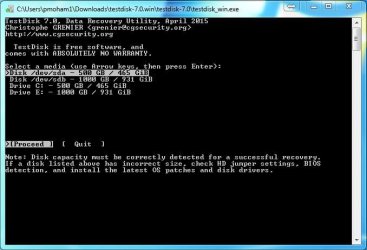
When I connect my 1TB WD, W7 recognize it and its drive even shows in my computer as E:. But it doesnt show the content and takes forever to show the details in diskmagmt or use any other tools. I have already cleaned up all my drivers multiple times and that's not working. After I disconnected my WD, the testdisk_win software that you see there showed that it has seen the drive, but shows it just when I disconnect the disk. Of course the mysterious filling green bar is an issue here too when I try explorer.
I was thinking maybe it needs time like around a day to figure it but then I thought that might kill my HDD. I am not expecting anything be wrong with the HDD as it was just sitting in my drawer for like a week! and I have important files on it. Appreciate any thought or solution.
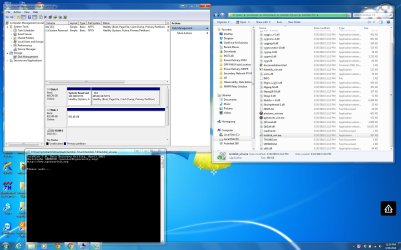
I have attached a screen shot.
Thanks a lot.
It's some days that I am trying any solution on the net including previous threads on this forum to solve my issue. None worked so far. Issue is here:
When I connect my 1TB WD, W7 recognize it and its drive even shows in my computer as E:. But it doesnt show the content and takes forever to show the details in diskmagmt or use any other tools. I have already cleaned up all my drivers multiple times and that's not working. After I disconnected my WD, the testdisk_win software that you see there showed that it has seen the drive, but shows it just when I disconnect the disk. Of course the mysterious filling green bar is an issue here too when I try explorer.
I was thinking maybe it needs time like around a day to figure it but then I thought that might kill my HDD. I am not expecting anything be wrong with the HDD as it was just sitting in my drawer for like a week! and I have important files on it. Appreciate any thought or solution.
I have attached a screen shot.
Thanks a lot.
Attachments
My Computer
At a glance
Windows 7 Enterprise
- Computer type
- Laptop
- OS
- Windows 7 Enterprise