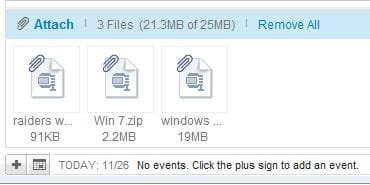
On my XP machine , I can select multiple files , right-click and "send to"....."compressed zip" folder. I then was able to attach that zipped folder exactly the same as a single file , using Yahoo email. (I've yet to set up a Verizon email account using Windows Live email. Dont like Windows Live, nor Windows Vista, nor
Windows 7. XP is so easy to manage, and Outlook was simple)
Using the exact same process, only now on my Windows 7 PC, I create the zipped folder containing a batch of picture files. However, I cant attach that folder as a single file in Yahoo email. I know there's other email programs out there, and I could
set up Windows Live email and probably attach multiple files all at once, just as I could with XP and Outlook. BUT........... why cant I do that with Win 7 ??
Or how do I , using W7 or another 3rd party zip app.?
Windows 7. XP is so easy to manage, and Outlook was simple)
Using the exact same process, only now on my Windows 7 PC, I create the zipped folder containing a batch of picture files. However, I cant attach that folder as a single file in Yahoo email. I know there's other email programs out there, and I could
set up Windows Live email and probably attach multiple files all at once, just as I could with XP and Outlook. BUT........... why cant I do that with Win 7 ??
Or how do I , using W7 or another 3rd party zip app.?
My Computer
At a glance
windows 7AMD Turion X2 64 bit RM-75DDR2 4GNVIDIA GeForce 8200M G
- Computer Manufacturer/Model Number
- hp G60 445 DX Notebook
- OS
- windows 7
- CPU
- AMD Turion X2 64 bit RM-75
- Motherboard
- Nvidia GeForce 8200M
- Memory
- DDR2 4G
- Graphics Card(s)
- NVIDIA GeForce 8200M G
- Sound Card
- Conexant HD SmartAudio 221 / Nvidia HD Audio
- Hard Drives
- Internal Sata 300G
USB Seagate 250G