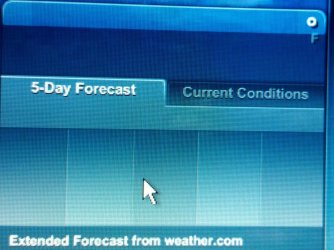
Solved weather widget not connecting

i finally solved this problem.

control panel - internet options - connections tab - LAN settings
then uncheck automatically detect settings

now they work just fine. it turned out IE wasn't connecting either, but i never knew since i use firefox!
Worked a charm!
 

My Computer My Computer

Computer type
PC/Desktop
Computer Manufacturer/Model Number
Self Assembly
OS
Windows 10 64
CPU
Intel i5 3570K (4.13GHz w/cool & quiet))
Motherboard
ASUS P8Z77-V LK
Memory
4x-4Gb Crucial Ballistix Sport PC3-12800 (1600)
Graphics Card(s)
GeForce GTX 1060 6GB
Sound Card
Realtek ALC892 (onboard)
Monitor(s) Displays
TCL 50" 4K
Screen Resolution
3840x2160
Hard Drives
Crucial MX500, Intel 330; Adata 480; Sea ST8000MD
PSU
Antec HCG-520M
Cooling
CPU - Coolermaster Hyper 212 P, Case - 2-120mm Scythe
Keyboard
Logitecl compact
Mouse
Logitec M705
Internet Speed
Gigabit
Other Info
1 RX-C525 Rosewill trayless hot-swap mobile rack
Please try this out on an elevated command prompt
cd "%programfiles%\Windows Sidebar\"
regsvr.exe wlsrvc.dll

Sorry for the thread necro, but I didn't want to create a new topic just to say thanks for this. This fixed my default Weather gadget in Windows 7 (although it's regsvr32.exe in x64, but that's besides the point). I've got Simply Weather installed, as well, but I prefer having both. It's nice to see them both working again.

Thank you.
 
Last edited:

My Computer My Computer

Computer Manufacturer/Model Number
Custom
OS
Windows 7 Ultimate x64
CPU
AMD Phenom II X4 955
Motherboard
Gigabyte GA-MA790GP-DS4H (F5)
Memory
(4) 2GB G.Skill PC2-6400
Graphics Card(s)
VisionTek Ati Radeon HD 4870
Sound Card
Creative Labs Audigy 2
Monitor(s) Displays
ViewSonic 32" LCD TV
Screen Resolution
1360x768
Hard Drives
320GB WD
1TB Hitachi
750GB Hitachi
1TB WD
PSU
PC Power & Cooling 610WT S61EPS
Case
Cooler Master Storm Sniper
Internet Speed
12Mb DSL
I had this problem too,no sidebar gadgets would connect to the internet,I tried all of the previous suggestions and none of them worked for me.
The problem with sidebar gadgets not connecting also happens if internet explorer is in the "work offline" mode. open internet explorer,goto tools and untick work offline. Problem sorted, for me anyway.
 

My Computer My Computer

OS
windows 7 32 bit
I had this problem too,no sidebar gadgets would connect to the internet,I tried all of the previous suggestions and none of them worked for me.
The problem with sidebar gadgets not connecting also happens if internet explorer is in the "work offline" mode. open internet explorer,goto tools and untick work offline. Problem sorted, for me anyway.

yes, yes, yes!
The gadgets are affected by the IE network settings , it seems.
 

My Computer My Computer

Computer Manufacturer/Model Number
Dell Inspiron 1564
OS
Windows 7 Ultimate x64
CPU
i3
Memory
3GB
Graphics Card(s)
ATI HD 5450
Thank you NeofromOz!!!! I tried every doggoned suggestion here (and some from elsewhere!) and could NOT get my Yahoo weather gadget to work. (The widget showed up -- but at midnight in low 50s, the "current conditions" showed 86 and sunny!)

This solved it!
"I just changed internet explorer to work online and it started to work!"

(I too only use Firefox -- except to check webpages I've designed against MSIE... which I did a few days ago.) Thanks!
 

My Computer My Computer

Computer Manufacturer/Model Number
Cyberpower
OS
Win 7 Home Premium 64-bit
CPU
AMD PhenomTII X4 955 Black Edition Quad-Core CPU w/ HyperTra
Motherboard
GigaByte MA770T-UD3P AM3 DDR3 770 Chipset 1666+/1333/1066 wi
Memory
8GB (2GBx4) PC1333 DDR3 PC3 10666 Dual Channel Memory
Graphics Card(s)
NVIDIA GeForce GTX260 CORE 216 896MB 16X PCI Express
Sound Card
High Definition On-board 7.1 Audio
Monitor(s) Displays
Dell UltraSharp 2407WFP-HC
Hard Drives
750GB SATA-II 3.0Gb/s 16MB Cache 7200RPM HDD
(Two external) FreeAgent Go USB 2.0 Drive ST905003FBA2E1-RK (a 500 GB and a 320 GB)
(Two external) Western Digital WD1600 B011-RNN 180GB drives
PSU
950 watts
Case
Apevia X-Cruiser 2 Mid-Tower Case w/ Side-Panel Window & Mul
Cooling
XtremeGear HP-1216X Five Heatpipes Direct Core Contact Coppe
NOT ... WORKING!

The issue I'm having the "Can't connect to service" for the weather widget on is Windows 7. Are there any real fixes for that?
 

My Computer My Computer

Computer type
PC/Desktop
Computer Manufacturer/Model Number
Custom
OS
Microsoft Windows 7 Home Premium 64-bit Service Pack 1
CPU
AMD A10-6800K APU with Radeon(tm)™ HD Graphics 4100
Motherboard
ASRock FM2A85X Extreme4-M
Memory
(2) G.Skill F3-12800CL10-8GBXL
Graphics Card(s)
ASUS R7 250 Series (0x6610)
Sound Card
Realtek High Definition Audio
Monitor(s) Displays
Acer X213H LCD monitor, 21"
Screen Resolution
1920 x 1080 x 32 bits @ 60 Hz
Hard Drives
WD Black, 1.0TB, WDC WD1002FAEX-00Z3A0
PSU
Rosewill Quark-650
Case
Raidmax Comet SECC Steel ATX Mid Tower Computer Case
Cooling
1 x 80mm + 2 x 120mm + Stock cooler
Mouse
Gear Head Wireless Optical 5-button mouse
Internet Speed
FTTx 6000 / 1000
Antivirus
Avast! Free Antivirus 2015.10.0.2208
Browser
Google Chrome Version 40.0.2214.115
Other Info
*AMD Dual-Graphics
*Uses OpenDNS
*Uses Folding@Home
*HP 16x Super-Multi DVD Writer
*Superspeed 74-in-1 Card Reader
*Maximum overclock has not been determined.
The solution for Gadgets "Service Not Available" which worked for me today is here:
Weather gadget not working- Cannot connect to service - Microsoft Community

A) Copy the following files and folder from a Windows 7 machine with a working stock weather gadget to a flash drive or network file share:

1. %localappdata%\affected user\local\microsoft\windows\windows live\services\cache\config.xml (just copy the file)

2. %localappdata%\affected user\local\microsoft\windows\windows sidebar\cache\168522d5-1082-4df2-b2f6-9185c31f9472 (copy entire folder which should contain one or more xml files)

3. %localappdata%\affected user\local\microsoft\windows\windows sidebar\settings.ini (just copy the file)


B) Paste (OVERWRITING if necessary) the copied folder and files into the same locations on the machine whose stock weather gadget is not working.


C) Drag the weather gadget back out and this time it should be working
This fixed both my Dad's Weather and Stock gadget.
 

My Computer My Computer

OS
Windows 7 Home Premium 64 bit
My gadgets are still working. Did you try the fix I just posted above that worked for my Dad?
 
No, i thought i might as well disable them with that fix it solution in the link if there's a potential vulnerability.
 

My Computer My Computer

OS
Windows 7 Home Premium 64 bit
Hi everbody !

I'm new on forum. I have a w7 ult and same problem. When i using serbian language pack weather don't working. Also when i using croatian or english langauge weather is working. What i must to do that my weather working on any langauge..

Thanks and sory for my bad english..

Hello form Osijek, Croatia
 

My Computer My Computer

Computer type
Laptop
OS
Windows7 ultimate
Welcome to Seven Forums gtomas007. Try this:

Control Panel> Region and Language> Location> Make sure that the settings are correct

Right click the Weather gadget> Options> Make sure the settings are the same

A Guy
 

My Computer My Computer

Computer type
PC/Desktop
OS
Windows 10 Home x64
CPU
INTEL Core i5-750 Quad-Core 3.37GHz
Motherboard
ASUS P7P55D
Memory
HyperX Fury Black Series 8GB (2 x 4GB) 1866Mhz
Graphics Card(s)
EVGA GeForce GTX 750 Superclocked 1GB 128-Bit GDDR5
Monitor(s) Displays
LG 32MA68HY 32" IPS
Screen Resolution
1920 x 1080
Hard Drives
Samsung 840 Evo 120GB, SEAGATE 500GB Barracuda® 7200.12, SATA 3 Gb/s, 7200 RPM, 16MB cache
PSU
ANTEC TruePower New TP-550, 80 PLUS, 550W
Case
ANTEC Three Hundred Illusion
Cooling
COOLER MASTER Hyper 212 Plus, 4 x 120mm 1 x 140mm Noctua's
Internet Speed
85 + Mbps
Antivirus
Avast
Browser
Vivaldi
mine has stopped working before you but, closed and reopened the gadget or change location and that would fix it. today it recognizes no locations what so ever.

almost as if MS EOLed the weather gadgets.
 

My Computer My Computer

Computer type
PC/Desktop
Computer Manufacturer/Model Number
more than you can count
OS
64 bit Windows 7 Ultimate
Antivirus
Avast + Mbam
MS has stopped supporting the gadgets because of alleged security issues. The ones which fail are due to IE11 security enhancements that cut them off from communicating.

A workaround is to install 8GadgetPack - Gadgets for Windows 8 / 8.1 which latest version works for Windows 7. The same gadgets which fail in 7 will still possibly fail, but there are many other choices in each category.

Other fixes and replacements are discussed in Weather widget replacement for Windows 7 - Windows 7 Help Forums
 
that's weird it's been working fine until just now. either way i picked up a 3rd party gadget.
 

My Computer My Computer

Computer type
PC/Desktop
Computer Manufacturer/Model Number
more than you can count
OS
64 bit Windows 7 Ultimate
Antivirus
Avast + Mbam
Not working

I have windows 7 64bit. Yahoo weather widget several months. Today not working. No information changed location doesn't recognize. No error message. I have tried uninstalling/reinstall and system restore-didn't work. 2016-05-14 18.23.01.jpg
 
Last edited:

My Computer My Computer

Computer type
Laptop
Computer Manufacturer/Model Number
Toshiba
OS
Windows 7 64 bit
CPU
intel i5
Antivirus
McAfee
Browser
Firefox 40
Same issue here. I've been using the Yahoo weather widget for almost 10 years, the past year with Windows 10. As of 2 days ago I'm getting the same blank shell as pictured above.

Wish I could find a replacement that shows as much info in as small a space as this geriatric (and now broken) widget.
 
Last edited:

My Computer My Computer

Computer type
PC/Desktop
OS
windows 10 64
Looks like this was caused by a Windows Update somehow. People are reporting other weather widgets have also stopped working as of a few days ago.

A Guy
 

My Computer My Computer

Computer type
PC/Desktop
OS
Windows 10 Home x64
CPU
INTEL Core i5-750 Quad-Core 3.37GHz
Motherboard
ASUS P7P55D
Memory
HyperX Fury Black Series 8GB (2 x 4GB) 1866Mhz
Graphics Card(s)
EVGA GeForce GTX 750 Superclocked 1GB 128-Bit GDDR5
Monitor(s) Displays
LG 32MA68HY 32" IPS
Screen Resolution
1920 x 1080
Hard Drives
Samsung 840 Evo 120GB, SEAGATE 500GB Barracuda® 7200.12, SATA 3 Gb/s, 7200 RPM, 16MB cache
PSU
ANTEC TruePower New TP-550, 80 PLUS, 550W
Case
ANTEC Three Hundred Illusion
Cooling
COOLER MASTER Hyper 212 Plus, 4 x 120mm 1 x 140mm Noctua's
Internet Speed
85 + Mbps
Antivirus
Avast
Browser
Vivaldi
Back
Top