Weird WIFI Problem: Unable to "SEE" available wireless networks
Hi and Greetings from Lima, Peru !!!!
I am trying to help my daughter who has a VAIO SVE1511PGXS laptop running Windows 7 64 Bits Home Premium with a weird problem in that the available nearby WIFI networks are not "SEEN" or shown when hovering the mouse over the WIFI icon on the task bar.
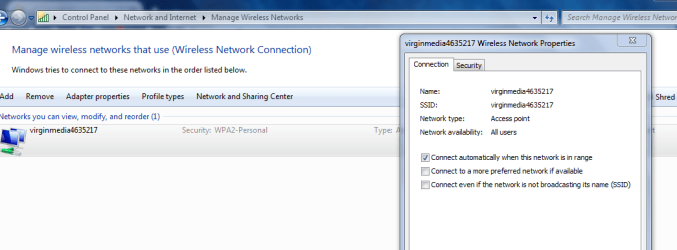
If you add a WIFI network by hand the laptop will connect and work normally but if you move to another location and need to change to a different access point the available networks will not show and you need to enter the network again manually. INSSIDER or similar programs will show available networks without a problem.
The laptop has a QUALCOMM ATHEROS AR9485WB-EG wireless/bluetooth combination card and have already tried updating the drivers (to bothe the SONY website version and the Qualcomm version) with no results.
Have uninstalled Sony's EASY CONNECT and Smart Network and also unistalled/reinstalled the Client for Microsoft Networks as suggested in several places but problem persists. The WIFI service (WLAN AUTO CONFIG) starts automatically and does not report errors.
Have also tried resetting WINSOCK and TCPIP but no dice....
My daughter is not sure when this problem started (several months ago) but she believes it happened after installing a group of Windows updates several weeks ago....
At this point it would appear to be that the only remedy would be a full Windows 7 reinstall but my daughter has TONS of email, pictures, documents. etc and reinstalling all of these would be a major task!
Any help on this matter would really be appreciated !!!!
Many thanks in advance,
JCC2
Hi and Greetings from Lima, Peru !!!!
I am trying to help my daughter who has a VAIO SVE1511PGXS laptop running Windows 7 64 Bits Home Premium with a weird problem in that the available nearby WIFI networks are not "SEEN" or shown when hovering the mouse over the WIFI icon on the task bar.
If you add a WIFI network by hand the laptop will connect and work normally but if you move to another location and need to change to a different access point the available networks will not show and you need to enter the network again manually. INSSIDER or similar programs will show available networks without a problem.
The laptop has a QUALCOMM ATHEROS AR9485WB-EG wireless/bluetooth combination card and have already tried updating the drivers (to bothe the SONY website version and the Qualcomm version) with no results.
Have uninstalled Sony's EASY CONNECT and Smart Network and also unistalled/reinstalled the Client for Microsoft Networks as suggested in several places but problem persists. The WIFI service (WLAN AUTO CONFIG) starts automatically and does not report errors.
Have also tried resetting WINSOCK and TCPIP but no dice....
My daughter is not sure when this problem started (several months ago) but she believes it happened after installing a group of Windows updates several weeks ago....
At this point it would appear to be that the only remedy would be a full Windows 7 reinstall but my daughter has TONS of email, pictures, documents. etc and reinstalling all of these would be a major task!
Any help on this matter would really be appreciated !!!!
Many thanks in advance,
JCC2
My Computer
At a glance
Windows 7 Ultimate X86
- Computer type
- PC/Desktop
- OS
- Windows 7 Ultimate X86