Solved WG111 OS doesn't recognize driver

GrimCon

New member
Local time
12:32 PM
Messages
6
I know there are already other threads about the WG111 but none of the solutions there helped me.

I can install the software perfectly in whatever compatibility mode or none at all but after installation it still says "unknown device" in the device manager.
I have the WG111v1 but I also tried the WG111v2 driver which makes no difference except that the last step where i need to connect the device takes forever because it can't be found.

Any help would be greatly appreciated.
 

My Computer

OS
Windows 7 Ultimate x64 RC1
CPU
Athlon 64 X2 5200+
Motherboard
Asus M2N32 SLI Deluxe WiFi
Memory
8GB DDR2 800
Graphics Card(s)
2x GeForce 8800GTS 640
Sound Card
Soundblaster X-Fi Platinum Fatal1ty Champion Series
Monitor(s) Displays
Samsung SyncMaster 225BW
Screen Resolution
1680x1050
PSU
Thermaltake Toughpower QFan 650W
Case
Thermaltake Armor+
Keyboard
Steelseries Merc Stealth
Mouse
Logitech G5 Refresh
Internet Speed
Cable 25000Kb (in theory at least)
Other Info
Router: Cisco Linksys WRT160N
I know there are already other threads about the WG111 but none of the solutions there helped me.

I can install the software perfectly in whatever compatibility mode or none at all but after installation it still says "unknown device" in the device manager.
I have the WG111v1 but I also tried the WG111v2 driver which makes no difference except that the last step where i need to connect the device takes forever because it can't be found.

Any help would be greatly appreciated.
Hi GrimCon and welcome to Windows Seven Forums.

This website says the Netgear WG111 USB adapter is both 32 and 64 bit Vista compatible which should then work in 7.

Windows Vista Compatibility Netgear NETGEAR WG111 Wireless-G USB 2.0 Adapter - network adapter

Then you are directed to this site for further instructions:

Answer

Unfortunately, we can offer little other help as we do not know the brand or configuration of the computer you are attempting to use this USB adapter on or even if you are using the 32 bit or 64 bit Windows 7. If you would like to supply additional info, perhaps we could do more?

Robert
 

My Computer

OS
...
Choose driver

this is how i got it working,download the vista driver , use winrar or such to extract the files from the setup.exe (even if u have to rename the extention) to C/wg111, the right click device and update driver dont search tell it which 1 to use via browseing to the C/wg11 dir u extracted the files to, it will find the inf file. i use this methiod to avoid installing the netgear connection manager. after install check for updates via windows update. Hope this gets ya up n goin :confused:
 

My Computer

OS
win 7 32bit
I use a 64-bit version of win7. the PC i'm trying to use it on is not really the latest model (athlon 64, GeForce5900FX ..) but everything else works except for the wg111 and the onboard sound.
I tried installing just the driver but somehow windows doesn't recognize the file as a driver. it just says "no driver found".

This website says the Netgear WG111 USB adapter is both 32 and 64 bit Vista compatible which should then work in 7.

Windows Vista Compatibility Netgear NETGEAR WG111 Wireless-G USB 2.0 Adapter - network adapter

Then you are directed to this site for further instructions:

Answer

This shows me the way how it SHOULD work :huh: But unfortunately the installation gets stuck at the point where I have to plug in the adapter.
 

My Computer

OS
Windows 7 Ultimate x64 RC1
CPU
Athlon 64 X2 5200+
Motherboard
Asus M2N32 SLI Deluxe WiFi
Memory
8GB DDR2 800
Graphics Card(s)
2x GeForce 8800GTS 640
Sound Card
Soundblaster X-Fi Platinum Fatal1ty Champion Series
Monitor(s) Displays
Samsung SyncMaster 225BW
Screen Resolution
1680x1050
PSU
Thermaltake Toughpower QFan 650W
Case
Thermaltake Armor+
Keyboard
Steelseries Merc Stealth
Mouse
Logitech G5 Refresh
Internet Speed
Cable 25000Kb (in theory at least)
Other Info
Router: Cisco Linksys WRT160N
This may sound like a silly question, but have you tried this?

1. make a wired network connection,
2. stick the WG111 it in an usb port (don't run any driver installation)
3. wait until the new device is found, and (not) recognized,
4. then right click it in device manager, go to driver tab and let windows look for the driver online?

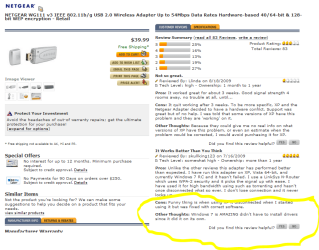
I ask this because I've seen a review comment from someone praising Win7 for installing the driver automatically.

wg111.PNG

Greetz


.
 

My Computer

OS
Win7 Build 7600 x86
CPU
Pentium II 300MHz
Motherboard
Asus
Memory
32mb EDO RAM
Graphics Card(s)
Diamond Viper
Sound Card
Soundblaster 16
Monitor(s) Displays
14" AOC CRT 16K color
Screen Resolution
800x600
Hard Drives
300mb Quantum fireball
PSU
110 Watts
Cooling
Passive
Keyboard
Trust Ergonomic
Mouse
Generic
Internet Speed
256K u 128K d
Sounds like an option. though setting up a wired connection will be a bit tricky. i will try and see if it helps.
 

My Computer

OS
Windows 7 Ultimate x64 RC1
CPU
Athlon 64 X2 5200+
Motherboard
Asus M2N32 SLI Deluxe WiFi
Memory
8GB DDR2 800
Graphics Card(s)
2x GeForce 8800GTS 640
Sound Card
Soundblaster X-Fi Platinum Fatal1ty Champion Series
Monitor(s) Displays
Samsung SyncMaster 225BW
Screen Resolution
1680x1050
PSU
Thermaltake Toughpower QFan 650W
Case
Thermaltake Armor+
Keyboard
Steelseries Merc Stealth
Mouse
Logitech G5 Refresh
Internet Speed
Cable 25000Kb (in theory at least)
Other Info
Router: Cisco Linksys WRT160N
Working Windows 7 64-bit Driver for Netgear WG111v1

I was also unable to find a solution to using the Netgear WG111v1 USB WiFi adapter with Windows 7 64-bit on the web. I eventually managed to get this working and thought I ought to post the details here.

The WG111v1 uses the PRISM-GT from Conexant that is also used in the Thomson Speedstep ST121g. I downloaded the 64-bit Vista driver available for this from here:
This is the link to the download itself:
I unzipped rather than ran the executable. There is a .inf file for the driver that needs to be edited under this path:
ST121g_VistaSetup_v0.1\STHIWv\SpeedTouch_121g\Drivers\PRISMA02.inf
Search and replace:
  1. VID_06B9&PID_0121 with VID_0846&PID_4220 (lines 30,39)
  2. VID_1435&PID_0427 with VID_0846&PID_4240 (lines 31,40)
  3. VID_09AA&PID_1000 with VID_0846&PID_4220 (line 75)
  4. VID_0915&PID_2000 with VID_0846&PID_4240 (line 110)
I obtained the replacement values from "netwg111.inf" included in the "wg111_2_1.zip" 32-bit driver downloaded from Netgear which contains similar entries to "PRISMA02.inf".

After selecting update driver in device manager properties select "Browse my computer for driver software", then "Let me pick from a list of device drivers on my computer", then "Have Disk...", and select the edited PRISMA02.inf file.

The driver is not digitally signed and whilst I did hit F8 on the first reboot and disabled the signed driver check, the driver still works for me on shutdown/reboot without having needed to do this again. If this doesn't work for you, you may need to look into disabling signed driver enforcement, though the only method I could find to achieve this involved running in a test mode.

Note that my WG111 has "WG111V2" in the FCC ID, but is actually a WG111v1. It has NETGEAR in blue on a label as shown for the WG111v1 on the Netgear support page unlike the solid silver plastic appearance of WG111v2 and WG111v3 on this page. I initially tried the Netgear WG111v2 driver but the install froze and even when it looked as though I had been able to manually install the driver it could not be enabled.
 
Last edited:

My Computer

Computer Manufacturer/Model Number
Acer M3802
OS
Windows 7 Home Premium 64-bit
CPU
Q8300
Memory
4GB
Monitor(s) Displays
BenQ E2220HD
Hard Drives
750GB
PSU
250W
Internet Speed
2Mbps
Works with WG111v1

My box is dated 2004 and doesn't have a "v" anything after the WG111 so I'm assuming it's gotta be v1. That, and none of the NETGEAR drivers worked, including v2 for Vista. But this worked! Dude, I am so stoked that this works. You just saved me from buying another wireless adapter. Thank you so much WinSevenUser! (I registered just to say that this solution worked so that others could get theirs working too.)
 
Last edited:

My Computer

OS
Windows 7
Thank you

WinSevenUser - Thank you!. It worked. I'm running my old wg111v1 right now. Like the others.. i signed up just to thank you. It always amazes me.. in this world there is ALWAYS someone else that has had the same problem as you. Thanks for sharing.
bb
 

My Computer

OS
windows 7b home premium 64bit
Thanks WinSevenUser

WinSevenUser,

You're a miracle worker. I've got this blasted little WG111v1 working just fine now, having used your post as a guide after nothing else in the universe worked.

Muchos gracias senor.


My Computer

OS
Windows 7 Pro 64 bit
Still get an error message after making changes to .inf

WinSevenUser,

I recently upgraded my WinXp x86 to Win7 x64 ultm and as above, I came across this post in hopes of getting my Wg111v1 to work with Win7 like it did under WinXp. After reading through your instructions, saving, rebooting, disabling signed driver enforcement, and then loading the modified driver I get a code-10 error (see attached).

The driver will show under network adapters but with the little yellow triangle.

Any other suggestions? Thanks
 

Attachments

My Computer

Computer Manufacturer/Model Number
K8N Neo4 Platinum (MS 7125 Rev 1.0) N1996
OS
Win7/XP
CPU
AMD Athlon™ 64 X2 Dual Core 3800+
Motherboard
MSI
Memory
2gb
Graphics Card(s)
NVIDIA 7300GS
Sound Card
PCI C-MEDIA CMI8738LX
Monitor(s) Displays
SAMSUNG SyncMaster2253lw
Hard Drives
WD 500gb SATA II
Maxor 80gb IDE
Case
Antec
I was also unable to find a solution to using the Netgear WG111v1 USB WiFi adapter with Windows 7 64-bit on the web. I eventually managed to get this working and thought I ought to post the details here.

The WG111v1 uses the PRISM-GT from Conexant that is also used in the Thomson Speedstep ST121g. I downloaded the 64-bit Vista driver available for this from here:This is the link to the download itself:I unzipped rather than ran the executable. There is a .inf file for the driver that needs to be edited under this path:
ST121g_VistaSetup_v0.1\STHIWv\SpeedTouch_121g\Drivers\PRISMA02.inf
Search and replace:
  1. VID_06B9&PID_0121 with VID_0846&PID_4220 (lines 30,39)
  2. VID_1435&PID_0427 with VID_0846&PID_4240 (lines 31,40)
  3. VID_09AA&PID_1000 with VID_0846&PID_4220 (line 75)
  4. VID_0915&PID_2000 with VID_0846&PID_4240 (line 110)
I obtained the replacement values from "netwg111.inf" included in the "wg111_2_1.zip" 32-bit driver downloaded from Netgear which contains similar entries to "PRISMA02.inf".

After selecting update driver in device manager properties select "Browse my computer for driver software", then "Let me pick from a list of device drivers on my computer", then "Have Disk...", and select the edited PRISMA02.inf file.

The driver is not digitally signed and whilst I did hit F8 on the first reboot and disabled the signed driver check, the driver still works for me on shutdown/reboot without having needed to do this again. If this doesn't work for you, you may need to look into disabling signed driver enforcement, though the only method I could find to achieve this involved running in a test mode.

Note that my WG111 has "WG111V2" in the FCC ID, but is actually a WG111v1. It has NETGEAR in blue on a label as shown for the WG111v1 on the Netgear support page unlike the solid silver plastic appearance of WG111v2 and WG111v3 on this page. I initially tried the Netgear WG111v2 driver but the install froze and even when it looked as though I had been able to manually install the driver it could not be enabled.

I have just registered just to say THANK YOU.
Worked on Win7 x64 and connects using WPA2 security (I'm using it right now!!), with lots of extra possible settings on the driver property page (on device manager) - I don't really find a use for them.

I wonder if there is a newer driver from Conexant for this....

Thanks again!!!!

Edit: I have attached the modified drivers for anyone to use
 

Attachments

Last edited:

My Computer

OS
Windows 7 Ultimate 64bit
drivers found for win7/vista 32 and 64bit

hi, looked at all this already and didnt work so here's where i found all the drivers in one small folder which is about 350KB.

Netgear WG111v2 Windows 7 Driver | wEinstein Solutions

has quick install instructions for windows 7 32 and windows 7 64 bit also vista drivers and took me 1 minute once i downloaded the drivers. such a relief for the non technical minded thanks!

thoughts id share it with you guys :)
 

My Computer

OS
win7
INF edit

Worked for me too. Brilliant post! Thanks. :D
 

My Computer

OS
W7 HP 32
thank you WinSevenUser

You make me feel this world amazing
 

My Computer

OS
Windows 7 Ultimate x64
Thanks WinSevenUser!

I joined just to thank you.

The search and replace was not exactly as you wrote but I was able to figure it out.

You are a genius.
 

My Computer

Computer type
PC/Desktop
Computer Manufacturer/Model Number
custom
OS
windows 7 32
CPU
amd
Motherboard
athlon II x4 630
Memory
4gb
Antivirus
zonealarm
Browser
firefox
WinSevenUser, BRILLIANT! I appreciate your help, I spent an hour or so looking for drivers from the vendor and other posts and luckily found your post. I used 7zip to open the archive and edited the file in a few seconds and then following your directions to manually load the usb device was in business again! Thank you!

The Zenshooter
 

My Computer

Computer type
PC/Desktop
OS
Windows 7 Ultimate x64
Hey! If anyone else is having problems with this, just know that you don't have to do all that technical mumbo jumbo or MISTAKENLY PURCHASE DRIVERS ALREADY AVAILABLE VIA THE DEVICE ITSELF! When it automatically installs the software, it will register as another wireless connection (if you have one already that's failing like mine.) The wireless icon should automatically appear, and you should be able to use it straight away, as proved by this site: Windows 7 Automatically Installs Some NETGEAR Adapters Hopefully none of you made the mistake of buying the drivers off of the site that one guy listed above...I'm already seeking that money back.
 

My Computer

Computer type
PC/Desktop
OS
Windows 7
I, too, registered just to say thank you! I'm stuck without wired access and just this old adapter and your step by step worked exactly as you said it would on the first try on my Vista Business SP2 64bit machine. You're the FREAKING man, man! Awesome!:D
 

My Computer

Computer type
PC/Desktop
OS
Win7 Ultimate 32
Back
Top