What don't you like about Windows 7?

Status
Not open for further replies.
I hate the new task bar. There I said it! I like the new features they have given it but I hate the flat look to it. Vista is more appealing to my eyes.
 

My Computer My Computer

At a glance

Windows 7 Home Premium 64-Bit2600K @ 3.4GhzG.Skill 2x4GB DDR3 1600 SnipernVidia GTX 560Ti
Computer Manufacturer/Model Number
Custom Built
OS
Windows 7 Home Premium 64-Bit
CPU
2600K @ 3.4Ghz
Motherboard
Gigabyte Z68 D3H-B3
Memory
G.Skill 2x4GB DDR3 1600 Sniper
Graphics Card(s)
nVidia GTX 560Ti
Sound Card
Realtek Onboard
Monitor(s) Displays
HP w2207h
Screen Resolution
1680x1050
Hard Drives
Western Digital AAKS6400
PSU
Antec 620
Case
Cooler Master Centurion 5
Cooling
Cooler Master 212+
Keyboard
Microsoft Wireless 3000
Mouse
Microsoft Wireless 3000
Internet Speed
Cable
I hate the new task bar. There I said it! I like the new features they have given it but I hate the flat look to it. Vista is more appealing to my eyes.

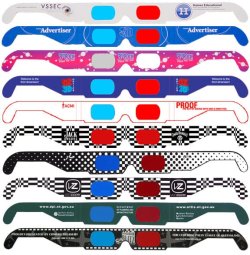
Try one of these. :p

custom-glasses.jpg
 

My Computer My Computer

At a glance

Win7 Build 7600 x86Pentium II 300MHz32mb EDO RAMDiamond Viper
OS
Win7 Build 7600 x86
CPU
Pentium II 300MHz
Motherboard
Asus
Memory
32mb EDO RAM
Graphics Card(s)
Diamond Viper
Sound Card
Soundblaster 16
Monitor(s) Displays
14" AOC CRT 16K color
Screen Resolution
800x600
Hard Drives
300mb Quantum fireball
PSU
110 Watts
Cooling
Passive
Keyboard
Trust Ergonomic
Mouse
Generic
Internet Speed
256K u 128K d
There is one consistent bug that bugs the hell out of me, after several dozen beta/RC/RTM installs. The Internet Explorer 8 windows stopped holding their size somewhere around 4800 and now no amount of training or previous fixes will make them open full or custom size.

I finally gave up and use Autosizer long enough to get them to hold, which I resent since I think this is the greatest invention since the computer except for this one irritating bug.
 
There is one consistent bug that bugs the hell out of me, after several dozen beta/RC/RTM installs. The Internet Explorer 8 windows stopped holding their size somewhere around 4800 and now no amount of training or previous fixes will make them open full or custom size.

I finally gave up and use Autosizer long enough to get them to hold, which I resent since I think this is the greatest invention since the computer except for this one irritating bug.

Strange. :huh:

I can't get IE to open at anything other than maximized.

Quik shortcuts

to maximize winkey+up
to go to default size winkey+down
to glue to left side winkey+left
to glue to right side winkey+right

good luck
 

My Computer My Computer

At a glance

Win7 Build 7600 x86Pentium II 300MHz32mb EDO RAMDiamond Viper
OS
Win7 Build 7600 x86
CPU
Pentium II 300MHz
Motherboard
Asus
Memory
32mb EDO RAM
Graphics Card(s)
Diamond Viper
Sound Card
Soundblaster 16
Monitor(s) Displays
14" AOC CRT 16K color
Screen Resolution
800x600
Hard Drives
300mb Quantum fireball
PSU
110 Watts
Cooling
Passive
Keyboard
Trust Ergonomic
Mouse
Generic
Internet Speed
256K u 128K d
Strange. :huh:

I can't get IE to open at anything other than maximized.

Quik shortcuts

to maximize winkey+up
to go to default size winkey+down
to glue to left side winkey+left
to glue to right side winkey+right

good luck
In dual screen systems you can also swap window to the other display using these shortcuts:

  • If glued to the left in the right display, winkey+left glues window to the right in the left display
  • If glued to the right on the left display, winkey+right glues window to the left in the right display
In dual screen systems these shortcuts are also the only way to glue the window to the left in the right display or to the right in the left display. Moving the window with mouse in these cases just moves the window over to the other display.

Confusing? Not really, works fine.

Kari
 

My Computer My Computer

At a glance

Windows 10 Pro x64 EN-GB1.6 GHz Intel Core i7-720QM Processor6 GBATI Mobility Radeon HD 5850 Graphics
Computer type
Laptop
Computer Manufacturer/Model Number
HP ENVY 17-1150eg
OS
Windows 10 Pro x64 EN-GB
CPU
1.6 GHz Intel Core i7-720QM Processor
Memory
6 GB
Graphics Card(s)
ATI Mobility Radeon HD 5850 Graphics
Sound Card
Beats sound system with integrated subwoofer
Monitor(s) Displays
17" laptop display, 22" LED and 32" Full HD TV through HDMI
Screen Resolution
1600*900 (1), 1920*1080 (2&3)
Hard Drives
Internal: 2 x 500 GB SATA Hard Disk Drive 7200 rpm
External: 2TB for backups, 3TB USB3 network drive for media
Cooling
As Envy runs a bit warm, I have it on a Cooler Master pad
Keyboard
Logitech diNovo Media Desktop Laser (bluetooth)
Mouse
Logitech Performance Mouse MX
Internet Speed
50/10 Mbps VDSL
Antivirus
Windows Defender 4.3.9431.0
Browser
Maxthon 3.5.2., IE11
Hi SquonkSC

Yep, main reason was performance. But I do have to say that w7 performance is better than my previous Vista testing. I've gone through most of the tweaking: black viper service configs, visual effects etc. I have managed to improve disk performance since my initial post. Had w7 installed on PATA (WEI [HDD] = 4.3) back then, with data all on SATA. But now swapped the config around and installing w7 on SATA (WEI [HDD] = 5.7). It does feel slightly zippier which is good.

Win7 has it spread out like this: WE1 | WE2 | FF1. XP, however, would arrange it in order of temporal execution: WE1 | FF1 | WE2. Hence W7 groups items, even when spread out.
I really don't understand how this is a minus?
I would think it is an improvement over XP, it makes oversight much more logical.
It was actually one of the XP quircks that thousands of users have asked MS to fix.
Well, I guess it comes down to how you work. For me, temporal arrangement is slightly advantageous as you don't have to search the taskbar for your most recently instantiated app - it's right there at the end of the list. With 20+ windows/apps open, I end up having to do more taskbar searching under w7. But yeah, grouping also has its advantages. It can go either way :)

The only thing left for us to do, is to get used to it,
and give it a fair chance, like we had to to do with XP.
With every OS we had to adapt to the new features, as with every new car we buy.
XP needed hundreds of updates, fixes and 3 SP's to become what it is today.
I assure you this won't be the case for W7.
I absolutely agree with this. I guess one of the reasons for not easily adapting to w7 was that I never jumped on the Vista bandwagon. My MS OS history has been win95->win2k->xp. So going from xp->w7 is a bit of a leap. Yep - it all comes with time :D

Cheers.
 

My Computer My Computer

At a glance

W7 Ultimate 64-bit (build 7601)Intel Core 2 Duo CPU P8600 @ 2.40GHz 2.40GHz4 GBNVIDIA Quadro NVS 160M
Computer Manufacturer/Model Number
Dell Latitude E6500
OS
W7 Ultimate 64-bit (build 7601)
CPU
Intel Core 2 Duo CPU P8600 @ 2.40GHz 2.40GHz
Memory
4 GB
Graphics Card(s)
NVIDIA Quadro NVS 160M
Monitor(s) Displays
BenQ FP241W (24")
Screen Resolution
1920 x 1200
Internet Speed
256 kbit (around 25 kbytes/s... slow...)
Other Info
Windows Experience Index = 4.3 [Processor = 6.0; Memory = 5.9; Graphics = 4.3; Gaming = 5.5; HDD = 5.8]
I hate the new task bar. There I said it! I like the new features they have given it but I hate the flat look to it. Vista is more appealing to my eyes.

I hate the fact that there's too much spacing between the icons on the taskbar....
 

My Computer My Computer

At a glance

Windows 7 Ultimate x64, 7600.20647 RTMIntel Core2Quad Q9505 @ 4.0Ghz6GB Transcend DDR3-1333 Dual ChannelASUS GTX285 1GB GDDR3
Computer Manufacturer/Model Number
It's a Custom Build.....
OS
Windows 7 Ultimate x64, 7600.20647 RTM
CPU
Intel Core2Quad Q9505 @ 4.0Ghz
Motherboard
Intel Skyburg DP45SG
Memory
6GB Transcend DDR3-1333 Dual Channel
Graphics Card(s)
ASUS GTX285 1GB GDDR3
Sound Card
OnBoard Intel IDT HD Audio
Monitor(s) Displays
HP w2207h 22" WideScreen LCD, VGA & HDMI
Screen Resolution
1680x1050, 60Hz
Hard Drives
1TB WD Caviar Black, Green Power...
1TB Dell, 32Mb/s, Internal SATA
320GB Seagate Internal SATA (3 Partitions)
PSU
Omega 600W ATX2.0 Dual Rail, 2x Fans
Case
Cooler Master HAF 922
Cooling
Corsair Hydro H50 in Push-Pull mode, 4 Case Fans with LED
Keyboard
White aigo keyboard with blue LED on the keys....
Mouse
Genius Mini Tracer
Internet Speed
I'm ashamed to say...
Other Info
Aigo wireless keyboard(black) and a 2.1 Speaker System(white)
WIN 7 Dislikes.....

Sorry I have lost the plot with this forum...
Reason. if you make a comment against WIN7 you get blasted and to if you DONT like it stiff luck revert to XP or older....

I use XP, Vista both 32bit and 64bit and have done so for 6-3 years.

I OBJECT to MS removing the "CLASSIC" features...
Users were able to enable them in VISTA (which I do) when ever I install the O/S.

NOW I cant, and If I MS want to give us another changed / crippled O/S then it is their LOSS. It would seem that around 60% of users want this option, CAN MS afford to loose 60% or even 30% of it clients, and DONT give me the answer times and O/S move on learn it.

I and my company and Clients (115) cannot afford spend money on upgrade or the COST of the new WIN7 also training ???.
The world is in a recession and SMB's/People do NOT have the money GET REAL
 

My Computer My Computer

At a glance

Vista Ult 64 bitIntel Dual Core 2 DUO 3.16mhz8 gig DDR2ATI RADEON HD4800 512Mb with xtra FAN
Computer Manufacturer/Model Number
Custom (built by EXTREMEPC Auckland) to my Specifications)
OS
Vista Ult 64 bit
CPU
Intel Dual Core 2 DUO 3.16mhz
Motherboard
ASUS P5Q Deluxe
Memory
8 gig DDR2
Graphics Card(s)
ATI RADEON HD4800 512Mb with xtra FAN
Sound Card
Onboard ADI AD2000B - 8 channel HD
Monitor(s) Displays
LG W2243 digital 21" LCD
Screen Resolution
set to 1920 x 1080
Hard Drives
(6) in total
c: 1 x 320gb Seagate ST3320613AS
d: 2 x 250gb Seagate ST325031QAS nqc drives RAID 1 mirror
E: 2 x 250gb Seagate ST325031QAS nqc drives RAID 0
H: 1 x 320gb Seagate ST332082OAS on USB External drive
F: DVD reader CD ROM
G: DVD Re-W
PSU
Zalman 850Watt (ZM850-HP)
Case
Gigabyte Posidon Series (GZ-XA1CA-STB)
Cooling
FAN (1 x CPU) (2x 1front 1rear) (1 6" side FAN)
Keyboard
MS Multimedia Wireless Keyboard
Mouse
MS Wireles Optical 2000+
Internet Speed
Broadband max down 128 up
Other Info
1 x Router is a Dynalink RTA 300 4 port 10/100
1 x D-Link DI-524Wireless G with 4 port 10/100
1 x D-Link HUB DES-1008D

My Computer My Computer

At a glance

W7 Ultimate 64-bit (build 7601)Intel Core 2 Duo CPU P8600 @ 2.40GHz 2.40GHz4 GBNVIDIA Quadro NVS 160M
Computer Manufacturer/Model Number
Dell Latitude E6500
OS
W7 Ultimate 64-bit (build 7601)
CPU
Intel Core 2 Duo CPU P8600 @ 2.40GHz 2.40GHz
Memory
4 GB
Graphics Card(s)
NVIDIA Quadro NVS 160M
Monitor(s) Displays
BenQ FP241W (24")
Screen Resolution
1920 x 1200
Internet Speed
256 kbit (around 25 kbytes/s... slow...)
Other Info
Windows Experience Index = 4.3 [Processor = 6.0; Memory = 5.9; Graphics = 4.3; Gaming = 5.5; HDD = 5.8]
Sorry I have lost the plot with this forum...
Reason. if you make a comment against WIN7 you get blasted and to if you DONT like it stiff luck revert to XP or older....

I use XP, Vista both 32bit and 64bit and have done so for 6-3 years.

I OBJECT to MS removing the "CLASSIC" features...
Users were able to enable them in VISTA (which I do) when ever I install the O/S.

NOW I cant, and If I MS want to give us another changed / crippled O/S then it is their LOSS. It would seem that around 60% of users want this option, CAN MS afford to loose 60% or even 30% of it clients, and DONT give me the answer times and O/S move on learn it.

I and my company and Clients (115) cannot afford spend money on upgrade or the COST of the new WIN7 also training ???.
The world is in a recession and SMB's/People do NOT have the money GET REAL
That is the ultimate issue in the IT world...People are not willing to spend time and money into changing for the better

BTW I would love to see where 60% of all users want the Windows Classic theme back...
 

My Computer My Computer

At a glance

Windows 7 Home Premium x64 - Mac OS X 10.6.4 x64Intel Core 2 Duo T9300 2.5 GHz4GB Kingston DDR2-800NVIDIA Geforce 8600M GT (512MB Model)
Computer Manufacturer/Model Number
Compal JFT02 (Custom Build Laptop)
OS
Windows 7 Home Premium x64 - Mac OS X 10.6.4 x64
CPU
Intel Core 2 Duo T9300 2.5 GHz
Motherboard
JFT02
Memory
4GB Kingston DDR2-800
Graphics Card(s)
NVIDIA Geforce 8600M GT (512MB Model)
Sound Card
Realtek HD Audio
Monitor(s) Displays
WUXGA Standard Laptop Display
Screen Resolution
1680*1050
Hard Drives
Toshiba 320GB 5400RPM Laptop HD
PSU
Standard Laptop Power Supply
Case
Standard Laptop Case
Cooling
Standard Laptop Cooling
Keyboard
Standard Laptop 105 Key-Keyboard
Mouse
Synaptics Touchpad
Internet Speed
Verizion Online DSL 3360/864 kbs (dl/up)
Sorry I have lost the plot with this forum...
Reason. if you make a comment against WIN7 you get blasted and to if you DONT like it stiff luck revert to XP or older....

Ok will try to provide a civil answer ...

I use XP, Vista both 32bit and 64bit and have done so for 6-3 years.

I OBJECT to MS removing the "CLASSIC" features...
Users were able to enable them in VISTA (which I do) when ever I install the O/S. NOW I cant, and If I MS want to give us another changed / crippled O/S then it is their LOSS.

"classic" features are phased out based on user feedback, this is both manual and automatic feedback and indicate to Microsoft when an function or working method is used or not. It is normal for a feature that has a major modification to be retained in it's original form for one cycle of operating system replacement only, unless the facts show that the old system is still being used by a significant number of users.

It would seem that around 60% of users want this option, CAN MS afford to loose 60% or even 30% of it clients, and DONT give me the answer times and O/S move on learn it.

No company would proceed with an action that is likely to lose them this sort of user base, if their information indicated this - I have to believe that Microsoft are happy that the figures you quote are not the case.

I and my company and Clients (115) cannot afford spend money on upgrade or the COST of the new WIN7 also training ???.
The world is in a recession and SMB's/People do NOT have the money GET REAL

It is a fact of life that things do change and although it can be more difficult for some change has to be accommodated,

Microsoft does not insist that anyone change to a new OS until they are ready to do so, and in fact have repeatedly extended support for XP until this is not technically viable any further.

XP is now obsolete, fact, although Microsoft will still provide security based support until 2014, so those who have to retain it's use may still do so.

The 3-4 life-cycle of Microsoft OS's, that was missed with Vista, is based on the depreciation life cycle followed by business for hardware, which is normal time for any OS upgrade - this cycle has been stretched far beyond normal already with the universal rejection of Vista, and so is reaching a stage where economic and logistical reasons for hardware upgrade is a pressing matter

The financial status of the world markets is something that took the majority of people by surprise and will be a major concern to Microsoft in the roll out of Windows 7, and there will be some companies that will hold off the upgrade cycle on new hardware.

My personal experience with the user change to Windows 7 is that the learning curve for Vista users is negligible. That for XP users is greater but is still easily achivable.
 

My Computers My Computers

  • At a glance

    Windows 11 Pro x64 [Latest Release and Releas...Ryzen 9 5950X, 3.8 - 5.2 MHz64GB [2 x 32GB] DDR4 3200MHz4GB NVIDIA GEFORCE GTX 1650 Ti
    Computer type
    PC/Desktop
    Computer Manufacturer/Model Number
    ChillBlast - Custom to my design
    OS
    Windows 11 Pro x64 [Latest Release and Release Preview]
    CPU
    Ryzen 9 5950X, 3.8 - 5.2 MHz
    Motherboard
    Asus Prime X570-Pro
    Memory
    64GB [2 x 32GB] DDR4 3200MHz
    Graphics Card(s)
    4GB NVIDIA GEFORCE GTX 1650 Ti
    Sound Card
    On-board SPDIF to 5.1 System + HDMI [5.1 system]
    Monitor(s) Displays
    32" UHD 32 Bit HDR Monitor + 43" UHD 4K 32Bit HDR TV
    Screen Resolution
    2 x 3840 x 2160 @60Hz
    Hard Drives
    1TB M2 SSD OS, 500GB Fast Access SSD, 2 x 8TB Data + Various Externals from 1TB to 4TB, 10TB NAS
    PSU
    NZXT C750 80 PLUS Gold 750W Modular PSU
    Case
    Workstation Case [Matt Black]
    Cooling
    NZXT Kraken X63 280mm CPU Cooler +2x Quiet Case fans
    Keyboard
    Logitech Wireless MX Keys & K400 + others
    Mouse
    Logitech Wireless MX Master 3S
    Internet Speed
    920 MB Down 50 MB Up
    Antivirus
    BitDefender Total Security Pro
    Browser
    Chrome (always run latest Non-Beta)
    Other Info
    Also run ...
    Laptop - Quad 8GB - Windows 10 Pro x64
    Nexus 7 Android tablet x2
    Samsung 10.2" tablet
    Blackview TAB 8 4G Android Tablet c/w Keyboard
    Wacom Intuos Pro Medium Pen Pad
    Wacom Intuos Pro Small Pen Pad
    Wacom Expresskeys Remote
    Loopdeck+ Graphics Controller
    Shuttle Pro v2 Control
  • At a glance

    Windows 11 Pro x64 Latest RPIntel I7 10750H 5.0GHz32GB [2x16GB] DDR4 2933 MHznVidia GTX1650Ti 4 GB GDDR6
    Computer type
    Laptop
    System Manufacturer/Model Number
    Dell XPS 17 10750H
    OS
    Windows 11 Pro x64 Latest RP
    CPU
    Intel I7 10750H 5.0GHz
    Motherboard
    Dell XPS
    Memory
    32GB [2x16GB] DDR4 2933 MHz
    Graphics Card(s)
    nVidia GTX1650Ti 4 GB GDDR6
    Sound Card
    Stock [Realtek] 4 Speaker
    Monitor(s) Displays
    17" IPS UHD+ Infinity Edge Touchscreen
    Screen Resolution
    3840 x 2400
    Hard Drives
    2TB M2 NVMe, 4TB External + various 500GB & 1TB External NVMe (also have access to spinner HDD from
    PSU
    Stock
    Case
    Stock XPS Aluminium & Carbon Fibre
    Cooling
    Stock - Active Fan Control
    Keyboard
    Backlit + Various Logitech
    Mouse
    Stock Track Pad + Logitech MX Trackball
    Internet Speed
    72 MB Down 18MB Up
    Browser
    Chrome
    Other Info
    Also run ...
    Laptop - Quad 8GB - Windows 10 Pro x64
    Nexus 7 Android tablet x2
    10.2" tablet
    Sony Z3 Android Smartphone
    Wacom Intuos Pro Medium Pen Pad
    Wacom Intuos Pro Small Pen Pad
    Wacom Expresskeys Remote
    Loopdeck+ Graphics Controller
    Shuttle Pro v2 Control Pad
    10TB NAS
Hi all
Easy guys
1) It IS a W7 Forum so if you don't like it then a lot of people will of course respond. - Imagine you log on to a Ferrari Owners forum and say they are rubbish cars.:mad:

2) Unfortunate but true some people always miss some features from a previous release when an old trusted application is updated. Often an older feature HAS to be removed in order to provide for newer stuff which (usually) is better for the users. We all have problems with these types of issues -- like I really miss having a separate equalizer on the Realtek HD sound driver that XP had instead of the "canned" presets.

3) If you really dislike W7 or can't work with it you can always stay with other OS'es -- there's still a LOAD of users out there STILL using W2000. (W2K).

4) Businesses in general DO upgrade every few years - unlike home users the cost of machines can be offset against tax etc. A LOT of companies have relatively new machines which probably originally came with VISTA but they re-installed XP. If the monitor is an LCD the the computer won't be THAT old and almost certainly came pre-installed with VISTA until the IT dept installed the corporate version of XP on it.

5) Vista was avoided in the early days because a) performance issues, and b) a lot of legacy apps wouldn't work with it.

6) XP mode is now available for companies to move to W7 at their own pace whilst maintaining compatability with legacy apps.

A final but often overlooked issue.

A Lot of companies didn't go to a 64 bit OS initially - not because of the cost of upgrading the computers (they got newer machines anyway) but basically because some of their major applications like ERP (SAP) etc would only work with a windows XP front end.

Changing something like SAP to work with W7 X-64 is a FAR FAR bigger cost to businesses than upgrading a corporate network.

Even a Minor SAP upgrade requires vast amounts of very highly paid contractors and consultancy companies - these guys can get paid even in these days as much as 800 / 1000 EUR /GBP / 1500 USD A DAY.

Most users I've seen actually don't have any problem switching to the newer W7 interface. What they DO miss however is when running in XP Mode the performance is still sluggish - so MS really need to address that problem (but that's another issue of course).

Cheers
jimbo
 

My Computer My Computer

At a glance

Linux CENTOS 7 / various Windows OS'es and se...Intel i7 Intel i58GB, 16GBOn Motherboard
Computer type
PC/Desktop
Computer Manufacturer/Model Number
Custom built, several laptops HP/ASUS
OS
Linux CENTOS 7 / various Windows OS'es and servers
CPU
Intel i7 Intel i5
Memory
8GB, 16GB
Graphics Card(s)
On Motherboard
Sound Card
Realtek HD audio
Monitor(s) Displays
Apple Cinema display, Samsung LCD
Screen Resolution
1920 X 1080
Hard Drives
4 X 1TB SATA
Mouse
Toshiba wireless laser
Internet Speed
> 20MB up
Yeah. Like this:

Dear decicion makers by Ford,

I don't like these new cars you are making. I don't need better and bigger engine, I'm completely happy with 55 hp giving the top speed of 60mph like I have in my old Ford. I don't need the safety features you put on your cars nowadays, like airbags and safety belts and ABS brakes. I never drive so fast I would need extra safety.

Also the design is not right. I like to have my car more like a square I'm used to have, I don't like these new soft and round forms. When it is time to take the car to the first service, could you please make my new car to look and feel like the old one?

I would like to know where can I find you new models for free? I mean I am not willing to pay the price you are asking. I paid less than half of that of my old car, why should I now pay more about features and design I don't like. Could someone tell me where to find a new Ford for free? Even without keys, I know somebody who has a spare universal key for Ford.
 

My Computer My Computer

At a glance

Windows 10 Pro x64 EN-GB1.6 GHz Intel Core i7-720QM Processor6 GBATI Mobility Radeon HD 5850 Graphics
Computer type
Laptop
Computer Manufacturer/Model Number
HP ENVY 17-1150eg
OS
Windows 10 Pro x64 EN-GB
CPU
1.6 GHz Intel Core i7-720QM Processor
Memory
6 GB
Graphics Card(s)
ATI Mobility Radeon HD 5850 Graphics
Sound Card
Beats sound system with integrated subwoofer
Monitor(s) Displays
17" laptop display, 22" LED and 32" Full HD TV through HDMI
Screen Resolution
1600*900 (1), 1920*1080 (2&3)
Hard Drives
Internal: 2 x 500 GB SATA Hard Disk Drive 7200 rpm
External: 2TB for backups, 3TB USB3 network drive for media
Cooling
As Envy runs a bit warm, I have it on a Cooler Master pad
Keyboard
Logitech diNovo Media Desktop Laser (bluetooth)
Mouse
Logitech Performance Mouse MX
Internet Speed
50/10 Mbps VDSL
Antivirus
Windows Defender 4.3.9431.0
Browser
Maxthon 3.5.2., IE11
Sorry I have lost the plot with this forum...
Reason. if you make a comment against WIN7 you get blasted and to if you DONT like it stiff luck revert to XP or older....

The plot here couldn't be more clear and transparent. This is a Windows 7 forum!
Primarily dedicated to assist people who have problems with the OS, their hardware, their network, or what ever.

We (the core members), spend probably an average of 20 hrs or more a week on mostly helping people, and partly having fun conversation.

In a non religious way, this is our church, our clubhouse.
You are welcome to join, to ask questions, even to give constructive criticism. Hopefully you join to help out.
Sometimes we spend days on one guys particular problem, and most of the time we get it solved.
Most of the time the user made a few mistakes and the OS was not to blame.

Then, along comes a new "member" and the only reason for joining is to b*tch about how awful W7 is, and how much he HATES it, and how STUPID MS is, etc.......

Imagine you walking into the "Hells Angels" clubhouse and start b*tching about how Harley Davidson actually s*cks, and you will be reverting to your old Yamaha.

I think you would find the treatment you get here a tad less unpleasant. ;)

On the other hand, if you really like XP or any other OS better, which you are entitled to,
why not use that feeling positively and join an XP forum?
And try to do every thing in your power to keep that OS alive as long as possible.

Bottom line:
It's not the fact that you have criticism on W7, or that you don't like it.

It's the fact most of the critisism is unfounded nitpicking, and mostly caused by unfamiliarity with the OS.
For 90% of people's gripes we have solutions and workarounds,
but people don't even bother to check our extensive tutorial and problem base, before they dump their frustration on us.

Try to imagine you are not the first one to b*tch, but probably the 25th today.
Can you then imagine us getting fed up with it?

Good luck.

 

My Computer My Computer

At a glance

Win7 Build 7600 x86Pentium II 300MHz32mb EDO RAMDiamond Viper
OS
Win7 Build 7600 x86
CPU
Pentium II 300MHz
Motherboard
Asus
Memory
32mb EDO RAM
Graphics Card(s)
Diamond Viper
Sound Card
Soundblaster 16
Monitor(s) Displays
14" AOC CRT 16K color
Screen Resolution
800x600
Hard Drives
300mb Quantum fireball
PSU
110 Watts
Cooling
Passive
Keyboard
Trust Ergonomic
Mouse
Generic
Internet Speed
256K u 128K d
Hi SqonkSC

Well said

and really that should be the end of it - I like your bit about Harleys BTW

Great Bike - but again for another forum.


Cheers
jimbo
 

Attachments

  • Harley (36).jpg
    Harley (36).jpg
    354.9 KB · Views: 157

My Computer My Computer

At a glance

Linux CENTOS 7 / various Windows OS'es and se...Intel i7 Intel i58GB, 16GBOn Motherboard
Computer type
PC/Desktop
Computer Manufacturer/Model Number
Custom built, several laptops HP/ASUS
OS
Linux CENTOS 7 / various Windows OS'es and servers
CPU
Intel i7 Intel i5
Memory
8GB, 16GB
Graphics Card(s)
On Motherboard
Sound Card
Realtek HD audio
Monitor(s) Displays
Apple Cinema display, Samsung LCD
Screen Resolution
1920 X 1080
Hard Drives
4 X 1TB SATA
Mouse
Toshiba wireless laser
Internet Speed
> 20MB up
Hi SquonkSC
Well said
and really that should be the end of it - I like your bit about Harleys BTW
Great Bike - but again for another forum.

Cheers
jimbo

Thanks Jimbo,


One of the treatments you don't get for criticizing W7. :D

wild hogs.jpg

.
 

My Computer My Computer

At a glance

Win7 Build 7600 x86Pentium II 300MHz32mb EDO RAMDiamond Viper
OS
Win7 Build 7600 x86
CPU
Pentium II 300MHz
Motherboard
Asus
Memory
32mb EDO RAM
Graphics Card(s)
Diamond Viper
Sound Card
Soundblaster 16
Monitor(s) Displays
14" AOC CRT 16K color
Screen Resolution
800x600
Hard Drives
300mb Quantum fireball
PSU
110 Watts
Cooling
Passive
Keyboard
Trust Ergonomic
Mouse
Generic
Internet Speed
256K u 128K d
Hi SqonkSC
Well said
and really that should be the end of it - I like your bit about Harleys BTW
Great Bike - but again for another forum.
Looks a bit heavy and clumsy, for 'trials' riding....


30640d1254911688-what-dont-you-like-about-windows-7-harley-36-.jpg
 

My Computer My Computer

At a glance

XP_Pro, W7_7201, W7RC.vhd, SciLinux5.3, Fedor...AMD 64x21 gigDunno
Computer Manufacturer/Model Number
Gateway GT5056
OS
XP_Pro, W7_7201, W7RC.vhd, SciLinux5.3, Fedora12, Fedora9_2x, OpenSolaris_09-06
CPU
AMD 64x2
Motherboard
Yes
Memory
1 gig
Graphics Card(s)
Dunno
Sound Card
Realtek something
Monitor(s) Displays
Samsung SyncMaster 940MW w/TV
Screen Resolution
1280x1024
Hard Drives
250 GB WD, USB Seagate Freedesk 1.5 T
Internet Speed
Cable modem
Other Info
1 + 1 = 10b,
7 + 7 = 16o,
a + b = 15h.
Hi there
I see we are turning this into a Biker thread :D

A Harley is really a "Touring Bike" -- wasn't intended for really heavy duty use like trialling etc - although can be "modded".

Just sit on one of these machines and listen to the "purr" of the engine -- magnificent.

Cheers
jimbo
 

My Computer My Computer

At a glance

Linux CENTOS 7 / various Windows OS'es and se...Intel i7 Intel i58GB, 16GBOn Motherboard
Computer type
PC/Desktop
Computer Manufacturer/Model Number
Custom built, several laptops HP/ASUS
OS
Linux CENTOS 7 / various Windows OS'es and servers
CPU
Intel i7 Intel i5
Memory
8GB, 16GB
Graphics Card(s)
On Motherboard
Sound Card
Realtek HD audio
Monitor(s) Displays
Apple Cinema display, Samsung LCD
Screen Resolution
1920 X 1080
Hard Drives
4 X 1TB SATA
Mouse
Toshiba wireless laser
Internet Speed
> 20MB up
Hokay.... Yes, you tend to get blasted if you say to much negative; but the whole reason for this forum is to bitch. Generaly if you have a spicific bitch, you tend to get help, and the blasters are just unhepfull clutter. Ignore them. Go back to XP. Right.... The only realy unwelcome bitching, is general comments like MS sucks. or Win 7 sucks. I'm not sure how anyone can help you there.

Off topic for a second: I was wrong earlier :mad:. The up arrow in explorer is not needed. While I did not like bread crumbs early on, I had a chance to do some major editing; and putting it to hard use, has changed my mind. I guess I had to open it first. Bread Crumbs requires only one click to go up 2 or more Directories. It turned out to be a real time saver.

Gripe: While editing, temp files kept poping into the window. It's annoying. I know windows sometimes uses my hard drive as a playground in stead of using RAM (Wich I have plenty of.), but this should be invisable to the user. (I was editing old MP3 files; updating the artist, album, and genre for multiple files, using properties.).

Another thing that has disturbed me, and still does, is changing the names of functions or programs for no apperant reason (To Me.). When I type into the search bar for help, nothing comes up, because I don't even know what it's called anymore. (Windows Media Server for example.) This problem will not be fixed. For those in the same boat, I have found out that your favorite search engine, and the 'Net can probably help faster than querying the forum. I hope this helps someone, and when the next major revision comes out this rather large annoyance will be considered.

Yes I have gripes. Overall however, I realy like Win 7 and think it's a solid platform.

HEY! 64k page frames? WTFO. hehehehe
 
Last edited:

My Computer My Computer

At a glance

XP Media Edition / Vista /Win 7 Home PremiumWin 7 Machine: Intel Core 2 Duo T5850 @ 2.16G...4GB Dual Channel DDR2 @ 333MHz 5-5-5-15Nvidia Defaul 1920X1200 256MB GeForce 9300M
Computer Manufacturer/Model Number
HP Touchsmart
OS
XP Media Edition / Vista /Win 7 Home Premium
CPU
Win 7 Machine: Intel Core 2 Duo T5850 @ 2.16GHz Merom 65nm
Motherboard
Pegatron Corp. EVE Model
Memory
4GB Dual Channel DDR2 @ 333MHz 5-5-5-15
Graphics Card(s)
Nvidia Defaul 1920X1200 256MB GeForce 9300M
Sound Card
SoundMAX Integrated Digital HD Audio
Monitor(s) Displays
HP 25" Flat Panel Touch Screen
Screen Resolution
1900X1200
Hard Drives
500 GB Seagate ST3500620as (Sata) 1.5 TB Seagate External
Keyboard
HP Model RK713A
Internet Speed
3.0Gb
Status
Not open for further replies.
Back
Top