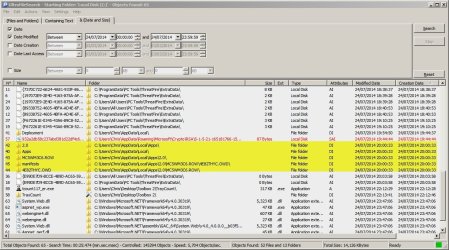
I was going by memory,
If the dates of install were recent you could just post you msconfig startup and services pages for review :/
Click start and type in the search box,
msconfig
Click or enter
Services check the box on the bottom left to Hide all Microsoft services,
Then Startup repeat the screen shots,
Cheers.
I cant take a screenshot as I am using a tablet at the moment, but here is the list of startup. The folder is now almost 20 days old without any modifications("." Will represent space between startup item and manufacturer. )
Realtek HD audio manager . Realtek Semiconductor
Microsoft security client . Microsoft Corporation
Nvidia Geforce Experience . Nvidia Corporation
Nvidia Geforce Experience . Nvidia Corporation
Steam Client Bootstrapper . Valve corporation
Intel(R) USB 3.0 monitor . Intel Corporation
P17RunE . Unknown (this startup dll is signed by creative, they make soundcards and I use a soundcard used by them
Logitech (c) G930 headset . Logitech (c)
Services
Creative audio engine licensing service . Creative labs
Creative audio service . Creative technology ltd
Google update service (gupdate) . Google inc
Google update service (gupdatem) . Google inc
Intel (r) capability licensing software interface . Intel (r) corporation
Intel (r) capability licensing software tcp ip interface. Intel (r) corporation
Intel (r) dynamic application loader host interface service . Intel (r) corporation
Intel (r) management and security application local management service . Intel (r) .corporation
Nvidia Network Service . Nvidia Corporation
Nvidia Streamer service . Nvidia corporation
Nvidia display driver service . Nvidia Corporation
PnkBstrA . Unknown (this is an anti cheat engine for a game called battlefield and a few others, which I have)
Steam client service . Valve Corporation
Nvidia Stereoscopic 3d driver service . Nvidia corporation
Sorry if its a bit rough.