What's the Best Anti-virus?

I dumped A/V two years ago for Sandboxie. Runs your browser in a sandbox so it doesn't matter what you pick up online, it gets deleted when you close the browser. Nothing can escape the sandbox into the system unless you download a file and recover it from the sandbox. In that case I use an on-demand scanner before opening the file (MWB).

Can also optionally set Sandboxie to auto-sandbox your USB ports if you don't have full control over the computer, (i.e. others in the house that might have an infected drive), so that nothing can enter that way either. There are many options...

The Personal Home version works free for 30 days then becomes nagware without a license. The first time each day SBIE starts [after the trial period], a 30-sec <?> window first encourages to buy a license. But it will function without a license with some features missing that most people probably don't care about anyway. See details here.

When installing SBIE can also set it to show in the shell/context menu. This is very handy as you can right-click on a file to choose to "Run Sandboxed."

PC runs so much faster/better without an AV. Will never go back. AVs will always be subject to the occasional, smarter, zero-day threat and are not 100% reliable, plus there are privacy issues involved with an AV (for those who care about that).

Sandboxie's effectiveness is not subject to "unknown threats" or bizarre viruses or malware, as whatever happens to get picked up while surfing (if anything) can pose no threat to the system. Even ransomware. If the browser DOES pick something up, just close the browser and the problem is gone, deleted with the sandbox. Re-start browser and you're fresh and ready to go with a new sandbox.

IMHO there is no better security than running your browser in a sandbox and saying goodbye to AVs. Before starting this, however, I'd recommend a good full system scan to make sure there isn't already a virus in the system. SBIE is not an AV scanner... it's a completely different method of security.
 

My Computer My Computer

At a glance

Win 7 Ultimate 64-bit
OS
Win 7 Ultimate 64-bit
The only issue with any single point protection is that it does not protect all methods of malware entry

How does the sandbox deal with downloaded data that you wish to retain, such as programs.

How does it screen against email
How does it prevent an infected update to the system or existing software.
How does it protect against infection over Lan or USB or Removable media

A full layered system protects against all these threats
 

My Computers My Computers

  • At a glance

    Windows 11 Pro x64 [Latest Release and Releas...Ryzen 9 5950X, 3.8 - 5.2 MHz64GB [2 x 32GB] DDR4 3200MHz4GB NVIDIA GEFORCE GTX 1650 Ti
    Computer type
    PC/Desktop
    Computer Manufacturer/Model Number
    ChillBlast - Custom to my design
    OS
    Windows 11 Pro x64 [Latest Release and Release Preview]
    CPU
    Ryzen 9 5950X, 3.8 - 5.2 MHz
    Motherboard
    Asus Prime X570-Pro
    Memory
    64GB [2 x 32GB] DDR4 3200MHz
    Graphics Card(s)
    4GB NVIDIA GEFORCE GTX 1650 Ti
    Sound Card
    On-board SPDIF to 5.1 System + HDMI [5.1 system]
    Monitor(s) Displays
    32" UHD 32 Bit HDR Monitor + 43" UHD 4K 32Bit HDR TV
    Screen Resolution
    2 x 3840 x 2160 @60Hz
    Hard Drives
    1TB M2 SSD OS, 500GB Fast Access SSD, 2 x 8TB Data + Various Externals from 1TB to 4TB, 10TB NAS
    PSU
    NZXT C750 80 PLUS Gold 750W Modular PSU
    Case
    Workstation Case [Matt Black]
    Cooling
    NZXT Kraken X63 280mm CPU Cooler +2x Quiet Case fans
    Keyboard
    Logitech Wireless MX Keys & K400 + others
    Mouse
    Logitech Wireless MX Master 3S
    Internet Speed
    920 MB Down 50 MB Up
    Antivirus
    BitDefender Total Security Pro
    Browser
    Chrome (always run latest Non-Beta)
    Other Info
    Also run ...
    Laptop - Quad 8GB - Windows 10 Pro x64
    Nexus 7 Android tablet x2
    Samsung 10.2" tablet
    Blackview TAB 8 4G Android Tablet c/w Keyboard
    Wacom Intuos Pro Medium Pen Pad
    Wacom Intuos Pro Small Pen Pad
    Wacom Expresskeys Remote
    Loopdeck+ Graphics Controller
    Shuttle Pro v2 Control
  • At a glance

    Windows 11 Pro x64 Latest RPIntel I7 10750H 5.0GHz32GB [2x16GB] DDR4 2933 MHznVidia GTX1650Ti 4 GB GDDR6
    Computer type
    Laptop
    System Manufacturer/Model Number
    Dell XPS 17 10750H
    OS
    Windows 11 Pro x64 Latest RP
    CPU
    Intel I7 10750H 5.0GHz
    Motherboard
    Dell XPS
    Memory
    32GB [2x16GB] DDR4 2933 MHz
    Graphics Card(s)
    nVidia GTX1650Ti 4 GB GDDR6
    Sound Card
    Stock [Realtek] 4 Speaker
    Monitor(s) Displays
    17" IPS UHD+ Infinity Edge Touchscreen
    Screen Resolution
    3840 x 2400
    Hard Drives
    2TB M2 NVMe, 4TB External + various 500GB & 1TB External NVMe (also have access to spinner HDD from
    PSU
    Stock
    Case
    Stock XPS Aluminium & Carbon Fibre
    Cooling
    Stock - Active Fan Control
    Keyboard
    Backlit + Various Logitech
    Mouse
    Stock Track Pad + Logitech MX Trackball
    Internet Speed
    72 MB Down 18MB Up
    Browser
    Chrome
    Other Info
    Also run ...
    Laptop - Quad 8GB - Windows 10 Pro x64
    Nexus 7 Android tablet x2
    10.2" tablet
    Sony Z3 Android Smartphone
    Wacom Intuos Pro Medium Pen Pad
    Wacom Intuos Pro Small Pen Pad
    Wacom Expresskeys Remote
    Loopdeck+ Graphics Controller
    Shuttle Pro v2 Control Pad
    10TB NAS
The only issue with any single point protection is that it does not protect all methods of malware entry

How does the sandbox deal with downloaded data that you wish to retain, such as programs.

How does it screen against email
How does it prevent an infected update to the system or existing software.
How does it protect against infection over Lan or USB or Removable media

A full layered system protects against all these threats

So does Sandboxie (edit: I should say with the same caveat I mentioned in the original post... if you recover a file from the sandbox an on-demand scanner s/b run on it)

1. When you download a program you can recover the file to your desktop then run an on-demand scanner. This uses far fewer resources than using a real-time scanner. OR you can run the program sandboxed by right-clicking on it. If you want to retain the program forever but don't quite trust it (for whatever reasons) you can configure SBIE to keep the sandbox instead of deleting it. Nothing can escape from the sandbox even if it persists.

2. I use an email client (Thunderbird) with text-only, for the purpose of not having to worry about email threats. However most people use webmail. This runs inside your browser... so again, you are protected. If you download an email attachment to your computer (recover it from the sandbox) you can scan it with an on-demand scanner, or right-click on it and run it sandboxed. (edit: Or if you use an email client with HTML-enabled mail, you can just run the email program sandboxed, permanently set so in SBIE config.) Games can also be run in the sandbox. That is, you can install any program inside the sandbox and run it from there permanently as long as you set the sandbox to persist. This completely protects your system though isn't necessary for legit programs as a rule.

3. USB can be configured to run in the sandbox by default.

As for LAN infections, I use a home computer and have never heard of an infections coming in over the LAN. In an enterprise situation I can't comment as I don't have any expertise in that case.

And updating software? I use W7 and have no intentions of upgrading, nor do I update it anymore. I also don't regularly update my other software. But if I wanted to, I'd run an OD scanner on it after... however infections usually don't come from updating legitimate software in my experience. JMO.

The greatest threat of infection by far is browsing. And SBIE is 100% effective, 100% of the time. It beats any AV hands down. (edit: I should say for home use, as I can't comment on commercial use... I imagine in that case someone could run a browser outside the sandbox intentionally or accidentally, though SBIE can be configured in the paid version to run specific programs or folders ALWAYS sandboxed, which would override a client's station. But again, I was speaking for home users of the type that frequent this forum.)
 
Last edited:

My Computer My Computer

At a glance

Win 7 Ultimate 64-bit
OS
Win 7 Ultimate 64-bit
And updating software? I use W7 and have no intentions of upgrading, nor do I update it anymore. I also don't regularly update my other software. But if I wanted to, I'd run an OD scanner on it after... however infections usually don't come from updating legitimate software in my experience. JMO.

Yes well I agree with what you have said in the main and Nigel has made some good points too and I think you have made the most obvious and pertinent observation of all when you say it depends on using the net.

Now as for using 7 and not upgrading I have to say I cannot blame you and if like me you want to try and alternative the latest Linux Mint 18.3 Cinnamon is as good as it gets. It surprised me quite frankly how much easier it is to use now compared to many years ago when I tried it.

But the choice is a very personal thing eh?

I have to say too that the forum here seems to be getting very slow and I have noticed the number of unanswered posts to have gone form a great number to very few and it leaves me wondering just what is going on.
 

My Computer My Computer

At a glance

Desk1 7 Home Prem / Desk2 10 Pro / Main lap A...Desk1 i5 3750K / Laptop i7 GTX 860M / Desk2 i...Desk1 8GB (1866) / Desk2 16GB (1333) / Laptop...Desk 1& 2NVidia GTX 650 & Laptops on board Intel
Computer type
PC/Desktop
Computer Manufacturer/Model Number
Own build (new) Desk1 / Asus ROG Win 7 / Desk2 1st build
OS
Desk1 7 Home Prem / Desk2 10 Pro / Main lap Asus ROG 10 Pro 2 laptop Toshiba 7 Pro Asus P2520 7 & 10
CPU
Desk1 i5 3750K / Laptop i7 GTX 860M / Desk2 i5 2500
Motherboard
Desk1 Asus P877-V / Desk2 Gigabyte H67 UD3H / Laptop ?
Memory
Desk1 8GB (1866) / Desk2 16GB (1333) / Laptop 8Gb DDR3
Graphics Card(s)
Desk 1& 2NVidia GTX 650 & Laptops on board Intel
Sound Card
Desk 1 & 2 -XONAR DG Realtek High Def audio Laptop
Monitor(s) Displays
Desk 1 Benq HD 2450 / Desk2 Philips 24" / Laptop 17.5"
Screen Resolution
1920x1080 D1 & D2 & Laptop 1
Hard Drives
Desk1 Samsung 120GB 830 SSD
Asus ROG 256GB 850 Pro SSD
Desk2 Samsung 840 256 SSD
Toshiba 120GB EVO
PSU
Desk 1 Corsair HX 1050/ Laptop ? / Desk 2 Corsair HX 650
Case
Desk 1 Cooler HAF XM ? Toshiba laptop / Desk2 Coolermaster
Cooling
Fans on all Desk1 -2 Desk2 - all Coolermasters 5 Laptop ?
Keyboard
Desk 1 MS Sidewinder X6 Desk 2 MS Sidewinder X 4
Mouse
Desk 1&2 - Gigabyte MS 900 gamer - laptop - Logitec wireless
Internet Speed
ADSL2+
Other Info
One other Desktop (tester) and spare Toshba laptop both with SSD's
Running Kaspersky 2016 ISS on all machines config'd identically
Logitec audio stereo systems on each machine (x3)
Canon MG5250MFC
Router/modem TP-Link running WPA2SK
I know little about Sandboxie; I have never used it but I do have a question.

Is their a problem running Sandboxie and a active Anti Virus program at the same time.

I personally believe in layered protection. My reasoning is, their is no one protection program that does everything well.

Jack
 

My Computer My Computer

At a glance

Windows 10 Pro. 64/ version 1709 Windows 7 Pr...Intel i7-6800K @ 4.3Corsair Platinum 16 gig @2400EVGA GTX 1070 OC
Computer type
PC/Desktop
Computer Manufacturer/Model Number
Home made Desktop
OS
Windows 10 Pro. 64/ version 1709 Windows 7 Pro/64
CPU
Intel i7-6800K @ 4.3
Motherboard
ASUS X-99 Deluxe II
Memory
Corsair Platinum 16 gig @2400
Graphics Card(s)
EVGA GTX 1070 OC
Monitor(s) Displays
Asus 27" LED LCD/VE278Q
Screen Resolution
1920-1080 or 1280-720 HDMI
Hard Drives
INTEL SSD 730-240 Gb Sata 3.0/
PSU
EVGA Platium 1200W
Case
Phanteks Luxe Tempered Glass 8 fans/ one radiator
Cooling
XSPC/ Water Cooled CPU
Keyboard
Das 4 Professional
Mouse
Logitech M705/MX Anywhere 2-S
Internet Speed
100 mbits
Antivirus
Microsoft Security Essentials/ Malwarebytes Premium 3.0/ SAS
Browser
I.E. 11 default/Firefox/ ISP Time Warner Cable/Spectrum
Other Info
LG BluRay Burner/
Sound system-KLipsch-THX/
Icy Dock ssd Hot Swap bays.
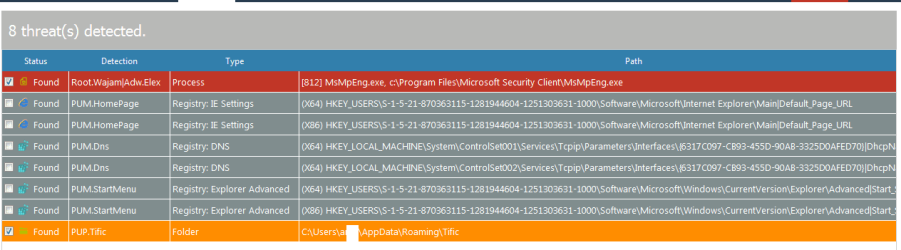
the problem is, things always change. whats good today may not be good months from now. I was using MSE for years. it found nothing on my system. malwarebytes found nothing. then I ran RogueKiller and it found some stuff. No one product seems to do it all.

their is no best antivirus. I wish there was. the free versions constantly nag me to buy the paid version which gets old really fast. lol
 

Attachments

  • Capture.PNG
    Capture.PNG
    21.4 KB · Views: 4

My Computer My Computer

At a glance

Win 7 Pro, Mac OS Sierra
Computer type
PC/Desktop
OS
Win 7 Pro, Mac OS Sierra
Internet Speed
fast. ;)
Antivirus
panda free
Browser
firefox mostly, safari, anything but IE. IE sucks!
Other Info
Mac user 27+, but I like windows 7. Very Mac like. My A+ cert is from 2008 and I don't work on computers every day, so i'm getting rusty. This forum is a BIG help.
No one product seems to do it all.

Yep well I think you will see all through any thread on AV issues will have this very statement in one form or a another I have been saying it for years now and when you think of the vast output of malware per day then how in the name of reason could any one "brand" of AV keep up with it because it is like trying to catch the burglar in the house unless you are there as he (or she) walks out then it will take time to find that burglar is it rocket science to understand that??

I have yet to see a piece of malware picked up as it comes off the drawing board it has usually been out for soem length of time and caused some damage before someone realises what is going on. We have said on more occasions than I care to think about that nothing substitutes for being careful using the net and regular checking with whatever one prefers.

The other thing is if one watches the regular reviews of say AV Comparatives it is easy to see that no brand is ever that stable even the Kaspersky I put my faith in for the general AV on my machine/s is not always at the top of the heap.

The perfect AV now we are talking of something that is truly impossible contrary to what my Mum used to tell us kids;)
 

My Computer My Computer

At a glance

Desk1 7 Home Prem / Desk2 10 Pro / Main lap A...Desk1 i5 3750K / Laptop i7 GTX 860M / Desk2 i...Desk1 8GB (1866) / Desk2 16GB (1333) / Laptop...Desk 1& 2NVidia GTX 650 & Laptops on board Intel
Computer type
PC/Desktop
Computer Manufacturer/Model Number
Own build (new) Desk1 / Asus ROG Win 7 / Desk2 1st build
OS
Desk1 7 Home Prem / Desk2 10 Pro / Main lap Asus ROG 10 Pro 2 laptop Toshiba 7 Pro Asus P2520 7 & 10
CPU
Desk1 i5 3750K / Laptop i7 GTX 860M / Desk2 i5 2500
Motherboard
Desk1 Asus P877-V / Desk2 Gigabyte H67 UD3H / Laptop ?
Memory
Desk1 8GB (1866) / Desk2 16GB (1333) / Laptop 8Gb DDR3
Graphics Card(s)
Desk 1& 2NVidia GTX 650 & Laptops on board Intel
Sound Card
Desk 1 & 2 -XONAR DG Realtek High Def audio Laptop
Monitor(s) Displays
Desk 1 Benq HD 2450 / Desk2 Philips 24" / Laptop 17.5"
Screen Resolution
1920x1080 D1 & D2 & Laptop 1
Hard Drives
Desk1 Samsung 120GB 830 SSD
Asus ROG 256GB 850 Pro SSD
Desk2 Samsung 840 256 SSD
Toshiba 120GB EVO
PSU
Desk 1 Corsair HX 1050/ Laptop ? / Desk 2 Corsair HX 650
Case
Desk 1 Cooler HAF XM ? Toshiba laptop / Desk2 Coolermaster
Cooling
Fans on all Desk1 -2 Desk2 - all Coolermasters 5 Laptop ?
Keyboard
Desk 1 MS Sidewinder X6 Desk 2 MS Sidewinder X 4
Mouse
Desk 1&2 - Gigabyte MS 900 gamer - laptop - Logitec wireless
Internet Speed
ADSL2+
Other Info
One other Desktop (tester) and spare Toshba laptop both with SSD's
Running Kaspersky 2016 ISS on all machines config'd identically
Logitec audio stereo systems on each machine (x3)
Canon MG5250MFC
Router/modem TP-Link running WPA2SK
I know little about Sandboxie; I have never used it but I do have a question.

Is their a problem running Sandboxie and a active Anti Virus program at the same time.

I personally believe in layered protection. My reasoning is, their is no one protection program that does everything well.

Jack

Sorry for the long delay in answering... issues arose at the homestead that kept me away.

You can run Sandboxie and an AV too, but it's unnecessary. Since SBIE is not an AV scanner but instead creates a kind of 'virtual OS' of system files inside the sandbox for programs to run within... those programs think they are running on your system when in fact they are only running in the sandbox. So one program CAN do it all. As long as you run on-demand scans for any file you purposely recover (remove) from the sandbox.

SBIE is much better than an AV. MUCH. I used AVs since 1995 ... researching them anew every year to see which had the best results in the AV tests... then also scanned my entire system once a month to make sure nothing slipped through... it was a lot of work. And slowed my computer.

Worse, as the years went on, AVs became more invasive and started using cloud resources, uploading your files to the cloud, using the cloud to scan your computer rather than it being done locally. This is like letting the AV company look at every file on your computer, and keep a log of it for their own purposes. If you care about privacy, that won't sit well with you.

Most of us have nothing to hide. But how many would welcome a stranger to walk through your house to look in every drawer?

SBIE doesn't need to upload anything anywhere. It doesn't have db files it needs to constantly update. And it uses almost no system resources. Your computer will run much faster and boot quicker. And you will wish you switched to SBIE 10yrs ago, like I wish I had.

Just b/c it was hard to get used to not running a real-time AV, I continued running monthly scans for a few months after I began using SBIE. It was quickly evident that was not needed. I do still run AdWareCleaner every 6 months or so, just b/c I like to dbl chk all is well. In the 3yrs or so since I switched to SBIE I have never had a single issue. Because... it's impossible.

But don't take my word for it. Read about sandboxes and how they work. They've been used for decades to study viruses b/c again... no virus can escape a sandbox. SBIE is the solution AVs don't want you to know about. FWIW, that's my experience.
 

My Computer My Computer

At a glance

Win 7 Ultimate 64-bit
OS
Win 7 Ultimate 64-bit
[...] is like trying to catch the burglar in the house unless you are there as he (or she) walks out then it will take time to find that burglar [...]

Which is why Sandboxie instead creates a 'virtual house' so those burglars are not in your real house which means you don't need to go find them b/c they can't HARM your real house. They THINK they're in your house, but they're not. And when you close your browser, the house they thought they were in is deleted, along with them.

even the Kaspersky I put my faith in for the general AV on my machine/s is not always at the top of the heap.

I am in the US and Kaspersky has been linked to Russian spying. It's not even allowed on government computers anymore. I would recommend not using Kaspersky.

The perfect AV now we are talking of something that is truly impossible contrary to what my Mum used to tell us kids;)

Yes. The AV model makes a perfect AV impossible. That's why the AV model is trash. :D
 

My Computer My Computer

At a glance

Win 7 Ultimate 64-bit
OS
Win 7 Ultimate 64-bit
I had used Bitdefender Free Version earlier, now for the past week or so I'm using Bitdefender Internet Solutions pack. Its good meets all my needs. After nearly 12 years, I have purchased Antivirus ironically the last paid version I used was also Bitdefender, lol !! It was on p4 pc with windows.
 

My Computer My Computer

At a glance

windows 7 ultimate x32T6670,8GB DDR3
Computer type
Laptop
Computer Manufacturer/Model Number
DELL
OS
windows 7 ultimate x32
CPU
T6670,
Motherboard
INTEL CORE 2 DUO, 0TFXK9
Memory
8GB DDR3
Screen Resolution
1366*768
Hard Drives
512GB SSD
Mouse
Logitech M165 w/sidebuttons
Internet Speed
30-150 mb/s
Antivirus
Bitdefender
Browser
FF, Opera GX
I've been a long time Panda user but some recent well publicised issues with their new Dome range led me to look for a different free AV. I tried a few and all had significant shortcomings apart from Kaspersky's new free version. If anyone's interested it now includes their premium suite's System Watcher which largely fills the previous void of the absence of a dedicated behaviour blocker. Some other new features too.

Even better is Kaspersky Security Cloud Free (you have to register though). Unlike Kaspersky Free it has configurable protection modules and a few more features:
https://www.kaspersky.com/blog/ksc-free-download/23382/

There are a couple of things I don't like though. There appears to be no way of preventing installation of their VPN (Kaspersky Secure Connection) although this is quite easy to uninstall later. Also by default it occasionally advertises its other products but again this can easily be disabled in Notifications.

Other than that I'm very pleased with it.
 

My Computer My Computer

At a glance

W7 Home Premium x86 SP1 Build 7601Intel Mobile Core 2 Duo P7450 @ 2.13GHz4.00GB Dual-Channel DDR2 @ 332MH1024MB NVIDIA GeForce 9600M GT
Computer type
Laptop
Computer Manufacturer/Model Number
Acer Aspire 6930G
OS
W7 Home Premium x86 SP1 Build 7601
CPU
Intel Mobile Core 2 Duo P7450 @ 2.13GHz
Motherboard
Acer Makalu U2E1
Memory
4.00GB Dual-Channel DDR2 @ 332MH
Graphics Card(s)
1024MB NVIDIA GeForce 9600M GT
Monitor(s) Displays
Generic PnP
Screen Resolution
1024x768@60Hz
Hard Drives
298GB Western Digital WDC WD3200BEVT-22ZCT0 (SATA)
Antivirus
Kaspersky Security Cloud Free / VoodooShield
Browser
Brave / Firefox
Other Info
uBlockOrigin / Bidefender Trafficlight / HitmanPro
I don't believe in anti-virus software since it relies on definitions in large part. I had run a software called Shadow Defender which will virtualize the entire OS so that malware can't touch you at all. If it does a simple reboot is all that is required and all is gone and back to running as before. I tested this program in VMware Player and threw a bunch of malware at it including ransomware, restarted the virtual machine and all was back to normal like nothing ever touched the machine.

The only issue with a virtualize program like Shadow Defender is that you must create several folder and/or file exclusions so that things stick. One is the recycle bin. To find its path you have to go to your folder options under the control panel and show protected files. Under the root of C drive will be $Recycle.Bin. The others will naturally be My Documents, Videos, Photos, downloads, etc, etc, etc. If you intend on updating a program or OS you need to temp disable the
virtualize program and reboot not once but twice. Then update away. If you intend on installing a program do the same thing.


Another program that might be less cumbersome and pretty much equally well suited to catch polymorphic and other malware is Faronics Anti-executable. I have also tried tossing a massive boat load of malware at it and the program asked me if I wanted to allow it to run, thus stopped it in its tracks. If you use Anti-executable, I would not set the option to scan dlls. You'll have a boat load of approval pop ups. Java is alright though.

I used to use Bitdefender Free, and while pretty decent at its detection ability, lightweight and cloud-based to help catch polymorphic malware, it intercepted debugging which is good, but not so good if you use gaming tools like I do or certain gaming hacks. Once such tool that Bitdefender will interfere with is the GenTool used for Command & Conquer. You can still play this.

Another option for malware prevention is Sandboxie. The free version will run your default browser in a sandbox environment so nothing touches your computer without recovery. The free version after 30 days will present a pop up box on browser launch letting you know that you should buy it. It's not that bad, and the security it affords is well worth the price of free. Don't click a p2p magnet link in Sandboxie otherwise the whole thing will stick in the sandbox until fully downloaded.


I have my parents computer run Sandboxie with the Pale Moon browser and Bitdefender Free. I can't use Shadow Defender because for some reason Pale Moon doesn't respond well with it. And since I can't stand the direction Firefox has gone, despise Chrome and Edge, I'm stuck with Pale Moon and Sandboxie. And I used Phoenix and the Mozilla suit years and years ago!


I personally believe OS virtualization is the future of malware prevention.

I've been a long time Panda user but some recent well publicised issues with their new Dome range led me to look for a different free AV. I tried a few and all had significant shortcomings apart from Kaspersky's new free version. If anyone's interested it now includes their premium suite's System Watcher which largely fills the previous void of the absence of a dedicated behaviour blocker. Some other new features too.

Even better is Kaspersky Security Cloud Free (you have to register though). Unlike Kaspersky Free it has configurable protection modules and a few more features:
https://www.kaspersky.com/blog/ksc-free-download/23382/

There are a couple of things I don't like though. There appears to be no way of preventing installation of their VPN (Kaspersky Secure Connection) although this is quite easy to uninstall later. Also by default it occasionally advertises its other products but again this can easily be disabled in Notifications.

Other than that I'm very pleased with it.


I wouldn't trust Russian made anti-virus products.


Kaspersky Anti-Virus Can Actually Help Spies Steal Data, Warn Researchers

What the Kaspersky Antivirus Hack Means for Consumers - Consumer Reports
 
Last edited by a moderator:

My Computer My Computer

At a glance

Windows 7 Ultimate x64
Computer type
PC/Desktop
OS
Windows 7 Ultimate x64
Do you think your suggestions for an alternative to a traditional antivirus are going to appeal to your average Joe, or any Joe, for that matter? We're talking solutions here for the typical user. For most people, my advice is to stick to a conventional AV, preferably as part of a layered security approach (I also use OSArmor and VoodooShield).

Regarding Kaspersky products, I also have reservations because of where they are based, but what is mentioned in those articles is also possible to achieve for pretty much every other AV vendor because of the high level of system privileges an antivirus has.

The main cause for concern is, was Kaspersky complicit with the Russian government in spying? Until there is more to go on than ifs, maybes, could, might etc I am prepared to give Kaspersky the benefit of the doubt. If people still have any doubt though then I would advise them to avoid Kaspersky products. The following articles though lead me to believe that Kaspersky is safe to use for the home user, or rather, no more risky than other AVs:

Yes, It's Still Safe to Use Kaspersky Antivirus Software

What the Kaspersky antivirus hack really means | PCWorld

Should You Believe the Rumors About Kaspersky Lab? - PCMag UK

I have an open mind on all of this and if there are further revelations that unequivocally implicate Kaspersky in state inspired spying then clearly people should not be using their products.
 
Last edited:

My Computer My Computer

At a glance

W7 Home Premium x86 SP1 Build 7601Intel Mobile Core 2 Duo P7450 @ 2.13GHz4.00GB Dual-Channel DDR2 @ 332MH1024MB NVIDIA GeForce 9600M GT
Computer type
Laptop
Computer Manufacturer/Model Number
Acer Aspire 6930G
OS
W7 Home Premium x86 SP1 Build 7601
CPU
Intel Mobile Core 2 Duo P7450 @ 2.13GHz
Motherboard
Acer Makalu U2E1
Memory
4.00GB Dual-Channel DDR2 @ 332MH
Graphics Card(s)
1024MB NVIDIA GeForce 9600M GT
Monitor(s) Displays
Generic PnP
Screen Resolution
1024x768@60Hz
Hard Drives
298GB Western Digital WDC WD3200BEVT-22ZCT0 (SATA)
Antivirus
Kaspersky Security Cloud Free / VoodooShield
Browser
Brave / Firefox
Other Info
uBlockOrigin / Bidefender Trafficlight / HitmanPro
I believe any list such as this one should include a category or set of categories for "offline". Seems that AV Software is becoming more and more dependent upon internet connection when the software is started by the user.
 

My Computer My Computer

At a glance

Microsoft Windows 7 Home Premium 64-bit 7601 ...Intel(R) Core(TM) i3-N3054.00 GBStandard VGA Graphics Adapter
Computer type
Laptop
Computer Manufacturer/Model Number
LENOVO IdeaPad Slim 3 15IAN8
OS
Microsoft Windows 7 Home Premium 64-bit 7601 Multiprocessor Free Service Pack 1
CPU
Intel(R) Core(TM) i3-N305
Motherboard
Oracle Corporation VirtualBox
Memory
4.00 GB
Graphics Card(s)
Standard VGA Graphics Adapter
Sound Card
High Definition Audio Device
Hard Drives
VBOX HARDDISK ATA Device
My favorite AV is Avast, using it for couple of years now but there are some vulnerabilities that malwarebytes detect better especially when you system is connected to networks with all kind of activity. Both malwarebytes or avast are good in their uique ways but the best security is to surf wisely a wrong stroke of key can make you a victim.
 

My Computer My Computer

At a glance

Win 10 pro 64 biti5 6th gen8 gb
Computer type
Laptop
Computer Manufacturer/Model Number
Lenovo
OS
Win 10 pro 64 bit
CPU
i5 6th gen
Memory
8 gb
This whole topic is evidence of a social phenomenon, not technology. The statistics aren't available but 20+ years of experience tells me the believers are all over 50, and the marketplace for "all you need" "antivirus" packaged goods will die with the generation that can't unbelieve in it.
I am 'triggered' by once again going through the debris of a laptop compromised by malware [not "virus"... I'll get to the moniker]. Totally unsurprising to me it was clear the owner was one of your crowd: the "AV Cult of Believers". I'm sure somewhere she read of "layers", and being smarter than the entire cybersecurity industry she loaded on AVG and Avast and whatever. Lost most of her files though I was able to dredge off a little less than 2GB worth after the prior tech had thrown his hands up and said "nuke it". Then I had a long discussion with 2 other people also over age 50 on the same lines. And as before, I knew going into the discussion that they would, by the end, shoot the messenger.... or at least affirm their belief, that their beliefs are "facts", and that the industry [the real one...IT, Cybersecurity, real Software Development, brightest/best minds] are full of horse manure. In the midst of the fruitless Quixotic Quest to deprogram their minds, one of them joyfully sent a text saying they got the "best greatest Deal!" on Cyber-Monday-after or some sale, on one of the most heavily advertised [where all the money goes... it ain't to R&D] ALL-Total-Uber-Super "AV" packages, one that is known to be spammy. I sent a link to article about their nefarious ownership and track record of spam/scam, selling user data, etc.
I have a friendly competitor nearby who has actually done really well in tech support for the demographic that unwaveringly believes in the VIRUS hiding under their bed that will leap on their precious PC and cause havoc, and believes they know the industry, and believes in this package or that.... He is clever enough to exploit the mental triggers. He uses "Virus" in his limited advertising, sells "Virus Removal" services both personal and on-site [for high $$], and laughs to the bank. I talked with him about the realities and he just said, effectively, "let 'em eat cake". Touche'.

I have also observed a tertiary pathology with the AV demographic; that they will be prone to jump on clickbait "Tech Support Scare" tactics. People I have done great work for... they won't even take a minute to call and inquire of me or some other rational person that spends many hours on such topics. But after the CC# has been handed over to some voice on the PC or Phone, and somebody has seized control of their PC and moved things here and there, convincing them that they are doing heroic things for them that will "Remove all the VIRUSES AND TROJANS", and "Permanently innoculate your system from VIRUSES" for only $$ per month.... then they start to wonder if they fell prey. Then they call.
 

My Computer My Computer

At a glance

Windows XP Pro SP3, Windows 7 Pro 32-bit, Win...Pentium 4 3.2GHz, Pentium 4 3.4GHz 64bit, Atom,4GB matched, 1GB, 2.5GB, 4.0 GBGeforce 8400 GS and others
Computer Manufacturer/Model Number
HP DC7600, HP DC7600[2], HP DC7100, Samsung NC10
OS
Windows XP Pro SP3, Windows 7 Pro 32-bit, Windows 7 Ultimate 64bit, Windows XP Home SP3
CPU
Pentium 4 3.2GHz, Pentium 4 3.4GHz 64bit, Atom,
Motherboard
Dunno
Memory
4GB matched, 1GB, 2.5GB, 4.0 GB
Graphics Card(s)
Geforce 8400 GS and others
Sound Card
RealteK ALC260 and others
Monitor(s) Displays
Asus HD
Screen Resolution
1920x1080
Hard Drives
WD Caviar 640gb SATA
Cooling
We Be Cool
This whole topic is evidence of a social phenomenon, not technology. The statistics aren't available but 20+ years of experience tells me the believers are all over 50, and the marketplace for "all you need" "antivirus" packaged goods will die with the generation that can't unbelieve in it.
I am 'triggered' by once again going through the debris of a laptop compromised by malware [not "virus"... I'll get to the moniker]. Totally unsurprising to me it was clear the owner was one of your crowd: the "AV Cult of Believers". I'm sure somewhere she read of "layers", and being smarter than the entire cybersecurity industry she loaded on AVG and Avast and whatever. Lost most of her files though I was able to dredge off a little less than 2GB worth after the prior tech had thrown his hands up and said "nuke it". Then I had a long discussion with 2 other people also over age 50 on the same lines. And as before, I knew going into the discussion that they would, by the end, shoot the messenger.... or at least affirm their belief, that their beliefs are "facts", and that the industry [the real one...IT, Cybersecurity, real Software Development, brightest/best minds] are full of horse manure. In the midst of the fruitless Quixotic Quest to deprogram their minds, one of them joyfully sent a text saying they got the "best greatest Deal!" on Cyber-Monday-after or some sale, on one of the most heavily advertised [where all the money goes... it ain't to R&D] ALL-Total-Uber-Super "AV" packages, one that is known to be spammy. I sent a link to article about their nefarious ownership and track record of spam/scam, selling user data, etc.
I have a friendly competitor nearby who has actually done really well in tech support for the demographic that unwaveringly believes in the VIRUS hiding under their bed that will leap on their precious PC and cause havoc, and believes they know the industry, and believes in this package or that.... He is clever enough to exploit the mental triggers. He uses "Virus" in his limited advertising, sells "Virus Removal" services both personal and on-site [for high $$], and laughs to the bank. I talked with him about the realities and he just said, effectively, "let 'em eat cake". Touche'.

I have also observed a tertiary pathology with the AV demographic; that they will be prone to jump on clickbait "Tech Support Scare" tactics. People I have done great work for... they won't even take a minute to call and inquire of me or some other rational person that spends many hours on such topics. But after the CC# has been handed over to some voice on the PC or Phone, and somebody has seized control of their PC and moved things here and there, convincing them that they are doing heroic things for them that will "Remove all the VIRUSES AND TROJANS", and "Permanently innoculate your system from VIRUSES" for only $$ per month.... then they start to wonder if they fell prey. Then they call.

Waking me up from my inactivity, eh?

For your information, I'm currently 15 and I'm a strong believer in antiviruses. I deem them necessary for most people because getting infected with malware or bloat is very common nowadays and that can be seen on basically every "home" computer that is owned by a non-tech savvy family. I got myself 1 year of F-Secure for free and I couldn't be happier. The antivirus does what it does and protects me whenever I download suspicious stuff. On top of F-Secure, I rock Malwarebytes. Ever since I first installed Malwarebytes way back, I've sworn by it. Literally every computer should have it installed, it's just that essential. You don't even need to have an antivirus, just having Malwarebytes works.

Now you could make the argument that applying common sense into whatever you're doing is good enough, but even then, you wouldn't convince me to switch. Sure, common scene works most of the time, but you can get infected through certain exploits by visiting shady sites, even if you happen to misclick into the site or something.

Not to mention that trusted sites can also get infected, the other day a forum I used to browse was infected and had a cryptocurrency miner running in the background, you could argue that a cryptocurrency miner isn't an infection, and it isn't, but it's still an "exploit".

I will though give you a point on the "stacking" of antiviruses, that indeed doesn't do anything but make the computer slower.
 

My Computer My Computer

At a glance

Windows 10 Pro x64AMD Ryzen 5 1600 @ [email protected]G.Skill Flare X 16GB (2x8GB) DDR4-2400 @ 2666MHzSapphire Radeon Vega 56 NITRO+
Computer type
PC/Desktop
Computer Manufacturer/Model Number
me!
OS
Windows 10 Pro x64
CPU
AMD Ryzen 5 1600 @ [email protected]
Motherboard
ASUS B350 PRIME-PLUS
Memory
G.Skill Flare X 16GB (2x8GB) DDR4-2400 @ 2666MHz
Graphics Card(s)
Sapphire Radeon Vega 56 NITRO+
Sound Card
None
Monitor(s) Displays
ASUS VG248QZ
Screen Resolution
1920x1080
Hard Drives
Samsung 850 EVO 250GB*, 1TB Seagate Constellation ES, 2x Samsung 840 250GB in RAID0*

*Thanks ICIT2LOL for supplying me with all of these drives!
PSU
Corsair VS550
Case
Corsair Crystal 460X
Cooling
AMD Wraith Spire
Keyboard
Ducky Shine 6 w/ MX Browns and PBT keycaps
Mouse
Xtrfy M1-Ice
Internet Speed
100MBit/s down, 20MBit/s up
Antivirus
Bitdefender
Browser
Google Chrome
It might be time to stop using antivirus | Ars Technica


Antivirus is Dead: Long Live Antivirus! — Krebs on Security


[SCAM ALERT] Is TotalAV a Total SCAM?


Facts only ever serve to harden the foreheads of believers in a cultlike situation :)
The believer is convinced of their superiority, and suspicious of people like me, or any number of industry executives, real cybersecurity professionals, young 4.0 graduates going to work in the financial industry on wall street, or consultants that get paid hundreds of thousands for their expertise on these matters. It won't make a dent.


I'm not picking on anyone, i just find it fascinating to observe how well-defined and bizarre this little shrinking corner of the galaxy is. And the more time/effort spent on such games, that resource is subtracted from real security measures.
but.... I know guys my age that swear that Quaker State straight 40 weight "oil" will solve all automobile problems, and magically transform old beaters into luxury vehicles that will run a million miles. As evidence of their view, they will say they've been using it religiously since their grandfather handed them a quart 30 years ago, and "I've never had a problem". Therefore, "never had a problem" means the oil charm "works". [usually under close cross-examination one will find that they've rebuilt the motor, replaced the transmission, cut off the cat, added an oil cooler...., but all that was "routine maintenance"]
 

My Computer My Computer

At a glance

Windows XP Pro SP3, Windows 7 Pro 32-bit, Win...Pentium 4 3.2GHz, Pentium 4 3.4GHz 64bit, Atom,4GB matched, 1GB, 2.5GB, 4.0 GBGeforce 8400 GS and others
Computer Manufacturer/Model Number
HP DC7600, HP DC7600[2], HP DC7100, Samsung NC10
OS
Windows XP Pro SP3, Windows 7 Pro 32-bit, Windows 7 Ultimate 64bit, Windows XP Home SP3
CPU
Pentium 4 3.2GHz, Pentium 4 3.4GHz 64bit, Atom,
Motherboard
Dunno
Memory
4GB matched, 1GB, 2.5GB, 4.0 GB
Graphics Card(s)
Geforce 8400 GS and others
Sound Card
RealteK ALC260 and others
Monitor(s) Displays
Asus HD
Screen Resolution
1920x1080
Hard Drives
WD Caviar 640gb SATA
Cooling
We Be Cool
The advice, "Don't use an AV", is no better than the advice, "Use an AV".

Since companies swapped over to the Agile Development model, the majority of software is garbage code these days.
Relying on MS (or others) to correctly code their products is a recipe for disaster.

Multiple independent and isolated Backup Images are the only way to protect yourself now. :cry:
 

My Computer My Computer

At a glance

W7 Ultimate SP1, LM19.2 MATE, W10 Home 1703, ...AMD Phenom II x6 1100T, 3.3 GHz12GB DDR3 1333 G-Skill (4GB x 2), G-Skill (2G...NVIDIA GeForce GTX 660
Computer type
PC/Desktop
Computer Manufacturer/Model Number
n/a
OS
W7 Ultimate SP1, LM19.2 MATE, W10 Home 1703, W10 Pro 1703 VM, #All 64 bit
CPU
AMD Phenom II x6 1100T, 3.3 GHz
Motherboard
ASUS M4A88T-M/USB3 (AM3)
Memory
12GB DDR3 1333 G-Skill (4GB x 2), G-Skill (2GB x 2)
Graphics Card(s)
NVIDIA GeForce GTX 660
Sound Card
Realtek?
Monitor(s) Displays
Samsung S23B350
Screen Resolution
1920x1080
Hard Drives
WD Green 2TB (SATA), WD Green 3TB (SATA), WD Blue 4TB (SATA), WD Blue 6TB (SATA)
PSU
Cooler Master
Case
Antec GX300 Tower
Cooling
3x Antec TRICOOL 120mm Fans
Mouse
Wired Optical
Internet Speed
DSL
Antivirus
Avast
Browser
Pale Moon (64 bit)
Other Info
2018-12-27 Upgraded HDDs
2015-12-10 Upgraded case, graphics card, storage
2015-08-15 Upgraded motherboard & RAM
2015-07-15 Upgraded LM17.1 to LM17.2
Back
Top