Where's .....

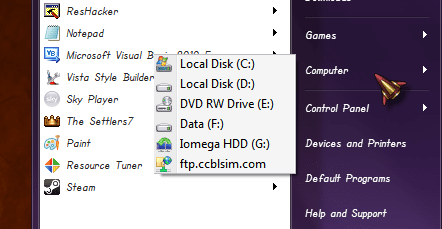
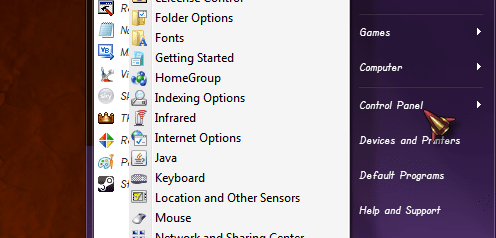
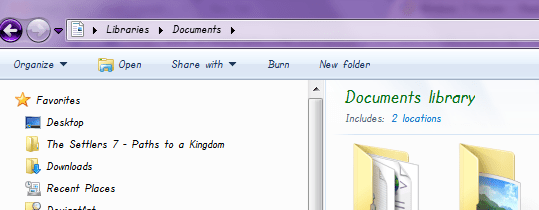
Well yes, but I don't want to lose them. I want to make them look like the rest of the Start menu, in particular change the font to match.
 

My Computer

OS
Windows 7

My Computer

OS
window's 7
CPU
core 2 quad
Motherboard
gigabyte
Memory
2gb corsair
Graphics Card(s)
ati hd4850
Monitor(s) Displays
lg
Screen Resolution
1600 X 900
Case
power logic
Other Info
none of the spec above is accurate
Finally found the solution in the deepest darkest corners of the Internet in this rather simple registry change discovered by Steve Halpern. You can substitute whatever font you prefer for Tahoma and it affects pretty much everything as you can see in the pics below. Magic!

Windows Registry Editor Version 5.00

[HKEY_LOCAL_MACHINE\SOFTWARE\Microsoft\Windows NT\CurrentVersion\Fonts]

"Segoe UI (TrueType)"=""
"Segoe UI Bold (TrueType)"=""
"Segoe UI Italic (TrueType)"=""
"Segoe UI Bold Italic (TrueType)"=""

[HKEY_LOCAL_MACHINE\SOFTWARE\Microsoft\Windows NT\CurrentVersion\FontSubstitutes]

"Segoe UI"="Tahoma"
 

Attachments

  • newcp.png
    newcp.png
    14.2 KB · Views: 17
  • buttons.png
    buttons.png
    16.9 KB · Views: 7

My Computer

OS
Windows 7
thanx for sharing with us your info mate and glad it works out for you. cheers :thumbsup:
 

My Computer

OS
window's 7
CPU
core 2 quad
Motherboard
gigabyte
Memory
2gb corsair
Graphics Card(s)
ati hd4850
Monitor(s) Displays
lg
Screen Resolution
1600 X 900
Case
power logic
Other Info
none of the spec above is accurate
Back
Top