You didn't tell us what your BIOS says is your "boot drive"... the SSD or the SATA?
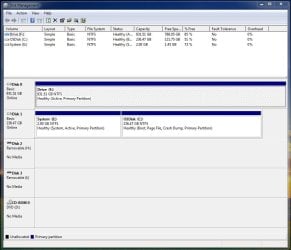
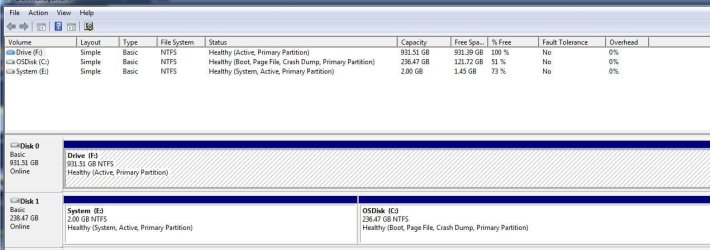
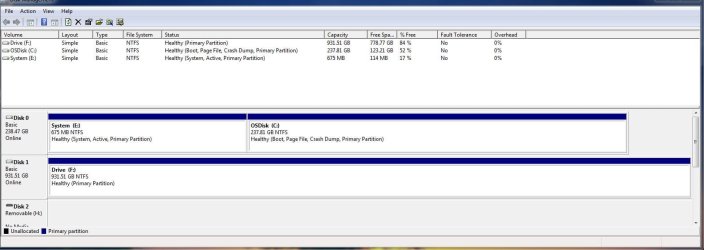
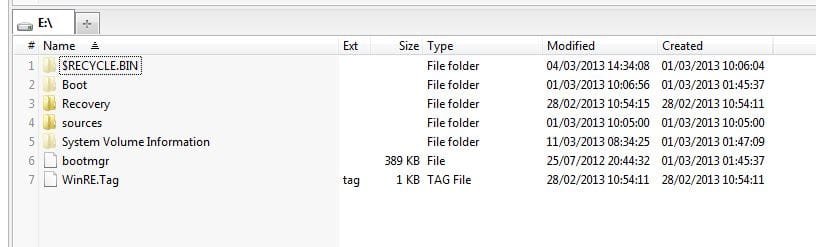
But since you say you just formatted F (SATA), and yet you can still boot, I'm guessing that the SSD drive is actually your "boot drive" in the BIOS, since formatting F would have obviously erased the boot manager files if they were there. So they're not there. They must be on that E partition which got created by Acronis, since that is marked as the "active" partition on the SSD drive. Your operating system got cloned onto what is your C partition also on the SSD drive.
But your F partition on the SATA drive is still marked as "active", even though there is nothing on it any longer that is bootable... especially now that you just formatted it. I'm guessing that's what prevents system image from being written to it.
So, in my opinion, your "boot drive" must be set in the BIOS to be the SSD drive. And the "active partition" on that drive is E (which at 2GB is certainly much larger than it needs to be for just Boot Manager, but it doesn't hurt), which is obviously where Acronis placed the Boot Manager files. A real Windows install would have built a 100MB "system reserved" partition instead of the 2GB E partition built by Acronis, and not assigned any drive letter to that little "system reserved" partition. Boot Manager would have been placed in that un-lettered "active" 100MB partition, and the rest of the drive would have been given to C (unless you changed that allocation to be smaller, but you could also have shrunk C after Windows got installed using a program like Partition Wizard).
Nevertheless, apparently the cloning by Acronis gave you what you now have, with the 2GB E partition on SSD drive set as "active", and having a letter E, and also containing Boot Manager. The real Windows partition is over on C on the SSD drive. This is all fine. Remember, at machine boot time the BIOS goes to the "active" partition on the "boot drive" to pick up the boot files to launch, i.e. Boot Manager.
It is simply that residually your F partition (on SATA drive) is still marked as "active", but for no reason any longer. If you UN-ACTIVE that F partition I'll bet you will then be able to write a system image to it.
Free Partition Wizard can do that for you in 3 seconds.