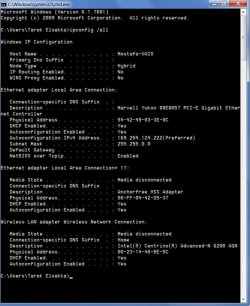
This Bonjour service has been causing this same problem for ages.
You should first disable then enable the wired LAN connection in Device Manager. This is sometimes required after removing Bonjour.
Can you run the IPreset file again then post the ipconfig/all.
If that doesn't work use the link below to set your default gateway up in the IPv4 properties.
http://pocketpccentral.net/blog/200...cess-no-internet-connection-problem-resolved/
You should first disable then enable the wired LAN connection in Device Manager. This is sometimes required after removing Bonjour.
Can you run the IPreset file again then post the ipconfig/all.
If that doesn't work use the link below to set your default gateway up in the IPv4 properties.
http://pocketpccentral.net/blog/200...cess-no-internet-connection-problem-resolved/
Last edited:
My Computer
At a glance
Windows 7 Ult, Windows 8.1 Pro,Q9650-4.275GHz, E8600 4.5GHz, E6750-3.8GHzG.Skill PC2 9600 1200Mhz 5 5 5 15 2TGTX480
- Computer type
- PC/Desktop
- Computer Manufacturer/Model Number
- Home built
- OS
- Windows 7 Ult, Windows 8.1 Pro,
- CPU
- Q9650-4.275GHz, E8600 4.5GHz, E6750-3.8GHz
- Motherboard
- Evga 780i FTW
- Memory
- G.Skill PC2 9600 1200Mhz 5 5 5 15 2T
- Graphics Card(s)
- GTX480
- Sound Card
- Asus Xonar D2
- Monitor(s) Displays
- HannsG
- Screen Resolution
- 1680X1050
- Hard Drives
- GSkill Phoenix Pro 120GB SSD
- PSU
- ThermalTake Toughpower 1000Watt modular
- Case
- ThermalTake XaserV
- Cooling
- Xigmatek S1283
- Keyboard
- Logitech G15
- Mouse
- Logitech G9
- Internet Speed
- T1