win 12 can not rip

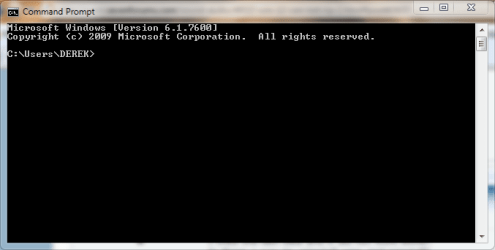
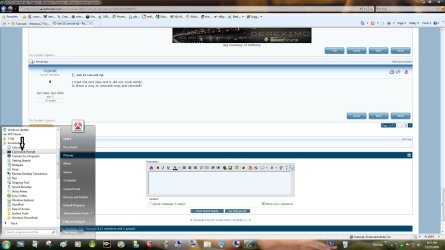
Not that I know of, but try this first, go to start menu> all programs> accessories> right click command prompt and select run as administrator, press yes when asked and type sfc/scannow in that window and press enter. when it's done, restart and try one of the above methods again.
 

Attachments
  • command.jpg
    command.jpg
    167.1 KB · Views: 12
  • command.PNG
    command.PNG
    10.7 KB · Views: 10

My Computer

Computer type
PC/Desktop
Computer Manufacturer/Model Number
Self Built
OS
Win 10 Pro x64
CPU
Intel I5-2500K @3.3GHz
Motherboard
Asrock P67 Extreme4
Memory
16GB G.Skill Ripjaws X (4x4GB)
Graphics Card(s)
EVGA GeForce 750 Ti SC 2GB
Sound Card
ASUS Xonar DG 5.1 Channels 24-bit 96KHz PCI Interface Sound
Monitor(s) Displays
auria eq2367
Screen Resolution
1920 x 1080
Hard Drives
250GB Samsung 850 EVO SSD
1TB WD Blue
1TB Hitachi
PSU
SeaSonic X 650W 80 Plus Gold
Case
Corsair Obsidian 750D
Cooling
Corsair H60, Three 140mm case fans
Keyboard
Logitech Wireless Keyboard K520
Mouse
Logitech Wireless Mouse M310
Internet Speed
Wave Broadband ~ 100 dn 5 up
Antivirus
Windows Defender, Malwarebytes Premium
Browser
Edge, IE11, Chrome
Other Info
Laptop specs: HP g7-1365dx /
CPU: AMD A6-3420M APU with Radeon(tm) HD Graphics /
RAM: Crucial 8Gb (2x4Gb) /
SSD: Crucial M4-CT128M4SSD2 ATA Device/ FW 000F /
GFX: AMD Radeon HD 6520G /
OS: Windows 10 Pro x64
Did that, no change.

I give up! @#$% &*

Thanks to all.

Happy New Year.
 

My Computer

Computer Manufacturer/Model Number
hp pavilion a 1600 n
OS
win 7
CPU
amd athlon 64 dual core
Memory
3.44
Graphics Card(s)
on board
Sorry you're having so much trouble with this. You may want to try a Repair Install... http://www.sevenforums.com/tutorials/3413-repair-install.html , or keep trying back here. There is always someone with more expertise that just hasn't seen this thread yet. good luck and happy new year to you too.
 

My Computer

Computer type
PC/Desktop
Computer Manufacturer/Model Number
Self Built
OS
Win 10 Pro x64
CPU
Intel I5-2500K @3.3GHz
Motherboard
Asrock P67 Extreme4
Memory
16GB G.Skill Ripjaws X (4x4GB)
Graphics Card(s)
EVGA GeForce 750 Ti SC 2GB
Sound Card
ASUS Xonar DG 5.1 Channels 24-bit 96KHz PCI Interface Sound
Monitor(s) Displays
auria eq2367
Screen Resolution
1920 x 1080
Hard Drives
250GB Samsung 850 EVO SSD
1TB WD Blue
1TB Hitachi
PSU
SeaSonic X 650W 80 Plus Gold
Case
Corsair Obsidian 750D
Cooling
Corsair H60, Three 140mm case fans
Keyboard
Logitech Wireless Keyboard K520
Mouse
Logitech Wireless Mouse M310
Internet Speed
Wave Broadband ~ 100 dn 5 up
Antivirus
Windows Defender, Malwarebytes Premium
Browser
Edge, IE11, Chrome
Other Info
Laptop specs: HP g7-1365dx /
CPU: AMD A6-3420M APU with Radeon(tm) HD Graphics /
RAM: Crucial 8Gb (2x4Gb) /
SSD: Crucial M4-CT128M4SSD2 ATA Device/ FW 000F /
GFX: AMD Radeon HD 6520G /
OS: Windows 10 Pro x64

My Computer

Computer type
PC/Desktop
Computer Manufacturer/Model Number
Self Built
OS
Win 10 Pro x64
CPU
Intel I5-2500K @3.3GHz
Motherboard
Asrock P67 Extreme4
Memory
16GB G.Skill Ripjaws X (4x4GB)
Graphics Card(s)
EVGA GeForce 750 Ti SC 2GB
Sound Card
ASUS Xonar DG 5.1 Channels 24-bit 96KHz PCI Interface Sound
Monitor(s) Displays
auria eq2367
Screen Resolution
1920 x 1080
Hard Drives
250GB Samsung 850 EVO SSD
1TB WD Blue
1TB Hitachi
PSU
SeaSonic X 650W 80 Plus Gold
Case
Corsair Obsidian 750D
Cooling
Corsair H60, Three 140mm case fans
Keyboard
Logitech Wireless Keyboard K520
Mouse
Logitech Wireless Mouse M310
Internet Speed
Wave Broadband ~ 100 dn 5 up
Antivirus
Windows Defender, Malwarebytes Premium
Browser
Edge, IE11, Chrome
Other Info
Laptop specs: HP g7-1365dx /
CPU: AMD A6-3420M APU with Radeon(tm) HD Graphics /
RAM: Crucial 8Gb (2x4Gb) /
SSD: Crucial M4-CT128M4SSD2 ATA Device/ FW 000F /
GFX: AMD Radeon HD 6520G /
OS: Windows 10 Pro x64
I tried the last idea and it did not work either.
Is there a way to uninstall wmp and reinstall?


This can be done through Control Panel\All Control Panel Items\Programs and Features\turn Windows features on/off. Under media features, uncheck the box(s) and reboot. Then reverse the process.
 

My Computer

Computer Manufacturer/Model Number
Dell XPS420
OS
Vista Ult 64 bit Seven Ult RTM x64
CPU
Intel Core2 Quad Q6600 2.40 gigahertz
Memory
Crucial Ballistix 4x2GB PC2 6400
Graphics Card(s)
NVIDIA GeForce 8600 GTS 256 MB
Sound Card
Creative SB X-Fi audio
Monitor(s) Displays
HP w2207 + HPvs15
Screen Resolution
1680x1050 + 1024x768
Hard Drives
2-WD5000AAKS-500 GB
WD5000AAV-500 GB external
Keyboard
Microsoft Comfort Curve
Mouse
MX Revolution
Other Info
Wacom Intuos 2 Graphics Tablet
Experience Index=5.5
Hi

Just go to users DOCUMENTS in control panel. Create "Documents" folder if you deleted the original one. Then create a "My Music" folder inside the documents one.

WMP is looking for this as it is the default rip and library folder. You can't change the library or rip settings because WMP is having a panic attack because they've been deleted.

I spent hours trying to find an answer to this without finding anything... I hope this helps... if not the original poster but anyone else who is ready to smash their keyboard because of this like I was ;)
 

My Computer

Computer Manufacturer/Model Number
HANDBUILT
OS
WINDOWS 7 32BIT
CPU
Q6600
Motherboard
ASUS P5K WIFI
Memory
3GB
Graphics Card(s)
8800GTX
Sound Card
LOUD ONE
Monitor(s) Displays
22inch FATSCREEN
Hard Drives
BIG ONES
PSU
POWERED BY HAMPSTERS
Case
BLACK ONE WITH 3 HUGE RED FANS
Cooling
YEH IT'S COOL
"Just go to users DOCUMENTS in control panel. "
Unable to find this in control panel.
 

My Computer

Computer Manufacturer/Model Number
hp pavilion a 1600 n
OS
win 7
CPU
amd athlon 64 dual core
Memory
3.44
Graphics Card(s)
on board
Sorry that did not make sense...

C:\Users\YOUR USER NAME ..

If you don't have a documents folder create one .... if you do then go into the documents folder and create a my music folder .... I hope that makes sense and actualy works ....
 

My Computer

Computer Manufacturer/Model Number
HANDBUILT
OS
WINDOWS 7 32BIT
CPU
Q6600
Motherboard
ASUS P5K WIFI
Memory
3GB
Graphics Card(s)
8800GTX
Sound Card
LOUD ONE
Monitor(s) Displays
22inch FATSCREEN
Hard Drives
BIG ONES
PSU
POWERED BY HAMPSTERS
Case
BLACK ONE WITH 3 HUGE RED FANS
Cooling
YEH IT'S COOL
thanks for clearing that up.

tried it, no luck.

I download the Zune player and I am happy with that.

thanks.
 

My Computer

Computer Manufacturer/Model Number
hp pavilion a 1600 n
OS
win 7
CPU
amd athlon 64 dual core
Memory
3.44
Graphics Card(s)
on board
I know this topic is oldhat, but I don't precisely know if everyone knows this, or can follow the instructions set out in this topic, so I went ahead and made a video tutorial for this based on most of the information in this topic, minus messing with sfc.

Using that command has many other benefits and fixes, which I will cover at another time.

Anyway, I set up myself a new Youtube account specifically for video tutorials on many tweaks and settings and bug fixes which you may visit by clicking here.

To get the information itself just related to this problem, click here.
 

My Computer

OS
Windows 7 Ultimate x86
having the exact problem mentioned here, searched all over the net, nothing worked, sorry to kick up an old .....

my default location for ripping cd's is blanked out.

when i tried to add "my music" folder in my document folder, a get a pop up asking if i want to merge with the existing one (even though i cannot see it, i assume it's a hidden folder)

any help would be appreciated.

thanks
 

My Computer

Computer type
PC/Desktop
Computer Manufacturer/Model Number
surface pro 1
OS
windows 8.1 pro
CPU
Intel Core i5
Memory
4096 MB
Screen Resolution
1920 x 1080 x 59 hertz
Back
Top