WIN 7 corrupting XP HD in dual boot system

Gerry Peters

New member
Local time
11:56 AM
Messages
19
My transition to WIN7 has been a long process, primarily because my Layla 24 sound card has had driver problems that are about to be resolved. I installed WIN7, it was on a separate 80 gig HD and I left a 2nd 80 gig HD there for my XP, so I'd have a dual boot system. I tend to have lots of Acronis image files for each time I change something on my boot HD. After installing WIN7, I had to abandon using it because of driver problems.

In the mean time I've created lots of image files for my XP HD. When you install WIN7, if it sees an XP installation it automatically creates a boot menu so you can choose either WIN7 or XP. If you revert the XP HD to a pre WIN7 image then you can't boot to WIN7, because it puts the boot info files and changes to the MBR on the XP HD, which a pre WIN7 XP HD doesn't have on it.

WIN7 can fix this by putting in the WIN7 install CD and choosing repair computer and then choose fix startup problem. It takes 3x of doing this process until you can actually boot to WIN7 again. I then use Easy BCD in WIN7 to alter the startup boot menu.

Now here's the problem. Somehow it corrupts the XP HD by fixing the startup problem. Now Sonar, my audio recording software almost immediately crashes with a MS Visual C+++ run time error, shortly after opening Sonar. I then went a ahead and uninstalled my sound card driver and Sonar and then reinstalled my sound card driver and then Sonar. I still have the same crashing problem.

Has anyone had similar problems and found a solution? I wish I could change WIN7 so it would put all the MBR boot info on it's own HD instead of the XP HD. I wonder if using one HD and installing WIN7 on a partition would help? I made tons of changes to WIN7, so I'd hate to have to completely start over with a clean install. Whenever I revert to an old Acronis XP image I also restore the MBR, I wonder if not doing that would enable WIN7 to still have a boot menu?

Any suggestions?
 

My Computer My Computer

At a glance

WIN7 64Intel core 2 quad Q94504 gigNvidia 8400
Computer Manufacturer/Model Number
PC
OS
WIN7 64
CPU
Intel core 2 quad Q9450
Motherboard
Giga byte
Memory
4 gig
Graphics Card(s)
Nvidia 8400
Sound Card
Layla24
Monitor(s) Displays
Hanns-G
Hard Drives
4 internal HDs
PSU
xx
Case
PC
Cooling
fan
The location of the master boot sector will always be the drive plugged into the slot your motherboard sees as 0 or the primary. It will always do this as it's the best way to ensure the boot info is read by the system when you start it up.
You should be able to physically change where the two drives are plugged in, then use startup repair to put a new btmgr on the windows 7 disc.
 

My Computer My Computer

At a glance

Windows 7 x64Intel i7 2600kG.skill Ripjaw 16gigs @ 1866Nvidia gtx580 (evga)
Computer Manufacturer/Model Number
Insane hobo technologies. ;-)
OS
Windows 7 x64
CPU
Intel i7 2600k
Motherboard
Asrock z68 extreme 4 gen 3
Memory
G.skill Ripjaw 16gigs @ 1866
Graphics Card(s)
Nvidia gtx580 (evga)
Sound Card
Integrated HD audio + hdmi
Monitor(s) Displays
24" ASUS widescreen + 42" insignia
Screen Resolution
1080p (1920x1080)
Hard Drives
128 Samsung 830
256 Samsung 840
3 x 1tb storage drive (various)
1 western digital 1tb (eSATA)
1 Seagate 1tb (eSATA)
PSU
1 kilowatt SLI/Crossfire rated Silverstone modular
Case
NZXT Phantom + additional 220 fan
Cooling
Zalmann
Keyboard
Microsoft wireless 3000 (v2)
Mouse
MS - wireless 5000 (bluetrack)
Internet Speed
depends on if you ask me or my provider.
Other Info
The above information is provided as is, and the author assumes no responsibility for issues it may cause with your sanity or fanboyism.
I also dual boot from two hard drives, and I also use drive imaging for backup exclusively. On this machine I dual boot Home Premium and Ultimate. I do things a bit differently than most, but I have copied my Windows 7 installation DVD to a small partition. My BCD store is on that partition (which is also bootable), rather than on either of the Windows 7 partitions.

The DVD partition is sort of a rescue disk on steroids, and being on the hard drive it loads much faster than a Rescue CD would load. (Some things I do to Windows instead of in Windows). Of course, I also have a Rescue CD; belt & suspenders approach.

But by not having the BCD store on either of the Windows installation partitions, it is less likely to get involved should something in Windows go awry. This is not at all a standard means of booting Windows 7, but it is fairly hardy.
 

My Computer My Computer

At a glance

7 Ultimate x64/7 Home Premium x64Intel i3 550 3.2 GHzCorsair 16 GB DDR3 (4 X 4GB)Intel HD Graphics
Computer Manufacturer/Model Number
Dell Inspiron 580
OS
7 Ultimate x64/7 Home Premium x64
CPU
Intel i3 550 3.2 GHz
Motherboard
Dell/Intel H57
Memory
Corsair 16 GB DDR3 (4 X 4GB)
Graphics Card(s)
Intel HD Graphics
Sound Card
Intel P55 HD Audio
Monitor(s) Displays
LG E2360 LED
Screen Resolution
1920 X 1080
Hard Drives
Seagate 1TB X 2 Internal,
Seagate 1TB eSATA (Backup)
PSU
Dell 300W
Case
Dell Inspiron
Cooling
Dell/Intel
Keyboard
Microsoft Wireless Comfort Keyboard 5000
Mouse
Microsoft Wireless Mouse 5000
Internet Speed
4,000 Mbit DSL
Other Info
Custom Installation -
OS separate on C:
Pagefile Separate on P:
Program Files Separate on U:
Users and ProgramData separate on V:
You can avoid the problems you describe by unplugging the other HD when installing, imaging or repairing.

A benefit of having separate HD's in a Dual boot is you can keep them booting independently via the BIOS, setting preferred one to boot first, then if you need the other by tapping the one-time BIOS Boot Menu key at boot. This keeps them independent to come and go as you please.

Currently you likely have both HD's boot files on XP so that reimaging it wipes out the Dual Boot.

If you'll post back a screenshot of your maximized Disk Management drive map with listings, using the Snipping Tool in Start menu, we can advise you further.
 
Last edited:
actually you can ignore my method, Greg's makes more sense in the long run.
 

My Computer My Computer

At a glance

Windows 7 x64Intel i7 2600kG.skill Ripjaw 16gigs @ 1866Nvidia gtx580 (evga)
Computer Manufacturer/Model Number
Insane hobo technologies. ;-)
OS
Windows 7 x64
CPU
Intel i7 2600k
Motherboard
Asrock z68 extreme 4 gen 3
Memory
G.skill Ripjaw 16gigs @ 1866
Graphics Card(s)
Nvidia gtx580 (evga)
Sound Card
Integrated HD audio + hdmi
Monitor(s) Displays
24" ASUS widescreen + 42" insignia
Screen Resolution
1080p (1920x1080)
Hard Drives
128 Samsung 830
256 Samsung 840
3 x 1tb storage drive (various)
1 western digital 1tb (eSATA)
1 Seagate 1tb (eSATA)
PSU
1 kilowatt SLI/Crossfire rated Silverstone modular
Case
NZXT Phantom + additional 220 fan
Cooling
Zalmann
Keyboard
Microsoft wireless 3000 (v2)
Mouse
MS - wireless 5000 (bluetrack)
Internet Speed
depends on if you ask me or my provider.
Other Info
The above information is provided as is, and the author assumes no responsibility for issues it may cause with your sanity or fanboyism.
Thanks for the excellent suggestions. I have XP installed on an IDE HD which shows up first as Disk 0, when I view it in XP under Control panel / computer Management. My Win7 HD is a SATA HD showing up as Disk 4. I haven't noticed a bit of difference whether my boot drive is the SATA or IDE, so I certainly don't mind putting WIN7 on the IDE Disk 0 and having Disk 4 become my XP.

So are you saying if I restore those Acronis image files like that on Disk 0 and Disk 4 and then unplug all the HD's except the WIN 7 HD and let it use the install DVD "repair computer", Fix Startup Problem" that will make the WIN7 totally independent with the MBR info being stored on Disk 0 and I can use any image I want on the XP HD?

I can of course then plug all my HD's back in and boot to WIN7 and use Easy BCD to add XP to the startup boot menu.

Let me know if I'm understanding this correctly and if this will solve my problem.

Thanks again,
 

My Computer My Computer

At a glance

WIN7 64Intel core 2 quad Q94504 gigNvidia 8400
Computer Manufacturer/Model Number
PC
OS
WIN7 64
CPU
Intel core 2 quad Q9450
Motherboard
Giga byte
Memory
4 gig
Graphics Card(s)
Nvidia 8400
Sound Card
Layla24
Monitor(s) Displays
Hanns-G
Hard Drives
4 internal HDs
PSU
xx
Case
PC
Cooling
fan
It isn't necessary to reimage to do this. Just post up the requested screenshot and we'll advise you how to make both HD's boot independently.
 
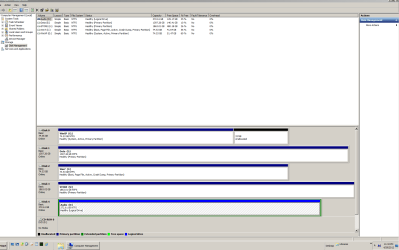
Here's the screenshot from the snipping tool.
Capture GP WIN7.PNG
 

My Computer My Computer

At a glance

WIN7 64Intel core 2 quad Q94504 gigNvidia 8400
Computer Manufacturer/Model Number
PC
OS
WIN7 64
CPU
Intel core 2 quad Q9450
Motherboard
Giga byte
Memory
4 gig
Graphics Card(s)
Nvidia 8400
Sound Card
Layla24
Monitor(s) Displays
Hanns-G
Hard Drives
4 internal HDs
PSU
xx
Case
PC
Cooling
fan
As suspected Win7 HD does not have its System boot files and is booting off the the XP HD therefore dependent upon it.

To correct this, unplug all other HD's except Win7, set Win7 HD first HD to boot in BIOS setup, boot the Win7 DVD or System Repair Disk to run Startup Repair - Run 3 Separate Times until Win7 boots on its own and holds the System flag.

I would also move Win7 HD into Disk1 position by swapping the cable for Data (E) drive to it first. This is so no other data HD can be in a position to steal the System boot files if accidentally marked Active and in a preceding position.

Once Win7 boots on its own, plug back in the other HD's, choose XP to boot when needed by tapping the one-time BIOS Boot Menu key at boot.

Reimaging XP should now no longer steal the boot from Win7 since it's independently booted.
 
It isn't necessary to reimage to do this. Just post up the requested screenshot and we'll advise you how to make both HD's boot independently.

Yes, this is the way I've always preferred dual boot systems, just changing the boot order in the bios or hitting F12 during bootup to get to the bios boot menu. Independent booting is far superior and less problematic.
 

My Computer My Computer

At a glance

WIN7 64Intel core 2 quad Q94504 gigNvidia 8400
Computer Manufacturer/Model Number
PC
OS
WIN7 64
CPU
Intel core 2 quad Q9450
Motherboard
Giga byte
Memory
4 gig
Graphics Card(s)
Nvidia 8400
Sound Card
Layla24
Monitor(s) Displays
Hanns-G
Hard Drives
4 internal HDs
PSU
xx
Case
PC
Cooling
fan
As suspected Win7 HD does not have its System boot files and is booting off the the XP HD therefore dependent upon it.

To correct this, unplug all other HD's except Win7, set Win7 HD first HD to boot in BIOS setup, boot the Win7 DVD or System Repair Disk to run Startup Repair - Run 3 Separate Times until Win7 boots on its own and holds the System flag.

I would also move Win7 HD into Disk1 position by swapping the cable for Data (E) drive to it first. This is so no other data HD can be in a position to steal the System boot files if accidentally marked Active and in a preceding position.

Once Win7 boots on its own, plug back in the other HD's, choose XP to boot when needed by tapping the one-time BIOS Boot Menu key at boot.

Reimaging XP should now no longer steal the boot from Win7 since it's independently booted.

I did everything like you said, except I didn't change the bios HD priority before I shut down and unplugged all HD's. I thought that since there was only one HD that the bios would have reset the boot HD priority and it wouldn't matter.

The result is I can boot to WIN7 but I can't boot to XP after plugging all the HD's in. Right now the bios has my XP HD listed as the first HD to boot, yet it boots to the other HD, which is WIN7. If I change the HD boot priority to the WIN7 HD in the bios then it stalls at a DOS screen saying NTLDR is missing.

If I hit F12 during the bootup and tap the one-time BIOS Boot Menu key, and choose the XP HD then it boots to the WIN7 HD and if I use F12 to choose the WIN7 HD then it stalls at NTLDR is missing.

I'm uploading a new snippet of my HD as shown in WIN7. I'm beginning to think that maybe I should use my IDE HD as WIN7 since it shows up as Disk 0 or do you think I should start all over with your instructions and before shutting down the computer to unplug HD's, first change the HD boot prioity in the bios to the WIN 7 HD?
Capture GP WIN7 2.PNG
 

My Computer My Computer

At a glance

WIN7 64Intel core 2 quad Q94504 gigNvidia 8400
Computer Manufacturer/Model Number
PC
OS
WIN7 64
CPU
Intel core 2 quad Q9450
Motherboard
Giga byte
Memory
4 gig
Graphics Card(s)
Nvidia 8400
Sound Card
Layla24
Monitor(s) Displays
Hanns-G
Hard Drives
4 internal HDs
PSU
xx
Case
PC
Cooling
fan
There is no change except that Win7 HD is now in Disk1 position.

If Win7 had been repaired successfully to start on its own without XP HD attached, it should hold the System flag. To do this run Startup Repair - Run 3 Separate Times with Win7 HD set first to boot, after unplugging XP HD.

Once Win7 boots on its own and holds the System flag, try plugging back in XP HD to boot it using F12 key. If this fails you can install EasyBCD to Win7 to add XP on the Add OS tab.
 
There is no change except that Win7 HD is now in Disk1 position.

If Win7 had been repaired successfully to start on its own without XP HD attached, it should hold the System flag. To do this run Startup Repair - Run 3 Separate Times with Win7 HD set first to boot, after unplugging XP HD.

Once Win7 boots on its own and holds the System flag, try plugging back in XP HD to boot it using F12 key. If this fails you can install EasyBCD to Win7 to add XP on the Add OS tab.

Good idea. I simply added XP to the boot menu using EasyBCD in Win7 and now it all works fine. Both OS boot fine. Later I can try and see if I can get it all to work using the F12 key and bypassing the need for the Windows boot menu.

In my earlier post today, I was able to boot just fine to WIN7 with the other HD's all unplugged after running the repair computer option. I only ran into problems when I plugged all the other HD's back in and XP wouldn't boot. Now it's all fine, thanks to you. I appreciate your help.

What a great forum this is!
 

My Computer My Computer

At a glance

WIN7 64Intel core 2 quad Q94504 gigNvidia 8400
Computer Manufacturer/Model Number
PC
OS
WIN7 64
CPU
Intel core 2 quad Q9450
Motherboard
Giga byte
Memory
4 gig
Graphics Card(s)
Nvidia 8400
Sound Card
Layla24
Monitor(s) Displays
Hanns-G
Hard Drives
4 internal HDs
PSU
xx
Case
PC
Cooling
fan
Then for some reason Win7 isn't holding the System flag as it should to tell us that the System boot files are there and booting the OS. When only the XP partition holds System flag we have to assume it is booting both OS's in a Dual Boot.

Sometimes Disk Management reports wrongly, however, so you can double-check this with free Partition Wizard bootable CD which always gets it right.

When you add XP from Win7 using EasyBCD, do you have a working Dual Boot menu? How is performance for both OS's?
 
Then for some reason Win7 isn't holding the System flag as it should to tell us that the System boot files are there and booting the OS. When only the XP partition holds System flag we have to assume it is booting both OS's in a Dual Boot.

Sometimes Disk Management reports wrongly, however, so you can double-check this with free Partition Wizard bootable CD which always gets it right.

When you add XP from Win7 using EasyBCD, do you have a working Dual Boot menu? How is performance for both OS's?

I redid all your previous instructions and got it to work as you said. I now use the F12 button to choose which HD OS. Both OS are totally independent. I got a little distracted my CPU fan went out and it took my a while to figure out why my computer was shutting down. I thought at first it had something to do with this WIN7 experiment.

So now the way I have it setup is my IDE HD now has WIN7, which in WIN7 is Disk 0 and my SATA DISK 1 is my XP OS. It seems everytime I have the WIN7 install DVD run repair computer it corrupts my XP HD and it crashes my main audio program. Now that you've given me this new way that isn't happening.

SO the final question is what do I need to avoid in the future? I assume I should always remove all HD's when running startup repair. I tend to image only 1 HD at a time and make a complete image with MBR no incremental stuff. I suppose I should for now keep WIN7 on the IDE HD. In the future if I go to a SATA, I'll do the same procedure you gave me to fix the startup problem.

Thanks for all your help,
 

My Computer My Computer

At a glance

WIN7 64Intel core 2 quad Q94504 gigNvidia 8400
Computer Manufacturer/Model Number
PC
OS
WIN7 64
CPU
Intel core 2 quad Q9450
Motherboard
Giga byte
Memory
4 gig
Graphics Card(s)
Nvidia 8400
Sound Card
Layla24
Monitor(s) Displays
Hanns-G
Hard Drives
4 internal HDs
PSU
xx
Case
PC
Cooling
fan
Something just occurred to me. Has grub (linux) ever been in use on this system?
 

My Computer My Computer

At a glance

Windows 7 x64Intel i7 2600kG.skill Ripjaw 16gigs @ 1866Nvidia gtx580 (evga)
Computer Manufacturer/Model Number
Insane hobo technologies. ;-)
OS
Windows 7 x64
CPU
Intel i7 2600k
Motherboard
Asrock z68 extreme 4 gen 3
Memory
G.skill Ripjaw 16gigs @ 1866
Graphics Card(s)
Nvidia gtx580 (evga)
Sound Card
Integrated HD audio + hdmi
Monitor(s) Displays
24" ASUS widescreen + 42" insignia
Screen Resolution
1080p (1920x1080)
Hard Drives
128 Samsung 830
256 Samsung 840
3 x 1tb storage drive (various)
1 western digital 1tb (eSATA)
1 Seagate 1tb (eSATA)
PSU
1 kilowatt SLI/Crossfire rated Silverstone modular
Case
NZXT Phantom + additional 220 fan
Cooling
Zalmann
Keyboard
Microsoft wireless 3000 (v2)
Mouse
MS - wireless 5000 (bluetrack)
Internet Speed
depends on if you ask me or my provider.
Other Info
The above information is provided as is, and the author assumes no responsibility for issues it may cause with your sanity or fanboyism.

My Computer My Computer

At a glance

WIN7 64Intel core 2 quad Q94504 gigNvidia 8400
Computer Manufacturer/Model Number
PC
OS
WIN7 64
CPU
Intel core 2 quad Q9450
Motherboard
Giga byte
Memory
4 gig
Graphics Card(s)
Nvidia 8400
Sound Card
Layla24
Monitor(s) Displays
Hanns-G
Hard Drives
4 internal HDs
PSU
xx
Case
PC
Cooling
fan
ah okay well it was something that would explain the erratic behavior here so it didn't hurt to ask.
 

My Computer My Computer

At a glance

Windows 7 x64Intel i7 2600kG.skill Ripjaw 16gigs @ 1866Nvidia gtx580 (evga)
Computer Manufacturer/Model Number
Insane hobo technologies. ;-)
OS
Windows 7 x64
CPU
Intel i7 2600k
Motherboard
Asrock z68 extreme 4 gen 3
Memory
G.skill Ripjaw 16gigs @ 1866
Graphics Card(s)
Nvidia gtx580 (evga)
Sound Card
Integrated HD audio + hdmi
Monitor(s) Displays
24" ASUS widescreen + 42" insignia
Screen Resolution
1080p (1920x1080)
Hard Drives
128 Samsung 830
256 Samsung 840
3 x 1tb storage drive (various)
1 western digital 1tb (eSATA)
1 Seagate 1tb (eSATA)
PSU
1 kilowatt SLI/Crossfire rated Silverstone modular
Case
NZXT Phantom + additional 220 fan
Cooling
Zalmann
Keyboard
Microsoft wireless 3000 (v2)
Mouse
MS - wireless 5000 (bluetrack)
Internet Speed
depends on if you ask me or my provider.
Other Info
The above information is provided as is, and the author assumes no responsibility for issues it may cause with your sanity or fanboyism.
Unplug all other HD's except Win7 when running it's Startup Repair.

But you shouldn't need to if you keep the XP reimaging to just it's HD, with the Win7 HD unplugged during these operations and the XP HD set first HD to boot in BIOS setup.

If asked include MBR and Track 1 during reimaging which should allow XP to start on its own. If not and XP will not boot when set first HD to boot after reimaging, you may need to boot into XP CD Repair to run bootrec /fixboot and bootrec /fixmbr commands.

If this fails you can plug back in Win7 HD, set its HD first HD to boot in BIOS, install EasyBCD to see if adding XP will start it.
 
Back
Top