Win 7 home premium workgroup sharing issue

cctster

New member
Local time
11:44 PM
Messages
7
I have a Microsoft networking problem. Two machines both with Windows 7 installed. One (Machine B), a completely new install. The other, (Machine A), has been running Windows 7 for some years. The operator of machine A wanted a system whereby he could get his internet, (Supplied via Ethernet from a shared supply in the building) but also wanted to be able to share folders between machine A and machine B, but without anybody else on the shared network being able to access the folders.
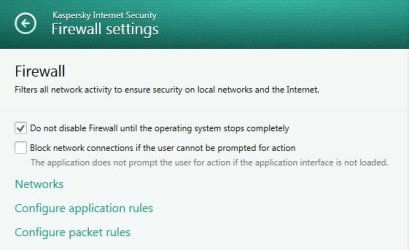
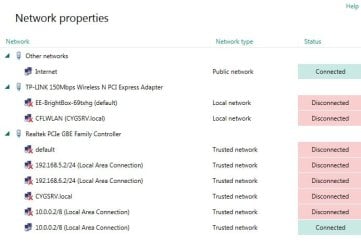
I installed a Netgear ProSafe Firewall FVS 328, and set up a different network on the LAN side, (10.0.0.x subnet on LAN. WAN is 192.168.16.x network). All worked well with regards to internet access. With regards to sharing folders we have come up against a problem. On machine B, we can see under 'network' both computers and after setting up a homegroup we can see and access all files that are required on machine. However, on machine A we still cannot see either machine under network in windows explorer. Under 'Homegroup' on the same page we can see Machine B but when we click on it we can see no folders in the pane where you would expect to see the homegroup folders. Both machines have Kaspersky internet security 2014 on and after making sure the LAN was a trusted network, I disabled the Kaspersky firewall just to take that out of the equation. We found on both machines that the windows firewall was enabled so we have disabled that with still no improvement. We have checked that the homegroup sharing options are identical on both machines, but still no improvement. When we have run the homegroup troubleshooter it seems to indicate that there is a network problem but is unable to specify what it is. Both machines can access the web so I don't think it is a bad cable.
Has anyone got any ideas as to what to check that could prevent machine A from being able to see the folders in machine B?
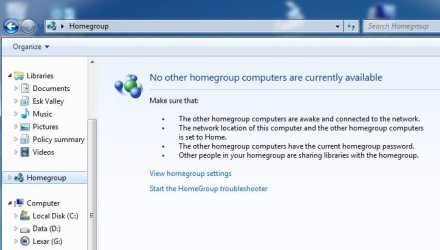
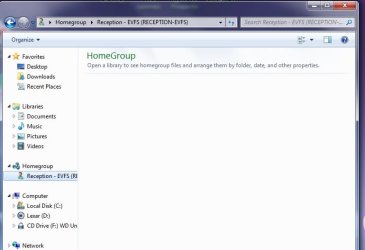
Once again in machine A neither machine shows up under the network icon in windows explorer, but machine B shows under the homegroup icon. However no folders are available when that icon is clicked on. In network and sharing centre when you ask for a full map machine B shows up but when you double click it won't open up any further.

Any ideas would be very welcome on this one.
 

My Computer My Computer

Computer type
PC/Desktop
Computer Manufacturer/Model Number
custom build
OS
Windows 7 Home premium 64 bit
So just to make sure I am understanding things correctly:

  • You have the 10.0.0.x network and that is where both computers reside. Then you have the firewall. Then you have the 192.168.16.X network that is shared in the building. Then you have the gateway and the internet.
  • You have setup a HomeGroup for the two computers
  • Machine B can see A and access files on A.
  • Machine A cannot see B and cannot access files on B.


If that is correct please provide me this additional information:

  • Please post the ipconfig /all of both machines here.
  • What is the Workgroup that both machines are connected to?
  • Both machines are plugged into the Switch ports of the firewall?
  • Are you able to ping machine Machine B with Machine A?
 

My Computer My Computer

Computer type
Laptop
Computer Manufacturer/Model Number
Alienware
OS
Windows 7 Ultimate x64
CPU
Intel i7-3840QM
Memory
16GB
Graphics Card(s)
Geforce GT 650M
Hard Drives
512GB SSD
Antivirus
Malwarebytes Premium
Browser
Firefox and IE
Here's the info requested

In answer to your questions:


  • You have the 10.0.0.x network and that is where both computers reside. Then you have the firewall. Then you have the 192.168.16.X network that is shared in the building. Then you have the gateway and the internet. Correct
  • You have setup a HomeGroup for the two computers. Correct
  • Machine B can see A and access files on A. Correct
  • Machine A cannot see B and cannot access files on B. Correct but with the exception shown here:
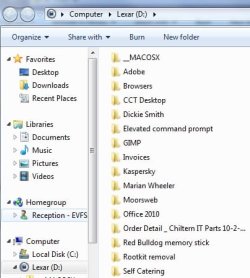
Machine B visible through homegroup.jpg


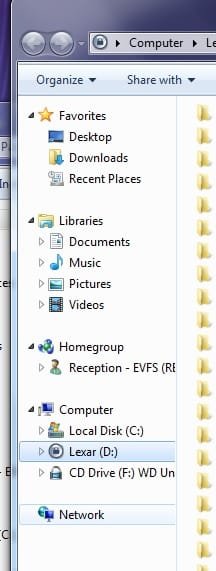
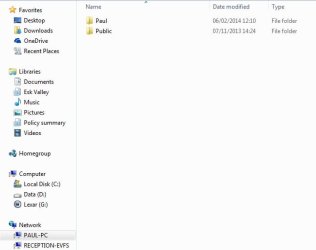
But curiously it doesn't show up under the network as shown below:


Machine A - No other machines visible under network.jpg


And now to answer your other questions, I shall tackle them machine by machine, starting with Machine A:


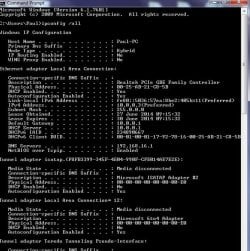
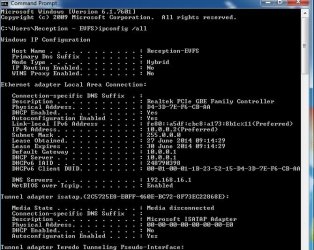
  • Please post the ipconfig /all of Machine A here.
Machine A - ipconfig.jpg

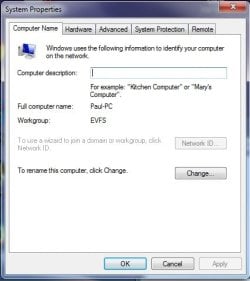
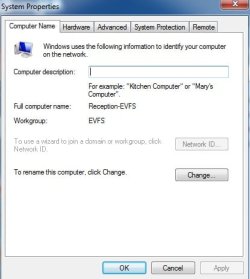
  • What is the Workgroup that both machines are connected to? EVFS as shown here:
Machine A - workgroup.jpg

  • Both machines are plugged into the Switch ports of the firewall? Yes
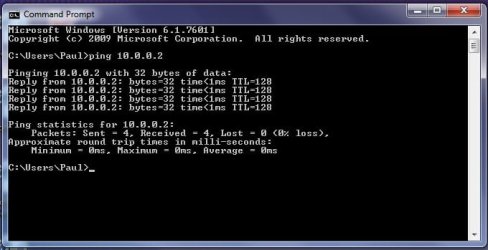
  • Are you able to ping machine Machine B with Machine A? Yes as shown here:
ping machine B from Machine A.jpg


And now for Machine B:


  • Please post the ipconfig /all of Machine B here.
ipconfig machine B.jpg

  • What is the Workgroup that both machines are connected to? EVFS
workgroup machine B.jpg


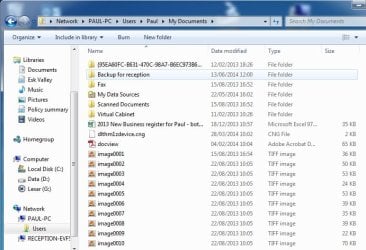
Was able to access the files on Machine A from machine B by double clicking on Machine A (Paul-PC) icon under network:


Access to folders on Machine A through network icon on Mach B.jpg


Homegroup access was not possible though:


Homegroup access machine B.jpg


Please let me know if you require any further information or if I have made any glaring mistakes. It seems strange that one machine works (after a fashion) but the other refuses to do on the same network).


Regards,


cctster
 

My Computer My Computer

Computer type
PC/Desktop
Computer Manufacturer/Model Number
custom build
OS
Windows 7 Home premium 64 bit
Thanks for posting that. I think the problem is DNS. The DNS server you currently have configured is the most likely the Router on the 192.168.16.X network. Would you be able to add the IP address and computer name of Machine A and it's IP address into Machine B's HOST file. Then add Machine B's IP address and computer name into machine A's HOST file. This will allow the machines to bypass the DNS server on the "WAN" network for resolving computer name to IP address for the those two machines but use the DNS server for everything else.
 

My Computer My Computer

Computer type
Laptop
Computer Manufacturer/Model Number
Alienware
OS
Windows 7 Ultimate x64
CPU
Intel i7-3840QM
Memory
16GB
Graphics Card(s)
Geforce GT 650M
Hard Drives
512GB SSD
Antivirus
Malwarebytes Premium
Browser
Firefox and IE
Hosts file

Thanks for the info. I will give that a try.

Cheers,

cctster
 

My Computer My Computer

Computer type
PC/Desktop
Computer Manufacturer/Model Number
custom build
OS
Windows 7 Home premium 64 bit
Just for cxlarification:

Been looking up editing the Hosts file on the web, and can't find anything about about the correct syntax for a machine on the same network. Loads of stuff about pointing to different URLs but nothing about other hosts on the same network.

So just to be clear, is it just:

x.x.x.x Computer_name

or do you need forward slashes such as:

x.x.x.x //computer_name

I would hate to get it incorrect just because I've not got the syntax right :(
 

My Computer My Computer

Computer type
PC/Desktop
Computer Manufacturer/Model Number
custom build
OS
Windows 7 Home premium 64 bit
It is: x.x.x.x Reception_EVFS
Also make sure to right click the hosts file and select open as administrator.
 

My Computer My Computer

Computer type
Laptop
Computer Manufacturer/Model Number
Alienware
OS
Windows 7 Ultimate x64
CPU
Intel i7-3840QM
Memory
16GB
Graphics Card(s)
Geforce GT 650M
Hard Drives
512GB SSD
Antivirus
Malwarebytes Premium
Browser
Firefox and IE
Thanks

Thanks for clearing that up. All being well I shall be doing this tomorrow, (Friday). I'll let you know what happens.

Regards,

cctster
 

My Computer My Computer

Computer type
PC/Desktop
Computer Manufacturer/Model Number
custom build
OS
Windows 7 Home premium 64 bit
Hi,

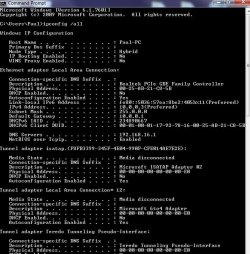
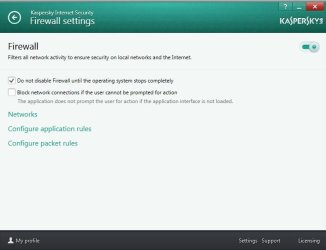
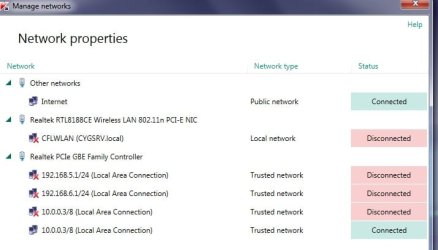
Well I changed the Hosts file on both machines and I'm afraid it made no difference. I am going to post some screen dumps off both machines.

Firstly Machine A (Paul-PC)

Machine A ipconfig.jpg

Machine A Kaspersky Firewall settings 1.jpg

Machine A Kaspersky Firewall settings 2.jpg

Machine A Win Explorer.jpg

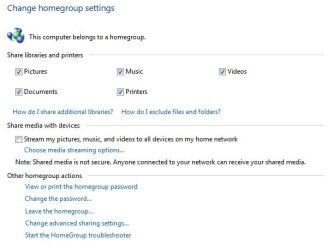
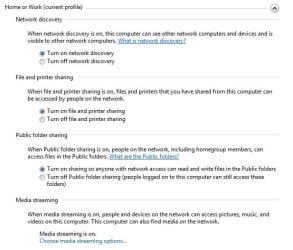
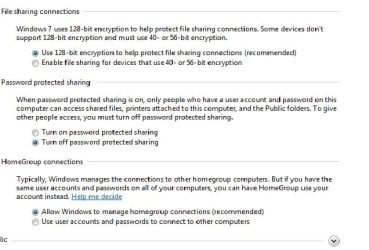
Machine A  Advance Homegroup settings.jpg

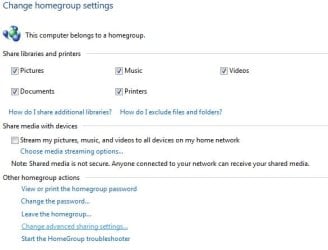
Machine A Homegroup settings.jpg

View attachment hosts Machine A.txt


Now Machine B (Reception EVFS)

View attachment hosts Machine B.txt

Machine B  Adv Homegroup settings 1.jpg

Machine B  Adv Homegroup settings 2.jpg

Machine B Homegroup settings 1.jpg

Machine B ipconfig.jpg

Machine B Kaspersky Firewall settings 1.jpg

Machine B Kaspersky Firewall settings 2.jpg

Machine B win explorer.jpg

Any ideas here on how to resolve this would be good. We are either thinking of doing a backup, re-install, and restore on Paul-PC (Machine A) or buy a new one, (Machine A is not a new machine, but Machine B is). Any other ideas would be welcome.

Regards,

Cctster
 

My Computer My Computer

Computer type
PC/Desktop
Computer Manufacturer/Model Number
custom build
OS
Windows 7 Home premium 64 bit
dang. are you able to ping either machine by hostname or IP address? Sorry if you have already answered this or posted about it.
 

My Computer My Computer

Computer type
Laptop
Computer Manufacturer/Model Number
Alienware
OS
Windows 7 Ultimate x64
CPU
Intel i7-3840QM
Memory
16GB
Graphics Card(s)
Geforce GT 650M
Hard Drives
512GB SSD
Antivirus
Malwarebytes Premium
Browser
Firefox and IE
Pinging

Hi,

Sorry it has taken a while to answer this thread. I am able to ping both machines using IP address and host name. The problem seems to exist on the older machine only. Is there any way of resetting the modules used in networking and / or the windows firewall?

Regards,

cctster
 

My Computer My Computer

Computer type
PC/Desktop
Computer Manufacturer/Model Number
custom build
OS
Windows 7 Home premium 64 bit
Back
Top