Chris Mesa
New member
After MUCH searching, I've yet to find info on this issue. Many similar, but nothing specific. Please bare with me if this is a known/solved issue.
Okay, old C drive was failing, so I decided on a new OS copy and new HDD. Bought an OEM Win 7 Home Premium 64, and installed.
Little did I know, but I should have had only one HDD hooked up!!! When I installed Win 7, I had 2 HDD's installed, and as a result, Windows installed the main files on my C drive as desired, but put the boot (MBR?) on my other HDD, F drive. Now I have 2 physical HDD's that are listed as Windows drives. So when I went to do a system image backup, all that came up was my DVD burner as a save location. My secondary HDD (F drive) was not shown. Now I know why!
Currently...
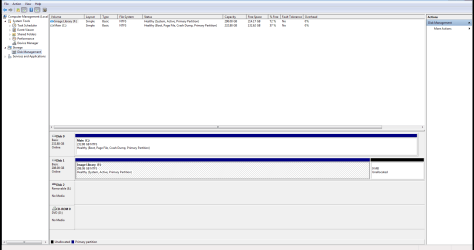
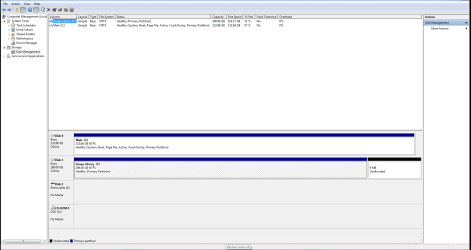
Disc 0 - (Boot, Page File, Crash Dump, Primary)
Disc 1 - (System, Active, Primary) Also shows this as having unallocated space of 9MB.
I want ALL of Windows on my main C drive.
How can I fix this without having to re-install all programs etc on my C drive?
Can I do a repair of some type?
Could I install a 3rd internal/external HDD and use that to do a system image backup, then shut down, disconnect F drive, then do a system restore/repair using the OEM installation disc?
Any ideas/fixes?
Okay, old C drive was failing, so I decided on a new OS copy and new HDD. Bought an OEM Win 7 Home Premium 64, and installed.
Little did I know, but I should have had only one HDD hooked up!!! When I installed Win 7, I had 2 HDD's installed, and as a result, Windows installed the main files on my C drive as desired, but put the boot (MBR?) on my other HDD, F drive. Now I have 2 physical HDD's that are listed as Windows drives. So when I went to do a system image backup, all that came up was my DVD burner as a save location. My secondary HDD (F drive) was not shown. Now I know why!
Currently...
Disc 0 - (Boot, Page File, Crash Dump, Primary)
Disc 1 - (System, Active, Primary) Also shows this as having unallocated space of 9MB.
I want ALL of Windows on my main C drive.
How can I fix this without having to re-install all programs etc on my C drive?
Can I do a repair of some type?
Could I install a 3rd internal/external HDD and use that to do a system image backup, then shut down, disconnect F drive, then do a system restore/repair using the OEM installation disc?
Any ideas/fixes?
My Computer
At a glance
Windows 7 64 bit Home Premium SP1i5 2500K 3.3ghzCorsair Vengence 16GBAMD Radeon R9 270
- Computer type
- PC/Desktop
- Computer Manufacturer/Model Number
- Custom
- OS
- Windows 7 64 bit Home Premium SP1
- CPU
- i5 2500K 3.3ghz
- Motherboard
- MSI MS-7673
- Memory
- Corsair Vengence 16GB
- Graphics Card(s)
- AMD Radeon R9 270