Hi
Win 7 32 Bit
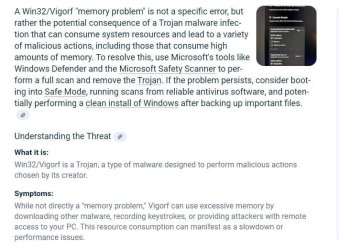
Computer was sluggish and Itunes was freezing. Ran full scan with Security Essentials and found Win32/Vigorf. The Trojan was found in Apple file (No log File for Essential wish I would have screen shot picture of location of Trojan in Apple File). My Itunes was freezing causing me to have to power down my system with Power button then reboot with F8 Constantly Pressed. Ran Essential full Scan again and nothing found . My Itunes froze again. Upon Boot initially BEFORE Itunes Freezing the machine had been freezing at initial boot so I looked at the BIOS and it seemed good for boot. Please look for Boot problem also unless Win32/Vigorf could cause these problems. Ran Malwarebytes and AdwCleaner and nothing found.
==================== Memory info ===========================
BIOS: Dell Inc. 1.0.18 02/24/2009
Motherboard: Dell Inc. 0G679R
Processor: Intel® Core2 Duo CPU E7400 @ 2.80GHz
Percentage of memory in use: 89%
Total physical RAM: 3317.18 MB
Available physical RAM: 358.41 MB
Total Virtual: 6632.72 MB
Available Virtual: 1696.26 MB
I've been running the system and at this point it looks like the Browser may not be the problem ? I can close out Foxfire and the Processes go away. I've played Youtube Videos for periods of time and the system doesn't seem to freeze. I can even open multiple tabs in Foxfire with allot of FREE Memory available. When I run Itunes and Potplayer it seems to freeze then I have to use power button to turn off then reboot with F8.
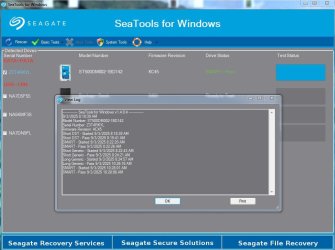
I down loaded RAMmap and it allows me to empty Memory Cache if there is no Free Memory as I try and retrieve files. Its a pain but I was able to get some files out. I haven't been able to try my Back Up Seagate Program because I'm afraid of ruining the External disk the Back Up is going to ?
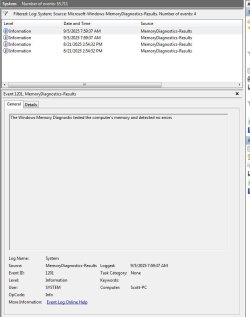
I was able to get into Window Memory Diagnostic Tool and ran Memory test. It said there were no errors.
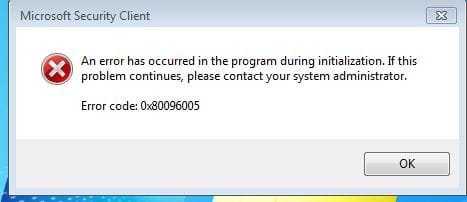
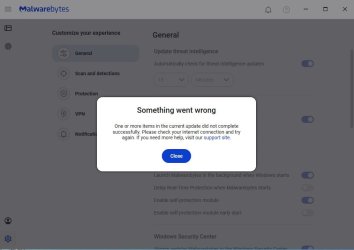
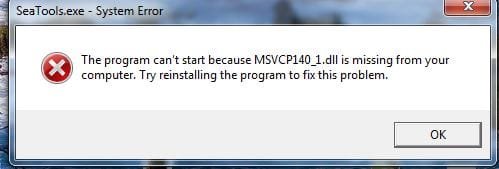
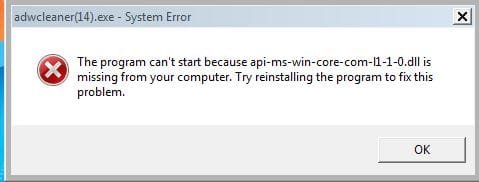
For the heck of it I tried to run AdwCleaner which could always run before even with the freezing problems. Now it will not run and an error message came up. CC Cleaner also froze the machine. Attachment.
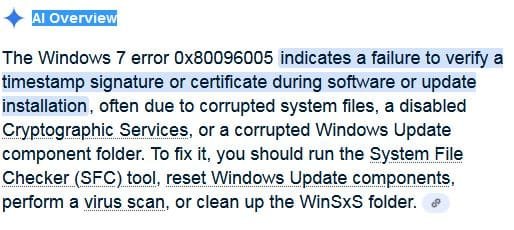
I chased the error message down to
Google AI- said the same for Itunes
You may need to download a Visual C++ Redistributable Package for PotPlayer on Windows 7 if you encounter an error about a missing library or program component. PotPlayer is developed with C++, and many Windows applications require the appropriate Redistributable packages to run the program's necessary runtime files.
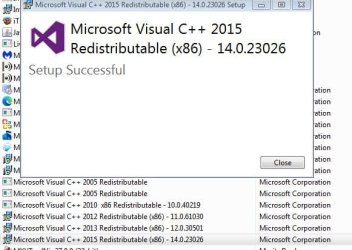
I'm wondering if this could be my problem ? since The Trojan was found in Itunes Folder maybe when it was removed it removed the file or others to make my Media players not work ? Does Malware Programs or Cleaning programs use these same files ? Computer seems to freeze with Media Players, Cleaning Programs, and Transfer or Backing up files. I tried to Repair the latest Visual C++ Redistributable Package. After trying to repair the error message came up again trying to run AdwCleaner.
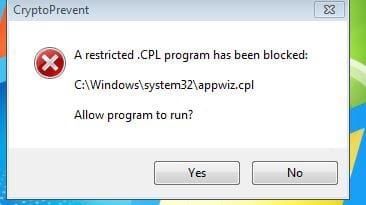
The Restricted Error came up when trying to repair the latest Visual C++ Redistributable Package in Programs . The Repair service did complete but the error came up after trying to run ADWCleaner.
The machine is more responsive after removing my DeskTop picture and running the system lean. It freezes when using the earlier stated programs.
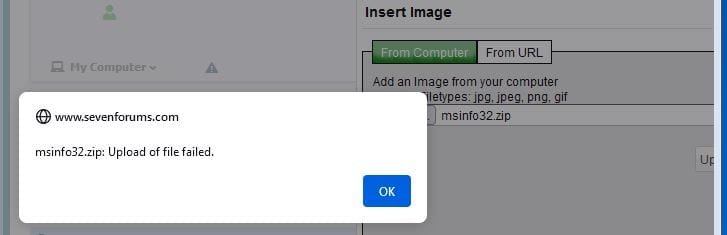
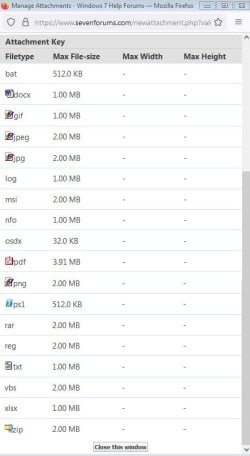
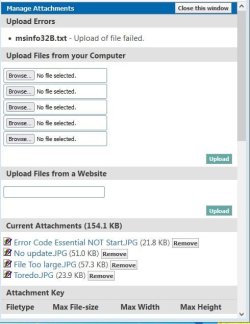
Attachments in order of attempting or completing processes.
TY
Win 7 32 Bit
Computer was sluggish and Itunes was freezing. Ran full scan with Security Essentials and found Win32/Vigorf. The Trojan was found in Apple file (No log File for Essential wish I would have screen shot picture of location of Trojan in Apple File). My Itunes was freezing causing me to have to power down my system with Power button then reboot with F8 Constantly Pressed. Ran Essential full Scan again and nothing found . My Itunes froze again. Upon Boot initially BEFORE Itunes Freezing the machine had been freezing at initial boot so I looked at the BIOS and it seemed good for boot. Please look for Boot problem also unless Win32/Vigorf could cause these problems. Ran Malwarebytes and AdwCleaner and nothing found.
==================== Memory info ===========================
BIOS: Dell Inc. 1.0.18 02/24/2009
Motherboard: Dell Inc. 0G679R
Processor: Intel® Core2 Duo CPU E7400 @ 2.80GHz
Percentage of memory in use: 89%
Total physical RAM: 3317.18 MB
Available physical RAM: 358.41 MB
Total Virtual: 6632.72 MB
Available Virtual: 1696.26 MB
I've been running the system and at this point it looks like the Browser may not be the problem ? I can close out Foxfire and the Processes go away. I've played Youtube Videos for periods of time and the system doesn't seem to freeze. I can even open multiple tabs in Foxfire with allot of FREE Memory available. When I run Itunes and Potplayer it seems to freeze then I have to use power button to turn off then reboot with F8.
I down loaded RAMmap and it allows me to empty Memory Cache if there is no Free Memory as I try and retrieve files. Its a pain but I was able to get some files out. I haven't been able to try my Back Up Seagate Program because I'm afraid of ruining the External disk the Back Up is going to ?
I was able to get into Window Memory Diagnostic Tool and ran Memory test. It said there were no errors.
For the heck of it I tried to run AdwCleaner which could always run before even with the freezing problems. Now it will not run and an error message came up. CC Cleaner also froze the machine. Attachment.
I chased the error message down to
Google AI- said the same for Itunes
You may need to download a Visual C++ Redistributable Package for PotPlayer on Windows 7 if you encounter an error about a missing library or program component. PotPlayer is developed with C++, and many Windows applications require the appropriate Redistributable packages to run the program's necessary runtime files.
I'm wondering if this could be my problem ? since The Trojan was found in Itunes Folder maybe when it was removed it removed the file or others to make my Media players not work ? Does Malware Programs or Cleaning programs use these same files ? Computer seems to freeze with Media Players, Cleaning Programs, and Transfer or Backing up files. I tried to Repair the latest Visual C++ Redistributable Package. After trying to repair the error message came up again trying to run AdwCleaner.
The Restricted Error came up when trying to repair the latest Visual C++ Redistributable Package in Programs . The Repair service did complete but the error came up after trying to run ADWCleaner.
The machine is more responsive after removing my DeskTop picture and running the system lean. It freezes when using the earlier stated programs.
Attachments in order of attempting or completing processes.
TY
My Computer
At a glance
Win 7 32 bit
- Computer type
- PC/Desktop
- Computer Manufacturer/Model Number
- Dell
- OS
- Win 7 32 bit