- Local time
- 7:39 AM
- Messages
- 705
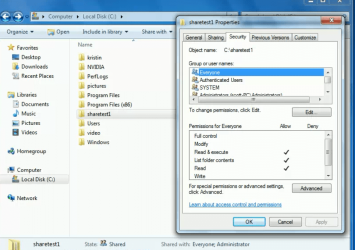
When I click on shared main folders, they will open on the LAN.
When I click on ANY subfolder under a share, I will not open.
It says I dont have permission to view the contents.
So when I go into win7 security settings for the folder, inheritance is checked, but
"Replace all child object permissions with inheritable permissions from this object" is not checked.
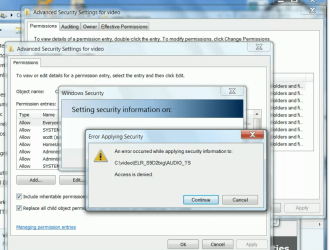
If I try to check that, I get an access is denied error.
So what do I need to do ? I dont want to have to manually do settings for every single subfolder.
first picture shows win7 error message where I tried to click and apply that setting.
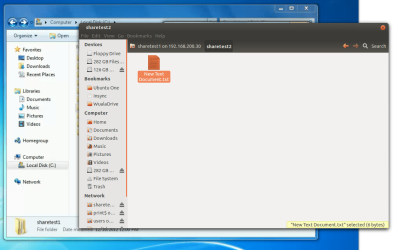
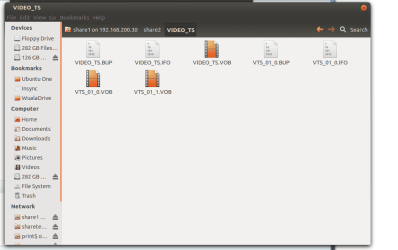
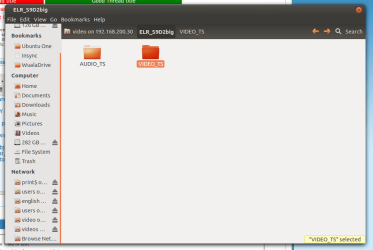
second and third pic show view from an ubuntu PC
When I click on ANY subfolder under a share, I will not open.
It says I dont have permission to view the contents.
So when I go into win7 security settings for the folder, inheritance is checked, but
"Replace all child object permissions with inheritable permissions from this object" is not checked.
If I try to check that, I get an access is denied error.
So what do I need to do ? I dont want to have to manually do settings for every single subfolder.
first picture shows win7 error message where I tried to click and apply that setting.
second and third pic show view from an ubuntu PC
Attachments

My Computer
- OS
- Windows 7 Ultimate x64