Questions:
Is getting Application errors, "Instruction at 0x???? referenced memory at 0x????. The memory could not be read (the ?'s are different values), be a symptom of something failing or purely a software thing?
Can a SSD or HDD go bad but I still be able to see the data in a DOS DIR prompt?
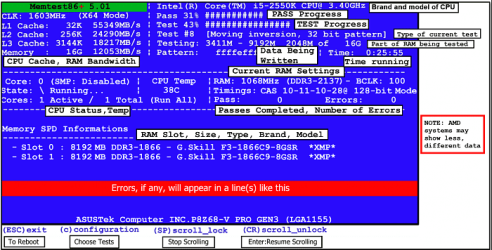
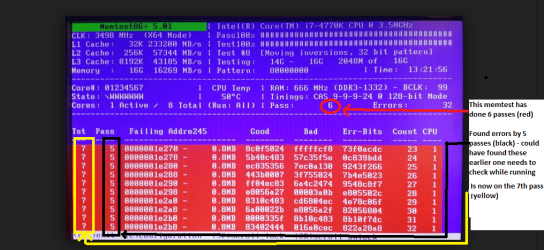
Can memory be bad put pass the windows memory test?
Thank you for your help!
Background:
I have not installed anything recently, however today when I turned on my machine (Win 7 Pro x64 on SSD and programs on 1TB drive) it restarted within seconds and I got the windows restore or start normally message. Neither work. I do have a restore disk that does work but and I have done the memory tests and chkdsk on all drives and find no errors. However when I try a system restore I get an application error within seconds saying memory can not be read.
Is getting Application errors, "Instruction at 0x???? referenced memory at 0x????. The memory could not be read (the ?'s are different values), be a symptom of something failing or purely a software thing?
Can a SSD or HDD go bad but I still be able to see the data in a DOS DIR prompt?
Can memory be bad put pass the windows memory test?
Thank you for your help!
Background:
I have not installed anything recently, however today when I turned on my machine (Win 7 Pro x64 on SSD and programs on 1TB drive) it restarted within seconds and I got the windows restore or start normally message. Neither work. I do have a restore disk that does work but and I have done the memory tests and chkdsk on all drives and find no errors. However when I try a system restore I get an application error within seconds saying memory can not be read.
My Computer
- Computer type
- PC/Desktop
- Computer Manufacturer/Model Number
- Custom
- OS
- Win 7 Pro x64
- CPU
- Intel i7
- Motherboard
- Asus
- Memory
- 4 gb
- Graphics Card(s)
- GForce
- Hard Drives
- 64 Gb SSD Operating
1TB programs
- Antivirus
- Avast
- Browser
- All