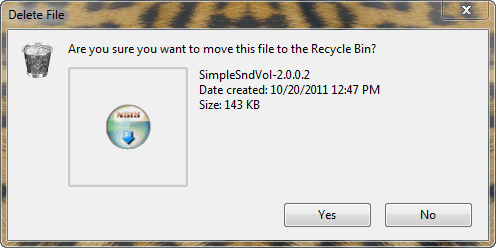
Does anyone know how and/or if you can change the background color or image of a popup window or any window like the the one in the shot? And how you can change the color of the buttons, 'Yes and No'?
Go to Control Panel> Appearance and Personalization> Personalization> Change window glass colors
You can change the intensity with Color Intensity and for the color of the buttons you can click on "Advanced appearance settings". But I've never messed around with the settings to change the button colors before.
No, no not the frame around the window. The actual background of the window, where the wording and icon is, the white part. How could I change that? :huh:
Control Panel\Appearance and Personalization\Personalization ==> if you go to the high contrast themes, you can change nearly any color of everything. Takes a bit of trial and error to get it right.
My Computer
Computer Manufacturer/Model Number
HP, Dell, Gateway, Toshiba - 4 laptops and 2 desktops