
Confuselled
New member
- Local time
- 8:42 AM
- Messages
- 8
Hi, all-
I am trying to upgrade my PC from Win 7 Pro to Win 10 Pro. I don't have a Win 10 license, but I know for years Microsoft was letting people upgrade for free. In Jan & Feb 2020 I successfully upgraded 2 Win 7 laptops to Win 10 without purchasing Win 10.
So now I'm trying to upgrade my desktop, but I'm receiving this error:
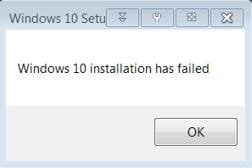
Windows 10 installation has failed.
I've tried running the upgrade from the flashdrive I created in 2020 & also directly from the Microsoft website & I'm receiving the same error on the blue Installing Windows 10 screen using both methods.
Typically the install gets up to around 30%, sits for maybe 5 minutes, then it leaps up to 50 or 60 or 70 percent and fails with the message above.
The fact that I'm NOT getting to the point where it asks for a license key & I'm seeing a rather generic dialog box makes me think the problem is on my end, not Microsoft's.
So, my questions:
1. Does anyone know if Microsoft is still offering the free Win 10 upgrades?
2. Do any of you have any ideas on what might be causing this error, or how to resolve it?
3. Would uninstalling Norton 360 possibly fix the issue? I've tried disabling it, but it's still running in the background, which I find annoying & suspicious.
4. I'm also running Stardock's Fences 3. Could uninstalling that fix the issue? It's very persistent about always running.
I've found a few websites that discuss this message & I've tried some of their suggestions (Disconnect peripherals, Clean Boot Installation, I haven't figured out how to run bootrec yet), but I've been fighting with this for a week and I'm...starting to think about *gasp* doing a clean install, which could be a problem as I didn't receive a Win 7 disc with my PC.
I really don't want to wipe my hard drive & set up a "new PC", but at this point I've already spent about as much time troubleshooting as a clean install would take.
And, while I don't mind paying for Win 10, I'd much rather download it for free.
Help me Obi Wan Kenobe, you're my only hope!
Best,
Sam
I am trying to upgrade my PC from Win 7 Pro to Win 10 Pro. I don't have a Win 10 license, but I know for years Microsoft was letting people upgrade for free. In Jan & Feb 2020 I successfully upgraded 2 Win 7 laptops to Win 10 without purchasing Win 10.
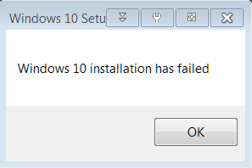
So now I'm trying to upgrade my desktop, but I'm receiving this error:
Windows 10 installation has failed.
I've tried running the upgrade from the flashdrive I created in 2020 & also directly from the Microsoft website & I'm receiving the same error on the blue Installing Windows 10 screen using both methods.
Typically the install gets up to around 30%, sits for maybe 5 minutes, then it leaps up to 50 or 60 or 70 percent and fails with the message above.
The fact that I'm NOT getting to the point where it asks for a license key & I'm seeing a rather generic dialog box makes me think the problem is on my end, not Microsoft's.
So, my questions:
1. Does anyone know if Microsoft is still offering the free Win 10 upgrades?
2. Do any of you have any ideas on what might be causing this error, or how to resolve it?
3. Would uninstalling Norton 360 possibly fix the issue? I've tried disabling it, but it's still running in the background, which I find annoying & suspicious.
4. I'm also running Stardock's Fences 3. Could uninstalling that fix the issue? It's very persistent about always running.
I've found a few websites that discuss this message & I've tried some of their suggestions (Disconnect peripherals, Clean Boot Installation, I haven't figured out how to run bootrec yet), but I've been fighting with this for a week and I'm...starting to think about *gasp* doing a clean install, which could be a problem as I didn't receive a Win 7 disc with my PC.
I really don't want to wipe my hard drive & set up a "new PC", but at this point I've already spent about as much time troubleshooting as a clean install would take.
And, while I don't mind paying for Win 10, I'd much rather download it for free.
Help me Obi Wan Kenobe, you're my only hope!
Best,
Sam
Attachments
My Computers
System One System Two
-
- Computer type
- PC/Desktop
- Computer Manufacturer/Model Number
- CyberPowerPC
- OS
- Win 7 Pro (64 bit)
- CPU
- Intel Core i7-4790 CPU @ 3.60GHz
- Motherboard
- MSI
- Memory
- 16Gb
- Graphics Card(s)
- NVIDIA GeForce GTX 750 Ti
- Hard Drives
- WDC WD4005FZBX-00K5WB0
- Antivirus
- Norton 360
- Browser
- Chrome
-
- Computer type
- PC/Desktop
