

lbeck
New member
Note - I do NOT have a windows.old file to return my unsuccessful w10 setup to seven.
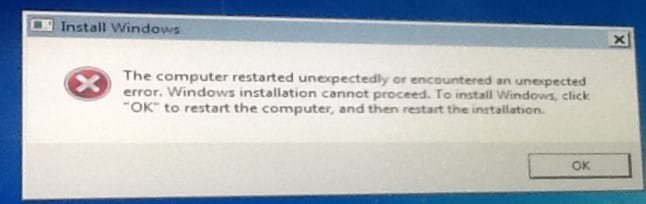
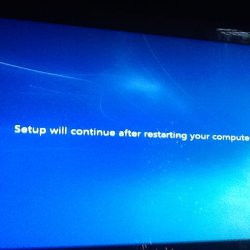
My problems started a couple of weeks ago when I decided to upgrade to Windows 10. My efforts were abandoned when the experts and I couldn't resolve issues. Frustrated, but I decided to reinstall W7 from the install disc. The installation progressed until the final step "Completing Installation". Then I got an error message shown in the attachment that the install failed and that I needed to start again.
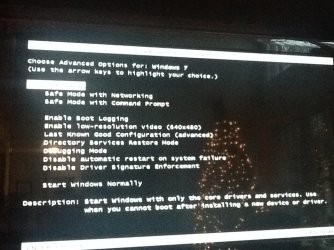
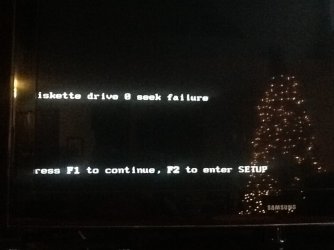
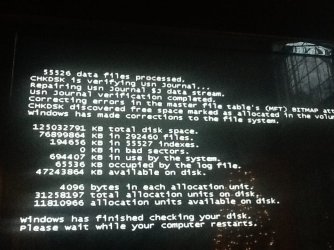
Now, each time I restart the computer I get an error "Diskette drive 0 seek failure" I can press F1 to continue the boot but I continue to get a series of error messages always beginning with "Diskette drive 0 seek failure". At one point the system did a chkdsk. The W7 boot always starts but the monitor goes blank early in the process. I tried moving my monitor cable to the internal graphics card because an error message during the W10 install said that a graphics driver was preventing the installation. I disabled the driver but subsequently reinstalled it. The w7 install complained that an add-on graphics card was detected. So I have removed the add-on card.
I have a few more screen pictures and lots more that I have tried, but I'm stopping here to avoid too much unneeded information.
What I need at this point is how to proceed or get information that can help to diagnose what's going wrong.
My problems started a couple of weeks ago when I decided to upgrade to Windows 10. My efforts were abandoned when the experts and I couldn't resolve issues. Frustrated, but I decided to reinstall W7 from the install disc. The installation progressed until the final step "Completing Installation". Then I got an error message shown in the attachment that the install failed and that I needed to start again.
Now, each time I restart the computer I get an error "Diskette drive 0 seek failure" I can press F1 to continue the boot but I continue to get a series of error messages always beginning with "Diskette drive 0 seek failure". At one point the system did a chkdsk. The W7 boot always starts but the monitor goes blank early in the process. I tried moving my monitor cable to the internal graphics card because an error message during the W10 install said that a graphics driver was preventing the installation. I disabled the driver but subsequently reinstalled it. The w7 install complained that an add-on graphics card was detected. So I have removed the add-on card.
I have a few more screen pictures and lots more that I have tried, but I'm stopping here to avoid too much unneeded information.
What I need at this point is how to proceed or get information that can help to diagnose what's going wrong.
Attachments
My Computer
- Computer type
- PC/Desktop
- Computer Manufacturer/Model Number
- Dell Inspiron 530
- OS
- Win 7 pro 64 bit
- CPU
- Intel Q6600 @ 2.4 GHz
- Memory
- 4 MB RAM
- Graphics Card(s)
- Radeon 1 GB HD 4650
- Hard Drives
- 500 GB boot drive Samsung HD 501J ATA
1 TB rive Samsung HD 103UJ ATA
2 TB Seagate GoFlex USB drive for backup
- PSU
- 750 Watt
- Internet Speed
- 25 Mbps down; 1.7 Mbps up
- Antivirus
- Avast free
- Browser
- Google Chrome / IE 9
- Other Info
- Acronis True Image 2012 for backups


