Solved Windows 7 5.1 Surround sound help

dvParagon

New member
Local time
9:47 AM
Messages
5
Hello :)

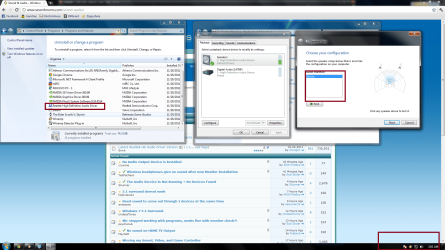
i recently formatted my computer , i installed the latest version of Realtek High Definiton Audio driver but it does not show in my system tray. and in speaker Setup i only get Stereo. And im really trying to get 5.1 stereo option because only 2 of my speakers are working

Thanks
 

Attachments

  • PC.png
    PC.png
    188.6 KB · Views: 468

My Computer My Computer

OS
Windows 7 Enterprise 64bit
CPU
Core 2 Duo e8400 3.00ghz
Motherboard
g41m-combo
Memory
4gig ddr3
Graphics Card(s)
gts 450
Sound Card
na
Monitor(s) Displays
Samsung bx2331 LED - proline 19"
Screen Resolution
1920x1080
PSU
450watt Thermaltake
Case
Gigabyte Triton
Hope this helps-

To set up 5.1 surround sound using the Realtek HD
Audio Manager have a look at this short Youtube video:
Windows 7 / Realtek HD Audio Manager: How to Set Up 5.1 Sound to The Best Parameters - YouTube

I'm gonna have to do some research on the other (getting realtek to show
in the Notification Area Icons). I have just noticed that I am facing the
same issue and can't see it listed there, which of course makes it very hard to
add it to the system tray.

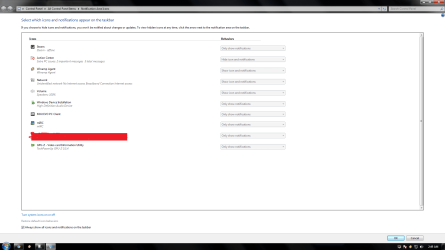
I have 2 printer icons in that list also (1 which says Update Tray- update in progress which doesn't change and one that says Windows Explorer which I'm not to worried about as I'd say this is the print queue).

I also have what looks like a Network icon for Windows Media Center which if I change to show icon and notifications gives me the message "This notification Icon is not currently active). Is this normal does anyone know?

I also have what looks like yet another Network icon with Windows Host Process (Rundll32) which I am worried about. Note that both the Media Center and Windows Host process listings look like they have a small yellow portion on what I have explained looks like the Network icon.

Note that all of these are occuring in the Notification Area Icons LIST and not in the system tray itself.

Any advice or information to ease my panicky little self would be helpful.

I'll start searching tomorrow cause I needs me some rest right now.

View attachment 185961
 
Last edited:

My Computer My Computer

OS
Windows 7 Home Premium 64 Bit OS
Hi , thanks

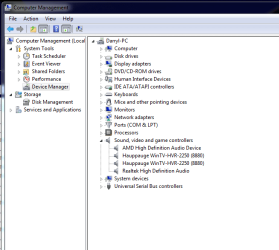
But the problem is that i cant find my Realtek HD audio Manager. it is installed but i cant find it
 

Attachments

  • pc2.png
    pc2.png
    48.5 KB · Views: 176
Last edited:

My Computer My Computer

OS
Windows 7 Enterprise 64bit
CPU
Core 2 Duo e8400 3.00ghz
Motherboard
g41m-combo
Memory
4gig ddr3
Graphics Card(s)
gts 450
Sound Card
na
Monitor(s) Displays
Samsung bx2331 LED - proline 19"
Screen Resolution
1920x1080
PSU
450watt Thermaltake
Case
Gigabyte Triton
Try re-installing it, or go to C:\Program Files\Realtek\Audio\HDA and pin RtkNGUI to the task bar.
Your best bet, though, to get it to re-appear is to uninstall it, then re-install it.
 

My Computer My Computer

Computer type
PC/Desktop
Computer Manufacturer/Model Number
Custom Build
OS
Windows 7 Home Premium 64 bit
CPU
Intel Core i7-4790
Motherboard
GA-Z87X-D3H
Memory
G.SKILL 8GB (2 x 4GB) DDR3 F3-10666CL9D-8GBNT
Graphics Card(s)
AMD Radeon R7 250
Sound Card
Realtek ALC892
Monitor(s) Displays
Samsung UN32EH5000, Dell 1703FPT
Screen Resolution
1920 x 1080, 1280 x 1024
Hard Drives
WD5003AZEX
WD10EZEX
Samsung HD103SJ
Samsung 128 GB 840 PRO
PSU
SeaSonic M12II SS-500GM
Case
Fractal Design Define R4
Cooling
Zalman CNPS9900ALED
Keyboard
Logitech K800
Mouse
Logitech M705
Internet Speed
16 Mbps
Antivirus
Avast
Browser
Firefox
Other Info
Bose Companion 2 Multimedia Speakers
Yes I understand

Sorry I did so many edits on the above post but I have the same sort
of issue. I have exactly the same (Realtek Audio) and I know it used to show in there,

I also have the other problems as listed above.

I'll look for a solution tomorrow and maybe before then someone
else will be able to help us out with some answers.

As for not being able to find the Audio Manager for the 5.1 setup, have
you checked to see if it is in Control Panel? That's where I can access it on my system (as mentioned before- same software).
 

My Computer My Computer

OS
Windows 7 Home Premium 64 Bit OS
thanks Sardonicus, but the reason i formatted is because Realtek didn't work, but after the format its still not working

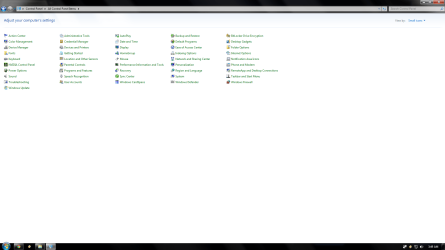
@AllOnTheBus . its not in my control Panel . i have checked
 

Attachments

  • pc3.png
    pc3.png
    48.2 KB · Views: 61

My Computer My Computer

OS
Windows 7 Enterprise 64bit
CPU
Core 2 Duo e8400 3.00ghz
Motherboard
g41m-combo
Memory
4gig ddr3
Graphics Card(s)
gts 450
Sound Card
na
Monitor(s) Displays
Samsung bx2331 LED - proline 19"
Screen Resolution
1920x1080
PSU
450watt Thermaltake
Case
Gigabyte Triton
And that will make it appear in notification area icons LIST sARDONICUS?
 

My Computer My Computer

OS
Windows 7 Home Premium 64 Bit OS

My Computer My Computer

Computer type
PC/Desktop
Computer Manufacturer/Model Number
Custom Build
OS
Windows 7 Home Premium 64 bit
CPU
Intel Core i7-4790
Motherboard
GA-Z87X-D3H
Memory
G.SKILL 8GB (2 x 4GB) DDR3 F3-10666CL9D-8GBNT
Graphics Card(s)
AMD Radeon R7 250
Sound Card
Realtek ALC892
Monitor(s) Displays
Samsung UN32EH5000, Dell 1703FPT
Screen Resolution
1920 x 1080, 1280 x 1024
Hard Drives
WD5003AZEX
WD10EZEX
Samsung HD103SJ
Samsung 128 GB 840 PRO
PSU
SeaSonic M12II SS-500GM
Case
Fractal Design Define R4
Cooling
Zalman CNPS9900ALED
Keyboard
Logitech K800
Mouse
Logitech M705
Internet Speed
16 Mbps
Antivirus
Avast
Browser
Firefox
Other Info
Bose Companion 2 Multimedia Speakers
Hmmm- I don't have the RtkNGUI as you have mentioned.
It's not in either the 32 or 64bit Program files.

Anyways- i fully need me some z's so I'll check back in tomorrow.
 

My Computer My Computer

OS
Windows 7 Home Premium 64 Bit OS
AllOnTheBus , i also dont have RTKNGUI .
sorry Sardonicus done it
 

My Computer My Computer

OS
Windows 7 Enterprise 64bit
CPU
Core 2 Duo e8400 3.00ghz
Motherboard
g41m-combo
Memory
4gig ddr3
Graphics Card(s)
gts 450
Sound Card
na
Monitor(s) Displays
Samsung bx2331 LED - proline 19"
Screen Resolution
1920x1080
PSU
450watt Thermaltake
Case
Gigabyte Triton

My Computer My Computer

Computer type
PC/Desktop
Computer Manufacturer/Model Number
Custom Build
OS
Windows 7 Home Premium 64 bit
CPU
Intel Core i7-4790
Motherboard
GA-Z87X-D3H
Memory
G.SKILL 8GB (2 x 4GB) DDR3 F3-10666CL9D-8GBNT
Graphics Card(s)
AMD Radeon R7 250
Sound Card
Realtek ALC892
Monitor(s) Displays
Samsung UN32EH5000, Dell 1703FPT
Screen Resolution
1920 x 1080, 1280 x 1024
Hard Drives
WD5003AZEX
WD10EZEX
Samsung HD103SJ
Samsung 128 GB 840 PRO
PSU
SeaSonic M12II SS-500GM
Case
Fractal Design Define R4
Cooling
Zalman CNPS9900ALED
Keyboard
Logitech K800
Mouse
Logitech M705
Internet Speed
16 Mbps
Antivirus
Avast
Browser
Firefox
Other Info
Bose Companion 2 Multimedia Speakers
I got it fixed. my own stupidity , i didnt install my motherboard drivers right. but i got it fixed now :) . thanks everyone

Allonthebus i hope you get yours fixed 2
 

My Computer My Computer

OS
Windows 7 Enterprise 64bit
CPU
Core 2 Duo e8400 3.00ghz
Motherboard
g41m-combo
Memory
4gig ddr3
Graphics Card(s)
gts 450
Sound Card
na
Monitor(s) Displays
Samsung bx2331 LED - proline 19"
Screen Resolution
1920x1080
PSU
450watt Thermaltake
Case
Gigabyte Triton
For anyone who may still be interested

The 5.1 surround sound settings for Realtek are able to be changed
as the youtube video explains (see link from previous post).

As for my problems with weirded out icons in the notification area list,
I just decided to do a rebuild by using the .dat file provided by
Brink here: http://www.sevenforums.com/tutorials/49819-icon-cache-rebuild.html
(Many thanks to Brink)

I had done this before about three years ago with Vista but because of the change
in apperance I had forgotten all about this option. I did back then find manual
rebuild instructions however this time it took about three seconds and a restart
thanks to the provided batch file download link found from the link above.

This is probably no news to most, but before doing the rebuild I did find out a few things
about what was going on in my notification icons area LIST.
These being:
1) The Rundll32 listing refers to the USB dongle for internet (or may be other external device)
2)Windows Media Center - this was a strange one as the icon would change to a printer and sometimes the correct Media Center icon (this is why I rebuilt). However, when it did open in the system tray
I believe that the updates are related to the EPM (Electronic Program Mgmt- I think) function which I believe to be the updating of program information for tuned in Digital TV.
3) As for getting the Realtek icon back in the system tray and in the Notification area icon LIST, this was done by simply opening the Realtek software from the Control Panel-> Click on the information icon in the software at the bottom right of the GUI (Graphical User Interface) -> Checking the box which says display icon in notification area -> Clicking OK and then doing a reboot.

I know these things are simple for most people but hopefully this may help
someone down the track so to speak.

AllOnTheBus

 

My Computer My Computer

OS
Windows 7 Home Premium 64 Bit OS
Back
Top