
Windows 7 64bit: 8GB Ram only 3GB usable? LOW MEMORY ISSUE!

naBs

New member
Local time
9:49 AM
Messages
8
Hi guys, I have only recently come across an issue where my computer has been running low on memory, when I open up task manager it shows up with only 3GB of RAM available, I have 8GB of 2400mhz RAM installed and this issue has only just come up.

I'm worried this may have had something to do with some supposed 'fixes' I had to do for BF4, but this issue didn't show up straight after and I am not entirely sure of the steps I went through, thought I'd add that in there just in case.

My specs:

GPU: R9 290x msi
Mobo: A88x msi-g45 gaming motherboard
CPU: A10 7850k black edition
RAM: 8GB of Corsair Vengeance 2400mhz
OS: Windows 7 64 bit

If there's any more information required please let me know and I'll post it, this issue is driving me nuts, can't even have the most basics of programs running without having to close them due to low memory!
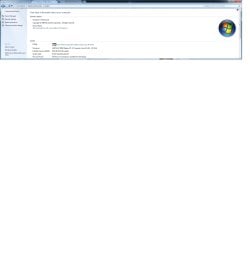
COMPUTER SYSTEM.jpg

Thanks in advance.
 
Last edited:

My Computer My Computer

Computer type
PC/Desktop
Computer Manufacturer/Model Number
Novatech
OS
Greater London
CPU
AMD Phenom II 1090T x6
Memory
4GB DD3
Graphics Card(s)
Radeon HD 5770 1GB
Hard Drives
60 GB SSD
1TB HDD
Antivirus
Microsoft Security Essentials
Browser
Chrome
Hello naBs.

Can you go to msconfig > Boot tab > Advanced Options and ensure "Maximum memory" is not checked. If it was checked, uncheck it and reboot.

Also, check your BIOS and enable "Memory Remap" assuming your BIOS supports/has this option.

Remove one stick of ram, ensuring that one stick is still in and in position 1 (usually they are labeled) and reboot. If this works, try the second stick of ram. If your PC doesn't boot with one or the other, you probably have 1 bad stick of ram or a bad ram slot.

Try these tasks and report back
 

My Computer My Computer

Computer type
PC/Desktop
Computer Manufacturer/Model Number
Custom
OS
Dual Boot: Windows 8.1 & Server 2012r2 VMs: Kali Linux, Backbox, Matriux, Windows 8.1
CPU
A10 7700 Kavari SteamRoller
Motherboard
ASUS A88XM-PLUS (FM2+ )
Memory
8GB DDR3 SDRAM PC3-8500
Graphics Card(s)
1024MB ATI AMD Radeon R7 Graphics
Sound Card
Realtek High Definition Audio
Monitor(s) Displays
Samsung
Hard Drives
SSD Crucial 120gb
WD VelociRaptor 1tb
PSU
Rosewill Gaming 650w
Case
Rosewill Galaxy 2
Internet Speed
55/12
Antivirus
Malwarebytes, MSE, SAS
Browser
FireFox, Chrome
Hi and thanks for the quick response, I've gone back into my BIOS settings and had previously put my OC settings to have my RAM at 2400mhz, I went back and set it back to auto and this seems to have resolved the issue. So now I have a problem of getting my RAM to 2400mhz without it dropping to 3GB RAM? I'm not quite sure why it's doing this
 

My Computer My Computer

Computer type
PC/Desktop
Computer Manufacturer/Model Number
Novatech
OS
Greater London
CPU
AMD Phenom II 1090T x6
Memory
4GB DD3
Graphics Card(s)
Radeon HD 5770 1GB
Hard Drives
60 GB SSD
1TB HDD
Antivirus
Microsoft Security Essentials
Browser
Chrome
just leave it at stock settings, even if you overclock it you wont notice any difference
 

My Computer My Computer

Computer type
PC/Desktop
Computer Manufacturer/Model Number
Pauly Special
OS
Win7 Ultimate X64
CPU
Intel i5 3570K
Motherboard
Gigabyte Z77X-DS3H
Memory
8GB DDR3 1600
Graphics Card(s)
Onboard
Sound Card
Onboard
Screen Resolution
1280x1024
Hard Drives
Samsung 840 Evo SSD (OS)
1TB Spinner (Data)
PSU
800W Arctic
Case
Cooler Master
Cooling
3x120mm Fans
Keyboard
MS Wireless
Mouse
MS Wireless
Internet Speed
20M
Okay now running into the low memory issue when I try and run BF4, but it's still at least showing up that I have my 8GB back
 

My Computer My Computer

Computer type
PC/Desktop
Computer Manufacturer/Model Number
Novatech
OS
Greater London
CPU
AMD Phenom II 1090T x6
Memory
4GB DD3
Graphics Card(s)
Radeon HD 5770 1GB
Hard Drives
60 GB SSD
1TB HDD
Antivirus
Microsoft Security Essentials
Browser
Chrome
Okay now running into the low memory issue when I try and run BF4, but it's still at least showing up that I have my 8GB back

Check task manager to see what amount of memory is being used while playing BF4.

Do you notice any lag/slow loading or does it seem normal other than the low ram message?
 

My Computer My Computer

Computer type
PC/Desktop
Computer Manufacturer/Model Number
Custom
OS
Dual Boot: Windows 8.1 & Server 2012r2 VMs: Kali Linux, Backbox, Matriux, Windows 8.1
CPU
A10 7700 Kavari SteamRoller
Motherboard
ASUS A88XM-PLUS (FM2+ )
Memory
8GB DDR3 SDRAM PC3-8500
Graphics Card(s)
1024MB ATI AMD Radeon R7 Graphics
Sound Card
Realtek High Definition Audio
Monitor(s) Displays
Samsung
Hard Drives
SSD Crucial 120gb
WD VelociRaptor 1tb
PSU
Rosewill Gaming 650w
Case
Rosewill Galaxy 2
Internet Speed
55/12
Antivirus
Malwarebytes, MSE, SAS
Browser
FireFox, Chrome
A couple of things I'd look at, check the paging file/Virtual Memory [it was recommended for 1.5 times physical RAM in WinXP], or more and the other is if you have an SDHC card slot in the computer, look into ReadyBoost in Help and Support. I find setting Virtual Memory to the same in Max and Min works good and usually use the 1.5 figure.

Change the size of virtual memory If you receive warnings that your virtual memory is low, you'll need to increase the minimum size of your paging file. Windows sets the initial minimum size of the paging file equal to the amount of random access memory (RAM) installed on your computer, and the maximum size equal to three times the amount of RAM installed on your computer. If you see warnings at these recommended levels, then increase the minimum and maximum sizes.


  1. Open System in Control Panel In the left pane, click Advanced system settings.
    GetContent.aspx
    If you're prompted for an administrator password or confirmation, type the password or provide confirmation.
  2. On the Advanced tab, under Performance, click Settings.
  3. Click the Advanced tab, and then, under Virtual memory, click Change.
  4. Clear the Automatically manage paging file size for all drives check box.
  5. Under Drive [Volume Label], click the drive that contains the paging file you want to change.
  6. Click Custom size, type a new size in megabytes in the Initial size (MB) or Maximum size (MB) box, click Set, and then click OK.
Note


  • Increases in size usually don't require a restart for the changes to take effect, but if you decrease the size, you'll need to restart your computer. We recommend that you don't disable or delete the paging file.
 

My Computer My Computer

Computer type
PC/Desktop
Computer Manufacturer/Model Number
Customs, Dell, Gateway, HP, Toshiba, Acer, ASUS
OS
Windows 7 Ultimate 64-bit, Windows 8.1 64-bit, Mac OS X 10.10, Linux Mint 17, Windows 10 Pro TP
Keyboard
Microsoft
Mouse
Microsoft
I know this is counterintuitive but but low memory errors rarely refer to a shortage of RAM. That rarely causes any problems other than poor performance. Usually the error means hitting the commit limit and that could be caused by a too small pagefile. It could also mean a 32 bit process has exhausted it's private address space. Unfortunately there isn't much you can do about that.
 

My Computer My Computer

Computer type
PC/Desktop
Computer Manufacturer/Model Number
HP
OS
Windows 7 Pro 64 bit
CPU
Xeon W3520
Memory
8 GB
Graphics Card(s)
Nvidia Geforce 210
Just change the OS

Change the windows to 64 bit. This will work for sure!
Source:
[removed]
 

My Computer My Computer

Computer type
PC/Desktop
OS
Windows 8 64 Bit
If you'd bothered reading the title of the thread you'd have noticed the OP was running W7 64-bit and would maybe have realised you had no need to necro a four month old thread with useless information.
 

My Computer My Computer

Computer type
PC/Desktop
Computer Manufacturer/Model Number
Custom Build
OS
W7 Pro x64 SP1 | W10 Pro IP x64 | W8.1 Pro x64 VM | Linux Mint VM
CPU
i7-4790k @ 4GHz (4.4GHz Boost)
Motherboard
ASUS Sabertooth Z87 (BIOS Rev 2004)
Memory
16GB DDR3 Kingston HyperX Fury @ 1600MHz CL 9-9-9-27
Graphics Card(s)
EVGA GTX 980 Classified
Sound Card
Realtek Onboard
Monitor(s) Displays
Samsung S27D390
Screen Resolution
1920 x 1080
Hard Drives
240GB Intel 520 Series SSD |
Samsung 850 EVO 120GB SSD |
2TB WD Caviar Black |
2TB WD Caviar Green
PSU
Corsair HX850-80 Gold Modular
Case
Cooler Master Silencio 650
Cooling
Corsair H80i w/2 x Corsair SP120 | 2 x 120mm Noctua NF-S12B
Keyboard
Microsoft Sidewinder X4
Mouse
Gigabyte M6900 optical
Internet Speed
152mb
Antivirus
F-Secure
Browser
Firefox 38.0
Other Info
Backup Rig: Win 7 Pro 64-bit | AMD A10-5800k | ASUS F2A85-V Pro | 8GB Samsung DDR3 @1600MHz | 120GB Toshiba SDD | 2TB Seagate HDD | Cooler Master Silencio 550
f you'd bothered reading the title of the thread you'd have noticed the OP was running W7 64-bit and would maybe have realised you had no need to necro a four month old thread with useless information.
Since new members seem to not notice the date of posts maybe the text needs to be made larger?
 

My Computer My Computer

Computer type
PC/Desktop
Computer Manufacturer/Model Number
Customs, Dell, Gateway, HP, Toshiba, Acer, ASUS
OS
Windows 7 Ultimate 64-bit, Windows 8.1 64-bit, Mac OS X 10.10, Linux Mint 17, Windows 10 Pro TP
Keyboard
Microsoft
Mouse
Microsoft
f you'd bothered reading the title of the thread you'd have noticed the OP was running W7 64-bit and would maybe have realised you had no need to necro a four month old thread with useless information.
Since new members seem to not notice the date of posts maybe the text needs to be made larger?
Not sure if it can be done in this forum, but in other forums I've seen a legend that appears if the last post is old... Something like "hey username, this topic has been inactive for xx time, bla-bla-bla"...
User can actually post if he really wants to though...
 

My Computer My Computer

Computer type
PC/Desktop
Computer Manufacturer/Model Number
Custom Build
OS
Windows 7 Profesional x64
CPU
AMD Phenom II 965 X4 BE
Motherboard
ASUS M5A87
Memory
8GB - 4x2GB @ 1600 Mhz
Graphics Card(s)
ATI Radeon 6870 HD
Sound Card
On Board
Monitor(s) Displays
Syncmaster BX2250
Screen Resolution
1080p
Hard Drives
Internal Caviar Blue - 500GB | External WD MyBook - 3TB USB3 | External WD MyPassport - 320GB USB2
PSU
CoolMaster 600W
Cooling
Stock
Mouse
A very old and used Genius
Internet Speed
6Mbps Cable
Antivirus
Kaspersky
Browser
Firefox as 1st Option
f you'd bothered reading the title of the thread you'd have noticed the OP was running W7 64-bit and would maybe have realised you had no need to necro a four month old thread with useless information.
Since new members seem to not notice the date of posts maybe the text needs to be made larger?

Or they could actually read the thread title and the OP? The date would be completely irrelevant then.

Considering the linked article was only published yesterday I assume it was just a spamming drive-by anyway.
 

My Computer My Computer

Computer type
PC/Desktop
Computer Manufacturer/Model Number
Custom Build
OS
W7 Pro x64 SP1 | W10 Pro IP x64 | W8.1 Pro x64 VM | Linux Mint VM
CPU
i7-4790k @ 4GHz (4.4GHz Boost)
Motherboard
ASUS Sabertooth Z87 (BIOS Rev 2004)
Memory
16GB DDR3 Kingston HyperX Fury @ 1600MHz CL 9-9-9-27
Graphics Card(s)
EVGA GTX 980 Classified
Sound Card
Realtek Onboard
Monitor(s) Displays
Samsung S27D390
Screen Resolution
1920 x 1080
Hard Drives
240GB Intel 520 Series SSD |
Samsung 850 EVO 120GB SSD |
2TB WD Caviar Black |
2TB WD Caviar Green
PSU
Corsair HX850-80 Gold Modular
Case
Cooler Master Silencio 650
Cooling
Corsair H80i w/2 x Corsair SP120 | 2 x 120mm Noctua NF-S12B
Keyboard
Microsoft Sidewinder X4
Mouse
Gigabyte M6900 optical
Internet Speed
152mb
Antivirus
F-Secure
Browser
Firefox 38.0
Other Info
Backup Rig: Win 7 Pro 64-bit | AMD A10-5800k | ASUS F2A85-V Pro | 8GB Samsung DDR3 @1600MHz | 120GB Toshiba SDD | 2TB Seagate HDD | Cooler Master Silencio 550
Folks many new members find our Forum by Googling and it might end up on a old thread.
No problem their as far as I'm concerned. They did find us and joined the Forum.


@techmaster94
Now at that point one must read the thread to be able to make helpful suggestions.

All is forgiven. Enjoy your stay on the forum.
 

My Computer My Computer

Computer type
PC/Desktop
Computer Manufacturer/Model Number
Home made Desktop
OS
Windows 10 Pro. 64/ version 1709 Windows 7 Pro/64
CPU
Intel i7-6800K @ 4.3
Motherboard
ASUS X-99 Deluxe II
Memory
Corsair Platinum 16 gig @2400
Graphics Card(s)
EVGA GTX 1070 OC
Monitor(s) Displays
Asus 27" LED LCD/VE278Q
Screen Resolution
1920-1080 or 1280-720 HDMI
Hard Drives
INTEL SSD 730-240 Gb Sata 3.0/
PSU
EVGA Platium 1200W
Case
Phanteks Luxe Tempered Glass 8 fans/ one radiator
Cooling
XSPC/ Water Cooled CPU
Keyboard
Das 4 Professional
Mouse
Logitech M705/MX Anywhere 2-S
Internet Speed
100 mbits
Antivirus
Microsoft Security Essentials/ Malwarebytes Premium 3.0/ SAS
Browser
I.E. 11 default/Firefox/ ISP Time Warner Cable/Spectrum
Other Info
LG BluRay Burner/
Sound system-KLipsch-THX/
Icy Dock ssd Hot Swap bays.
f you'd bothered reading the title of the thread you'd have noticed the OP was running W7 64-bit and would maybe have realised you had no need to necro a four month old thread with useless information.
Since new members seem to not notice the date of posts maybe the text needs to be made larger?
Not sure if it can be done in this forum, but in other forums I've seen a legend that appears if the last post is old... Something like "hey username, this topic has been inactive for xx time, bla-bla-bla"...
User can actually post if he really wants to though...

We already do that.

BTW the necro poster that you are all debating was a spammer and they don't care what they bump.
 

My Computer My Computer

Computer type
PC/Desktop
OS
Windows 11
Well I should of said enjoy your short stay on the forum.
All is well that ends well.

Thank you John for being so watchful.
 

My Computer My Computer

Computer type
PC/Desktop
Computer Manufacturer/Model Number
Home made Desktop
OS
Windows 10 Pro. 64/ version 1709 Windows 7 Pro/64
CPU
Intel i7-6800K @ 4.3
Motherboard
ASUS X-99 Deluxe II
Memory
Corsair Platinum 16 gig @2400
Graphics Card(s)
EVGA GTX 1070 OC
Monitor(s) Displays
Asus 27" LED LCD/VE278Q
Screen Resolution
1920-1080 or 1280-720 HDMI
Hard Drives
INTEL SSD 730-240 Gb Sata 3.0/
PSU
EVGA Platium 1200W
Case
Phanteks Luxe Tempered Glass 8 fans/ one radiator
Cooling
XSPC/ Water Cooled CPU
Keyboard
Das 4 Professional
Mouse
Logitech M705/MX Anywhere 2-S
Internet Speed
100 mbits
Antivirus
Microsoft Security Essentials/ Malwarebytes Premium 3.0/ SAS
Browser
I.E. 11 default/Firefox/ ISP Time Warner Cable/Spectrum
Other Info
LG BluRay Burner/
Sound system-KLipsch-THX/
Icy Dock ssd Hot Swap bays.
Back
Top