
Recently I had to replace my video card with a new one since the old died. The problem is that the appearance is now different from how it was before. Before it looked like this.

Now it looks like this.
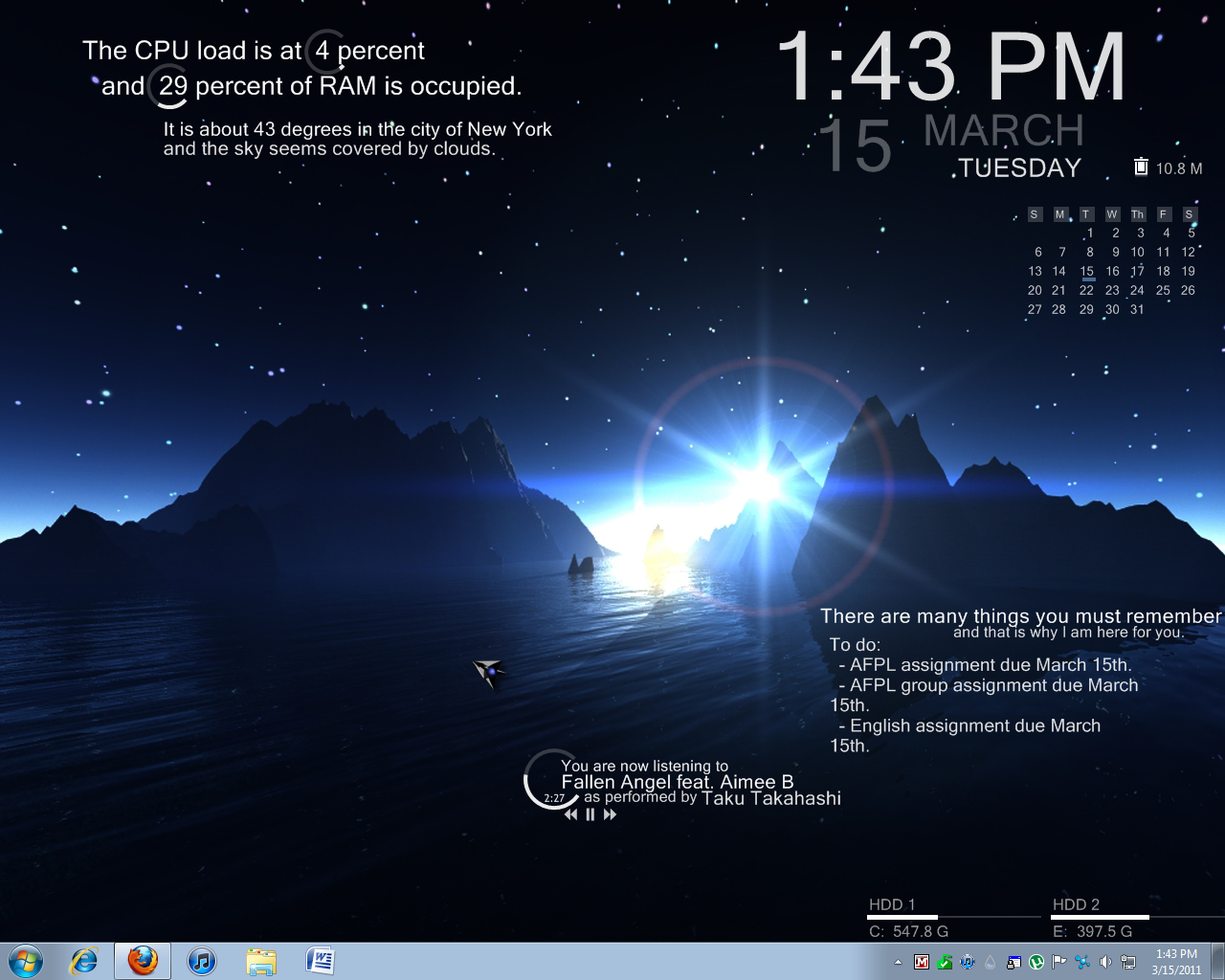
How do I get the black taskbar and window borders back?
I also have a problem with the mouse over on taskbar. In the past when I moved my mouse over say firefox, it would show a mini image of the browser in it. Now all I get is text when my mouse is over it and no image.
Now it looks like this.
How do I get the black taskbar and window borders back?
I also have a problem with the mouse over on taskbar. In the past when I moved my mouse over say firefox, it would show a mini image of the browser in it. Now all I get is text when my mouse is over it and no image.
Last edited by a moderator:
My Computer
At a glance
Microsoft Windows 7 Home Premium 64-bit 1-Pac...AMD Phenom II X6 1055T Thuban 2.8GHz Socket A...Kingston ValueRAM 4GB (2 x 2GB) 240-Pin DDR3 ...SAPPHIRE 100314SR Radeon HD 6870 1GB 256-bit ...
- OS
- Microsoft Windows 7 Home Premium 64-bit 1-Pack for System Builders - OEM
- CPU
- AMD Phenom II X6 1055T Thuban 2.8GHz Socket AM3 125W Six-Cor
- Motherboard
- ASUS M4A88TD-M/USB3 AM3 AMD 880G SATA 6Gb/s USB 3.0 HDMI Mic
- Memory
- Kingston ValueRAM 4GB (2 x 2GB) 240-Pin DDR3 SDRAM DDR3 1333
- Graphics Card(s)
- SAPPHIRE 100314SR Radeon HD 6870 1GB 256-bit GDDR5 PCI Expre
- Sound Card
- ASUS Xonar DX 7.1 Channels PCI Express x1 Interface Sound Ca
- Monitor(s) Displays
- DELL E173FP
- Hard Drives
- SAMSUNG Spinpoint F3 HD103SJ 1TB 7200 RPM SATA 3.0Gb/s 3.5" Internal Hard Drive -Bare Drive
- PSU
- CORSAIR CMPSU-650TX 650W ATX12V / EPS12V SLI Ready CrossFire
- Case
- Antec Three Hundred Illusion Black Steel ATX Mid Tower Compu


