Windows 7 connects to router yet says No Internet Access

kptkwantum256

New member
Local time
3:58 PM
Messages
7
Earlier today, internet explorer stopped responding and after closing it and reopening it I was brought to the 'Internet explorer cannot display the webpage' :mad: in the taskbar my wireless connection status reads 2WIRE625 connected but No internet access, 2 othe machines in my house are wirelessly connected and have no problems. I have tried connecting to public wifi sources and via wired connection to my router and I experience the same results. As I began to bumble around various forums troubleshooting, it now reads 'Internet Access' as if everything were sound, but the connection problems remain. I don't know what to do, and I am unhappy.
 

My Computer My Computer

At a glance

Windows 7 Home Premium 64bitIntel Core i5-3320M 2.60Ghz
Computer Manufacturer/Model Number
Lenovo Thinkpad T530
OS
Windows 7 Home Premium 64bit
CPU
Intel Core i5-3320M 2.60Ghz
Earlier today, internet explorer stopped responding and after closing it and reopening it I was brought to the 'Internet explorer cannot display the webpage' :mad: in the taskbar my wireless connection status reads 2WIRE625 connected but No internet access, 2 othe machines in my house are wirelessly connected and have no problems. I have tried connecting to public wifi sources and via wired connection to my router and I experience the same results. As I began to bumble around various forums troubleshooting, it now reads 'Internet Access' as if everything were sound, but the connection problems remain. I don't know what to do, and I am unhappy.

It sounds like winsock or the network stack is messed up so it may help to reset them.

Unzip the file below and run the file, let it run until your machine reboots itself.

Post the ipconfig/all after that if possible.
 

Attachments

My Computer My Computer

At a glance

Windows 7 Ult, Windows 8.1 Pro,Q9650-4.275GHz, E8600 4.5GHz, E6750-3.8GHzG.Skill PC2 9600 1200Mhz 5 5 5 15 2TGTX480
Computer type
PC/Desktop
Computer Manufacturer/Model Number
Home built
OS
Windows 7 Ult, Windows 8.1 Pro,
CPU
Q9650-4.275GHz, E8600 4.5GHz, E6750-3.8GHz
Motherboard
Evga 780i FTW
Memory
G.Skill PC2 9600 1200Mhz 5 5 5 15 2T
Graphics Card(s)
GTX480
Sound Card
Asus Xonar D2
Monitor(s) Displays
HannsG
Screen Resolution
1680X1050
Hard Drives
GSkill Phoenix Pro 120GB SSD
PSU
ThermalTake Toughpower 1000Watt modular
Case
ThermalTake XaserV
Cooling
Xigmatek S1283
Keyboard
Logitech G15
Mouse
Logitech G9
Internet Speed
T1
I ran your program and my computer restarted like you said, but I don't notice anything different as far as my connection problem goes

Here's my ipconfig

Windows IP Configuration
Host Name . . . . . . . . . . . . :
Primary Dns Suffix . . . . . . . :
Node Type . . . . . . . . . . . . : Broadcast
IP Routing Enabled. . . . . . . . : No
WINS Proxy Enabled. . . . . . . . : No
DNS Suffix Search List. . . . . . : gateway.2wire.net
Wireless LAN adapter Wireless Network Connection:
Connection-specific DNS Suffix . : gateway.2wire.net
Description . . . . . . . . . . . : Intel(R) Centrino(R) Wireless-N 2200
Physical Address. . . . . . . . . : 9C-4E-36-3B-C0-30
DHCP Enabled. . . . . . . . . . . : Yes
Autoconfiguration Enabled . . . . : Yes
Link-local IPv6 Address . . . . . : fe80::8c41:22a3:b8e9:7a3c%12(Preferred)
IPv4 Address. . . . . . . . . . . : 192.168.1.67(Preferred)
Subnet Mask . . . . . . . . . . . : 255.255.255.0
Lease Obtained. . . . . . . . . . : Wednesday, January 02, 2013 11:42:04 PM
Lease Expires . . . . . . . . . . : Thursday, January 03, 2013 11:42:04 PM
Default Gateway . . . . . . . . . : 192.168.1.254
DHCP Server . . . . . . . . . . . : 192.168.1.254
DNS Servers . . . . . . . . . . . : 192.168.1.254
NetBIOS over Tcpip. . . . . . . . : Enabled
Ethernet adapter Local Area Connection:
Media State . . . . . . . . . . . : Media disconnected
Connection-specific DNS Suffix . :
Description . . . . . . . . . . . : Intel(R) 82579LM Gigabit Network Connecti
on
Physical Address. . . . . . . . . : 3C-97-0E-16-A5-DB
DHCP Enabled. . . . . . . . . . . : Yes
Autoconfiguration Enabled . . . . : Yes
Tunnel adapter isatap.{FBFEC396-D6C3-4183-A497-B9DB2E09449B}:
Media State . . . . . . . . . . . : Media disconnected
Connection-specific DNS Suffix . :
Description . . . . . . . . . . . : Microsoft ISATAP Adapter
Physical Address. . . . . . . . . : 00-00-00-00-00-00-00-E0
DHCP Enabled. . . . . . . . . . . : No
Autoconfiguration Enabled . . . . : Yes
Tunnel adapter isatap.gateway.2wire.net:
Media State . . . . . . . . . . . : Media disconnected
Connection-specific DNS Suffix . : gateway.2wire.net
Description . . . . . . . . . . . : Microsoft ISATAP Adapter #4
Physical Address. . . . . . . . . : 00-00-00-00-00-00-00-E0
DHCP Enabled. . . . . . . . . . . : No
Autoconfiguration Enabled . . . . : Yes
Tunnel adapter Teredo Tunneling Pseudo-Interface:
Media State . . . . . . . . . . . : Media disconnected
Connection-specific DNS Suffix . :
Description . . . . . . . . . . . : Teredo Tunneling Pseudo-Interface
Physical Address. . . . . . . . . : 00-00-00-00-00-00-00-E0
DHCP Enabled. . . . . . . . . . . : No
Autoconfiguration Enabled . . . . : Yes
 

My Computer My Computer

At a glance

Windows 7 Home Premium 64bitIntel Core i5-3320M 2.60Ghz
Computer Manufacturer/Model Number
Lenovo Thinkpad T530
OS
Windows 7 Home Premium 64bit
CPU
Intel Core i5-3320M 2.60Ghz
This all looks good, says you should be online. Which anti virus software do you have installed?

Which DNS servers are you using? Should be typed into your routers settings.
 

My Computer My Computer

At a glance

Windows 7 Ult, Windows 8.1 Pro,Q9650-4.275GHz, E8600 4.5GHz, E6750-3.8GHzG.Skill PC2 9600 1200Mhz 5 5 5 15 2TGTX480
Computer type
PC/Desktop
Computer Manufacturer/Model Number
Home built
OS
Windows 7 Ult, Windows 8.1 Pro,
CPU
Q9650-4.275GHz, E8600 4.5GHz, E6750-3.8GHz
Motherboard
Evga 780i FTW
Memory
G.Skill PC2 9600 1200Mhz 5 5 5 15 2T
Graphics Card(s)
GTX480
Sound Card
Asus Xonar D2
Monitor(s) Displays
HannsG
Screen Resolution
1680X1050
Hard Drives
GSkill Phoenix Pro 120GB SSD
PSU
ThermalTake Toughpower 1000Watt modular
Case
ThermalTake XaserV
Cooling
Xigmatek S1283
Keyboard
Logitech G15
Mouse
Logitech G9
Internet Speed
T1
I had already just uninstalled my Norton Anti-virus for fear it was the problem, however I don't know what you mean by which DNS servers I am using, sorry
 

My Computer My Computer

At a glance

Windows 7 Home Premium 64bitIntel Core i5-3320M 2.60Ghz
Computer Manufacturer/Model Number
Lenovo Thinkpad T530
OS
Windows 7 Home Premium 64bit
CPU
Intel Core i5-3320M 2.60Ghz

My Computer My Computer

At a glance

Windows 7 Ult, Windows 8.1 Pro,Q9650-4.275GHz, E8600 4.5GHz, E6750-3.8GHzG.Skill PC2 9600 1200Mhz 5 5 5 15 2TGTX480
Computer type
PC/Desktop
Computer Manufacturer/Model Number
Home built
OS
Windows 7 Ult, Windows 8.1 Pro,
CPU
Q9650-4.275GHz, E8600 4.5GHz, E6750-3.8GHz
Motherboard
Evga 780i FTW
Memory
G.Skill PC2 9600 1200Mhz 5 5 5 15 2T
Graphics Card(s)
GTX480
Sound Card
Asus Xonar D2
Monitor(s) Displays
HannsG
Screen Resolution
1680X1050
Hard Drives
GSkill Phoenix Pro 120GB SSD
PSU
ThermalTake Toughpower 1000Watt modular
Case
ThermalTake XaserV
Cooling
Xigmatek S1283
Keyboard
Logitech G15
Mouse
Logitech G9
Internet Speed
T1
That didnt help either unfortunately, but if this means anything, the Internet Explorer tab that would usually display the name of the webpage reads ieframe.dll moments before it arrives on 'webpage can not be displayed' ....helpful?
 

My Computer My Computer

At a glance

Windows 7 Home Premium 64bitIntel Core i5-3320M 2.60Ghz
Computer Manufacturer/Model Number
Lenovo Thinkpad T530
OS
Windows 7 Home Premium 64bit
CPU
Intel Core i5-3320M 2.60Ghz
perhaps also of note, after about 20 minutes, the status icon will say 'Internet Access' yet neither of my browsers (chrome and IE) or my Steam client will be able to connect to the internet
 

My Computer My Computer

At a glance

Windows 7 Home Premium 64bitIntel Core i5-3320M 2.60Ghz
Computer Manufacturer/Model Number
Lenovo Thinkpad T530
OS
Windows 7 Home Premium 64bit
CPU
Intel Core i5-3320M 2.60Ghz
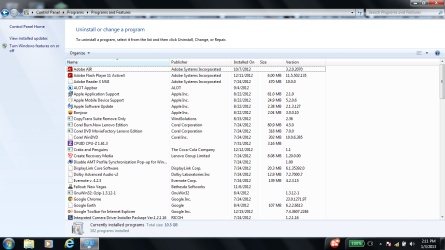
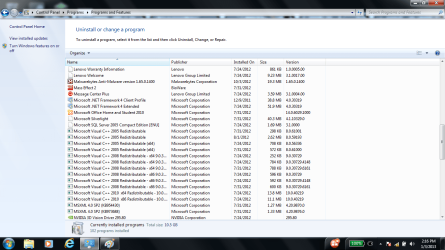
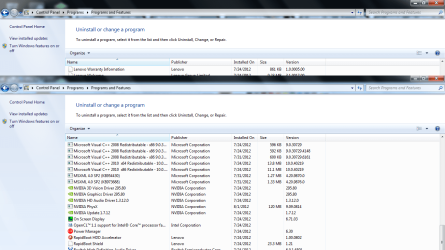
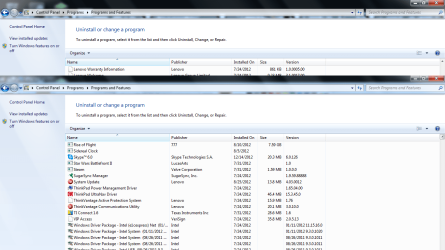
Maybe if I could see a list of the installed programs from add/remove programs, because something on your system is preventing you from making contact with the internet. The ipconfig says you should be online.
 

My Computer My Computer

At a glance

Windows 7 Ult, Windows 8.1 Pro,Q9650-4.275GHz, E8600 4.5GHz, E6750-3.8GHzG.Skill PC2 9600 1200Mhz 5 5 5 15 2TGTX480
Computer type
PC/Desktop
Computer Manufacturer/Model Number
Home built
OS
Windows 7 Ult, Windows 8.1 Pro,
CPU
Q9650-4.275GHz, E8600 4.5GHz, E6750-3.8GHz
Motherboard
Evga 780i FTW
Memory
G.Skill PC2 9600 1200Mhz 5 5 5 15 2T
Graphics Card(s)
GTX480
Sound Card
Asus Xonar D2
Monitor(s) Displays
HannsG
Screen Resolution
1680X1050
Hard Drives
GSkill Phoenix Pro 120GB SSD
PSU
ThermalTake Toughpower 1000Watt modular
Case
ThermalTake XaserV
Cooling
Xigmatek S1283
Keyboard
Logitech G15
Mouse
Logitech G9
Internet Speed
T1
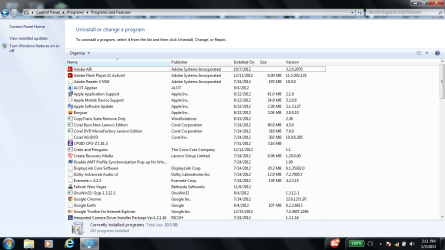
I took a few screenshots, but I'm not really sure how to post them on here... I added them as attachments, its 5 .png on my flashdrive...
 

Attachments

  • 1.png
    1.png
    73.7 KB · Views: 9
  • 2.png
    2.png
    73.7 KB · Views: 7
  • 3.png
    3.png
    73.4 KB · Views: 8
  • 4.png
    4.png
    82 KB · Views: 6
  • 5.png
    5.png
    83.9 KB · Views: 6

My Computer My Computer

At a glance

Windows 7 Home Premium 64bitIntel Core i5-3320M 2.60Ghz
Computer Manufacturer/Model Number
Lenovo Thinkpad T530
OS
Windows 7 Home Premium 64bit
CPU
Intel Core i5-3320M 2.60Ghz
Oh okay that works
 

My Computer My Computer

At a glance

Windows 7 Home Premium 64bitIntel Core i5-3320M 2.60Ghz
Computer Manufacturer/Model Number
Lenovo Thinkpad T530
OS
Windows 7 Home Premium 64bit
CPU
Intel Core i5-3320M 2.60Ghz
Oh okay that works

You have so many useless programs installed it's difficult to say which ones might be causing problems.

If it were me, I would start by uninstalling all the Lenovo preinstalled programs.

It might help to reset winsock and the tcp/ip stack. Type or paste the following commands ones at time into an elevated command prompt, hit enter after each one then reboot your system. :geek:

netsh winsock reset catalog (reset winsock entries)

netsh int ip reset reset.log hit (reset TCP/IP stack)
 

My Computer My Computer

At a glance

Windows 7 Ult, Windows 8.1 Pro,Q9650-4.275GHz, E8600 4.5GHz, E6750-3.8GHzG.Skill PC2 9600 1200Mhz 5 5 5 15 2TGTX480
Computer type
PC/Desktop
Computer Manufacturer/Model Number
Home built
OS
Windows 7 Ult, Windows 8.1 Pro,
CPU
Q9650-4.275GHz, E8600 4.5GHz, E6750-3.8GHz
Motherboard
Evga 780i FTW
Memory
G.Skill PC2 9600 1200Mhz 5 5 5 15 2T
Graphics Card(s)
GTX480
Sound Card
Asus Xonar D2
Monitor(s) Displays
HannsG
Screen Resolution
1680X1050
Hard Drives
GSkill Phoenix Pro 120GB SSD
PSU
ThermalTake Toughpower 1000Watt modular
Case
ThermalTake XaserV
Cooling
Xigmatek S1283
Keyboard
Logitech G15
Mouse
Logitech G9
Internet Speed
T1
Back
Top