I have Windows 7 and Ubuntu in my Lenovo laptop
And couple of days back i wanted to format the windows partition , and in the recovery environment thing , there was something wrong , and i ended up deleting the 200 mb partition of Windows , I think which contains the OS files ..
Now my Windows 7 wont run , its simply gives an error page :
Error : Drive does not exist , ( a 20 lettered hexadecimal thing here )
Error : Disk not exist
Is there anyway i can recover my Windows 7 ?
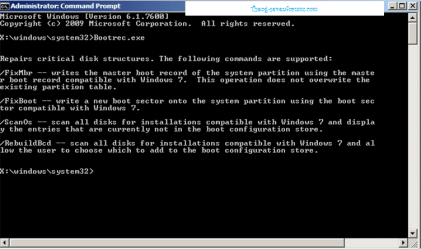
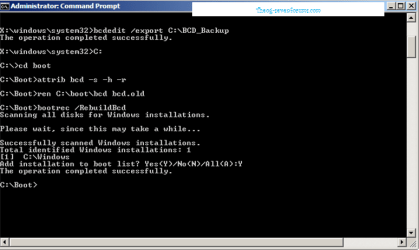
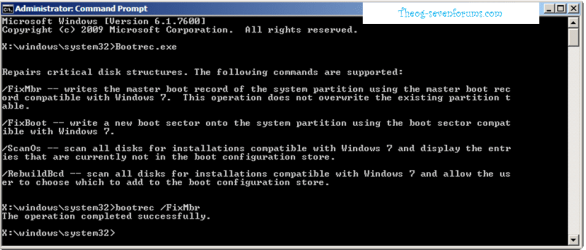
I can still acces the Windows Recovery mode , as it is an option in the OS selction , but it leads me to a DOS like terminal , in which i do not know any of its codes .
Help Please ?
And couple of days back i wanted to format the windows partition , and in the recovery environment thing , there was something wrong , and i ended up deleting the 200 mb partition of Windows , I think which contains the OS files ..
Now my Windows 7 wont run , its simply gives an error page :
Error : Drive does not exist , ( a 20 lettered hexadecimal thing here )
Error : Disk not exist
Is there anyway i can recover my Windows 7 ?
I can still acces the Windows Recovery mode , as it is an option in the OS selction , but it leads me to a DOS like terminal , in which i do not know any of its codes .
Help Please ?
My Computer
- OS
- Windows 7 64 Bit