p4l1ndr0m3
New member
- Local time
- 2:12 PM
- Messages
- 14
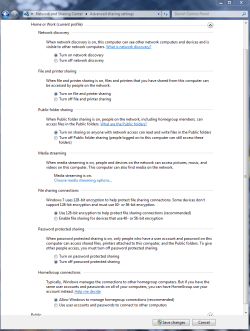
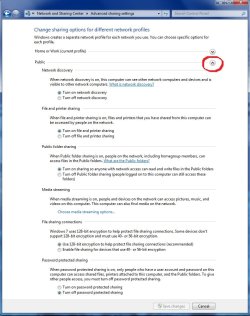
I rebooted after I installed some Windows Updates and ATI Catalyst 10.1. Now my neither shared folders nor my shared printer can be accessed over the network from other computers. No settings were changed, everything in the Network and Sharing Center was verified to be the way it should be. Permissions on the folders include "Everyone" with full write access.
Running Windows 7 x64 Ultimate (legitimate licensed copy)
I don't even know where to go from here. I've tried disabling the shared folders and resharing them. Changed settings in the network and sharing center to no avail. Suggestions on how to proceed would be appreciated... I really don't want to reformat when I just did so less than a month ago...
Running Windows 7 x64 Ultimate (legitimate licensed copy)
I don't even know where to go from here. I've tried disabling the shared folders and resharing them. Changed settings in the network and sharing center to no avail. Suggestions on how to proceed would be appreciated... I really don't want to reformat when I just did so less than a month ago...
My Computer
- OS
- Windows 7 x64 Ultimate
- CPU
- AMD Phenom II 955 Black Edition @ 3.6GHz
- Motherboard
- ASUS M4A78T-E
- Memory
- Crucial Ballistix Tracer 2x2GB @1600MHz (7-7-7-24-2T)
- Graphics Card(s)
- ATI Radeon HD4890 @ 925/1050
- Sound Card
- Creative SoundBlaster X-Fi Platinum
- Monitor(s) Displays
- Sceptre X226W - 22" 1920x1080
- Hard Drives
- Western Digital 1TB Black
Hitachi 2TB 7200RPM
Seagate 400GB
Western Digital 74GB Raptor (old primary drive)
- PSU
- CoolerMaster Silent Pro RS-700-AMBA-D3 Modular
- Case
- CoolerMaster HAF922
- Cooling
- 2-230mm & 5-120mm fans