Windows 7: File and Folder Sharing Issues

p4l1ndr0m3

New member
Local time
5:18 PM
Messages
14
I rebooted after I installed some Windows Updates and ATI Catalyst 10.1. Now my neither shared folders nor my shared printer can be accessed over the network from other computers. No settings were changed, everything in the Network and Sharing Center was verified to be the way it should be. Permissions on the folders include "Everyone" with full write access.

Running Windows 7 x64 Ultimate (legitimate licensed copy)

I don't even know where to go from here. I've tried disabling the shared folders and resharing them. Changed settings in the network and sharing center to no avail. Suggestions on how to proceed would be appreciated... I really don't want to reformat when I just did so less than a month ago... :cry:
 

My Computer

OS
Windows 7 x64 Ultimate
CPU
AMD Phenom II 955 Black Edition @ 3.6GHz
Motherboard
ASUS M4A78T-E
Memory
Crucial Ballistix Tracer 2x2GB @1600MHz (7-7-7-24-2T)
Graphics Card(s)
ATI Radeon HD4890 @ 925/1050
Sound Card
Creative SoundBlaster X-Fi Platinum
Monitor(s) Displays
Sceptre X226W - 22" 1920x1080
Hard Drives
Western Digital 1TB Black
Hitachi 2TB 7200RPM
Seagate 400GB
Western Digital 74GB Raptor (old primary drive)
PSU
CoolerMaster Silent Pro RS-700-AMBA-D3 Modular
Case
CoolerMaster HAF922
Cooling
2-230mm & 5-120mm fans
Try and see if uninstalling the updates, reverts things back to normal. This is just to test if the updates has anything to do with it.
 

My Computer

Computer Manufacturer/Model Number
Lenovo ThinkPad T60
OS
Windows 7 Ultimate 64Bit
CPU
GenuineIntel Intel(R) Core(TM) DuoCore T2400 @ 1.83GHz
Motherboard
Intel(R) 82801G (ICH7 Family)
Memory
2.00 GB
Graphics Card(s)
Mobile Intel(R) 945 Express Chipset
Sound Card
SoundMAX Integrated Digital HD Audio
Monitor(s) Displays
ThinkPad Display
Screen Resolution
1400x1050
Hard Drives
100Gb SATA
Keyboard
Standard Keyboard
Mouse
HID-compliant Mouse
Internet Speed
Cable Broadband - 54Mbps
Other Info
Intel(R) PRO/1000 PL Network Connection
11a/b/g Wireless LAN Mini PCI Express Adapter
Try and see if uninstalling the updates, reverts things back to normal. This is just to test if the updates has anything to do with it.

I rolled back the updates as requested. Didn't help. Here is a pic of my current Network and Sharing Center settings:

currentsettings.jpg


Network is currently set as work, as it has always been.
 
Last edited:

My Computer

OS
Windows 7 x64 Ultimate
CPU
AMD Phenom II 955 Black Edition @ 3.6GHz
Motherboard
ASUS M4A78T-E
Memory
Crucial Ballistix Tracer 2x2GB @1600MHz (7-7-7-24-2T)
Graphics Card(s)
ATI Radeon HD4890 @ 925/1050
Sound Card
Creative SoundBlaster X-Fi Platinum
Monitor(s) Displays
Sceptre X226W - 22" 1920x1080
Hard Drives
Western Digital 1TB Black
Hitachi 2TB 7200RPM
Seagate 400GB
Western Digital 74GB Raptor (old primary drive)
PSU
CoolerMaster Silent Pro RS-700-AMBA-D3 Modular
Case
CoolerMaster HAF922
Cooling
2-230mm & 5-120mm fans
If you have checked that everything is the same and you feel it should be working. Try creating a new share and test connect to that.
 

My Computer

Computer Manufacturer/Model Number
Lenovo ThinkPad T60
OS
Windows 7 Ultimate 64Bit
CPU
GenuineIntel Intel(R) Core(TM) DuoCore T2400 @ 1.83GHz
Motherboard
Intel(R) 82801G (ICH7 Family)
Memory
2.00 GB
Graphics Card(s)
Mobile Intel(R) 945 Express Chipset
Sound Card
SoundMAX Integrated Digital HD Audio
Monitor(s) Displays
ThinkPad Display
Screen Resolution
1400x1050
Hard Drives
100Gb SATA
Keyboard
Standard Keyboard
Mouse
HID-compliant Mouse
Internet Speed
Cable Broadband - 54Mbps
Other Info
Intel(R) PRO/1000 PL Network Connection
11a/b/g Wireless LAN Mini PCI Express Adapter
Same thing. "You do not have permission to access \\Computer. Contact your network administrator to request access."
 

My Computer

OS
Windows 7 x64 Ultimate
CPU
AMD Phenom II 955 Black Edition @ 3.6GHz
Motherboard
ASUS M4A78T-E
Memory
Crucial Ballistix Tracer 2x2GB @1600MHz (7-7-7-24-2T)
Graphics Card(s)
ATI Radeon HD4890 @ 925/1050
Sound Card
Creative SoundBlaster X-Fi Platinum
Monitor(s) Displays
Sceptre X226W - 22" 1920x1080
Hard Drives
Western Digital 1TB Black
Hitachi 2TB 7200RPM
Seagate 400GB
Western Digital 74GB Raptor (old primary drive)
PSU
CoolerMaster Silent Pro RS-700-AMBA-D3 Modular
Case
CoolerMaster HAF922
Cooling
2-230mm & 5-120mm fans
What have you got in the Security tab of the share? add the name of the account you are using. I normally put in the account that i'm logging on that machine with.
 

My Computer

Computer Manufacturer/Model Number
Lenovo ThinkPad T60
OS
Windows 7 Ultimate 64Bit
CPU
GenuineIntel Intel(R) Core(TM) DuoCore T2400 @ 1.83GHz
Motherboard
Intel(R) 82801G (ICH7 Family)
Memory
2.00 GB
Graphics Card(s)
Mobile Intel(R) 945 Express Chipset
Sound Card
SoundMAX Integrated Digital HD Audio
Monitor(s) Displays
ThinkPad Display
Screen Resolution
1400x1050
Hard Drives
100Gb SATA
Keyboard
Standard Keyboard
Mouse
HID-compliant Mouse
Internet Speed
Cable Broadband - 54Mbps
Other Info
Intel(R) PRO/1000 PL Network Connection
11a/b/g Wireless LAN Mini PCI Express Adapter
userrights.png
 

My Computer

OS
Windows 7 x64 Ultimate
CPU
AMD Phenom II 955 Black Edition @ 3.6GHz
Motherboard
ASUS M4A78T-E
Memory
Crucial Ballistix Tracer 2x2GB @1600MHz (7-7-7-24-2T)
Graphics Card(s)
ATI Radeon HD4890 @ 925/1050
Sound Card
Creative SoundBlaster X-Fi Platinum
Monitor(s) Displays
Sceptre X226W - 22" 1920x1080
Hard Drives
Western Digital 1TB Black
Hitachi 2TB 7200RPM
Seagate 400GB
Western Digital 74GB Raptor (old primary drive)
PSU
CoolerMaster Silent Pro RS-700-AMBA-D3 Modular
Case
CoolerMaster HAF922
Cooling
2-230mm & 5-120mm fans
Security tab?
 

My Computer

Computer Manufacturer/Model Number
Lenovo ThinkPad T60
OS
Windows 7 Ultimate 64Bit
CPU
GenuineIntel Intel(R) Core(TM) DuoCore T2400 @ 1.83GHz
Motherboard
Intel(R) 82801G (ICH7 Family)
Memory
2.00 GB
Graphics Card(s)
Mobile Intel(R) 945 Express Chipset
Sound Card
SoundMAX Integrated Digital HD Audio
Monitor(s) Displays
ThinkPad Display
Screen Resolution
1400x1050
Hard Drives
100Gb SATA
Keyboard
Standard Keyboard
Mouse
HID-compliant Mouse
Internet Speed
Cable Broadband - 54Mbps
Other Info
Intel(R) PRO/1000 PL Network Connection
11a/b/g Wireless LAN Mini PCI Express Adapter
Try and see if uninstalling the updates, reverts things back to normal. This is just to test if the updates has anything to do with it.

I rolled back the updates as requested. Didn't help. Here is a pic of my current Network and Sharing Center settings:

currentsettings.jpg


Network is currently set as work, as it has always been.

I have notice that you have "turn off public folder sharing", is your home network set up as public or private?

cheers
xxrazor
 

My Computer

OS
Dual Boot 7600 RTM x64
Motherboard
Asus P5B
Memory
6GB
Graphics Card(s)
NVIDIA GeForce 9600GT
Monitor(s) Displays
Benq 24" x 2
Screen Resolution
1600 x 1024
Hard Drives
Seagate 160 GB Sata
Western Digital 1.5 TB Sata
Seagate 400 GB External
Case
Antec
I have notice that you have "turn off public folder sharing", is your home network set up as public or private?

cheers
xxrazor

I don't care about public folders (documents, music, pictures, etc), I want the folders that I tell it to share to be shared. This is how I've been setting my shared folders up since Vista a few years ago. I don't understand why it has decided to stop working on its own...
 
Last edited:

My Computer

OS
Windows 7 x64 Ultimate
CPU
AMD Phenom II 955 Black Edition @ 3.6GHz
Motherboard
ASUS M4A78T-E
Memory
Crucial Ballistix Tracer 2x2GB @1600MHz (7-7-7-24-2T)
Graphics Card(s)
ATI Radeon HD4890 @ 925/1050
Sound Card
Creative SoundBlaster X-Fi Platinum
Monitor(s) Displays
Sceptre X226W - 22" 1920x1080
Hard Drives
Western Digital 1TB Black
Hitachi 2TB 7200RPM
Seagate 400GB
Western Digital 74GB Raptor (old primary drive)
PSU
CoolerMaster Silent Pro RS-700-AMBA-D3 Modular
Case
CoolerMaster HAF922
Cooling
2-230mm & 5-120mm fans

My Computer

OS
Windows 7 x64 Ultimate
CPU
AMD Phenom II 955 Black Edition @ 3.6GHz
Motherboard
ASUS M4A78T-E
Memory
Crucial Ballistix Tracer 2x2GB @1600MHz (7-7-7-24-2T)
Graphics Card(s)
ATI Radeon HD4890 @ 925/1050
Sound Card
Creative SoundBlaster X-Fi Platinum
Monitor(s) Displays
Sceptre X226W - 22" 1920x1080
Hard Drives
Western Digital 1TB Black
Hitachi 2TB 7200RPM
Seagate 400GB
Western Digital 74GB Raptor (old primary drive)
PSU
CoolerMaster Silent Pro RS-700-AMBA-D3 Modular
Case
CoolerMaster HAF922
Cooling
2-230mm & 5-120mm fans
Ok, have you tried "Tsunami\palindrome" as the userid when you try to connect to the share. Check if palindrome has Full Control.
 

My Computer

Computer Manufacturer/Model Number
Lenovo ThinkPad T60
OS
Windows 7 Ultimate 64Bit
CPU
GenuineIntel Intel(R) Core(TM) DuoCore T2400 @ 1.83GHz
Motherboard
Intel(R) 82801G (ICH7 Family)
Memory
2.00 GB
Graphics Card(s)
Mobile Intel(R) 945 Express Chipset
Sound Card
SoundMAX Integrated Digital HD Audio
Monitor(s) Displays
ThinkPad Display
Screen Resolution
1400x1050
Hard Drives
100Gb SATA
Keyboard
Standard Keyboard
Mouse
HID-compliant Mouse
Internet Speed
Cable Broadband - 54Mbps
Other Info
Intel(R) PRO/1000 PL Network Connection
11a/b/g Wireless LAN Mini PCI Express Adapter
Ok, have you tried "Tsunami\palindrome" as the userid when you try to connect to the share. Check if palindrome has Full Control.

Tsunami is my computer name, palindrome is the user name I log on with. When I got to "network" on any computer and double click, it immediately comes up with the permission message, as if file sharing is turned off. I think I might try a windows repair and see if it catches anything... I really want to avoid reformatting... :confused:
 

My Computer

OS
Windows 7 x64 Ultimate
CPU
AMD Phenom II 955 Black Edition @ 3.6GHz
Motherboard
ASUS M4A78T-E
Memory
Crucial Ballistix Tracer 2x2GB @1600MHz (7-7-7-24-2T)
Graphics Card(s)
ATI Radeon HD4890 @ 925/1050
Sound Card
Creative SoundBlaster X-Fi Platinum
Monitor(s) Displays
Sceptre X226W - 22" 1920x1080
Hard Drives
Western Digital 1TB Black
Hitachi 2TB 7200RPM
Seagate 400GB
Western Digital 74GB Raptor (old primary drive)
PSU
CoolerMaster Silent Pro RS-700-AMBA-D3 Modular
Case
CoolerMaster HAF922
Cooling
2-230mm & 5-120mm fans
bump
 

My Computer

OS
Windows 7 x64 Ultimate
CPU
AMD Phenom II 955 Black Edition @ 3.6GHz
Motherboard
ASUS M4A78T-E
Memory
Crucial Ballistix Tracer 2x2GB @1600MHz (7-7-7-24-2T)
Graphics Card(s)
ATI Radeon HD4890 @ 925/1050
Sound Card
Creative SoundBlaster X-Fi Platinum
Monitor(s) Displays
Sceptre X226W - 22" 1920x1080
Hard Drives
Western Digital 1TB Black
Hitachi 2TB 7200RPM
Seagate 400GB
Western Digital 74GB Raptor (old primary drive)
PSU
CoolerMaster Silent Pro RS-700-AMBA-D3 Modular
Case
CoolerMaster HAF922
Cooling
2-230mm & 5-120mm fans
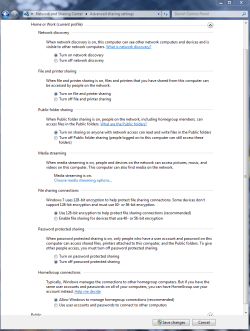
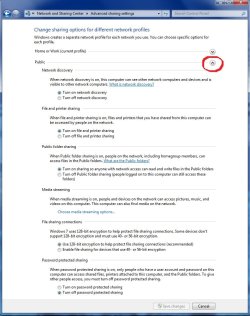
Have you tried turning on the Public file sharing option? You will also want to make sure that the sharing options under the Public file sharing window are turned on like in the pictures below.
 

Attachments

  • Home or work homegroup enable.PNG
    Home or work homegroup enable.PNG
    189.2 KB · Views: 28
  • public sharing enabled all found.jpg
    public sharing enabled all found.jpg
    91.5 KB · Views: 37

My Computer

Computer type
PC/Desktop
Computer Manufacturer/Model Number
Home built
OS
Windows 7 Ult, Windows 8.1 Pro,
CPU
Q9650-4.275GHz, E8600 4.5GHz, E6750-3.8GHz
Motherboard
Evga 780i FTW
Memory
G.Skill PC2 9600 1200Mhz 5 5 5 15 2T
Graphics Card(s)
GTX480
Sound Card
Asus Xonar D2
Monitor(s) Displays
HannsG
Screen Resolution
1680X1050
Hard Drives
GSkill Phoenix Pro 120GB SSD
PSU
ThermalTake Toughpower 1000Watt modular
Case
ThermalTake XaserV
Cooling
Xigmatek S1283
Keyboard
Logitech G15
Mouse
Logitech G9
Internet Speed
T1
Have you tried turning on the Public file sharing option? You will also want to make sure that the sharing options under the Public file sharing window are turned on like in the pictures below.

Yes, but Public folder sharing is only for folders like "Music" or "Videos" or "My Documents" or "Pictures."

The public sharing picture (the 2nd one) is for public networks, when you assign a network type to a new network. That doesn't apply here (but I've tried it anyway). I guess I should restate my issue as my computer is not accessible over the network. You can see if, but you cannot connect to it, thus you cannot see the folders that are shared.
 

My Computer

OS
Windows 7 x64 Ultimate
CPU
AMD Phenom II 955 Black Edition @ 3.6GHz
Motherboard
ASUS M4A78T-E
Memory
Crucial Ballistix Tracer 2x2GB @1600MHz (7-7-7-24-2T)
Graphics Card(s)
ATI Radeon HD4890 @ 925/1050
Sound Card
Creative SoundBlaster X-Fi Platinum
Monitor(s) Displays
Sceptre X226W - 22" 1920x1080
Hard Drives
Western Digital 1TB Black
Hitachi 2TB 7200RPM
Seagate 400GB
Western Digital 74GB Raptor (old primary drive)
PSU
CoolerMaster Silent Pro RS-700-AMBA-D3 Modular
Case
CoolerMaster HAF922
Cooling
2-230mm & 5-120mm fans
For that problem try doing what it says in this TechNet thread. Doing just the registry edit should be enough.
http://social.answers.microsoft.com.../thread/caa493df-067c-44a9-a77b-cd5d91ccf19a/

Also, you do need to have the Public file sharing option enabled for all types of sharing. That setting can have an effect on other sharing options so you are best off leaving it enabled for now.

Are you using Homegroups or Workgroups? Do you have any AV software or a third part firewall installed?

If you are using Homegroups try this.
If that doesn't fix the problem try this TechNet fix for the problem.

The fix seems to be Deleting the file idstore.sst under C:\windows\serviceProfiles\LocalService\AppData\Roaming\PeerNetworking which fixed it.

You may need to go back into services and enable Peernetworking again after the fix. Don't forget to restart all machines after this.
 
Last edited:

My Computer

Computer type
PC/Desktop
Computer Manufacturer/Model Number
Home built
OS
Windows 7 Ult, Windows 8.1 Pro,
CPU
Q9650-4.275GHz, E8600 4.5GHz, E6750-3.8GHz
Motherboard
Evga 780i FTW
Memory
G.Skill PC2 9600 1200Mhz 5 5 5 15 2T
Graphics Card(s)
GTX480
Sound Card
Asus Xonar D2
Monitor(s) Displays
HannsG
Screen Resolution
1680X1050
Hard Drives
GSkill Phoenix Pro 120GB SSD
PSU
ThermalTake Toughpower 1000Watt modular
Case
ThermalTake XaserV
Cooling
Xigmatek S1283
Keyboard
Logitech G15
Mouse
Logitech G9
Internet Speed
T1
Yes you go into Network in Explorer and double click on it, and get the error. Have you tried creating a share from that machine and test map to it?
 

My Computer

Computer Manufacturer/Model Number
Lenovo ThinkPad T60
OS
Windows 7 Ultimate 64Bit
CPU
GenuineIntel Intel(R) Core(TM) DuoCore T2400 @ 1.83GHz
Motherboard
Intel(R) 82801G (ICH7 Family)
Memory
2.00 GB
Graphics Card(s)
Mobile Intel(R) 945 Express Chipset
Sound Card
SoundMAX Integrated Digital HD Audio
Monitor(s) Displays
ThinkPad Display
Screen Resolution
1400x1050
Hard Drives
100Gb SATA
Keyboard
Standard Keyboard
Mouse
HID-compliant Mouse
Internet Speed
Cable Broadband - 54Mbps
Other Info
Intel(R) PRO/1000 PL Network Connection
11a/b/g Wireless LAN Mini PCI Express Adapter
For that problem try doing what it says in this TechNet thread. Doing just the registry edit should be enough.
Networking - can see shared folders but cannot access them

Also, you do need to have the Public file sharing option enabled for all types of sharing. That setting can have an effect on other sharing options so you are best off leaving it enabled for now.

Are you using Homegroups or Workgroups? Do you have any AV software or a third part firewall installed?

If you are using Homegroups try this.
If that doesn't fix the problem try this TechNet fix for the problem.

The fix seems to be Deleting the file idstore.sst under C:\windows\serviceProfiles\LocalService\AppData\Roaming\PeerNetworking which fixed it.

You may need to go back into services and enable Peernetworking again after the fix. Don't forget to restart all machines after this.

Try these steps and check if it helps.
1. Run regedit.
2. Navigate to:
HKEY_LOCAL_MACHINE\SYSTEM\CurrentControlSet\Control\Lsa
3. Create a DWORD value under Lsa
LmCompatibilityLevel
4. Set the value to 1
5. Quit regedit
6. From Start/Run type gpupdate /force
On Windows 2000 Server: go to start, run, type gpedit.msc and click ok.
Under computer configuration, windows settings, security setting, local policies, security options.
Look for LAN Manager Authentication Level. Set it to SEND LM & NTLM - use NTLMv2 session security if negotiated.
Click OK.
Then run these commands:
secedit /refreshpolicy user_policy
secedit /refreshpolicy machine_policy


^Did that, didn't work...


I also tried renaming my workgroup, that didn't work either.
 

My Computer

OS
Windows 7 x64 Ultimate
CPU
AMD Phenom II 955 Black Edition @ 3.6GHz
Motherboard
ASUS M4A78T-E
Memory
Crucial Ballistix Tracer 2x2GB @1600MHz (7-7-7-24-2T)
Graphics Card(s)
ATI Radeon HD4890 @ 925/1050
Sound Card
Creative SoundBlaster X-Fi Platinum
Monitor(s) Displays
Sceptre X226W - 22" 1920x1080
Hard Drives
Western Digital 1TB Black
Hitachi 2TB 7200RPM
Seagate 400GB
Western Digital 74GB Raptor (old primary drive)
PSU
CoolerMaster Silent Pro RS-700-AMBA-D3 Modular
Case
CoolerMaster HAF922
Cooling
2-230mm & 5-120mm fans
Hmm, if I do the following:

\\COMPUTERNAME\SHAREDFOLDER

It takes about 45 seconds, but the folder DOES open.
 

My Computer

OS
Windows 7 x64 Ultimate
CPU
AMD Phenom II 955 Black Edition @ 3.6GHz
Motherboard
ASUS M4A78T-E
Memory
Crucial Ballistix Tracer 2x2GB @1600MHz (7-7-7-24-2T)
Graphics Card(s)
ATI Radeon HD4890 @ 925/1050
Sound Card
Creative SoundBlaster X-Fi Platinum
Monitor(s) Displays
Sceptre X226W - 22" 1920x1080
Hard Drives
Western Digital 1TB Black
Hitachi 2TB 7200RPM
Seagate 400GB
Western Digital 74GB Raptor (old primary drive)
PSU
CoolerMaster Silent Pro RS-700-AMBA-D3 Modular
Case
CoolerMaster HAF922
Cooling
2-230mm & 5-120mm fans
Back
Top