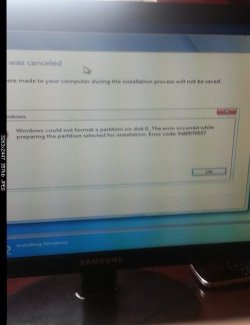
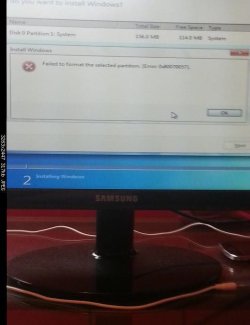
Windows 7 cannot be installed to disk 0 partition 2
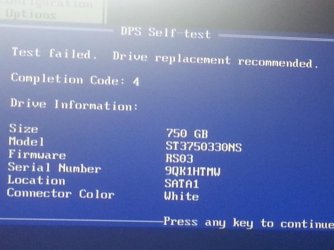
Update 1 :When I turn on the Computer this is the display message I get , what does it mean?.I can still boot the Windows Installation Disc after that Display message by pressing F1 to boot. Is this why Windows isn't installing properly.
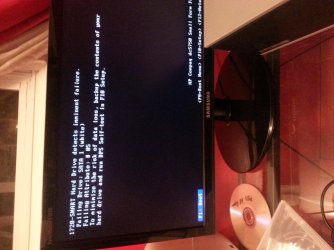
Update 2 [Recent]
I was able to bypass the Windows Installation Error 0x80070057 by following the guide step by step , I posted below , however I have encountered another issue. It shows me a warning sign with the message "windows cannot be installed to partition 0 disk 2". I will post a picture soon.
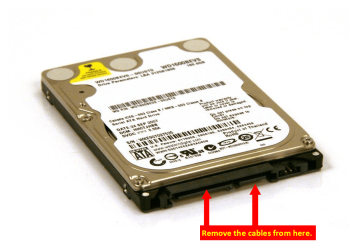
Error 0x80070057 when you format a hard disk drive to install Windows 7
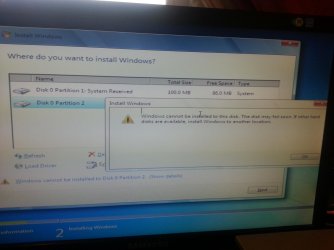
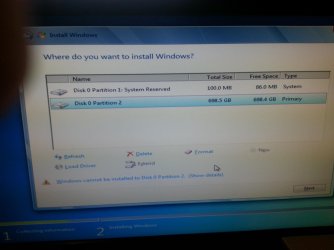
Update 1 :When I turn on the Computer this is the display message I get , what does it mean?.I can still boot the Windows Installation Disc after that Display message by pressing F1 to boot. Is this why Windows isn't installing properly.
Update 2 [Recent]
I was able to bypass the Windows Installation Error 0x80070057 by following the guide step by step , I posted below , however I have encountered another issue. It shows me a warning sign with the message "windows cannot be installed to partition 0 disk 2". I will post a picture soon.
Error 0x80070057 when you format a hard disk drive to install Windows 7
Last edited:
My Computer
At a glance
Windows 8.1 64 bitWindows 8.1 64-bit4096 MB RAMMicrosoft Basic Display Adapter
- Computer type
- Laptop
- Computer Manufacturer/Model Number
- Acer Aspire M5100
- OS
- Windows 8.1 64 bit
- CPU
- Windows 8.1 64-bit
- Motherboard
- Toshiba L745D
- Memory
- 4096 MB RAM
- Graphics Card(s)
- Microsoft Basic Display Adapter
- Sound Card
- High Definition Audio Device
- Monitor(s) Displays
- 1366x768
- Screen Resolution
- 1366x768
- Keyboard
- Logitech Keyboard K800
- Antivirus
- MalwareBytes
- Browser
- Google Chrome