Windows 7 Perceived Bugs & Glitches List

I did not read the entire thing, but,,,,,
These threads do produce a problem in that,,, People who think they have found a bug, well,, 9 times out of ten, it's a problem with that users system, hardware, software, some combination of something they have done or are using. But that alone does not constitute a bug in Windows.

Don't get me wrong, I am not trying to flame anyone or cause a problem, just pointing out that not every problem that someone has is a bug. Of all the posts I have read, the largest majority can be explained and probably fixed. Yes, there can be minor bugs, but they are usually very difficult to actually track down by anyone on a thread and need to be reported to MS, so they can check it out and determine if it is an actual bug or not.

Major bugs happen to everyone. Minor bugs happen to people with a certain software and/or hardware profile. Other bugs are not Windows bugs at all, but third party software, hardware, drivers or combination of the 3, or other mythic thing.

Just cause some people have problems with some things, does not make that problem a bug. It could be in the hardware, software, drivers, or planet alignment when you started working or installed the system. But, not everything in this thread that is spoken about as bugs are actual bugs, they are issues that a minority of users have. REal Bugs are things that happen to everyone, all the time, or everyone of a similar hardware/software profile,,, example of legitimate major bugs in Win 7.........

1. Set your desktop background to any solid color.
2. Reboot your computer u will observe a 30 sec delay on welcome screen.

How do u explain this

3. Set a picture background u will see the welcome screen delay from log in is gone.
And.....

This drives me nuts. When navigating in Windows Explorer, if you double click a folder in the left pane to expand it, the folder you double clicked stays stationary and its contents expand below it. This what you would expect.

However, if you continue double clicking to expand a folder in the left pane, the folder moves from under your mouse down to the bottom of the pane. Any folder you double click from then on jumps down close to the bottom of the left pane instead of staying stationary and simply expanding under your cursor like you would expect.

If you double click a folder in the right pane to expand it, its twin in the left pane also jumps to the bottom of the left pane.
Those are major Real Bugs, Because these happen to everyone, all the time, no matter what system they have.

Most of the posts that I have read here should be sent out to their own threads to have the problem sorted. Example:.......

Not a Windows/IE8 bug.... Trust me, it's your system having a problem, which needs to be found and should be able to be fixed.

Internet Explorer 8 is very unstable. It locks up unexpectedly. There can be an aged open window

with a web page that was working fine. It sits there for awhile unattended. I click on the title bar after awhile and it locks up (I see the spinning mouse pointer). I have to use Ctrl+Alt+Del to bring up the Task Manager to kill the program. This happens 4 or 5 times per day for me.
Also, Not a Windows Bug....

yeah that's not whats happening to me.
New Gateway with Windows 7 64x
Sometimes when I click on a file I get multiple " are you sure you want to move the File/folder/shortcut to the recycle bin" also sometime after I have typed text it backspace's it all to the last period. I have lost entire pages an post to this bug.

the only remedy seems to be using the task manager and the close but just clicking on them.

could this be a mouse/keyboard bug or do I have something more evil.
This is more than likely a keyboard problem or other issue.

The problem with Bug threads like this is it promotes a since of "Wow, that many bugs really?" to all novices who don't really know any better.

Instead of posting in the regular forum and getting the help they need in a more timely manner, they might post here and call their problem a bug cause they may be already predisposed to Windows being Buggy in general, which is false.

I'm just saying.
 

My Computer My Computer

Computer Manufacturer/Model Number
Self Built
OS
Win 7 Ultimate 32bit
CPU
C2D E6600 2.4Ghz
Motherboard
Intel D965WH
Memory
4G Kingston KHX5400D2
Graphics Card(s)
EVGA GTX 570 HD SC (012-P3-1573-KR)
Sound Card
On-Board
Monitor(s) Displays
Samsung 226BW
Screen Resolution
1680 x 1050
Hard Drives
2 x 250 Seagate Barracuda
2 x 500 Seagate Barracuda (Raid1)
PSU
Corsair TX750W
Case
In-Win C589
Cooling
Stock Intel Cooling
Very well stated, I agree with Tepid ;)
 

Attachments

  • Bug.gif
    Bug.gif
    5.4 KB · Views: 237

My Computer My Computer

Computer type
PC/Desktop
Computer Manufacturer/Model Number
Built them myself, Science Experiments !
OS
Win7 Enterprise, Win7 x86 (Ult 7600), Win7 x64 Ult 7600, TechNet RTM on AMD x64 (2.8Ghz)
CPU
AMD fx8350 4ghz, AMD-32 2400mhz, AMD-64 3200mhz, AMDx64 2.8G
Motherboard
SIS 755, ECS-K8M890M-M (Ult 7600), GigaByte & others
Memory
2gb, 4gb on the Ult 7600, 4gb on Technet RTM, 32gb on FX8350
Graphics Card(s)
Draw my own Graphics, several nVidia cards
Sound Card
on motherboard
Monitor(s) Displays
19" flat scr, 28" I-Inc widescr,22" Emprex Widescr, 23" Acer
Screen Resolution
1280 x 1024, 1440 x 900, 1920 x 1080
Hard Drives
6 pata Ide HD's & 2 Sata HD's
added 80gb external on Ult 7600 computer,
numerous extra 1tb, 2TB, 3Tb SATA HD's
A collection of ext HD Docks w/ HDs
PSU
430w, 550w, 600w, 700, 800, etc
Case
All Generic Full Towers
Cooling
Open Air & a few fans, some w/ colored LEDs
Keyboard
Compaq & Dell recycled from GoodWill
Mouse
Made in China Optical Wired Mouse
Internet Speed
Fast Cable InterNet
Antivirus
AVG Free on 24 different Desktops, NO Problems!
Browser
IE 8 is preferred, but use FireFox sometimes
Other Info
Linksys Routers, switches, & Hubs
Too Many USB Flash Drives to count, Biggest is 64GB !
Eight computers in my home network.
Sixteen computers at my business network.
Linked via TeamViewer !
Lots of old used spare computer parts everywhere!
Can't burn dual layer DVDs and the hotfix that's out there ........ doesn't lol.

imgburn goes all the way to 99% burn then fails when finalising disc
p278152664.gif
 

My Computer My Computer

Computer Manufacturer/Model Number
Danpass 642
OS
Win 7 64 Pro
CPU
E4400
Motherboard
P5N-E SLI
Memory
2GB - G.Skill DDR2 800 F2-6400CL5D-2GBNQ
Graphics Card(s)
Sapphire 100172L Radeon X1550 256mb
Sound Card
built-in
Monitor(s) Displays
Viewsonic 19"
Screen Resolution
1440x900
PSU
Ultra ULT-VX600
Case
Antec Three Hundred
Cooling
Stock Antec 120 and 140 fans on low plus two 120s for intake
Airbot this might help. Auslogics System Information. Works great for me on 64 bit.
 

My Computer My Computer

Computer type
PC/Desktop
Computer Manufacturer/Model Number
Home made Desktop
OS
Windows 10 Pro. 64/ version 1709 Windows 7 Pro/64
CPU
Intel i7-6800K @ 4.3
Motherboard
ASUS X-99 Deluxe II
Memory
Corsair Platinum 16 gig @2400
Graphics Card(s)
EVGA GTX 1070 OC
Monitor(s) Displays
Asus 27" LED LCD/VE278Q
Screen Resolution
1920-1080 or 1280-720 HDMI
Hard Drives
INTEL SSD 730-240 Gb Sata 3.0/
PSU
EVGA Platium 1200W
Case
Phanteks Luxe Tempered Glass 8 fans/ one radiator
Cooling
XSPC/ Water Cooled CPU
Keyboard
Das 4 Professional
Mouse
Logitech M705/MX Anywhere 2-S
Internet Speed
100 mbits
Antivirus
Microsoft Security Essentials/ Malwarebytes Premium 3.0/ SAS
Browser
I.E. 11 default/Firefox/ ISP Time Warner Cable/Spectrum
Other Info
LG BluRay Burner/
Sound system-KLipsch-THX/
Icy Dock ssd Hot Swap bays.
I am using the keyboard that came with the decks top and a older mouse that I used, and yet the Delete bugs is still killing me

this had been going since day one

a week ago I almost forgot about it
now I cant even open any folder or doc with out having to have task manger open
 

My Computer My Computer

Computer Manufacturer/Model Number
Gateway
OS
7
CPU
Phenom II x4
Memory
8gigs SSR2
Hard Drives
1tb
500GB WD
I consider the following a bug. Thoughts?

Open Remote Desktop to another machine.
Move focus to RDP session.
Click to launch a program that is pinned in your host taskbar.
-- expected: app is launched with focus in app
-- actual: app is launched with focus remaining in the RDP session

This bites me 15-20 times a day, since I work remotely and move among several machines. My host OS is always on my left monitor, and my right monitor is always an RDP session to one of the remote machines. If I'm typing in the right/off-site machine, I swing my mouse over to my host to launch PuTTY or VNC or a browser. If I immediately start typing, I'm actually typing into the RDP session. It's usually just an annoyance, but I have ended up typing passwords in cleartext on another machine.
 

My Computer My Computer

OS
Windows 7
I consider the following a bug. Thoughts?

Open Remote Desktop to another machine.
Move focus to RDP session.
Click to launch a program that is pinned in your host taskbar.
-- expected: app is launched with focus in app
-- actual: app is launched with focus remaining in the RDP session

This bites me 15-20 times a day, since I work remotely and move among several machines. My host OS is always on my left monitor, and my right monitor is always an RDP session to one of the remote machines. If I'm typing in the right/off-site machine, I swing my mouse over to my host to launch PuTTY or VNC or a browser. If I immediately start typing, I'm actually typing into the RDP session. It's usually just an annoyance, but I have ended up typing passwords in cleartext on another machine.

This is by design. I had some issues with this as you are; solution when using RDP I set my screen to 1280 x 1024 or something higher and most of my RDP connections are 1024 x 768 or the wide screen equivalents. Sometimes I have 5 or 6 RDP open at the same time; having them windowed makes it real quick to go between sessions.
 

My Computer My Computer

Computer type
PC/Desktop
Computer Manufacturer/Model Number
Dell OP7010
OS
Windows 7 Enterprise (x64); Windows Server 2008 R2 (x64)
Memory
16GB
Monitor(s) Displays
4 Dell 24" LCD
Screen Resolution
1280x1024
Keyboard
Dell
Mouse
Dell Optical
Internet Speed
40meg
I consider the following a bug. Thoughts?

Open Remote Desktop to another machine.
Move focus to RDP session.
Click to launch a program that is pinned in your host taskbar.
-- expected: app is launched with focus in app
-- actual: app is launched with focus remaining in the RDP session

This bites me 15-20 times a day, since I work remotely and move among several machines. My host OS is always on my left monitor, and my right monitor is always an RDP session to one of the remote machines. If I'm typing in the right/off-site machine, I swing my mouse over to my host to launch PuTTY or VNC or a browser. If I immediately start typing, I'm actually typing into the RDP session. It's usually just an annoyance, but I have ended up typing passwords in cleartext on another machine.

I just tried your steps and it works as you expect it to.
 

My Computer My Computer

Computer Manufacturer/Model Number
Dell Inspiron 1520 (Laptop)/ Home (Desktop)
OS
Windows 7 x64 / Same
CPU
Intel Core 2 Duo T7250 / Intel Core i7 930
Motherboard
Intel 945 / Asus P6X58D-E
Memory
4GB / 6GB
Graphics Card(s)
NVIDIA GeForce 8400M GS / ASUS 1GB
Sound Card
Whatever Dell gave me :-( / Onboard
Monitor(s) Displays
15.4" LCD / Crappy CRT
Hard Drives
Seagate 500GB SATA; 7200 RPM / Seagate 1TB SATA; 7200 RPM
PSU
N/A / OCZ Fatal1ty 550W Modular
Case
N/A / Antec 900
Cooling
Air
Mouse
Microsoft Presenter (Bluetooth)
This is by design. I had some issues with this as you are; solution when using RDP I set my screen to 1280 x 1024 or something higher and most of my RDP connections are 1024 x 768 or the wide screen equivalents. Sometimes I have 5 or 6 RDP open at the same time; having them windowed makes it real quick to go between sessions.

Ah, I'd never tried not having the RD session maximized, but you're correct. I don't use floating windows for anything, so I'll just have to live with it.

Any insight into why this design decision was made? I can't think of a use case where I wouldn't want focus moved to an application that I launch. Maybe a text doc if it's just a reference, but that's a rare case.
 

My Computer My Computer

OS
Windows 7
Windows 7 and 2008 R2 problems with ACTIVE APPLICATION FOCUS:

Yes, I can confirm both products have problems with focusing on active Window. And it happens randomly, most times when you do not expect it to happen.
I cannot state some exact step-by-step example, but as I switched to Windows 7 on my laptop and Server 2008 R2 on my workstation (dual screen), I have constant problems with active windows staying behind some other window, which is not what I was used to when working with XP and server 2003.

Also, RDP sessions *sometimes* unexpectedly loose focus when you start them, and when login window of RDP shows up, it looses focus and you have to click with mouse one more time into RDP window to gain focus on password input field.
This is my experience on dual-screen config, which might be related to the bug.

And NO, it simply cannot be "by design" - if some functionality is for no obvious reason cripled, you cannot say "it's by design", because such a design is buggy.


RDP to Server 2008 R2 / windows 7 looses connectivity after time

Does somebody else have this problem, too?
I work with multiple RDP to different servers all the time. But only RDP's to Server 2008 of Windows 7 get somehow lost after some time. All other RDP connections stay opened for as long as link is up, only RDP to 2008 is lost after few hours.
RDP window is opened, but screen is blank and you cannot revive it. You have to close it and reestablish RDP to get access again.

If this is "by design" again, then what is the purpose of RDP window being opened, but blank and frozen? If it is some security issue, RDP session should either terminate, or fall to login prompt, but not just freeze.
 

My Computer My Computer

Computer Manufacturer/Model Number
Fujitsu Siemens CELSIUS
OS
Windows Server 2008 R2
CPU
XEON
Memory
16 GB
Graphics Card(s)
ATI Radeon HD 4870
Sound Card
Sound blaster X-Fi Xtreme Audio
Monitor(s) Displays
2 x 21 inch LCD
Hard Drives
4 x 750 GB SATA in RAID 10
Cooling
Redundant 6 vents
RDP to Server 2008 R2 / windows 7 looses connectivity after time

Does somebody else have this problem, too?
I work with multiple RDP to different servers all the time. But only RDP's to Server 2008 of Windows 7 get somehow lost after some time. All other RDP connections stay opened for as long as link is up, only RDP to 2008 is lost after few hours.
RDP window is opened, but screen is blank and you cannot revive it. You have to close it and reestablish RDP to get access again.

If this is "by design" again, then what is the purpose of RDP window being opened, but blank and frozen? If it is some security issue, RDP session should either terminate, or fall to login prompt, but not just freeze.

I have a lost connection issue with Server 2003 and Windows 7.
 

My Computer My Computer

Computer Manufacturer/Model Number
Dell Inspiron 1520 (Laptop)/ Home (Desktop)
OS
Windows 7 x64 / Same
CPU
Intel Core 2 Duo T7250 / Intel Core i7 930
Motherboard
Intel 945 / Asus P6X58D-E
Memory
4GB / 6GB
Graphics Card(s)
NVIDIA GeForce 8400M GS / ASUS 1GB
Sound Card
Whatever Dell gave me :-( / Onboard
Monitor(s) Displays
15.4" LCD / Crappy CRT
Hard Drives
Seagate 500GB SATA; 7200 RPM / Seagate 1TB SATA; 7200 RPM
PSU
N/A / OCZ Fatal1ty 550W Modular
Case
N/A / Antec 900
Cooling
Air
Mouse
Microsoft Presenter (Bluetooth)
windows 7 bug

One fo my customers have recently purchased windows 7 64 bit OS. When using my programme the dates and currency are showing as US but are set to UK in regional settings. Anybody heard of this bug? A fix would be hugely appreciated!!

Cheers
 

My Computer My Computer

OS
Windows XP SP3
One fo my customers have recently purchased windows 7 64 bit OS. When using my programme the dates and currency are showing as US but are set to UK in regional settings. Anybody heard of this bug? A fix would be hugely appreciated!!

Cheers

When you say "When using my programme", I'm assuming you mean one you developed yourself? If this is the case, then perhaps this is not a Windows 7 bug, but just you software not properly reading and using the appropriate format settings provided by Windows?

For example, in Delphi, I can use the "FormatDateTime" function on dates and times. It uses the standard variations of Y, M or D when formatting ("dd/mm/yyyy"), which can lead to displays that do not match the system locale. Unless I specifically tell it to use the Shortdate ("ddddd") or Longdate ("dddddd") format strings provided by Windows, then it will not do so.

Perhaps re-checking the code of your program will solve this problem?
 

My Computer My Computer

Computer type
PC/Desktop
Computer Manufacturer/Model Number
Virtual Machine
OS
Windows 7 Professional 32-bit SP1
CPU
AMD A4/A6
Motherboard
Intel Corporation 440BX Desktop Reference Platform
Memory
3.00GB EDO
Graphics Card(s)
VMware SVGA 3D
Sound Card
High Definition Audio Device
Monitor(s) Displays
Generic Non-PnP Monitor on VMware SVGA 3D
Screen Resolution
1440x900
Hard Drives
1 x 60GB VMware Virtual SATA Hard Drive ATA Device
Antivirus
Kaspersky Total Security
OK , the theme is 'Win7 bugs"". May be you guys do not know what "bug" is? :geek:
I am running Win& Ult 32 on 4 different computers and laptops for a whole year and never had the problems You had. So how You think - where is the problem? I think it is in Your machines and Your heads. Don't blame Windows for that.
Don't assume that the computer will know about Your wishes and dreams and fulfill them. It simply responds on Your clicks on the keyboard.
And remember : when all efforts to make a machine to run properly failed - read the manual:sarc:
 

My Computer My Computer

OS
Win 7 Ult 64-bit
CPU
AMD Athlon 455 3core
Memory
6 Gb 1333Mhz
Graphics Card(s)
GForce 545 1,5Gb 192-bit
Monitor(s) Displays
LG IPS234
Hard Drives
1tb
Case
Acer Predator
"Desktop" toolbar has 2 Control Panel icons in it, and if you delete one or both they just come back again.

Notification Area Icons for programs you have uninstalled don't get removed from the "Select which icons and notifications appear on the taskbar" window. It's debatable whether its windows or the program that is at fault, but I have yet to see any program, even a Microsoft one, remove the icon when you uninstall it.

In IE8, if you go to your list of favorites and delete the "Favorites Bar" folder, it just comes back again latter, no matter how many times you delete it.
 

My Computer My Computer

Computer type
PC/Desktop
Computer Manufacturer/Model Number
Home Built
OS
Windows 10 Education 64 bit
CPU
AMD Phenom II X4 980 Black Edition Deneb 3.7GHz
Motherboard
Asus M4N68T-M V2 µATX Motherboard
Memory
8GB 4GBx2 Kingston PC10600 DDR3 1333 Memory
Graphics Card(s)
Zotac NVIDIA Geforce GT640 2 Gig DDR3 PCIe
Sound Card
VIA VT1708s High Definition Audio 8-channel Onboard
Monitor(s) Displays
22" LG E2242 1080p and 2 19" I-INC AG191D
Screen Resolution
1280x1024 - 1920x1080 - 1280x1024
Hard Drives
Crucial M100 256 GB SSD and 500 GB WD Blue SATA
PSU
Thermaltake TR 620
Case
Power Up Black ATX Mid-Tower Case
Cooling
Stock heatsink and fan
Keyboard
Logitech Wireless K350 Wave
Mouse
Logitech Wireless M570 Trackman Wheel
Internet Speed
80 Mbps Down 30 Mbps Up
Antivirus
Windows Defender
Browser
Internet Explorer 11
Other Info
HP DVD1040e Lightscribe - External USB2
In IE8, if you go to your list of favorites and delete the "Favorites Bar" folder, it just comes back again latter, no matter how many times you delete it.

Does it come back with the old favorites you deleted or blank?
 

My Computer My Computer

Computer Manufacturer/Model Number
Dell Inspiron 1520 (Laptop)/ Home (Desktop)
OS
Windows 7 x64 / Same
CPU
Intel Core 2 Duo T7250 / Intel Core i7 930
Motherboard
Intel 945 / Asus P6X58D-E
Memory
4GB / 6GB
Graphics Card(s)
NVIDIA GeForce 8400M GS / ASUS 1GB
Sound Card
Whatever Dell gave me :-( / Onboard
Monitor(s) Displays
15.4" LCD / Crappy CRT
Hard Drives
Seagate 500GB SATA; 7200 RPM / Seagate 1TB SATA; 7200 RPM
PSU
N/A / OCZ Fatal1ty 550W Modular
Case
N/A / Antec 900
Cooling
Air
Mouse
Microsoft Presenter (Bluetooth)
It's just an empty folder in my list of favorites.
 

My Computer My Computer

Computer type
PC/Desktop
Computer Manufacturer/Model Number
Home Built
OS
Windows 10 Education 64 bit
CPU
AMD Phenom II X4 980 Black Edition Deneb 3.7GHz
Motherboard
Asus M4N68T-M V2 µATX Motherboard
Memory
8GB 4GBx2 Kingston PC10600 DDR3 1333 Memory
Graphics Card(s)
Zotac NVIDIA Geforce GT640 2 Gig DDR3 PCIe
Sound Card
VIA VT1708s High Definition Audio 8-channel Onboard
Monitor(s) Displays
22" LG E2242 1080p and 2 19" I-INC AG191D
Screen Resolution
1280x1024 - 1920x1080 - 1280x1024
Hard Drives
Crucial M100 256 GB SSD and 500 GB WD Blue SATA
PSU
Thermaltake TR 620
Case
Power Up Black ATX Mid-Tower Case
Cooling
Stock heatsink and fan
Keyboard
Logitech Wireless K350 Wave
Mouse
Logitech Wireless M570 Trackman Wheel
Internet Speed
80 Mbps Down 30 Mbps Up
Antivirus
Windows Defender
Browser
Internet Explorer 11
Other Info
HP DVD1040e Lightscribe - External USB2
I only have 2 pet peeves right now which I can't tell if it is purely a windows bug or something else...

1) Occasionally, the Windows Desktop fails to remember my icon placement after a restart/shutdown. Sometimes I find the icons reverted to a default placement instead of where I had them, and some other icons are still where I had them so it isn't universal, just some of them.

2) Occassional issues with shutting down where apps, mostly 32bit ones on a 64bit system, needing to 'force close'.
 

My Computer My Computer

Computer Manufacturer/Model Number
Alienware Area 51 Desktop and Dell Inspirion 17R (N7010)
OS
Windows 7 Ultimate x64 and Home Premium x64
CPU
Intel i7 960 (3.2 GHz Quad Core)
Motherboard
Alienware Intel based X58
Memory
12 Gigs (Triple Channel)
Graphics Card(s)
Alienware OEM nVidia GTX 560 Ti (1.25 Gig)
Sound Card
Creative Labs X-Fi Titanium
Monitor(s) Displays
Samsung PX2370 LED 23" Monitor
Screen Resolution
1920x1080
Hard Drives
2 320 Gig SATA in Raid 1 Configuration (System/App)
1 1 Tera SATA (Games)
1 1 Tera SATA (Data/Music/Videos)
PSU
750 Watt Power Supply
Case
Alienware Area 51 Desktop
Cooling
Liquid Cooled
Keyboard
Logitech G510
Mouse
Microsoft Trackball Explorer
Internet Speed
Cable
It's just an empty folder in my list of favorites.

Well since there is no other way to bring it back if the user later decides to have favorites, it has to auto-generate.
 

My Computer My Computer

Computer Manufacturer/Model Number
Dell Inspiron 1520 (Laptop)/ Home (Desktop)
OS
Windows 7 x64 / Same
CPU
Intel Core 2 Duo T7250 / Intel Core i7 930
Motherboard
Intel 945 / Asus P6X58D-E
Memory
4GB / 6GB
Graphics Card(s)
NVIDIA GeForce 8400M GS / ASUS 1GB
Sound Card
Whatever Dell gave me :-( / Onboard
Monitor(s) Displays
15.4" LCD / Crappy CRT
Hard Drives
Seagate 500GB SATA; 7200 RPM / Seagate 1TB SATA; 7200 RPM
PSU
N/A / OCZ Fatal1ty 550W Modular
Case
N/A / Antec 900
Cooling
Air
Mouse
Microsoft Presenter (Bluetooth)
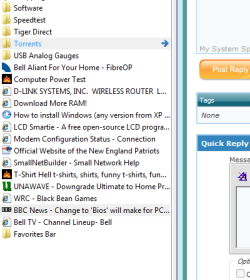
It's just an empty folder in my "List of favorites". Deleting it doesn't delete all my favorites. Here is a screen shoot of where it shows up under my favorites tab in IE. favorites bar.PNG
It's one of several Microsoft created folders that will be in your list of favorites when you open IE for the first time. The others like "Radio Station Guide" you can delete and they never come back. This one just won't go away. Right now it's empty, but it might have had a couple of links in it originally. I seem to remember deleting them in an attempt to get rid of this folder.
 

My Computer My Computer

Computer type
PC/Desktop
Computer Manufacturer/Model Number
Home Built
OS
Windows 10 Education 64 bit
CPU
AMD Phenom II X4 980 Black Edition Deneb 3.7GHz
Motherboard
Asus M4N68T-M V2 µATX Motherboard
Memory
8GB 4GBx2 Kingston PC10600 DDR3 1333 Memory
Graphics Card(s)
Zotac NVIDIA Geforce GT640 2 Gig DDR3 PCIe
Sound Card
VIA VT1708s High Definition Audio 8-channel Onboard
Monitor(s) Displays
22" LG E2242 1080p and 2 19" I-INC AG191D
Screen Resolution
1280x1024 - 1920x1080 - 1280x1024
Hard Drives
Crucial M100 256 GB SSD and 500 GB WD Blue SATA
PSU
Thermaltake TR 620
Case
Power Up Black ATX Mid-Tower Case
Cooling
Stock heatsink and fan
Keyboard
Logitech Wireless K350 Wave
Mouse
Logitech Wireless M570 Trackman Wheel
Internet Speed
80 Mbps Down 30 Mbps Up
Antivirus
Windows Defender
Browser
Internet Explorer 11
Other Info
HP DVD1040e Lightscribe - External USB2
Back
Top