windows 7 setup is preparing your computer for first use freeze

DMURP1009

New member
Local time
2:30 PM
Messages
2
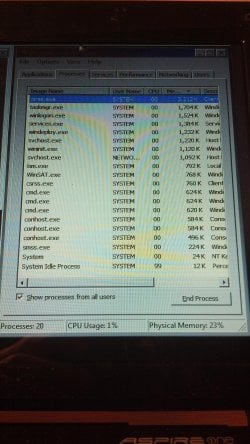
acer aspire laptop project stuck at windows setup. iv switched out the hard drive to 3 different ones and still same problem also tried xp and vista and still no luck. iv ran every test there is and nothing its fine but iv let the laptop sit at setup is preparing your computer for first use and after 4 hours fell asleep so i hit the space bar and it was still on the same screen. i looked around online and tried ending windeploy.exe and got threw 2 times to the set up windows screen and then set up windows froze in the task manager both times. im running out of things to try anyone have any ideas ?
 

Attachments
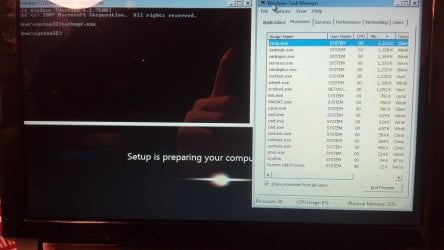
  • 2012-10-16_22-45-52_44.jpg
    2012-10-16_22-45-52_44.jpg
    579.6 KB · Views: 29
  • 2012-10-16_22-47-08_485.jpg
    2012-10-16_22-47-08_485.jpg
    963.1 KB · Views: 14

My Computer My Computer

At a glance

Windows 7 Home Premium 32bit.
Computer Manufacturer/Model Number
acer aspire
OS
Windows 7 Home Premium 32bit.
If it's been giving you this problem across 3 different versions of windows. I would actually wonder if you odn't have a hardware issue of some sort.
Here's something you can let run overnight that may actually be productive.
http://www.sevenforums.com/tutorials/105647-ram-test-memtest86.html


Also it never hurts to prep the hard drive properly.
http://www.sevenforums.com/tutorials/91339-ssd-hdd-optimize-windows-reinstallation.html
it can be a tad time consuming, but it will also remove a lot of possible causes from the equation.
 

My Computer My Computer

At a glance

Windows 7 x64Intel i7 2600kG.skill Ripjaw 16gigs @ 1866Nvidia gtx580 (evga)
Computer Manufacturer/Model Number
Insane hobo technologies. ;-)
OS
Windows 7 x64
CPU
Intel i7 2600k
Motherboard
Asrock z68 extreme 4 gen 3
Memory
G.skill Ripjaw 16gigs @ 1866
Graphics Card(s)
Nvidia gtx580 (evga)
Sound Card
Integrated HD audio + hdmi
Monitor(s) Displays
24" ASUS widescreen + 42" insignia
Screen Resolution
1080p (1920x1080)
Hard Drives
128 Samsung 830
256 Samsung 840
3 x 1tb storage drive (various)
1 western digital 1tb (eSATA)
1 Seagate 1tb (eSATA)
PSU
1 kilowatt SLI/Crossfire rated Silverstone modular
Case
NZXT Phantom + additional 220 fan
Cooling
Zalmann
Keyboard
Microsoft wireless 3000 (v2)
Mouse
MS - wireless 5000 (bluetrack)
Internet Speed
depends on if you ask me or my provider.
Other Info
The above information is provided as is, and the author assumes no responsibility for issues it may cause with your sanity or fanboyism.
nothings wrong all passed any other ideas
 

My Computer My Computer

At a glance

Windows 7 Home Premium 32bit.
Computer Manufacturer/Model Number
acer aspire
OS
Windows 7 Home Premium 32bit.
|As suggested wipe the HD first with Diskpart Clean Command accessing DISKPART At PC Startup

Next try entering Device Manager during install to disable any driver which is in error, likely the Display driver, so that installation will complete: Device Manager - Access During Windows 7 Installation.

Where did you get Win7? Did you burn the disk yourself. Try downloading the latest official Installer ISO to burn to DVD or write to flash stick from Steps 1/2 in Clean Reinstall - Factory OEM Windows 7.
 
Back
Top