Solved Windows 7 start orb chage

Hikeman

New member
Power User
Local time
6:46 PM
Messages
134
Hey guys! I have a question!
I would really like to change my Windows 7 Start orb, and when i do it as I understand it is modifying my Explorer.exe, which is causing some problems.
and the problem is:
Some programs which were installed before modifying Explorer.exe starting to loose their icons!!! And I can not fix it anyhow!! Unless I reinstall that program. It is ok to do that, as soon as it's a little program like Skype or Ccleaner but the thing is that sometimes it happening with programs like Adobe Photoshop or Microsoft Office and I need to reinstall entire program to fix that problem. And it's not happening just with 1 or 2 programs, but with a lot of them.
So can you pleas tell me how to avoid this, but in a same time to be able to change my start orb ???
Thanks
 

My Computer

Computer Manufacturer/Model Number
SONY VAIO VPCEB1S1E
OS
Windows 7 SP1 Ultimate x64
CPU
Intel Core i5 M430 2.27 GHz 2.27 GHz
Motherboard
Intel Ibex Peak-M HM55, Intel Arrandale
Memory
3952 MB (DDR3-1066 DDR3 SDRAM)
Graphics Card(s)
ATI Mobility Radeon HD 5650 (1024 MB)
Sound Card
Realtek ALC269 @ Intel Ibex Peak PCH - High Definition Audio
Monitor(s) Displays
Generic PnP Monitor [NoDB]
Screen Resolution
1366x768
Hard Drives
Toshiba MK-5055GSX 500 Gb

My Computer

Computer type
PC/Desktop
Computer Manufacturer/Model Number
Gateway DX4831-01e (Mid-Tower Desktop)
OS
Originally Win 7 Hm Prem x64 Ver 6.1.7600 Build 7601-SP1 | Upgraded to Windows 10 December 14, 2019
CPU
Intel i3 530 2.93GHz, 2933MHz 2 Cores 4 Logical Processors
Motherboard
Gateway H57M01 133 megahertz
Memory
6GB of 1,333MHz DDR3 SDRAM
Graphics Card(s)
32MB Intel Graphics Media Accelerator HD IGChip
Sound Card
Realtek High Definition Audio
Monitor(s) Displays
Gateway HX2000 20inch TFT active matrix TN
Screen Resolution
1600 x 900 x 59 hertz
Hard Drives
WDC WD10EADS-00M2B0 [HDD] (1000.20 GB) -- drive 0,
HL-DT-ST DVDRAM GH41N [CD-ROM dr]
Four card readers, and Four USB 2.0
PSU
300watts.
Case
Mid-Tower Desktop
Cooling
Stock from Gateway
Keyboard
Natural Ergonomic Keyboard 4000, see Other Info
Mouse
Orig. Gateway wore out now using Insignia USB wired optical
Internet Speed
Vz FIOS 10ms png 57.64Mbps down 65.53Mbps up Speedtest.org
Antivirus
Zamana Anti-logger with Anti-malware, MSE, Windows Firewall,
Browser
IE11.0.9600.19399-Upd ver11.0.135, Firefox 68.0.1 x64
Other Info
System Specs by Belarc.

BIOS: American Megatrends Inc. P01-A0 11/17/2009

Replaced the MS 'Natural' Standard PS/2 Enhanced 101-102 Keyboard with a new Natural Ergonomic Keyboard 4000 on August 1st 2014.

Canon Pixma MG3222 Printer.

Updated to IE11 on 12102015 | Fios Quantum Router g1100

Additional AV: SpywareBlaster, manual Mbam, SAS

My Computer

Computer type
PC/Desktop
OS
Windows 10 Home x64
CPU
INTEL Core i5-750 Quad-Core 3.37GHz
Motherboard
ASUS P7P55D
Memory
HyperX Fury Black Series 8GB (2 x 4GB) 1866Mhz
Graphics Card(s)
EVGA GeForce GTX 750 Superclocked 1GB 128-Bit GDDR5
Monitor(s) Displays
LG 32MA68HY 32" IPS
Screen Resolution
1920 x 1080
Hard Drives
Samsung 840 Evo 120GB, SEAGATE 500GB Barracuda® 7200.12, SATA 3 Gb/s, 7200 RPM, 16MB cache
PSU
ANTEC TruePower New TP-550, 80 PLUS, 550W
Case
ANTEC Three Hundred Illusion
Cooling
COOLER MASTER Hyper 212 Plus, 4 x 120mm 1 x 140mm Noctua's
Internet Speed
85 + Mbps
Antivirus
Avast
Browser
Vivaldi
Yes, dont modify explorer.exe. Just use Windows 7 Start Orb Changer: Ultimate Tool To Change Your Start Orb .

EDIT : Your problem looks highly interesting to me . Coz apparently these icons dont have a direct relation with explorer. Can you please tell me how did you modify the explorer.exe ? It may help me to learn a new thing .
 

My Computer

Computer type
PC/Desktop
Computer Manufacturer/Model Number
Self Assembled
OS
Microsoft Windows 10 Pro Insider Preview 64-bit
CPU
Intel(R) Core(TM) i3-4130 CPU @ 3.40GHz
Motherboard
Gigabyte Technology Co., Ltd. B85M-D3H
Memory
Corsair Vengence 4GB x2 (8.00GB Dual-Channel DDR3 @ 798MHz)
Graphics Card(s)
2047MB GeForce GTS 450 (ZOTAC International)
Sound Card
Onboard (Realtek High Definition Audio)
Monitor(s) Displays
LG Flatron E2040T
Screen Resolution
1600x900
Hard Drives
Western Digital 1 TB
Seagate 500 GB
PSU
Corsair VS550
Case
Cooler Master K380
Cooling
Cooler Master Seidon 120V Plus
Keyboard
Logitech MK260r
Mouse
Logitech MK260r
Internet Speed
PMPL Broadband
Antivirus
Windows Defender + MBAM
Browser
Firefox
Other Info
Dell Studio 15" Laptop
Hey

Ok Arc !!! Here are the tools I used before to modify my explorer.exe to change my Start orb:
Windows 7 Start Orb Changer v3 | Theme Bin | Free Download
and
StartOrbz v3.1.a by ~Blizo on deviantART
I can not which one exactly I used and i cause the problem, but i was using both of them, until I realize that this is what is causing my problem, and the problem is that I am not only loosing file types associations, but the original icon of the software is missing from .exe file, for example, once it happened with Mozilla Firefox and I the icon of the firefox.exe was missing and as i mentioned it is not happening only with on or two programs, but with a lot of them, like with Microsoft Word or with Eset Smart Security and so on.....
So hey Arc!! this Windows 7 Start Orb Changer, what you suggested is it absolutely safe to use, are you using this by yourself?

Thanks
 

My Computer

Computer Manufacturer/Model Number
SONY VAIO VPCEB1S1E
OS
Windows 7 SP1 Ultimate x64
CPU
Intel Core i5 M430 2.27 GHz 2.27 GHz
Motherboard
Intel Ibex Peak-M HM55, Intel Arrandale
Memory
3952 MB (DDR3-1066 DDR3 SDRAM)
Graphics Card(s)
ATI Mobility Radeon HD 5650 (1024 MB)
Sound Card
Realtek ALC269 @ Intel Ibex Peak PCH - High Definition Audio
Monitor(s) Displays
Generic PnP Monitor [NoDB]
Screen Resolution
1366x768
Hard Drives
Toshiba MK-5055GSX 500 Gb
thanks mate !!!
 

My Computer

Computer Manufacturer/Model Number
SONY VAIO VPCEB1S1E
OS
Windows 7 SP1 Ultimate x64
CPU
Intel Core i5 M430 2.27 GHz 2.27 GHz
Motherboard
Intel Ibex Peak-M HM55, Intel Arrandale
Memory
3952 MB (DDR3-1066 DDR3 SDRAM)
Graphics Card(s)
ATI Mobility Radeon HD 5650 (1024 MB)
Sound Card
Realtek ALC269 @ Intel Ibex Peak PCH - High Definition Audio
Monitor(s) Displays
Generic PnP Monitor [NoDB]
Screen Resolution
1366x768
Hard Drives
Toshiba MK-5055GSX 500 Gb
Hikeman, if A Guy, and Arc recommend anything you can be assured that it is safe to use!

But, there are so many different permutations to the way machines are set up the user still has to be careful, especially when using a program for the first time!

Always have a current back-up of your machine in case of problems!
 

My Computer

Computer type
PC/Desktop
Computer Manufacturer/Model Number
Gateway DX4831-01e (Mid-Tower Desktop)
OS
Originally Win 7 Hm Prem x64 Ver 6.1.7600 Build 7601-SP1 | Upgraded to Windows 10 December 14, 2019
CPU
Intel i3 530 2.93GHz, 2933MHz 2 Cores 4 Logical Processors
Motherboard
Gateway H57M01 133 megahertz
Memory
6GB of 1,333MHz DDR3 SDRAM
Graphics Card(s)
32MB Intel Graphics Media Accelerator HD IGChip
Sound Card
Realtek High Definition Audio
Monitor(s) Displays
Gateway HX2000 20inch TFT active matrix TN
Screen Resolution
1600 x 900 x 59 hertz
Hard Drives
WDC WD10EADS-00M2B0 [HDD] (1000.20 GB) -- drive 0,
HL-DT-ST DVDRAM GH41N [CD-ROM dr]
Four card readers, and Four USB 2.0
PSU
300watts.
Case
Mid-Tower Desktop
Cooling
Stock from Gateway
Keyboard
Natural Ergonomic Keyboard 4000, see Other Info
Mouse
Orig. Gateway wore out now using Insignia USB wired optical
Internet Speed
Vz FIOS 10ms png 57.64Mbps down 65.53Mbps up Speedtest.org
Antivirus
Zamana Anti-logger with Anti-malware, MSE, Windows Firewall,
Browser
IE11.0.9600.19399-Upd ver11.0.135, Firefox 68.0.1 x64
Other Info
System Specs by Belarc.

BIOS: American Megatrends Inc. P01-A0 11/17/2009

Replaced the MS 'Natural' Standard PS/2 Enhanced 101-102 Keyboard with a new Natural Ergonomic Keyboard 4000 on August 1st 2014.

Canon Pixma MG3222 Printer.

Updated to IE11 on 12102015 | Fios Quantum Router g1100

Additional AV: SpywareBlaster, manual Mbam, SAS
Hikeman,

Both of the programs are well known, and both the creators are the members of this board . I have used both of them, and they worked flawlessly .

The programs for which the icons are missing are third party program with a common nature .... they all store their exe icons in the installer folder (C:\Windows\Installer) ; which location is separate from that of explorer.exe . Yes, I also faced such a problem one time, and came to know which kills the stuff in installer folder. It in not a start button changer, but a Junk/registry cleaner . Programs like Tuneup Utilities find the installer folder as junk, and delete all the items stored in it . Apparently we find it performing great; wiping out so much free space for me ; but what it is killing are some useful stuff. They fail to discriminate properly between useful and useless.

The easiest way to get the icons back is to reinstall the programs over the existing installations (of course there are harder ways to do it ; using resource hacker) . And the way to not not having the problem once again ? Simple.... use CCleaner for tune up activities .
 

My Computer

Computer type
PC/Desktop
Computer Manufacturer/Model Number
Self Assembled
OS
Microsoft Windows 10 Pro Insider Preview 64-bit
CPU
Intel(R) Core(TM) i3-4130 CPU @ 3.40GHz
Motherboard
Gigabyte Technology Co., Ltd. B85M-D3H
Memory
Corsair Vengence 4GB x2 (8.00GB Dual-Channel DDR3 @ 798MHz)
Graphics Card(s)
2047MB GeForce GTS 450 (ZOTAC International)
Sound Card
Onboard (Realtek High Definition Audio)
Monitor(s) Displays
LG Flatron E2040T
Screen Resolution
1600x900
Hard Drives
Western Digital 1 TB
Seagate 500 GB
PSU
Corsair VS550
Case
Cooler Master K380
Cooling
Cooler Master Seidon 120V Plus
Keyboard
Logitech MK260r
Mouse
Logitech MK260r
Internet Speed
PMPL Broadband
Antivirus
Windows Defender + MBAM
Browser
Firefox
Other Info
Dell Studio 15" Laptop
Hey Arc

I used the tool you suggested me "Windows 7 Start Orb Changer" seams things went ok!all programs has their icons, the I opened the place in Control Panel, "you know, where you uninstall programs" and there are some programs which doesn't have icons! I am not sure if it was before as well "before, changing my start orb", but just in cas I made a screen shoot and will attache it to this post, pleas take a look at it.

Thank you very much for your support ;)
 

Attachments

  • Capture.JPG
    Capture.JPG
    158 KB · Views: 52

My Computer

Computer Manufacturer/Model Number
SONY VAIO VPCEB1S1E
OS
Windows 7 SP1 Ultimate x64
CPU
Intel Core i5 M430 2.27 GHz 2.27 GHz
Motherboard
Intel Ibex Peak-M HM55, Intel Arrandale
Memory
3952 MB (DDR3-1066 DDR3 SDRAM)
Graphics Card(s)
ATI Mobility Radeon HD 5650 (1024 MB)
Sound Card
Realtek ALC269 @ Intel Ibex Peak PCH - High Definition Audio
Monitor(s) Displays
Generic PnP Monitor [NoDB]
Screen Resolution
1366x768
Hard Drives
Toshiba MK-5055GSX 500 Gb
That isn't unusual, see mine. Objectdock we both have, no icon in Programs.

2duyupu.jpg


A Guy
 

My Computer

Computer type
PC/Desktop
OS
Windows 10 Home x64
CPU
INTEL Core i5-750 Quad-Core 3.37GHz
Motherboard
ASUS P7P55D
Memory
HyperX Fury Black Series 8GB (2 x 4GB) 1866Mhz
Graphics Card(s)
EVGA GeForce GTX 750 Superclocked 1GB 128-Bit GDDR5
Monitor(s) Displays
LG 32MA68HY 32" IPS
Screen Resolution
1920 x 1080
Hard Drives
Samsung 840 Evo 120GB, SEAGATE 500GB Barracuda® 7200.12, SATA 3 Gb/s, 7200 RPM, 16MB cache
PSU
ANTEC TruePower New TP-550, 80 PLUS, 550W
Case
ANTEC Three Hundred Illusion
Cooling
COOLER MASTER Hyper 212 Plus, 4 x 120mm 1 x 140mm Noctua's
Internet Speed
85 + Mbps
Antivirus
Avast
Browser
Vivaldi
I also think that it is usual , coz I also dont have the objectdock icon in the programs and features window of control panel . The other things I dont use (but the free version of revo uninstaller), so I cannot comment on the rest , but I also dont have sone icons there, like Ccleaner, Icofx, rainmeter, etc.

So if there are icons in programs, it seems to be a general situation that some program's uninstallers dont have any icon association.
 

My Computer

Computer type
PC/Desktop
Computer Manufacturer/Model Number
Self Assembled
OS
Microsoft Windows 10 Pro Insider Preview 64-bit
CPU
Intel(R) Core(TM) i3-4130 CPU @ 3.40GHz
Motherboard
Gigabyte Technology Co., Ltd. B85M-D3H
Memory
Corsair Vengence 4GB x2 (8.00GB Dual-Channel DDR3 @ 798MHz)
Graphics Card(s)
2047MB GeForce GTS 450 (ZOTAC International)
Sound Card
Onboard (Realtek High Definition Audio)
Monitor(s) Displays
LG Flatron E2040T
Screen Resolution
1600x900
Hard Drives
Western Digital 1 TB
Seagate 500 GB
PSU
Corsair VS550
Case
Cooler Master K380
Cooling
Cooler Master Seidon 120V Plus
Keyboard
Logitech MK260r
Mouse
Logitech MK260r
Internet Speed
PMPL Broadband
Antivirus
Windows Defender + MBAM
Browser
Firefox
Other Info
Dell Studio 15" Laptop
Same here for me, as with A Guy, and Arc.

All my MS Visual programs have the generic icon.
 

My Computer

Computer type
PC/Desktop
Computer Manufacturer/Model Number
Gateway DX4831-01e (Mid-Tower Desktop)
OS
Originally Win 7 Hm Prem x64 Ver 6.1.7600 Build 7601-SP1 | Upgraded to Windows 10 December 14, 2019
CPU
Intel i3 530 2.93GHz, 2933MHz 2 Cores 4 Logical Processors
Motherboard
Gateway H57M01 133 megahertz
Memory
6GB of 1,333MHz DDR3 SDRAM
Graphics Card(s)
32MB Intel Graphics Media Accelerator HD IGChip
Sound Card
Realtek High Definition Audio
Monitor(s) Displays
Gateway HX2000 20inch TFT active matrix TN
Screen Resolution
1600 x 900 x 59 hertz
Hard Drives
WDC WD10EADS-00M2B0 [HDD] (1000.20 GB) -- drive 0,
HL-DT-ST DVDRAM GH41N [CD-ROM dr]
Four card readers, and Four USB 2.0
PSU
300watts.
Case
Mid-Tower Desktop
Cooling
Stock from Gateway
Keyboard
Natural Ergonomic Keyboard 4000, see Other Info
Mouse
Orig. Gateway wore out now using Insignia USB wired optical
Internet Speed
Vz FIOS 10ms png 57.64Mbps down 65.53Mbps up Speedtest.org
Antivirus
Zamana Anti-logger with Anti-malware, MSE, Windows Firewall,
Browser
IE11.0.9600.19399-Upd ver11.0.135, Firefox 68.0.1 x64
Other Info
System Specs by Belarc.

BIOS: American Megatrends Inc. P01-A0 11/17/2009

Replaced the MS 'Natural' Standard PS/2 Enhanced 101-102 Keyboard with a new Natural Ergonomic Keyboard 4000 on August 1st 2014.

Canon Pixma MG3222 Printer.

Updated to IE11 on 12102015 | Fios Quantum Router g1100

Additional AV: SpywareBlaster, manual Mbam, SAS
Thank you very much guys, Thanks for all your responses! you helped me a lot ;)
Here I have one more question! I use "UniversalThemePatcher" to patch themeservice.dll, themeui.dll and uxtheme, but here I've got another toll "UxStyle Core", which says that it is not making any changes in my system! so my question is, then how is this working if it is not patching those files ??
Thanks
 

My Computer

Computer Manufacturer/Model Number
SONY VAIO VPCEB1S1E
OS
Windows 7 SP1 Ultimate x64
CPU
Intel Core i5 M430 2.27 GHz 2.27 GHz
Motherboard
Intel Ibex Peak-M HM55, Intel Arrandale
Memory
3952 MB (DDR3-1066 DDR3 SDRAM)
Graphics Card(s)
ATI Mobility Radeon HD 5650 (1024 MB)
Sound Card
Realtek ALC269 @ Intel Ibex Peak PCH - High Definition Audio
Monitor(s) Displays
Generic PnP Monitor [NoDB]
Screen Resolution
1366x768
Hard Drives
Toshiba MK-5055GSX 500 Gb
Hey guys!
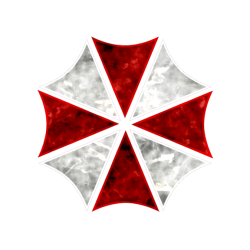
Have request !! is there anybody that can help me with making new start orb with "Umbrella corp." icons?? I will attach the PNG file to this post. I would like to have one with original colors another black&white like Token icons
thanks
 

Attachments

  • UMB.png
    UMB.png
    338.2 KB · Views: 20
  • Umbrella Icon.png
    Umbrella Icon.png
    324.7 KB · Views: 19

My Computer

Computer Manufacturer/Model Number
SONY VAIO VPCEB1S1E
OS
Windows 7 SP1 Ultimate x64
CPU
Intel Core i5 M430 2.27 GHz 2.27 GHz
Motherboard
Intel Ibex Peak-M HM55, Intel Arrandale
Memory
3952 MB (DDR3-1066 DDR3 SDRAM)
Graphics Card(s)
ATI Mobility Radeon HD 5650 (1024 MB)
Sound Card
Realtek ALC269 @ Intel Ibex Peak PCH - High Definition Audio
Monitor(s) Displays
Generic PnP Monitor [NoDB]
Screen Resolution
1366x768
Hard Drives
Toshiba MK-5055GSX 500 Gb

My Computer

Computer type
PC/Desktop
Computer Manufacturer/Model Number
Self Assembled
OS
Microsoft Windows 10 Pro Insider Preview 64-bit
CPU
Intel(R) Core(TM) i3-4130 CPU @ 3.40GHz
Motherboard
Gigabyte Technology Co., Ltd. B85M-D3H
Memory
Corsair Vengence 4GB x2 (8.00GB Dual-Channel DDR3 @ 798MHz)
Graphics Card(s)
2047MB GeForce GTS 450 (ZOTAC International)
Sound Card
Onboard (Realtek High Definition Audio)
Monitor(s) Displays
LG Flatron E2040T
Screen Resolution
1600x900
Hard Drives
Western Digital 1 TB
Seagate 500 GB
PSU
Corsair VS550
Case
Cooler Master K380
Cooling
Cooler Master Seidon 120V Plus
Keyboard
Logitech MK260r
Mouse
Logitech MK260r
Internet Speed
PMPL Broadband
Antivirus
Windows Defender + MBAM
Browser
Firefox
Other Info
Dell Studio 15" Laptop
Back
Top