Windows 7 Toolbar

My Computer

Computer Manufacturer/Model Number
Neo Vivid V2121
OS
Windows 7 Ultimate 32-bit Version 6.1 (build 7600.16385)
CPU
Intel Pentium Dual CPU T2390 @ 1.86GHz
Motherboard
SiS M720SR
Graphics Card(s)
SiS Mirage 3 Graphics SiS627 series
Sound Card
Built-in
Monitor(s) Displays
Generic PnP Monitor
Screen Resolution
1280x800
Hard Drives
Fujitsu MHZ2160BH G1 ATA Device 160GB
Keyboard
Standard PS/2 Keyboard
Mouse
Synaptics PS/2 Port Pointing Device

My Computer

OS
Windows 7
CPU
Inter Core Duo CPU (1.66 GHz, 1.67 GHz)
Memory
4 GB DDR2
Graphics Card(s)
Geforce 8600M GS 256 MB
Screen Resolution
1280x800

My Computer

Computer type
PC/Desktop
Computer Manufacturer/Model Number
Custom Build
OS
Windows 7 Professional SP1 - x64 [Non-UEFI Boot]
CPU
Ivy Bridge Core i5 3570K (Delidded)
Motherboard
Asus P8Z77-V LE PLUS
Memory
G.Skill "Ares" DDR3 PC3-12800 - 1600MHz (16Gb)
Graphics Card(s)
Asus Dual-RX480-O4G
Sound Card
Creative Sound Blaster Z w/5.1 sound system
Monitor(s) Displays
Asus IPS 23"
Screen Resolution
16/9
Hard Drives
Internal:
500Go Sata 6Gb/s (x2)
500Go Sata 3Gb/s (x2)
SSD 60Go Sata 6Gb/s
PSU
In Win C 900W Series 80+ Platinum
Case
Thermaltake Chaser A71
Cooling
Custom Water Cooling Loop
Keyboard
Cooler Master QuickFire XTi
Mouse
Razer Imperator 2012 (4G)
Antivirus
MSE
Browser
IE 11.0.xxx Rtm
Other Info
"Raid0" with Intel Smart Response Technology (HDD/SSD)

My Computer

OS
Windows 7
CPU
Inter Core Duo CPU (1.66 GHz, 1.67 GHz)
Memory
4 GB DDR2
Graphics Card(s)
Geforce 8600M GS 256 MB
Screen Resolution
1280x800
Err, how exactly do I do that? Sorry, I'm a bit of a novice.

One question before you go and update drivers... Which 7 theme are you actually using?

The 'Scenes' one.

So that not the themes...thought you were using basics themes.

Be careful to update drivers before from your manufacturer...if your computer is recent.

I'm afraid something had disable on purpose the thumbnails quality because of ressources... maybe have you installed a third party software? Or your computer handle partially the aero theme.....

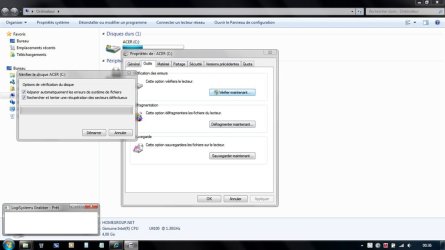
do a scan repair of your Hdd, but i'm afraid i cannot help you more at the moment, @revol !
 

Attachments

  • GRAB0002.jpg
    GRAB0002.jpg
    56.3 KB · Views: 14
Last edited:

My Computer

Computer type
PC/Desktop
Computer Manufacturer/Model Number
Custom Build
OS
Windows 7 Professional SP1 - x64 [Non-UEFI Boot]
CPU
Ivy Bridge Core i5 3570K (Delidded)
Motherboard
Asus P8Z77-V LE PLUS
Memory
G.Skill "Ares" DDR3 PC3-12800 - 1600MHz (16Gb)
Graphics Card(s)
Asus Dual-RX480-O4G
Sound Card
Creative Sound Blaster Z w/5.1 sound system
Monitor(s) Displays
Asus IPS 23"
Screen Resolution
16/9
Hard Drives
Internal:
500Go Sata 6Gb/s (x2)
500Go Sata 3Gb/s (x2)
SSD 60Go Sata 6Gb/s
PSU
In Win C 900W Series 80+ Platinum
Case
Thermaltake Chaser A71
Cooling
Custom Water Cooling Loop
Keyboard
Cooler Master QuickFire XTi
Mouse
Razer Imperator 2012 (4G)
Antivirus
MSE
Browser
IE 11.0.xxx Rtm
Other Info
"Raid0" with Intel Smart Response Technology (HDD/SSD)

My Computer

Computer Manufacturer/Model Number
Neo Vivid V2121
OS
Windows 7 Ultimate 32-bit Version 6.1 (build 7600.16385)
CPU
Intel Pentium Dual CPU T2390 @ 1.86GHz
Motherboard
SiS M720SR
Graphics Card(s)
SiS Mirage 3 Graphics SiS627 series
Sound Card
Built-in
Monitor(s) Displays
Generic PnP Monitor
Screen Resolution
1280x800
Hard Drives
Fujitsu MHZ2160BH G1 ATA Device 160GB
Keyboard
Standard PS/2 Keyboard
Mouse
Synaptics PS/2 Port Pointing Device
One question before you go and update drivers... Which 7 theme are you actually using?

The 'Scenes' one.

So that not the themes...thought you were using basics themes.

Be careful to update drivers before from your manufacturer...if your computer is recent.

I'm afraid something had disable on purpose the thumbnails quality because of ressources... maybe have you installed a third party software? Or your computer handle partially the aero theme.....

do a repair scan of you computer


Is this the tutorial you are referring to, at the link below!

http://www.sevenforums.com/tutorials/1538-sfc-scannow-command-system-file-checker.html?ltr=S
 

My Computer

Computer Manufacturer/Model Number
* BFK Customs *
OS
W 7 64-bit Ultimate
CPU
Intel Q9550 Yorkfield
Motherboard
ASUS P5Q Pro
Memory
8GB Dominator 8500C5D
Graphics Card(s)
ATI : XFX 5870
Sound Card
Realtek HD Audio 7-1
Monitor(s) Displays
1x 47" LCD HDMI & 3x 26" LCD HDMI
Screen Resolution
1920x1080P & 1920x1200
Hard Drives
1x 80GB Intel X25-M G2 SSD : 1x 500GB & 1x 640GB WD Caviar Black(s)
PSU
Corsair 620HX
Case
Cooler Master RC-690
Cooling
Tuniq Tower 120, 2x 140mm and 3x 120mm case fans
Keyboard
Microsoft 500
Mouse
Razer Diamondback 3G
Internet Speed
14 Mb/s
Other Info
1x Koutech 3Gb/s SATA HDD Hot Swap Rack
The 'Scenes' one.

So that not the themes...thought you were using basics themes.

Be careful to update drivers before from your manufacturer...if your computer is recent.

I'm afraid something had disable on purpose the thumbnails quality because of ressources... maybe have you installed a third party software? Or your computer handle partially the aero theme.....

do a repair scan of you computer


Is this the tutorial you are referring to, at the link below!

http://www.sevenforums.com/tutorials/1538-sfc-scannow-command-system-file-checker.html?ltr=S

Thanks Bare Foot Kid for the hand!


AND BEFORE DOING THIS:

quoted:
"Hello there you can find it here:

NVIDIA DRIVERS 195.62 WHQL

Hope you have fun with Aero.:) "

That i'm not sure it is needed at the moment.
 

My Computer

Computer type
PC/Desktop
Computer Manufacturer/Model Number
Custom Build
OS
Windows 7 Professional SP1 - x64 [Non-UEFI Boot]
CPU
Ivy Bridge Core i5 3570K (Delidded)
Motherboard
Asus P8Z77-V LE PLUS
Memory
G.Skill "Ares" DDR3 PC3-12800 - 1600MHz (16Gb)
Graphics Card(s)
Asus Dual-RX480-O4G
Sound Card
Creative Sound Blaster Z w/5.1 sound system
Monitor(s) Displays
Asus IPS 23"
Screen Resolution
16/9
Hard Drives
Internal:
500Go Sata 6Gb/s (x2)
500Go Sata 3Gb/s (x2)
SSD 60Go Sata 6Gb/s
PSU
In Win C 900W Series 80+ Platinum
Case
Thermaltake Chaser A71
Cooling
Custom Water Cooling Loop
Keyboard
Cooler Master QuickFire XTi
Mouse
Razer Imperator 2012 (4G)
Antivirus
MSE
Browser
IE 11.0.xxx Rtm
Other Info
"Raid0" with Intel Smart Response Technology (HDD/SSD)
Or you could try going to services and enabling windows desktop session manager because you have definitely not got the aero theme enabled! If it is running just stop and restart it.

It will not produce thumbnails while aero is not active.
 

My Computer

Computer Manufacturer/Model Number
Custom Build.
OS
Windows 7 Ultimate x64.
CPU
i5 760 @ 4.2Ghz. 1.18v
Motherboard
Gigabyte - H55M-USB3
Memory
4g Corsair xms3 ddr3, 1600Mhz.
Graphics Card(s)
Gigabyte GTX-560Ti soc edition
Sound Card
Asus Xonar Dx - Logitech Z5500.
Monitor(s) Displays
Acer 22" LCD Wide screen 1680-1050 -Samsung 42" Plasma....
Screen Resolution
1680/1050 -----1920/1080p.
Hard Drives
2x 2TB Seagate Go Flex,
1x 1TB Seagate,
1x 640WD Black,
x16 Gig sandisc flash drive,
1x8Gig sandisc flash drive.
PSU
XigmaTek 80plus NRP-PC702 - 700w dual 30a.
Case
Venus Gamers Midi Tower Case with LED Display
Cooling
Arctic Freezer 7 Pro Rev 2... x2 Arctic F8 case fans........
Keyboard
Logitech G15-v2 Gaming.
Mouse
Microsoft Sidewinder X8.
Internet Speed
Virgin Media - 50mb down- 8mb up.
Other Info
x2 Xbox 360 wireless controllers...

Dual layer optical disc drive...

Chrome 79million

A.V = MSE
So that not the themes...thought you were using basics themes.

Be careful to update drivers before from your manufacturer...if your computer is recent.

I'm afraid something had disable on purpose the thumbnails quality because of ressources... maybe have you installed a third party software? Or your computer handle partially the aero theme.....

do a repair scan of you computer


Is this the tutorial you are referring to, at the link below!

http://www.sevenforums.com/tutorials/1538-sfc-scannow-command-system-file-checker.html?ltr=S

Thanks Bare Foot Kid for the hand!


My pleasure mate, we're a team here at Seven Forums! ;)
 

My Computer

Computer Manufacturer/Model Number
* BFK Customs *
OS
W 7 64-bit Ultimate
CPU
Intel Q9550 Yorkfield
Motherboard
ASUS P5Q Pro
Memory
8GB Dominator 8500C5D
Graphics Card(s)
ATI : XFX 5870
Sound Card
Realtek HD Audio 7-1
Monitor(s) Displays
1x 47" LCD HDMI & 3x 26" LCD HDMI
Screen Resolution
1920x1080P & 1920x1200
Hard Drives
1x 80GB Intel X25-M G2 SSD : 1x 500GB & 1x 640GB WD Caviar Black(s)
PSU
Corsair 620HX
Case
Cooler Master RC-690
Cooling
Tuniq Tower 120, 2x 140mm and 3x 120mm case fans
Keyboard
Microsoft 500
Mouse
Razer Diamondback 3G
Internet Speed
14 Mb/s
Other Info
1x Koutech 3Gb/s SATA HDD Hot Swap Rack
Or you could try going to services and enabling windows desktop session manager because you have definitely not got the aero theme enabled! If it is running just stop and restart it.

It will not produce thumbnails while aero is not active.

This could be right....

Control Panel=>Admistration Tools=>Services.....

Revol, You've got some solutions here...come back and tells us....
 

My Computer

Computer type
PC/Desktop
Computer Manufacturer/Model Number
Custom Build
OS
Windows 7 Professional SP1 - x64 [Non-UEFI Boot]
CPU
Ivy Bridge Core i5 3570K (Delidded)
Motherboard
Asus P8Z77-V LE PLUS
Memory
G.Skill "Ares" DDR3 PC3-12800 - 1600MHz (16Gb)
Graphics Card(s)
Asus Dual-RX480-O4G
Sound Card
Creative Sound Blaster Z w/5.1 sound system
Monitor(s) Displays
Asus IPS 23"
Screen Resolution
16/9
Hard Drives
Internal:
500Go Sata 6Gb/s (x2)
500Go Sata 3Gb/s (x2)
SSD 60Go Sata 6Gb/s
PSU
In Win C 900W Series 80+ Platinum
Case
Thermaltake Chaser A71
Cooling
Custom Water Cooling Loop
Keyboard
Cooler Master QuickFire XTi
Mouse
Razer Imperator 2012 (4G)
Antivirus
MSE
Browser
IE 11.0.xxx Rtm
Other Info
"Raid0" with Intel Smart Response Technology (HDD/SSD)
1. I tried updating my drivers but they all seem up to date.
2. I did a scan repair of my hard drive but no result.
3. The NVIDIA DRIVERS alwinwinjoe linked were for Windows 7 32-bit, I'm using Windows 7 64-bit.
4. I stopped and restarted Windows Desktop Session Manager but no result yet again.

Duh, this is getting annoying.
 

My Computer

OS
Windows 7
CPU
Inter Core Duo CPU (1.66 GHz, 1.67 GHz)
Memory
4 GB DDR2
Graphics Card(s)
Geforce 8600M GS 256 MB
Screen Resolution
1280x800
1. I tried updating my drivers but they all seem up to date.
2. I did a scan repair of my hard drive but no result.
3. The NVIDIA DRIVERS alwinwinjoe linked were for Windows 7 32-bit, I'm using Windows 7 64-bit.
4. I stopped and restarted Windows Desktop Session Manager but no result yet again.

Duh, this is getting annoying.

So a key had been modified in registry that counter the settings in your 7 parameters...Anything you remember changing somewhere?

I'm either x64.

What's about your taskbar properties?

It's getting late here....see you later!:)
 

My Computer

Computer type
PC/Desktop
Computer Manufacturer/Model Number
Custom Build
OS
Windows 7 Professional SP1 - x64 [Non-UEFI Boot]
CPU
Ivy Bridge Core i5 3570K (Delidded)
Motherboard
Asus P8Z77-V LE PLUS
Memory
G.Skill "Ares" DDR3 PC3-12800 - 1600MHz (16Gb)
Graphics Card(s)
Asus Dual-RX480-O4G
Sound Card
Creative Sound Blaster Z w/5.1 sound system
Monitor(s) Displays
Asus IPS 23"
Screen Resolution
16/9
Hard Drives
Internal:
500Go Sata 6Gb/s (x2)
500Go Sata 3Gb/s (x2)
SSD 60Go Sata 6Gb/s
PSU
In Win C 900W Series 80+ Platinum
Case
Thermaltake Chaser A71
Cooling
Custom Water Cooling Loop
Keyboard
Cooler Master QuickFire XTi
Mouse
Razer Imperator 2012 (4G)
Antivirus
MSE
Browser
IE 11.0.xxx Rtm
Other Info
"Raid0" with Intel Smart Response Technology (HDD/SSD)
Thing is, I installed Windows 7 today, so it's not like I have changed anything.

I have a feeling it may be my graphics card. My laptop used to have a NVIDIA GEFFORCE 8600M GS (256 MB) graphic card, but now that I installed Windows 7 I can't find it in Device Manager. One more thing I noted is that my videos play in very low quality, especially the HD ones I have.

Thoughts?
 

My Computer

OS
Windows 7
CPU
Inter Core Duo CPU (1.66 GHz, 1.67 GHz)
Memory
4 GB DDR2
Graphics Card(s)
Geforce 8600M GS 256 MB
Screen Resolution
1280x800
Reset to default your setting in Catalyst Control Center...try to find where is your card in device manager..............

I'm off to bed, now...hope you resolve this quickly!
 

My Computer

Computer type
PC/Desktop
Computer Manufacturer/Model Number
Custom Build
OS
Windows 7 Professional SP1 - x64 [Non-UEFI Boot]
CPU
Ivy Bridge Core i5 3570K (Delidded)
Motherboard
Asus P8Z77-V LE PLUS
Memory
G.Skill "Ares" DDR3 PC3-12800 - 1600MHz (16Gb)
Graphics Card(s)
Asus Dual-RX480-O4G
Sound Card
Creative Sound Blaster Z w/5.1 sound system
Monitor(s) Displays
Asus IPS 23"
Screen Resolution
16/9
Hard Drives
Internal:
500Go Sata 6Gb/s (x2)
500Go Sata 3Gb/s (x2)
SSD 60Go Sata 6Gb/s
PSU
In Win C 900W Series 80+ Platinum
Case
Thermaltake Chaser A71
Cooling
Custom Water Cooling Loop
Keyboard
Cooler Master QuickFire XTi
Mouse
Razer Imperator 2012 (4G)
Antivirus
MSE
Browser
IE 11.0.xxx Rtm
Other Info
"Raid0" with Intel Smart Response Technology (HDD/SSD)
PROBLEM SOLVED FELLAS!

It was all about the graphics card. It looks like the old drivers I had on Windows Vista were erased when I installed Windows 7. So I went to the NVIDIA website and downloaded the drivers compatible with my previous ones. As a result, now the thumbnails are working and my videos are in perfect HD quality. :D

I must thank everyone for trying. Without your support I wouldn't have done it.
 

My Computer

OS
Windows 7
CPU
Inter Core Duo CPU (1.66 GHz, 1.67 GHz)
Memory
4 GB DDR2
Graphics Card(s)
Geforce 8600M GS 256 MB
Screen Resolution
1280x800
Hello Revol, we're glad you found a solution that works for you; thanks for letting us know!
 

My Computer

Computer Manufacturer/Model Number
* BFK Customs *
OS
W 7 64-bit Ultimate
CPU
Intel Q9550 Yorkfield
Motherboard
ASUS P5Q Pro
Memory
8GB Dominator 8500C5D
Graphics Card(s)
ATI : XFX 5870
Sound Card
Realtek HD Audio 7-1
Monitor(s) Displays
1x 47" LCD HDMI & 3x 26" LCD HDMI
Screen Resolution
1920x1080P & 1920x1200
Hard Drives
1x 80GB Intel X25-M G2 SSD : 1x 500GB & 1x 640GB WD Caviar Black(s)
PSU
Corsair 620HX
Case
Cooler Master RC-690
Cooling
Tuniq Tower 120, 2x 140mm and 3x 120mm case fans
Keyboard
Microsoft 500
Mouse
Razer Diamondback 3G
Internet Speed
14 Mb/s
Other Info
1x Koutech 3Gb/s SATA HDD Hot Swap Rack
PROBLEM SOLVED FELLAS!

It was all about the graphics card. It looks like the old drivers I had on Windows Vista were erased when I installed Windows 7. So I went to the NVIDIA website and downloaded the drivers compatible with my previous ones. As a result, now the thumbnails are working and my videos are in perfect HD quality. :D

I must thank everyone for trying. Without your support I wouldn't have done it.

Great!:)
 

My Computer

Computer type
PC/Desktop
Computer Manufacturer/Model Number
Custom Build
OS
Windows 7 Professional SP1 - x64 [Non-UEFI Boot]
CPU
Ivy Bridge Core i5 3570K (Delidded)
Motherboard
Asus P8Z77-V LE PLUS
Memory
G.Skill "Ares" DDR3 PC3-12800 - 1600MHz (16Gb)
Graphics Card(s)
Asus Dual-RX480-O4G
Sound Card
Creative Sound Blaster Z w/5.1 sound system
Monitor(s) Displays
Asus IPS 23"
Screen Resolution
16/9
Hard Drives
Internal:
500Go Sata 6Gb/s (x2)
500Go Sata 3Gb/s (x2)
SSD 60Go Sata 6Gb/s
PSU
In Win C 900W Series 80+ Platinum
Case
Thermaltake Chaser A71
Cooling
Custom Water Cooling Loop
Keyboard
Cooler Master QuickFire XTi
Mouse
Razer Imperator 2012 (4G)
Antivirus
MSE
Browser
IE 11.0.xxx Rtm
Other Info
"Raid0" with Intel Smart Response Technology (HDD/SSD)
Back
Top