http://www.sevenforums.com/tutorials/135077-windows-7-installation-transfer-new-computer.html
http://www.sevenforums.com/tutorial...reate-move-during-windows-7-installation.html
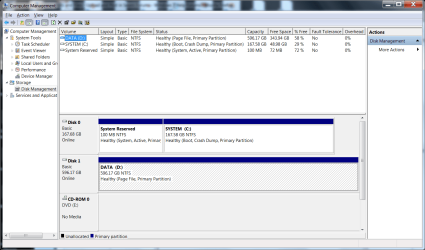
windows 7 pro is on ssd
all profiles are on hard drive
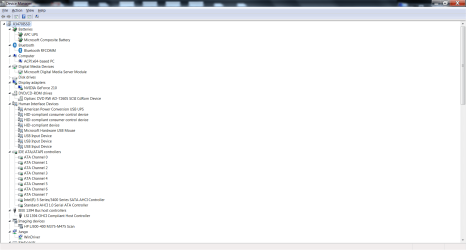
question is, when replacing the motherboard (chip set, processor, memory), how to ensure that windows sees the SSD as the C: drive and the hard drive as the D: drive. If they don't appear with the correct drive letters, then windows is going to be confused about where the profiles are really at.
http://www.sevenforums.com/tutorial...reate-move-during-windows-7-installation.html
windows 7 pro is on ssd
all profiles are on hard drive
question is, when replacing the motherboard (chip set, processor, memory), how to ensure that windows sees the SSD as the C: drive and the hard drive as the D: drive. If they don't appear with the correct drive letters, then windows is going to be confused about where the profiles are really at.
My Computer
At a glance
Windows 7 Professional 64bitIntel Zeon X34702 x Kingston 4GB DDR3 1066 KVR1066D3E7S/4Gonboard
- Computer Manufacturer/Model Number
- OEM
- OS
- Windows 7 Professional 64bit
- CPU
- Intel Zeon X3470
- Motherboard
- ASUS P7F7-E WS Supercomputer
- Memory
- 2 x Kingston 4GB DDR3 1066 KVR1066D3E7S/4G
- Graphics Card(s)
- onboard
- Sound Card
- onboard
- Monitor(s) Displays
- Samsung SyncMaster 930b
- Screen Resolution
- 1280x1024
- Hard Drives
- Corsair SSD 120GB F120GB2-BRKT
WD 640GB 7200rpm WD6402AAEX Sata II
- PSU
- Seasonic S12II 520 watts
- Case
- Antec Three Hundred Illusion
- Cooling
- included with case
- Keyboard
- IBM 92G7453
- Mouse
- Microsoft Optical
- Internet Speed
- 6mbps
- Other Info
- Vantec USB 3.0 Hub
AZiO BTD-V201 USB 2.0 Mcrio Bluetooth Adapter
Sony DVD/CD Writer AD-7260S-0B