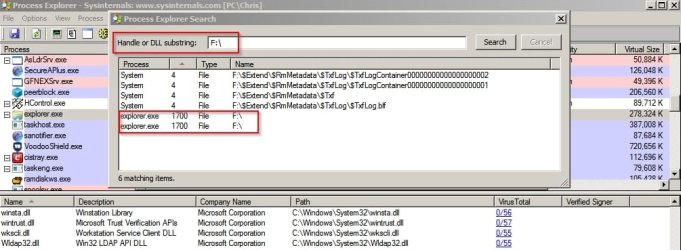
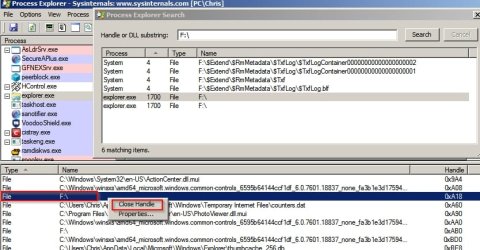
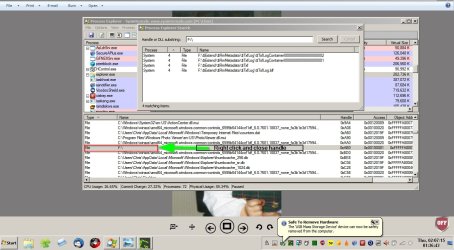
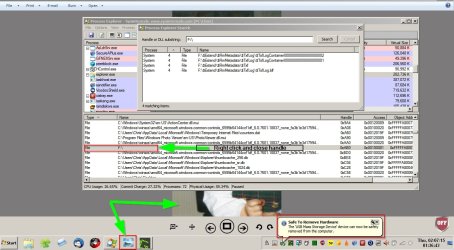
Okay so on my own machine it seems normal that those files are in use when a USB drive is plugged in.
Note: Explorer also locks the drive.
However for me - "Safely Remove Hardware" works and the drive can be ejected.
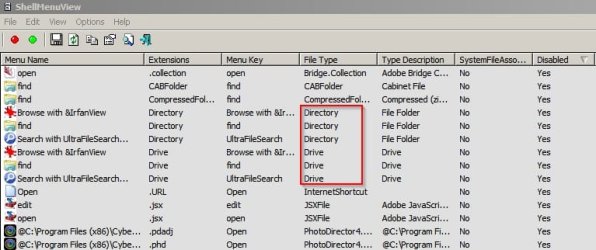
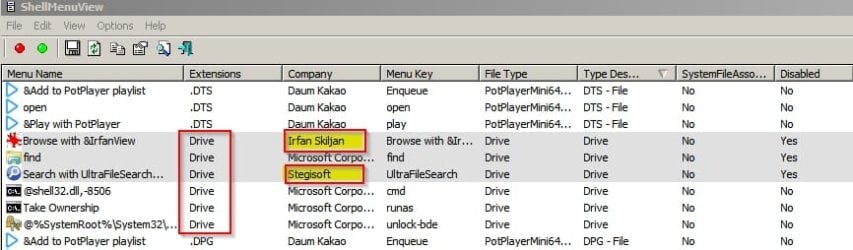
I still suggest trying the stop explorer trick which leads me to one more thought. Perhaps set folder view options like this if yours are different.
Okay, I believe autoplay was already disabled but I downloaded the reg file for removable drives and ran it. I also unchecked the folder view option as you suggested. I'll see if that improves things. I haven't tried killing explorer yet. I did have another instance of my external media player not ejecting tonight - it connects to my PC for file transfers via USB 3.0 and it did the same thing my enclosures do - the same locked files like you had in your screenshot above.
I'd love to solve this. It's a huge inconvenience and pretty ridiculous that it happens.
My Computer
- Computer type
- PC/Desktop
- Computer Manufacturer/Model Number
- custom build
- OS
- Windows 7 32bit Home Premium
- CPU
- Intel Core I7 920 Bloomfield
- Motherboard
- Asus P6T Deluxe v1
- Memory
- 3 GB Corsair DDR3 (3x1GB)
- Graphics Card(s)
- NVidia GTX 570 (1 GB RAM)
- Sound Card
- on board
- Monitor(s) Displays
- Dell P2314H
- Screen Resolution
- 1920x1080
- Hard Drives
- Western Digital Black 1TB (main OS)
- PSU
- XION Supernova XON-800R14N 800W
- Case
- Antec 1200
- Cooling
- Arctic Freezer 7 Pro Rev. 2
- Keyboard
- AZIO Prism
- Mouse
- Logitech G700S
- Internet Speed
- Verizon FiOS 85/85
- Antivirus
- Avast
- Browser
- Firefox/Chrome
- Other Info
- SansDigital rr622 RocketRaid (with non-raid Driver)
Renesas USB 3.0 card