
Windows Debloating Guide - Opinions

bingefeller

New member
Local time
9:01 AM
Messages
46
Hi guys,

I found this on another website and would like to know what you guys think of it?
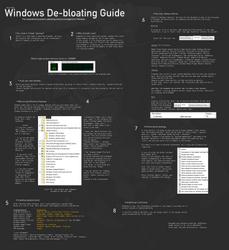


For what it's worth, I haven't done anything this guide suggests and wouldn't do it. I have 6 gig of memory and don't really run that many programs so memory isn't an issue for me. I wouldn't like to make these changes as I don't understand them enough to know if they would have a positive or negative effect on my computer. I would like to hear from other people on this though :)
 

My Computer

Computer Manufacturer/Model Number
Sony Vaio VPCEJ2B1E
OS
Windows 7 Home Premium SP1 64bit
CPU
Intel Core i5-2430M CPU @2.40GHz
Motherboard
Sony VPCEJ2B1E
Memory
6 GBytes
Graphics Card(s)
NVIDIA GeForce 410M
Sound Card
Conexant SmartAudio HD
Monitor(s) Displays
Laptop Display
Screen Resolution
1600x900 (32bit) (60Hz)
Here is a guide on this forum for optimizing the computer without any downloads: http://www.sevenforums.com/tutorials/11728-optimize-windows-7-a.html - created by Brink

Aside from that, any bloatware removal is probably entirely up to the administrator of their own computer. You choose the programs you want to remove, and perhaps the best way to remove them is by this program (Revo Uninstaller Free): Download Revo Uninstaller Freeware - Free and Full Download - Uninstall software, remove programs, solve uninstall problems

It is very good at removing all remnants of programs. Within Revo, choose a program, click uninstall, click "advanced" in the pop up, let the uninstaller run, choose all remnants to delete, click next, and delete any leftover files.


Aside from the optimizing guide above, I wouldn't change anything else on your computer. Somethings just may not be worth it, and others can be down right hazardous (to your computer's health).
 

My Computer

Computer type
PC/Desktop
Computer Manufacturer/Model Number
Custom Asus Build
OS
Microsoft Windows 8.1 Pro 64-bit
CPU
Intel(R) Core(TM) i3-4130 CPU @ 3.40GHz
Motherboard
B85M-E
Memory
8.00 GB
Graphics Card(s)
None
Sound Card
Realtek High Definition Audio
Monitor(s) Displays
Asus 23.6" Monitor
Screen Resolution
1920 x 1080 x 32 bits (4294967296 colors) @ 60 Hz
Hard Drives
INTEL SSDSC2BW180A4
Samsung SSD 840 PRO Series
PSU
Seasonic S12II-380Bronze
Case
Lian Li
Cooling
Fan, Passive
Keyboard
Logitech K120
Mouse
Microsoft Touch Mouse
Internet Speed
4ms Ping, 19.0 Mbps Download, 19.0 Mbps Upload
Antivirus
Eset Endpoint
Browser
Internet Explorer, Chrome

My Computer

Computer type
PC/Desktop
Computer Manufacturer/Model Number
Home Built Desktop By DataTech
OS
Windows 7 Ultimate X64 SP1
CPU
Intel i5-2550K, Differing ~4.4-4.8GHz No built in GPU
Motherboard
ASUS P8Z68-V PRO/GEN3
Memory
16GB G.Skill Sniper 1866MHz @ 2133MHz 2x8GB
Graphics Card(s)
ASUS GTX650TIB-DC2OC-2GD5, (650TI Boost)
Sound Card
Onboard Realtek 5-1
Monitor(s) Displays
Samsung P2570HD
Screen Resolution
1920x1080
Hard Drives
Samsung 840 Pro 256GB SSD for OS, 500GB Seagate Constellation (Enterprise drive) for Data
PSU
Corsair HX650W
Case
Inwin Dragon Rider
Cooling
Hyper 212 EVO w/two Noctua fans, push-pull, @1300 RPM
Keyboard
E-Z Eyes, bright yellow keys with large characters
Mouse
steelseries SENSEI Laser Pro Gaming
Internet Speed
48-51Mbs Mbs down, 11 Mbs up Xfinity Cable
Antivirus
Norton Internet Security 2013
Browser
IE 10, Opera, Pale Moon if needed
Other Info
4 case fans, LG BluRay-RE, ASUS DVD-RW, Mr. Fusion power supply, 1.21 gigawatts.
All this page is sugesting is to disable some windows system stuff, no biggie really, you can always turn it back on. Most of it is never used anyway. He also suggests doing system restore point just in case...
 

My Computer

Computer Manufacturer/Model Number
iBuyPower
OS
windows seven
CPU
Phenom II x2 3.1
Motherboard
asus
Memory
4 gigs
Graphics Card(s)
Nvidia GTS 250
Monitor(s) Displays
23in Acre
The best way to remove all the traces of bloatware is to clean install Windows 7 with a retail copy of Windows 7 and use your existing Product Key to activate it. It is hardly very time consuming because Windows 7 installs in a matter of few minutes and gives you the best anti-bloatware experience ever. The trouble taken is far less than the benefits that accrue from this action.

You can download an ISO image of your version of a retail version of Windows 7 from Official Windows 7 SP1 ISO from Digital River « My Digital Life.
 

My Computer

Computer Manufacturer/Model Number
Custom Built
OS
Windows 7 Pro with SP1 32bit
Motherboard
Intel D845GVS1 X86-based PC
Memory
2 gigs of RAM
Graphics Card(s)
Intel(R) 82845G/GL/GE/PE/GV Graphics Controller
Sound Card
Realtek AC'97 Audio
Monitor(s) Displays
Samsung SyncMaster 931BF Black 19" LCD Monitor
Screen Resolution
1280X960
Hard Drives
1. SAMSUNG SP0822N ATA Device ~ 80 GigaBytes

2. Seagate FreeAgent Go USB Device ~ 500 GigaBytes
Keyboard
COMPAQ Standard PS/2 Keyboard
Mouse
iBall Laser Precise Speedster
Internet Speed
4 mb/sec
Back
Top