Windows is slow after drive install

Executor2

New member
Local time
10:19 PM
Messages
2
Location
Iasi
So the story goes like this , I updated my Creative Audigy SE drives , also installed Easy Tune 6 for my Gigabyte Motherboard . After that I rebooted and the first symptom was that the windows boot time increased from 60 seconds to 90 seconds . I know that because I timed the boot time with a chronometer.

The second symptom is that winamp is stuck . I mean I click the icon , and after 2-3 minutes winamp starts .

I remember that this happened before , but I forgot how I managed to fixed the issue ( I remember that it took a great deal of time and many un-install`s and install`s of the sound drive ).

Any pointers or past experiences are very helpful.
 

My Computer

Computer Manufacturer/Model Number
Home made
OS
Windows 7 profesional
CPU
Intel E5200 @ 3,33Ghz
Motherboard
Gigabyte GA-EP41MF-S2H
Memory
3x 1GB KingMax
Graphics Card(s)
Assus Radeon HD 4870
Sound Card
Soundblaster Creative Audigy SE
Monitor(s) Displays
Samsung 22"
Screen Resolution
1900 x 1080
Hard Drives
WD AKAS Caviar Black 250 Gb
PSU
Enermax 600 W
Case
un-named
Cooling
stock
Keyboard
A4tech
Mouse
Razor Copperhead Blue
Internet Speed
25 Mbit/s
So the story goes like this , I updated my Creative Audigy SE drives , also installed Easy Tune 6 for my Gigabyte Motherboard . After that I rebooted and the first symptom was that the windows boot time increased from 60 seconds to 90 seconds . I know that because I timed the boot time with a chronometer.

The second symptom is that winamp is stuck . I mean I click the icon , and after 2-3 minutes winamp starts .

I remember that this happened before , but I forgot how I managed to fixed the issue ( I remember that it took a great deal of time and many un-install`s and install`s of the sound drive ).

Any pointers or past experiences are very helpful.

Can we assume no backup, restore point, or win 7 dvd?

I would un-install the 2 things that may have caused it.


What does it say in event viewer

There are several ways to find what the problem is. The best is to go into event viewer (type eventvwr in search). Go to the windows log>application tab.

You want to look for critical errors (they have red in the left column ).

When you find them you want to look for critical errors that say app hang, app crash, or anything that relates to the problem.

When you find them please note the event ID, and the source codes and tell us what they are.

In task manager (right click task bar) what are the cpu and ram running at?

Let us know if you need help with any of this.

Ken
 

My Computer

Computer Manufacturer/Model Number
HP Pavillion dv-7 1005 Tx
OS
Win 8 Release candidate 8400
CPU
[email protected]
Memory
4 gigs
Graphics Card(s)
Nvidia 9600M
Sound Card
HD built-in
Monitor(s) Displays
17" Wxga
Screen Resolution
1440x900
Cooling
none
Internet Speed
45Mb down 5Mb up
I have updated my profile with the current specs of my computer .


@zigzag3143
"Can we assume no backup, restore point, or win 7 dvd?I would un-install the 2 things that may have caused it."

The first thing that i did was to uninstall those programs ,I also uninstalled and installed the drives from the sound blaster, windows acts the same.

"What does it say in event viewer?"

None have error and are related to the Audigy SE drive , i got 1 from chrome , and one with real-temp , but those are "normal" one day events and random ones if I may say.I also cleared the logs because they were cluter and i will post a screenshot of them

I have also tweaked with msconfig , i also watch services to see if i have rogue services that could hang the windows . From my point of view the drivers are "slowing/Hanging" the windows . After the POST Screen , windows stars normal , i only get 1-2 seconds of the loading bar , then the screen goes black , and stays that way 30 seconds that weren't original there before the sound blaster drive was installed , then windows loads normal.

Also winamp has a "lag" or around 1 minute before it stars , this could point to the audio drive again.

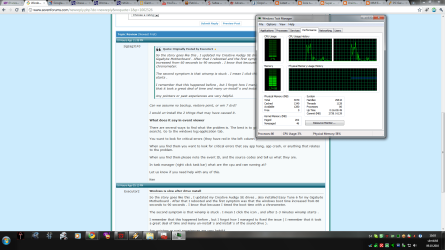
Screenshot of the Task Manager , i didn't fully understand what "what are cpu and ram running at " means.
 

Attachments

  • Untitled.png
    Untitled.png
    91 KB · Views: 8

My Computer

Computer Manufacturer/Model Number
Home made
OS
Windows 7 profesional
CPU
Intel E5200 @ 3,33Ghz
Motherboard
Gigabyte GA-EP41MF-S2H
Memory
3x 1GB KingMax
Graphics Card(s)
Assus Radeon HD 4870
Sound Card
Soundblaster Creative Audigy SE
Monitor(s) Displays
Samsung 22"
Screen Resolution
1900 x 1080
Hard Drives
WD AKAS Caviar Black 250 Gb
PSU
Enermax 600 W
Case
un-named
Cooling
stock
Keyboard
A4tech
Mouse
Razor Copperhead Blue
Internet Speed
25 Mbit/s
Back
Top