Hey all,
Working on a Win7 64-bit laptop for a friend...they can't access their e-mail. They were running WLM 2011 and suddenly when they tried opening it, it would just sit at the "Starting..." screen and go nowhere, eventually give a "Unexpected Error" message, than quit.
They tried to fix this by updating it to WLM 2012, but the same thing happens. I have already tried running Combofix, ADWCleaner, MalwareBytes and HitManPro to clean the machine in case it was Malware, and it is now thoroughly squeaky clean of any sketchy stuff.
I tried going into the Control Panel and doing a Repair on the program, but that made no difference. I also backed up my friend's C:/Users/***/AppData/Local/Microsoft/Windows Live Mail folder and then completely uninstalled and reinstalled the program with a restart in between and that seemed to make no difference too...the program still just sits at the "Starting..." screen.
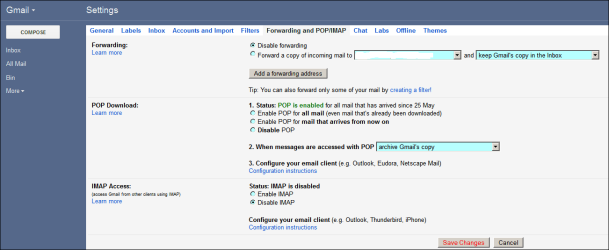
Any thoughts? They had the account set to POP, so am hoping the account isn't corrupted because they would lose all their messages...
If I look at the System Tray and click the little arrow for the hidden programs, I can see the WLM icon there 5-6 times, but if I move the mouse over any of them, they all disappear except for one. I already looked at the log, but I didn't see anything obvious....then again, could've missed something!
Any help would be appreciated for her! Thanks!
Working on a Win7 64-bit laptop for a friend...they can't access their e-mail. They were running WLM 2011 and suddenly when they tried opening it, it would just sit at the "Starting..." screen and go nowhere, eventually give a "Unexpected Error" message, than quit.
They tried to fix this by updating it to WLM 2012, but the same thing happens. I have already tried running Combofix, ADWCleaner, MalwareBytes and HitManPro to clean the machine in case it was Malware, and it is now thoroughly squeaky clean of any sketchy stuff.
I tried going into the Control Panel and doing a Repair on the program, but that made no difference. I also backed up my friend's C:/Users/***/AppData/Local/Microsoft/Windows Live Mail folder and then completely uninstalled and reinstalled the program with a restart in between and that seemed to make no difference too...the program still just sits at the "Starting..." screen.
Any thoughts? They had the account set to POP, so am hoping the account isn't corrupted because they would lose all their messages...
If I look at the System Tray and click the little arrow for the hidden programs, I can see the WLM icon there 5-6 times, but if I move the mouse over any of them, they all disappear except for one. I already looked at the log, but I didn't see anything obvious....then again, could've missed something!
Any help would be appreciated for her!
Thanks!My Computer
At a glance
Windows 7 Ultimate 64-bitIntel Core 2 Duo 3.0ghz6gb DDR2 RAM - 2gb OCZ, 4gb GSkill - both in ...ASUS Radeon HD7850 2gb
- Computer type
- PC/Desktop
- Computer Manufacturer/Model Number
- Custom
- OS
- Windows 7 Ultimate 64-bit
- CPU
- Intel Core 2 Duo 3.0ghz
- Motherboard
- Asus P5K SE/EPU
- Memory
- 6gb DDR2 RAM - 2gb OCZ, 4gb GSkill - both in dual channel
- Graphics Card(s)
- ASUS Radeon HD7850 2gb
- Sound Card
- On-board Realtek AC'97 Audio
- Monitor(s) Displays
- NEC AccuSync LCD71V LCD Monitor
- Screen Resolution
- 1280x1024
- Hard Drives
- Western Digital 160gb SATA (Master), Western Digital 320gb SATA (Secondary)
- PSU
- 500w Coolmax
- Case
- iCute 0302-SL-BAL-B
- Cooling
- top 80mm Exhaust, back 80mm Exhaust, side 80mm Intake
- Keyboard
- 22-year old Compaq RT101 w/ superbright modded blue LEDs
- Mouse
- Logitech MX510 (blue)
- Internet Speed
- Eastlink Cable @ 20 Mbps
- Antivirus
- Avast Antivirus Free
- Browser
- Mozilla Firefox
- Other Info
- I also have an MSI Wind U100 netbook running Linux Mint 17 MATE - 1.6ghz Intel Atom, 2gb RAM, 160gb Hard Drive, 128mb Intel Mobile On-board Video, Realtek AC'97 On-board Audio, 9-cell Battery, 1.0G BIOS