hornplayer
New member
- Local time
- 8:32 PM
- Messages
- 4
All the info I have read on line talks about clicking the 'block andd delete' button. I don't have one! Can someone tell me where it is?
My Computer
- OS
- W7 Home Premium 64bit


I think you have to wait until you get a piece of junk email that was put in to the Junk email folder automatically by WLM. Then open it and choose that option which appears at the top.All the info I have read on line talks about clicking the 'block andd delete' button. I don't have one! Can someone tell me where it is?



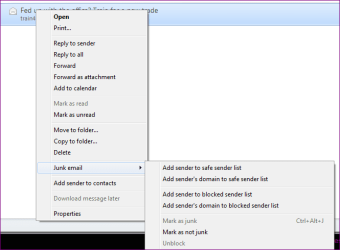
I have no such pane in my junk mail folder. I took a screenshot of my folder with the junk mail message open but I don't know how to get it here. I looked at 'insert image' but the image is on my computer, and doesn't have a URL. If you can tell me how to get said screenshot here, I can show you what I do have.
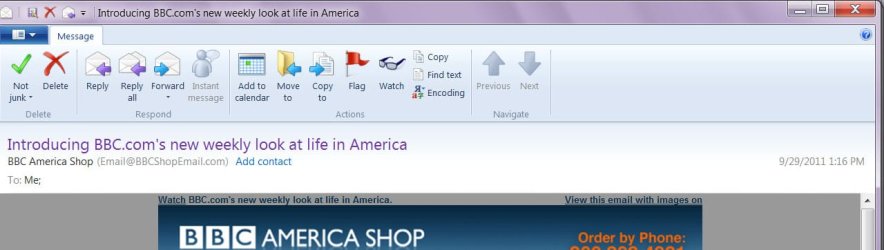
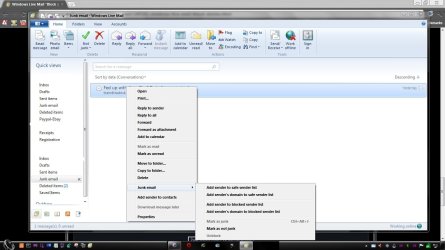
I think that is what the OP can't find. I think I saw that at least once but not often. The question is what causes that "delete and block | allow sender" choice to appear at the top of an email in your inbox. Obviously, we don't get that choice with every email received....Its usually at the top of the email in the reading pane if it reaches your inbox...

I'm not sure what you are agreeing with. I posted responses to the question from other forums, however I can't confirm any of them on my version of WLM from 2009. While I have seen a couple of rare emails with the statement "delete and block | allow sender" it certainly does not happen with normal email from sources that are not in my contact lists (safe, blocked, or normal). So I'm still a bit confused as to exactly what makes that option appear.I agree roncerr.
Anything that enters your junk mail box has the "add to safe senders/show images dialogue for obvious reasons, until you choose to allow or block it then that becomes default for that address.
Anything that reaches your mail box has unknown sender "delete and block/allow sender" until again you choose a default for that address.
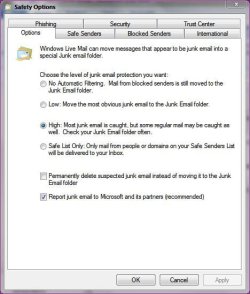
I notice that under "Safety Options" there are four levels of Junk mail filtering (no, low, high, and safe list); mine is set to low. Perhaps that might explain the difference.I'm using the 2011 flavour and if I empty my trusted and blocked email lists almost every email I receive has an option above "Unknown sender-allow-delete and block" even those in my contact lists until I allow them...
I notice that under "Safety Options" there are four levels of Junk mail filtering (no, low, high, and safe list); mine is set to low. Perhaps that might explain the difference.I'm using the 2011 flavour and if I empty my trusted and blocked email lists almost every email I receive has an option above "Unknown sender-allow-delete and block" even those in my contact lists until I allow them...

